Payment Options
Odoo18 offers a range of setup tools and techniques to meet the operational requirements of accounting operations management. One of the fundamental components of accounting management activities is the administration of payments and the related tasks. All incoming and departing monies must be collected by the finance department. Therefore, in order to specify and accept the payment suited for accepting financing from a range of sources, you must be ready with all the state-of-the-art features and tools in the current digital age.
The Odoo18 platform makes it easy and quick to manage and view payment terms, payment modes, and payment methods, and it places the highest priority on payment alternatives. With the platform, you can easily set up different payment periods, payment methods, and payment choices for all of their customers, vendors, and clients. This makes it possible to track incoming and outgoing payments and report on payment trends. It also makes sending bills and payment requests quick and easy. It provides a more effective way to handle and process payments. This includes establishing and overseeing payment terms, handling automated payments, and establishing and overseeing payment alternatives.
Payment options provide a comprehensive and useful way to handle and process payments, freeing up time and resources to focus on other business-related tasks.
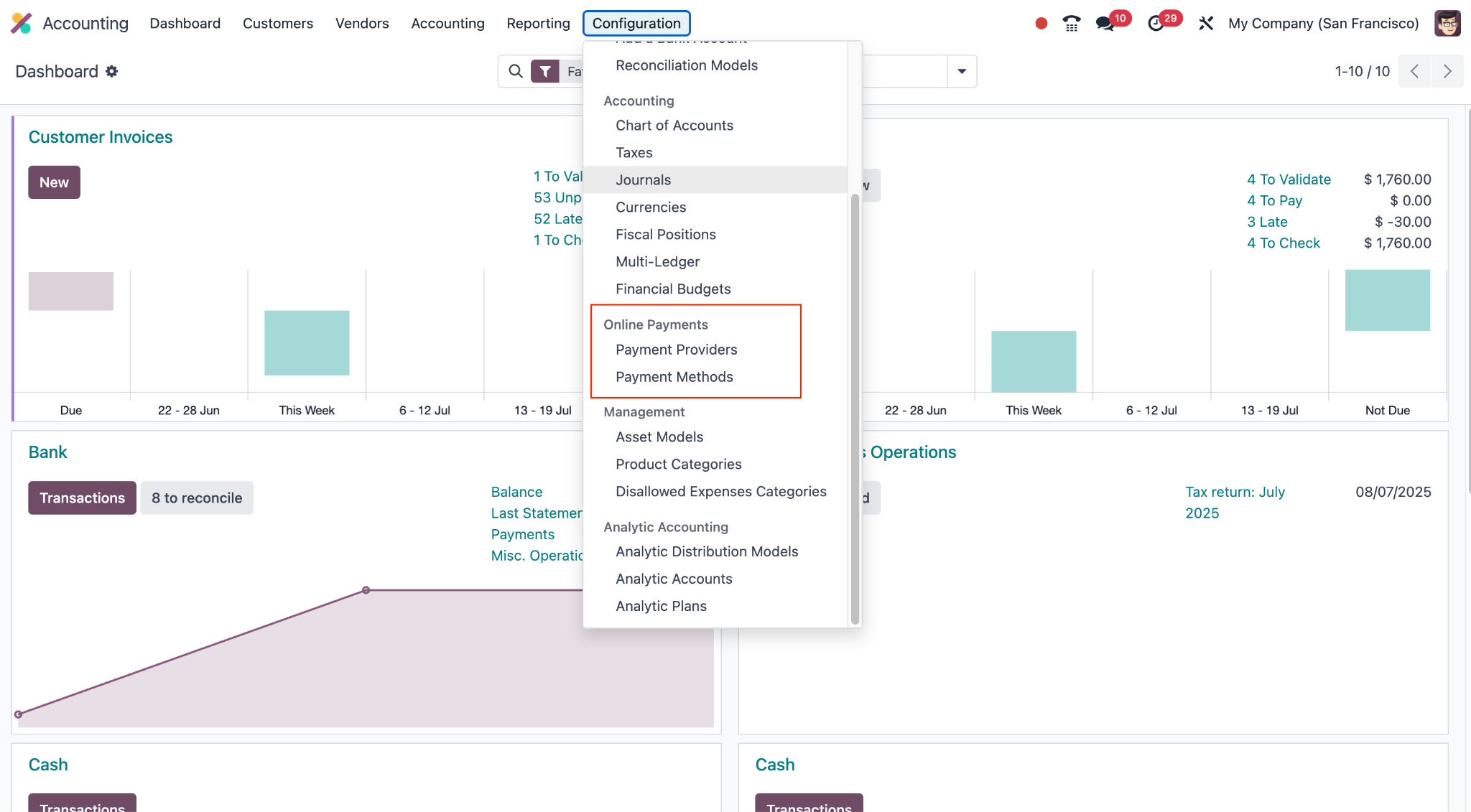
The primary element of the Payment options of configurations offered in the Odoo18 instance are the Payment providers, which are the most useful way to take payments. In the section that follows, we may therefore list the Payment Acquirers that are included in the Odoo18 system.
Payment Providers
Payment providers are the services that let you handle payments for your customers. You can accept and pay suppliers, clients, or vendors using the Payment Providers function in the Odoo 18 Accounting module. This ensures on-time payment, reduces manual errors, and expedites the payment and collection process. Payment providers also offer fraud prevention, automated reconciliation, and integrated accounting as additional benefits. In addition to online payment processors like PayPal and Stripe, it permits interaction with several banks. Using a safe and secure payment gateway, customers may now pay orders or bills online from the Odoo18 website. This integration facilitates faster payments by improving customer happiness and simplifying the payment procedure.
The Odoo18 instance makes it simple to access the Payment Providers option. By choosing the Configuration tab, as shown in the figure below, you may reach the Payment Providers menu icon in the Accounting module's Payments section.
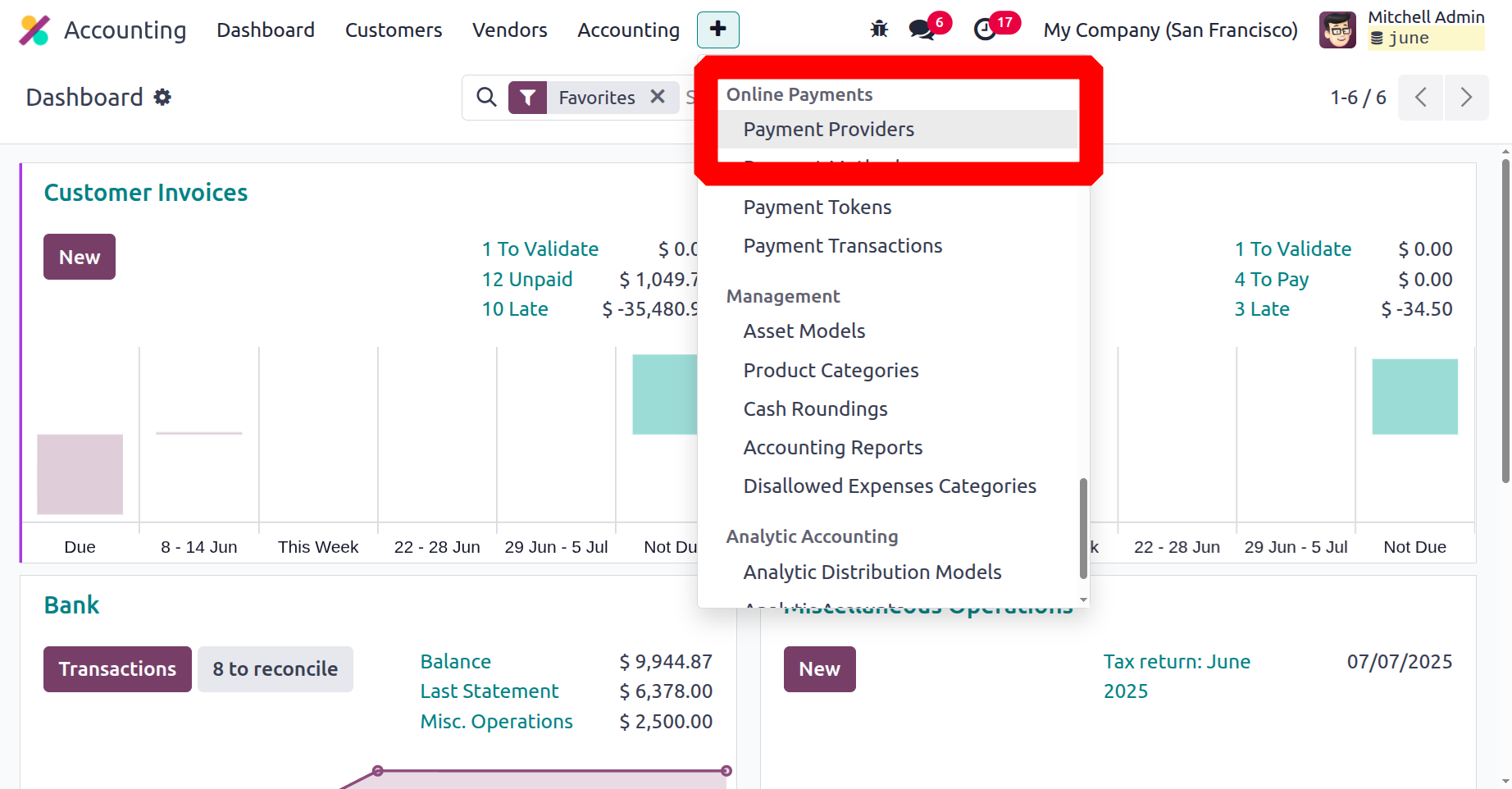
One link that can be used to access the menu is the Payment Providers window, which shows all of the installed and specified payment providers.
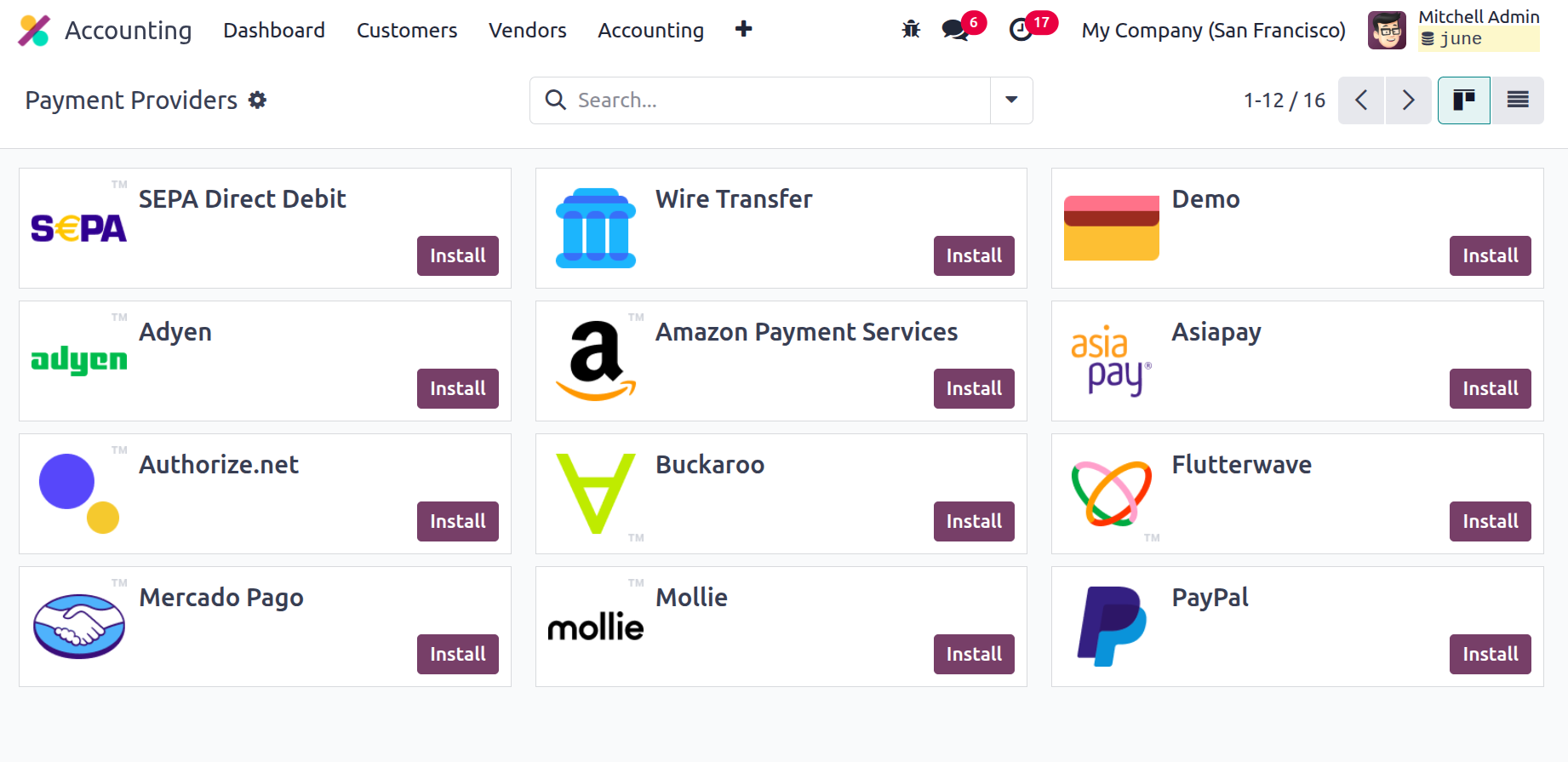
Here in the window, you can see the names and logos of the Payment Providers that are being made operational. Additionally, just selecting and turning on the relevant provider will enable the required Payment Providers. You also have the option to filter and arrange using the many default and customised Filters and Group By options so that you can discover the right Payment Provider quickly. To view the configuration information, you can select any of the Payment Providers provided. You can also change the information.
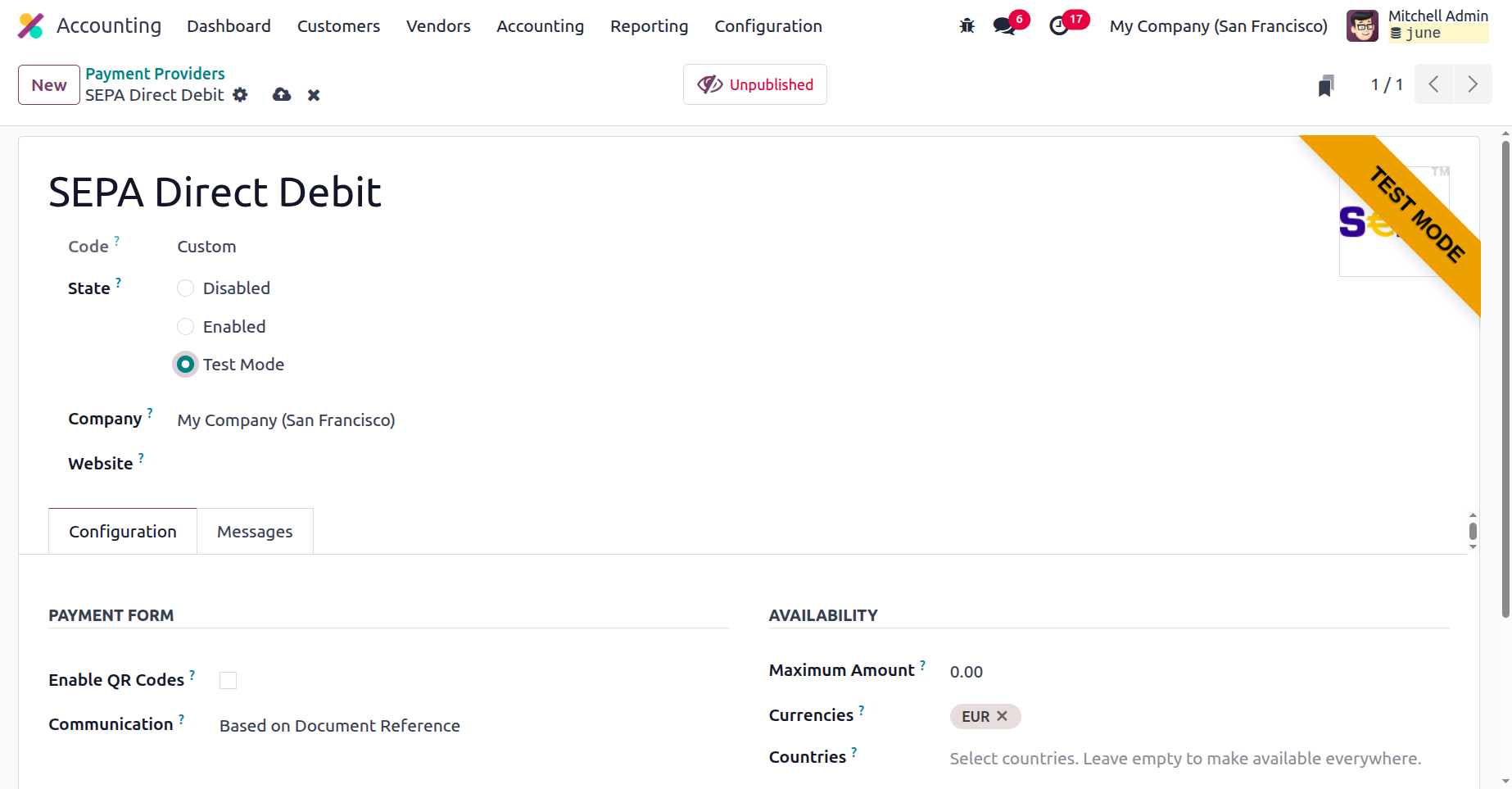
To view all of a provider's information, you can select that provider. By clicking on this record, for example, we can view the information on the "SEPA Direct Debit." You will see a new window where you may view all of the details, as shown in the image below.
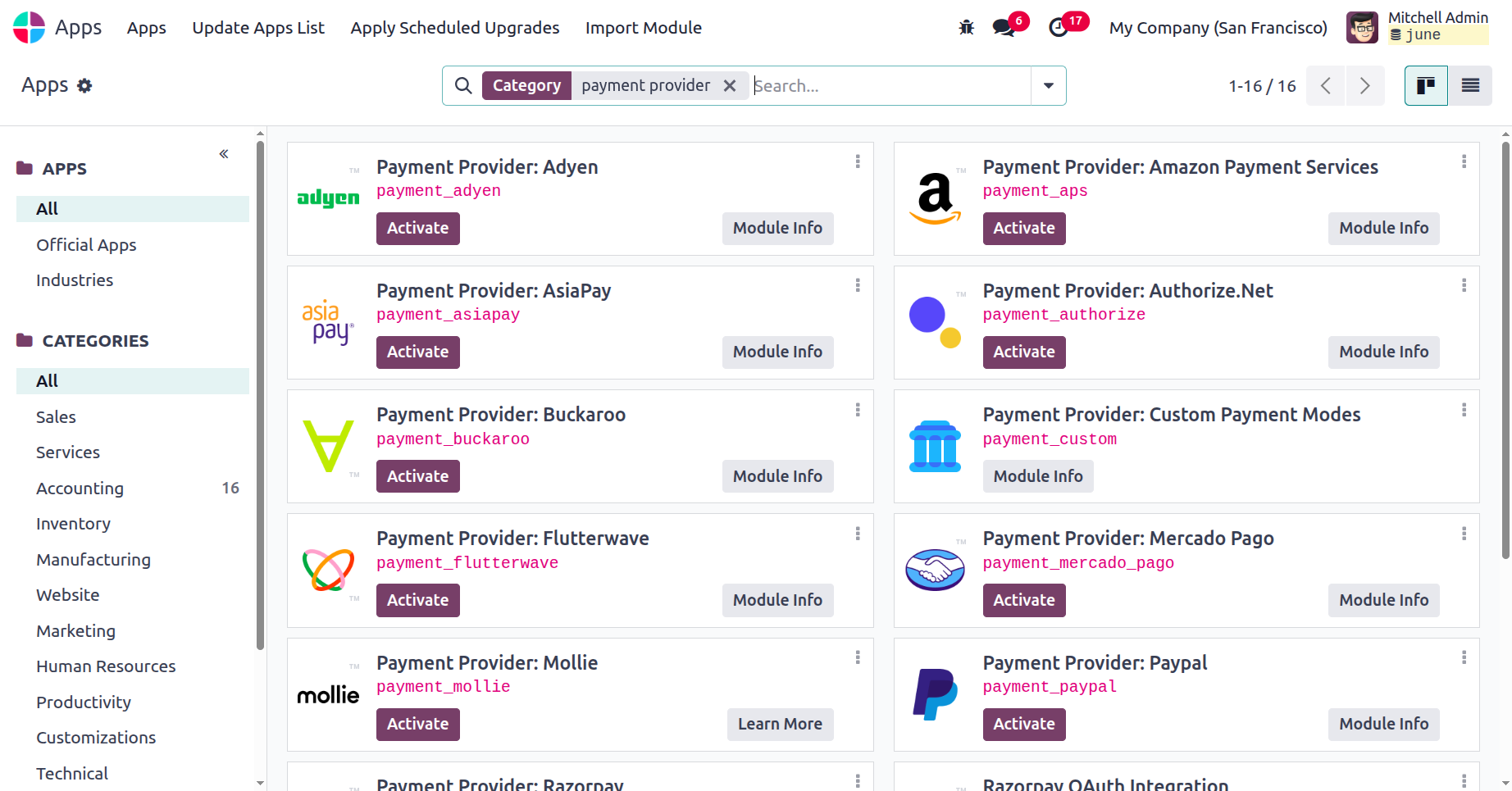
Users can access the many Payment Providers designed for the Odoo18 platform's operations from the App Store. All of the accounting-related software that is available for installation only from this location can be accessed under the Accounting category.
After that, the Odoo18 Accounting module's administration options can be discussed.