Currency Management
The comprehensive Currency management feature in the Odoo 18 Accounting module allows users to easily manage multiple currencies in their accounts. This feature includes an automatic currency conversion technique and a currency rate system. The currency rate method allows users to specify the exchange rate and select their preferred rate for each type of currency. With this method, users may also set different rates for different types of transactions.
The automated currency conversion method allows users to automatically convert any transaction amount across currencies. This is done using the currency rate determination method and the rate set for each kind of transaction. It also allows you to select which currency symbol will be used when displaying quantities in other currencies. This ensures that the exchange rates are applied correctly and that all amounts are displayed in the appropriate currency. Additionally, users may easily track and report on transactions in other currencies. It is quite helpful to have a clear picture of their accounts and transactions in many currencies.
Often, multinational companies will have a significant number of international suppliers and customers. As a result, the powerful currency management system we have integrated into the Odoo18 platform is highly pertinent. This is primarily because the organisation will stick to a set of currencies in which all of its activities are conducted, and different payments, such as vendor bills and invoices, must be made in accordance with their respective currencies. Consequently, handling several currencies is made easier with the help of the platform's Currency Management function.
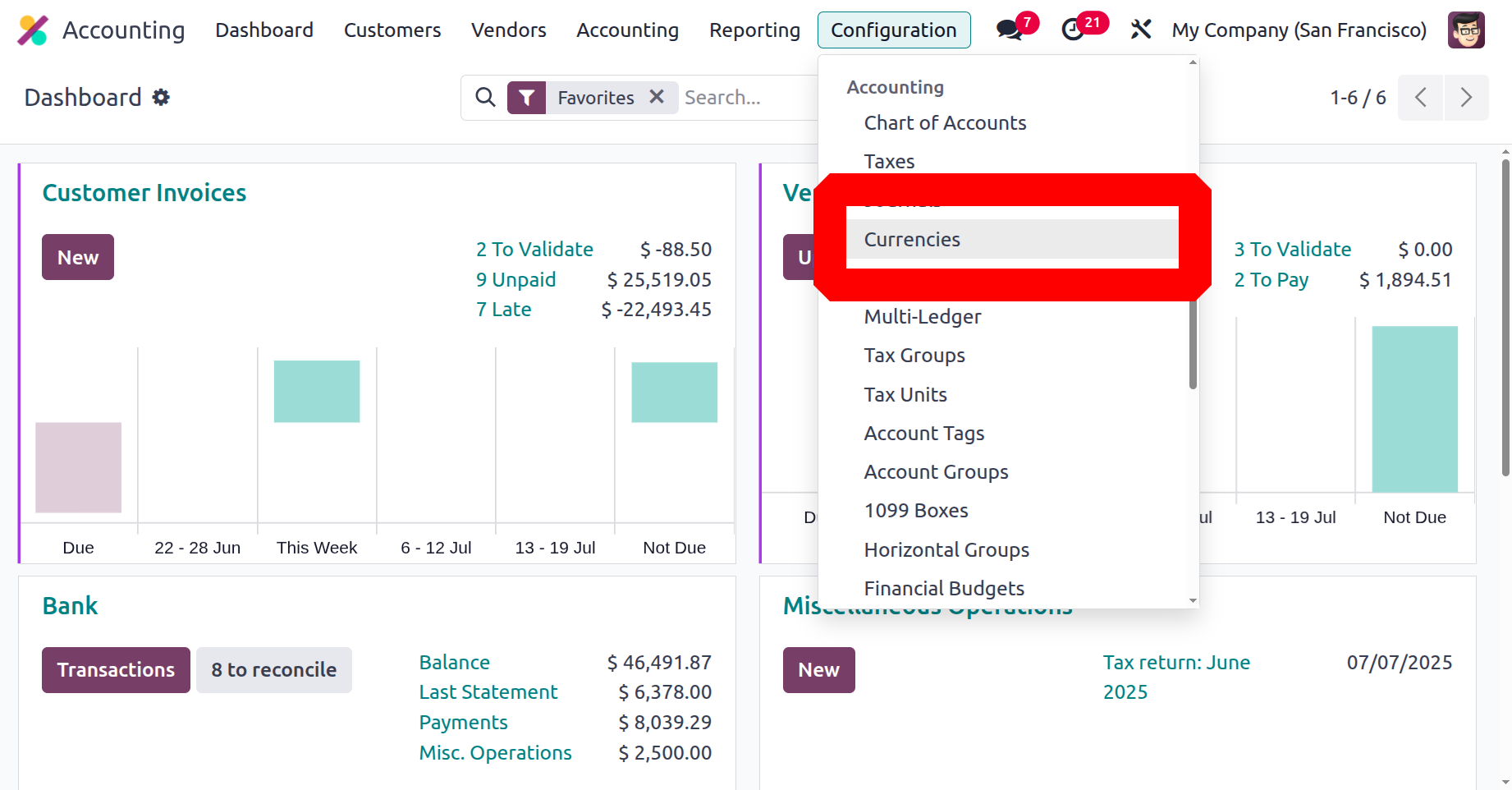
As shown in the screenshot below, the Currencies menu is located in the Configuration menu of the Odoo 18 Accounting module. The Currencies window, seen below, can be accessed with a single click.
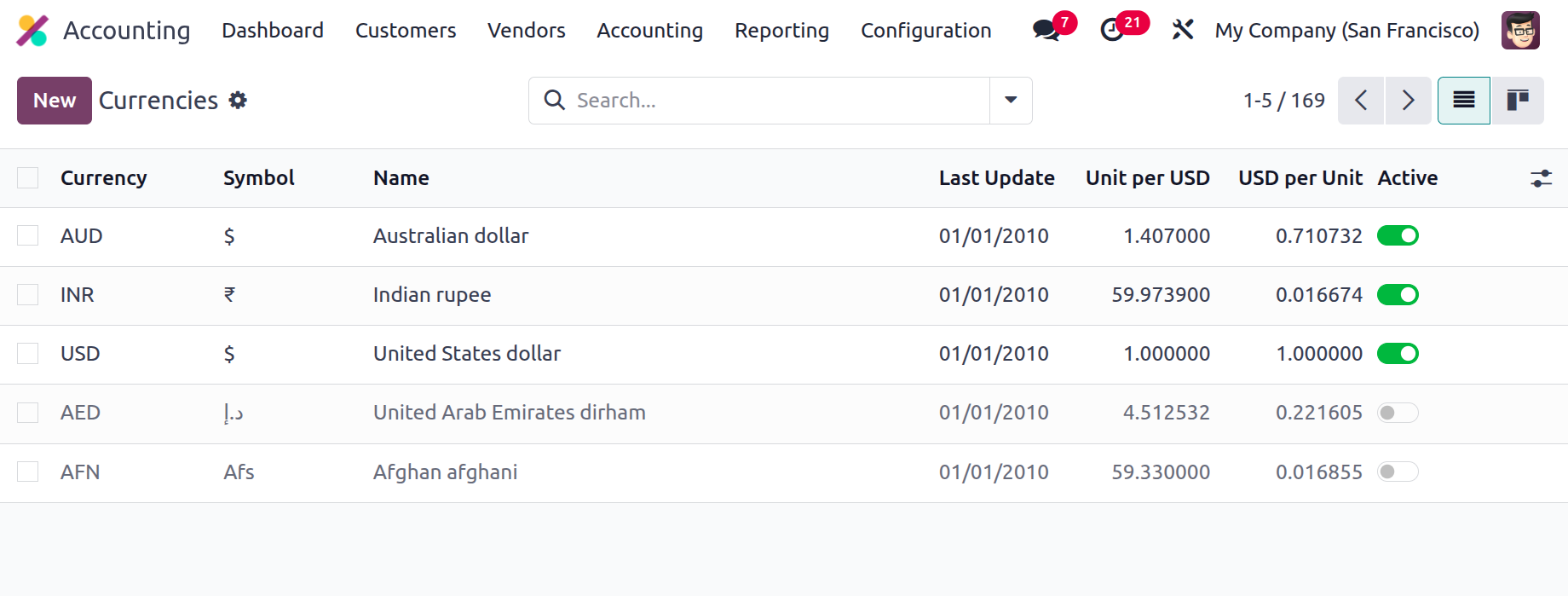
The Dedicated Window will show the list of Important Currencies of Operation in the World. You may also launch the window in Kanban view by clicking on the Kanban menu button in the top right corner. This window displays the details of each currency, such as the Currency Name, the symbol of that particular currency, the Name, the Last Updated Date, and the Current Rate (in relation to the base currency specified). Both the Active option, which can be enabled or disabled based on the organization's preferences are displayed.
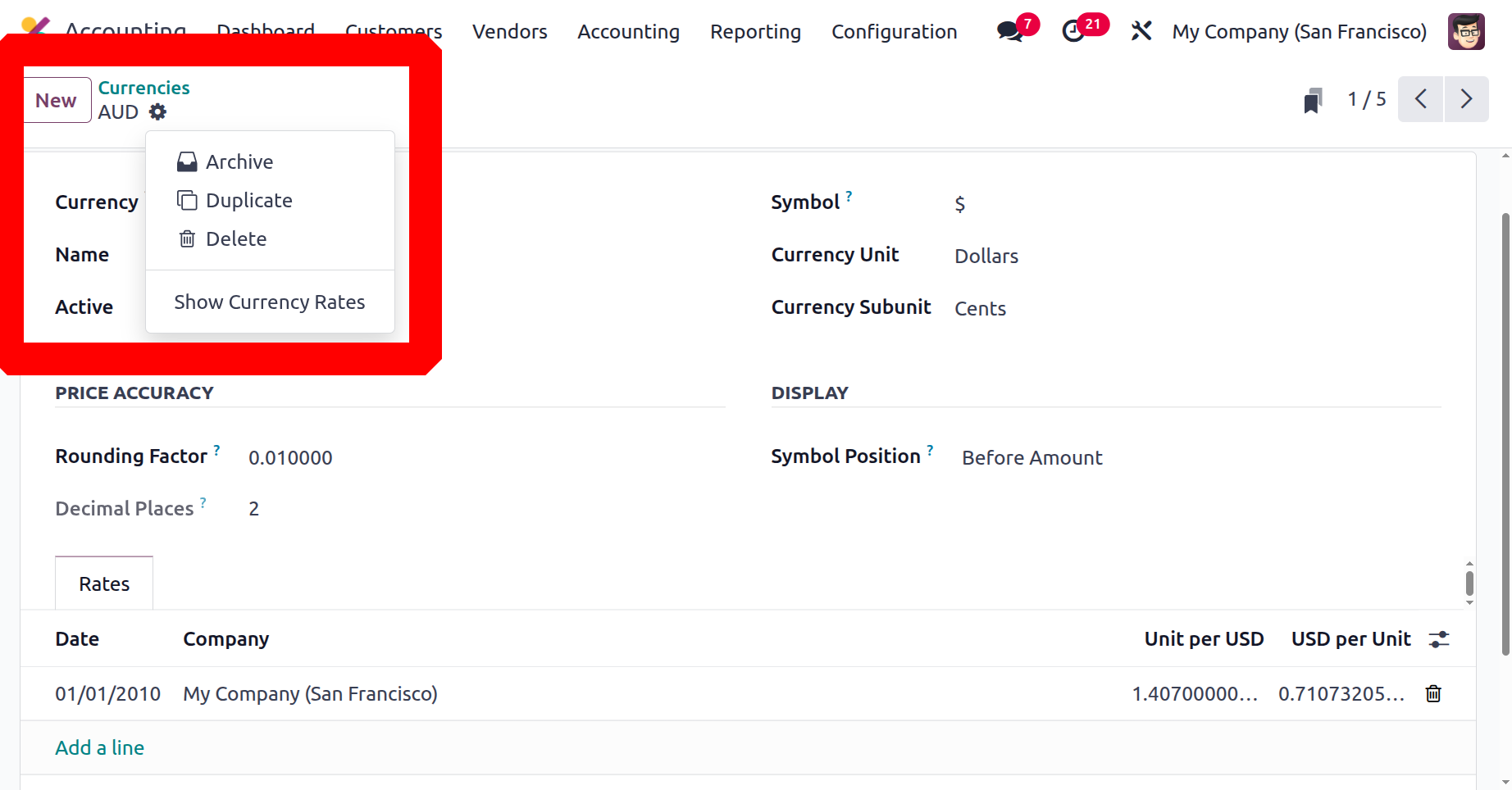
You can choose any of the default currency records, and you can perform a number of actions with the related options under the Action button, such as archiving the currency, creating a duplicate record, deleting it, or showing currency rates.
You can choose the NEW button in the Currencies window to set up a new currency if necessary. The creation form will now be drawn as it appears below.
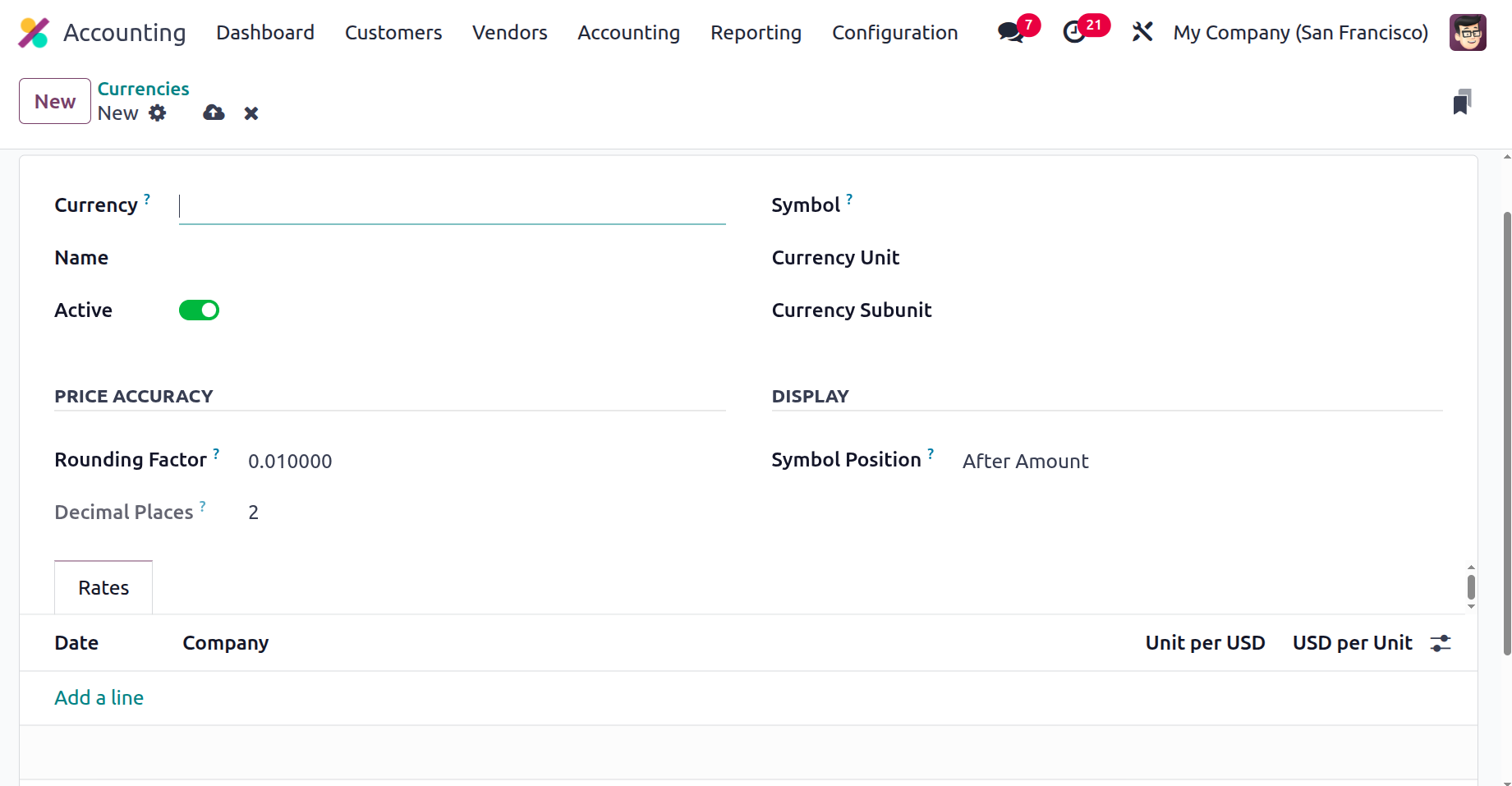
You can input the currency code in the Currency section. In the corresponding fields, you can provide the Name, Currency Unit, and Currency Sub unit. Similar to this, the Active field can be turned on or off based on the situation. The quantity in this currency is rounded off to the closest multiple of the rounding factor, according to the rounding factor. For actions on the amount in this currency, decimal places are taken into consideration. The rounding factor determines it. Lastly, the Rates tab contains the currency rates. You can create fresh exchange rates for the currency here based on the most recent modifications. You can specify the Date, Company Name, Unit per USD, and USD per Unit under the Rates tab.
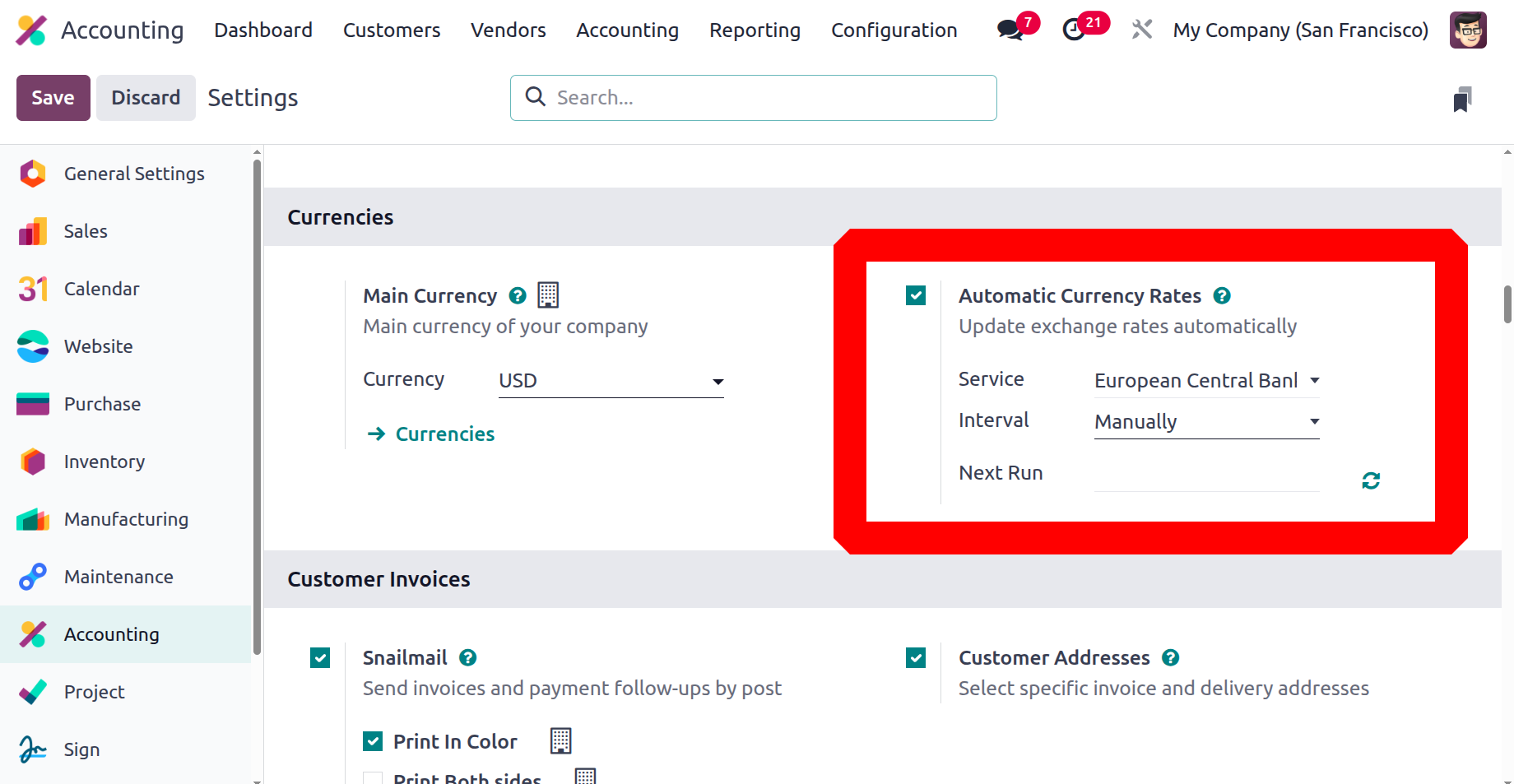
The Odoo18 platform also offers the option for Automated Currency Rates. It is accessible through the Odoo18 Accounting module's Settings panel. As seen in the figure below, you may locate the choice in the Configuration Settings' Currencies section.
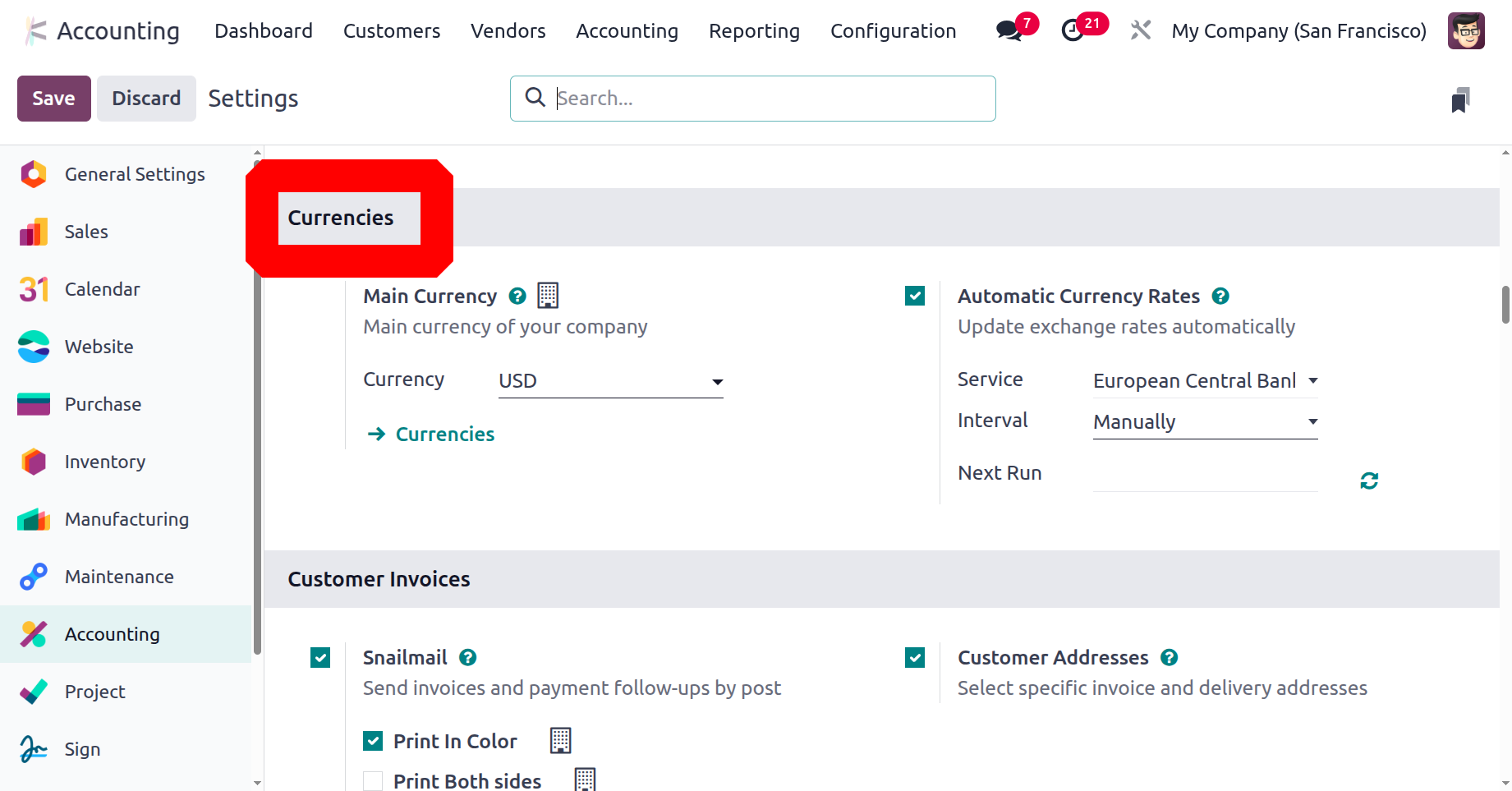
If you choose the Automated Currencies Rates option, exchange rates can be updated automatically. To accomplish this, you must choose the currency rate update service provider from the dropdown list that appears in the Service field. For example, depending on where your company operates, it can utilize the dropdown to choose the European Central Bank, the Bank of Canada, the Mexican Bank, etc. You can also choose if the currency will be updated manually, on a daily, weekly, or monthly basis. You can modify the next date of the update using the calendar pop-up that appears beneath the "Next Run" column.
Consequently, the Odoo 18 Accounting module has a special instrument for managing exchange rates. They can work with various currencies since it allows you to easily alter a currency's exchange rate within the system. The module's support for multi-currency transactions will allow users to track their transactions in many currencies. Additionally, it provides reports for tracking currency performance and analysing exchange rates. Customers can also customize their currency exchange rate settings with a range of choices provided by the module. As a result, they can better manage and exert more control over their finances.
Consequently, the Odoo 18 Accounting module has a special instrument for managing exchange rates. They can work with various currencies since it allows you to easily alter a currency's exchange rate within the system. The module's support for multi-currency transactions will allow users to track their transactions in many currencies. Additionally, it provides reports for tracking currency performance and analysing exchange rates. Customers can also customize their currency exchange rate settings with a range of choices provided by the module. As a result, they can better manage and exert more control over their finances.
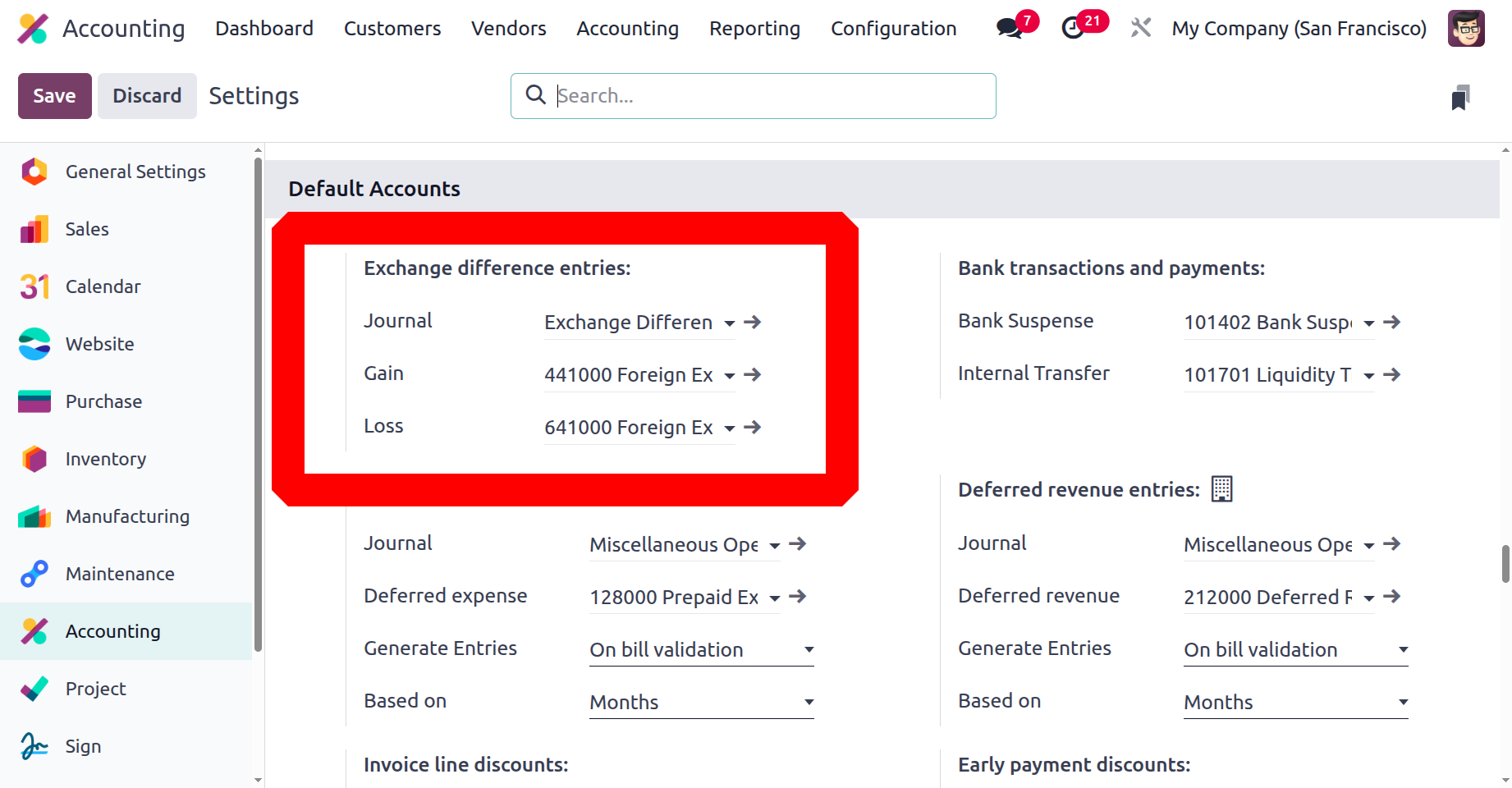
With this option, the platform allows users to define the Journal, the Gain Account, and the Loss Account. Consequently, in the event that the transaction suffers a loss due to fluctuations in the exchange rate, it will be documented in the Loss Account, which is presently under development. If, on the other hand, the transaction makes money as a result of exchange rate fluctuations, the amount will be credited to the Gain Account that you stated above. The platform's multi-currency management feature and these advancements could make it easier for you to conduct successful international business operations.
Now that we know about the Odoo18 Accounting platform's multi-currency management features, let's move on to the Fiscal position functionality.