Analytic Budgets
Two crucial components of a business's operations are the budget and spending control. To get ready for the next fiscal year, almost all organisations, no matter how big or small, will create a budget. Through unique menu choices in the Accounting module, the Odoo platform facilitates budget planning. The Budget option displays all the information of the budgets that are currently being prepared. This part will include the budget name, start and finish dates, responsible person, and status. Using the Filtering and Group by options, users can select the most important budget from the long list.
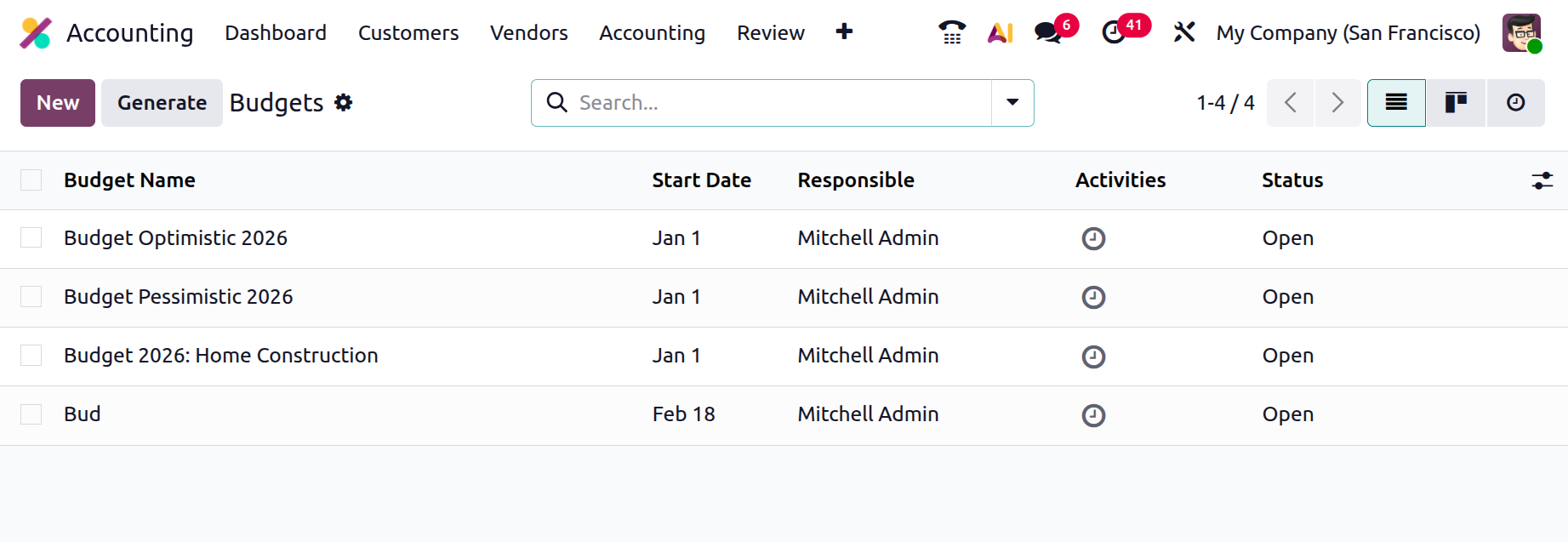
As seen in the figure below, choose the New option to launch the creation window and begin creating new budgets. Here, the Budget Name, the Responsible Person, and the Period should be listed at the beginning along with the Start and End Dates. The sort of budget can be chosen by users. There are three categories available: Revenue, Expense, and Both.
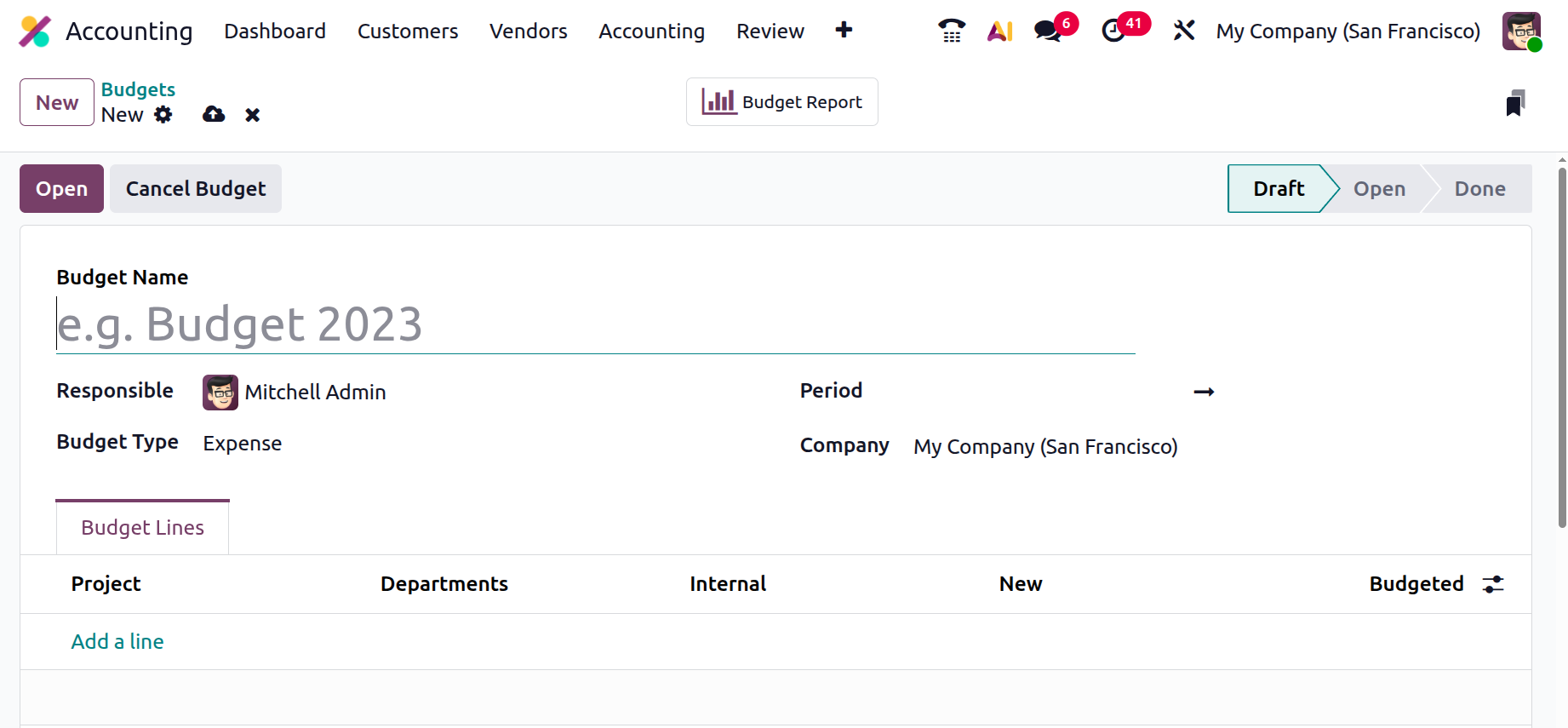
You can also create the Budget Lines for that particular budget by selecting the Add an available line option. Include the allotted amount and the analytical project within the budget lines. Next, press the "Open" button.
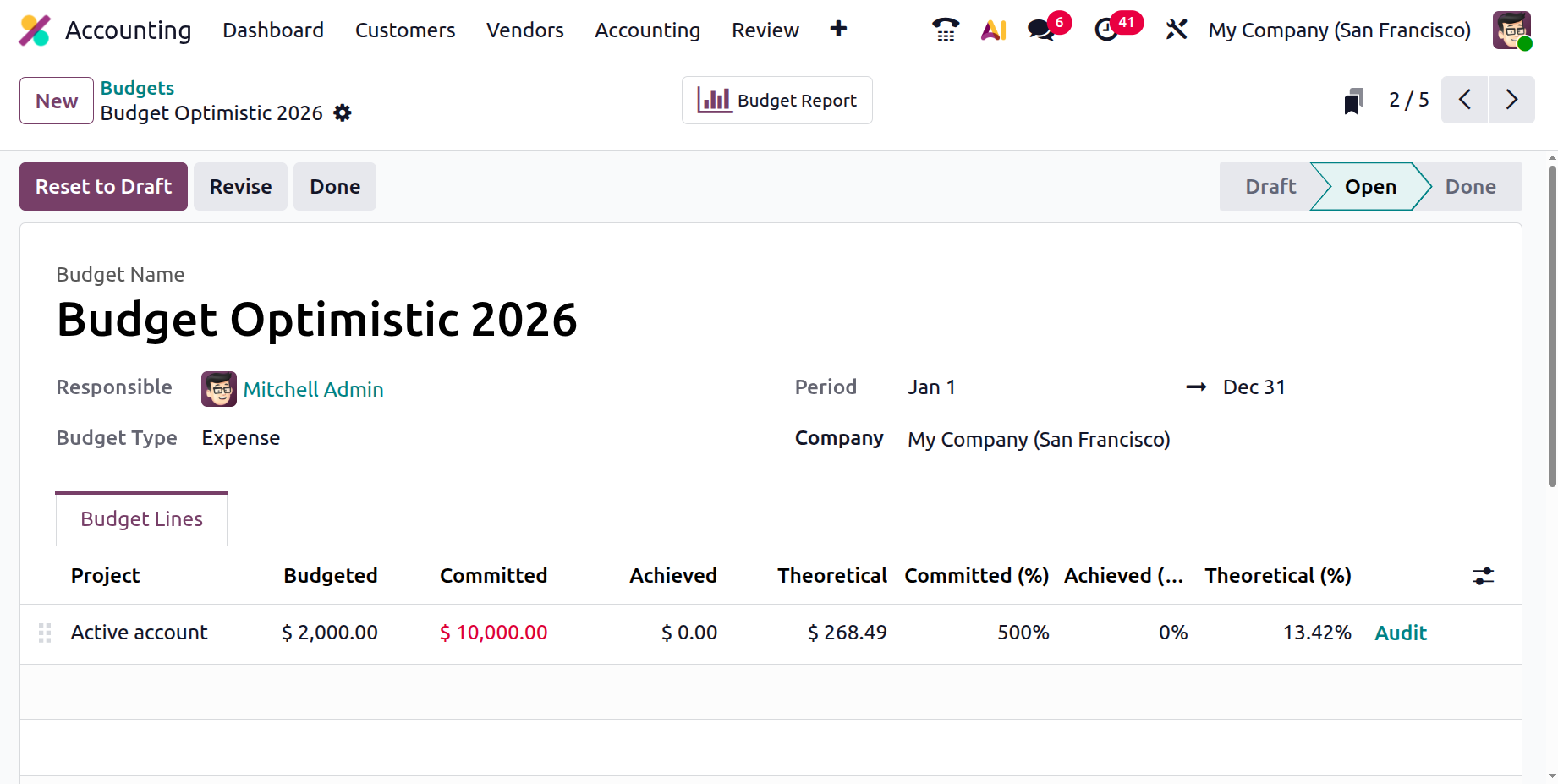
The "Budgeted Amount," which is the intended amount as mentioned earlier, is the sum of money we have allocated for that specific item. The theoretical amount is the highest amount that is expected to be earned or spent from the beginning of the budgeting period to its conclusion. The committed amount is the sum of the amount that has already been billed and the amount that was confirmed on the purchase order. The Achieved amount is updated from the total billed/invoiced amount. The anticipated or predicted amount that will be earned or spent over time is known as the theoretical amount. Furthermore, the Committed%, Achieved%, and Theoretical% can be calculated.
- Committed% = ( Committed value/Budgeted value) *100
- Achieved% = ( Achieved value/Budgeted value) *100
- Theoretical% = ( Theoretical value/Budgeted value) *100
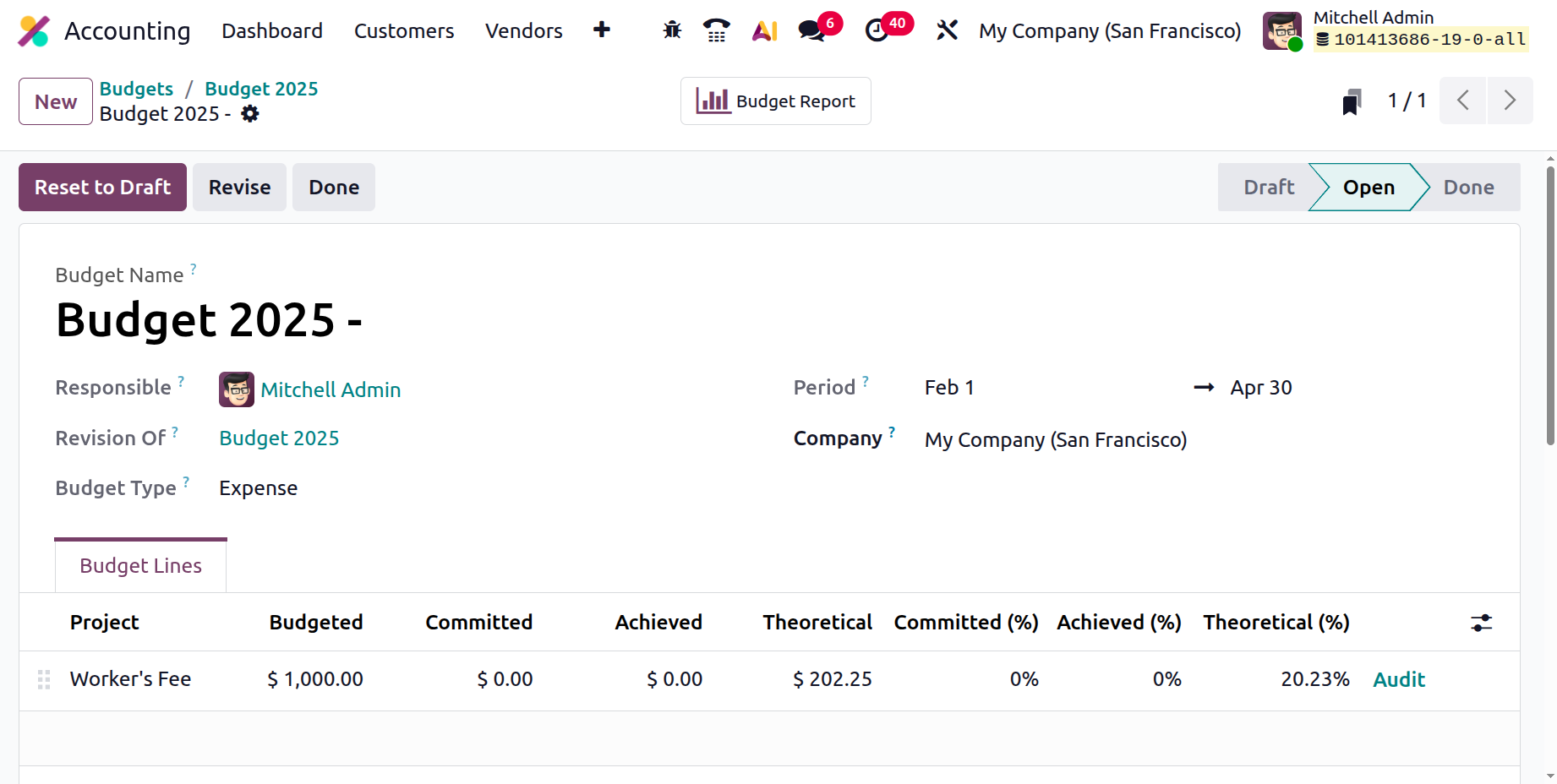
For example, the Planned Amount for Budget in the figure above displays $1000 in revenue over 89 days, from February 1 to April 30. $1000/89 = $11.236 is the most that can be earned or spent each day in order to stay within the budget. As a result, they have to earn or spend $11.236 daily. On February 18, 2026, the 18th day of the budget, the theoretical amount for the day will be 18*11.236 = $202.25. The theoretical percentage is 20.23%, which can be computed as (202.25/1000) * 100 = 20.23%.
The actual revenue or expense is known as the "Achieved." Whether a bill or invoice is validated or not, the attained value will be updated immediately. In light of this accomplishment, the company may also decide to maintain or eliminate this budget.
After all the various components have been determined, you can save the menu and check the budget. As you can see in the image below, you will be able to alter the budget. Users can make changes to an updated budget if one is made.
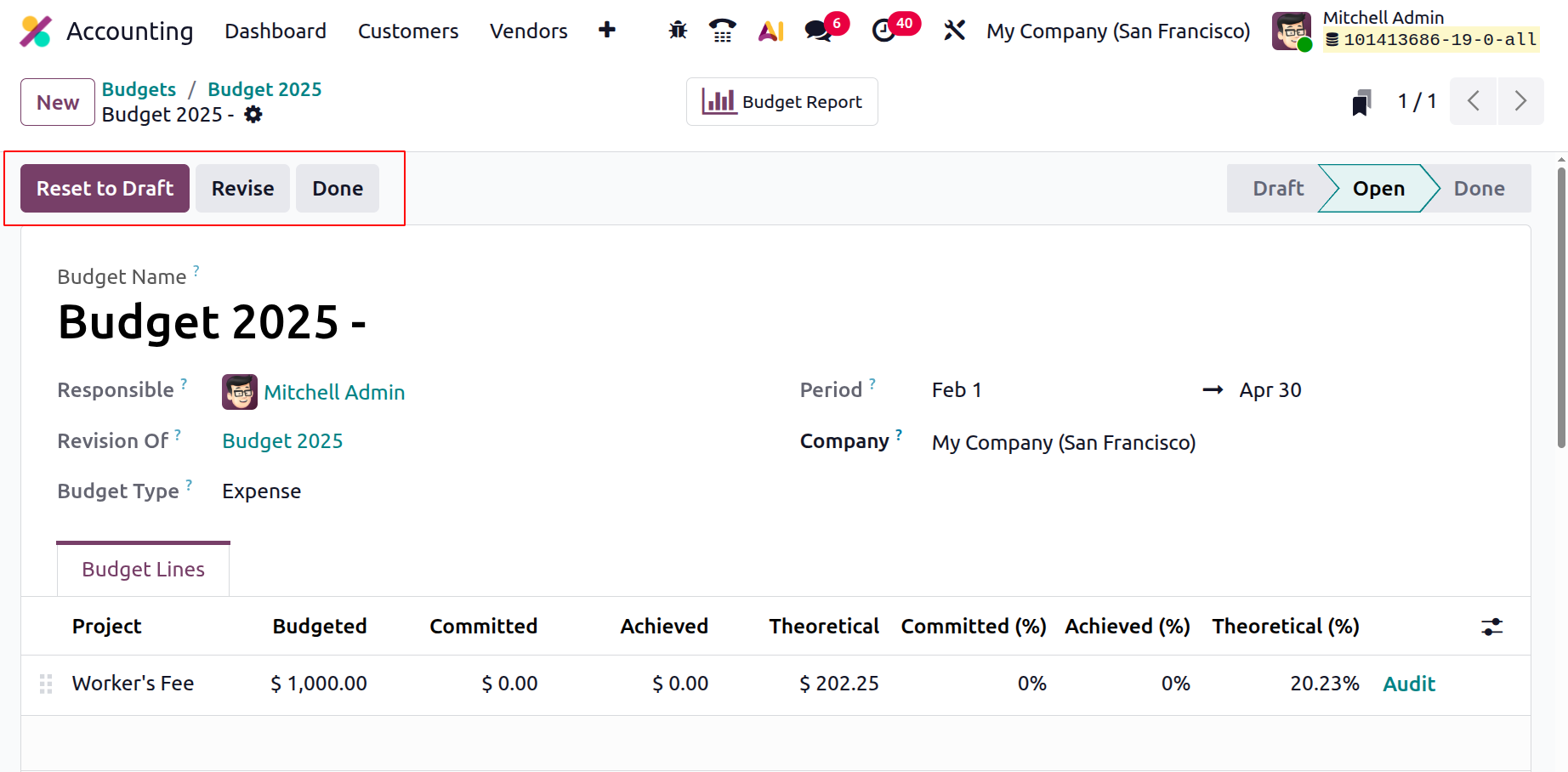
Once the budget has been approved, the platform will be up and running and prepared to handle the financial elements. Let's go on to the next section, which will go into more detail on asset management, after outlining the many facets of budget management.