Analytical Accounting
Analytical Accounting is a function in the Accounting module that allows users to monitor financial data more closely. This is accomplished by incorporating more dimensions that can be used to classify and analyze financial data, such as departments and projects. Analytical accounting users can make better business decisions by monitoring the financial performance of specific projects or divisions. Users can also create comprehensive financial reports that are helpful for forecasting, budgeting, and other financial research. It gives you a more thorough picture of your earnings and outlays so you can see where your money is coming from and going. Create financial reports, plan for future expenses, and monitor spending trends over time with this module.
The general ledger, accounts payable, and receivable can all be used in tandem with the analytical accounting capability. Additionally, it can be used to manage client invoices and vendor bills in conjunction with the Sales and Purchase modules. Businesses may monitor their inventory levels and make sure they have enough goods on hand to satisfy customer demands by employing analytical accounting.
Any industry can monitor its financial activities with this cutting-edge accounting system. You may also use the tool to analyze or filter certain stories without having to write a journal article. This suggests that a distinct analytical account might be made for a particular good or service if it is crucial to comprehend the nuances of that good or service's cost in comparison to the cost of all goods and services. The analytical accounting aspect's well-defined tools and functions will simplify even the most intricate accounting processes.
You must activate the 'Analytic Accounting' feature from the Accounting module's Configuration Settings in order to study and manage the analytic accounts in Odoo 19. The menu is located in the Analytics section, as seen below.
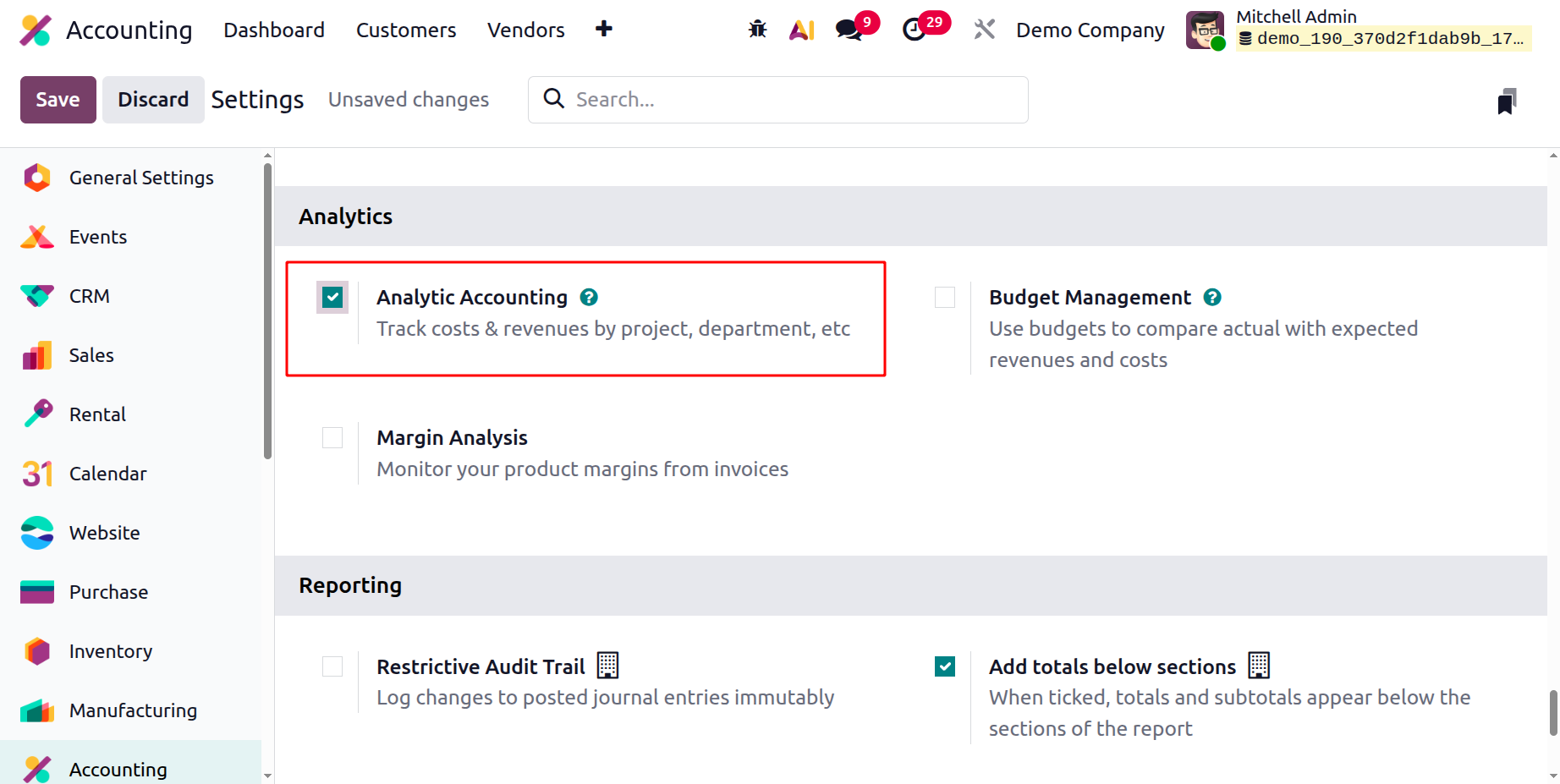
Additionally, the Odoo19 Accounting module offers cutting-edge capabilities and a dedicated section for Analytical Accounting activities. The section that follows will provide a detailed analysis of the main management tools and features found in the Odoo19 Accounting module.
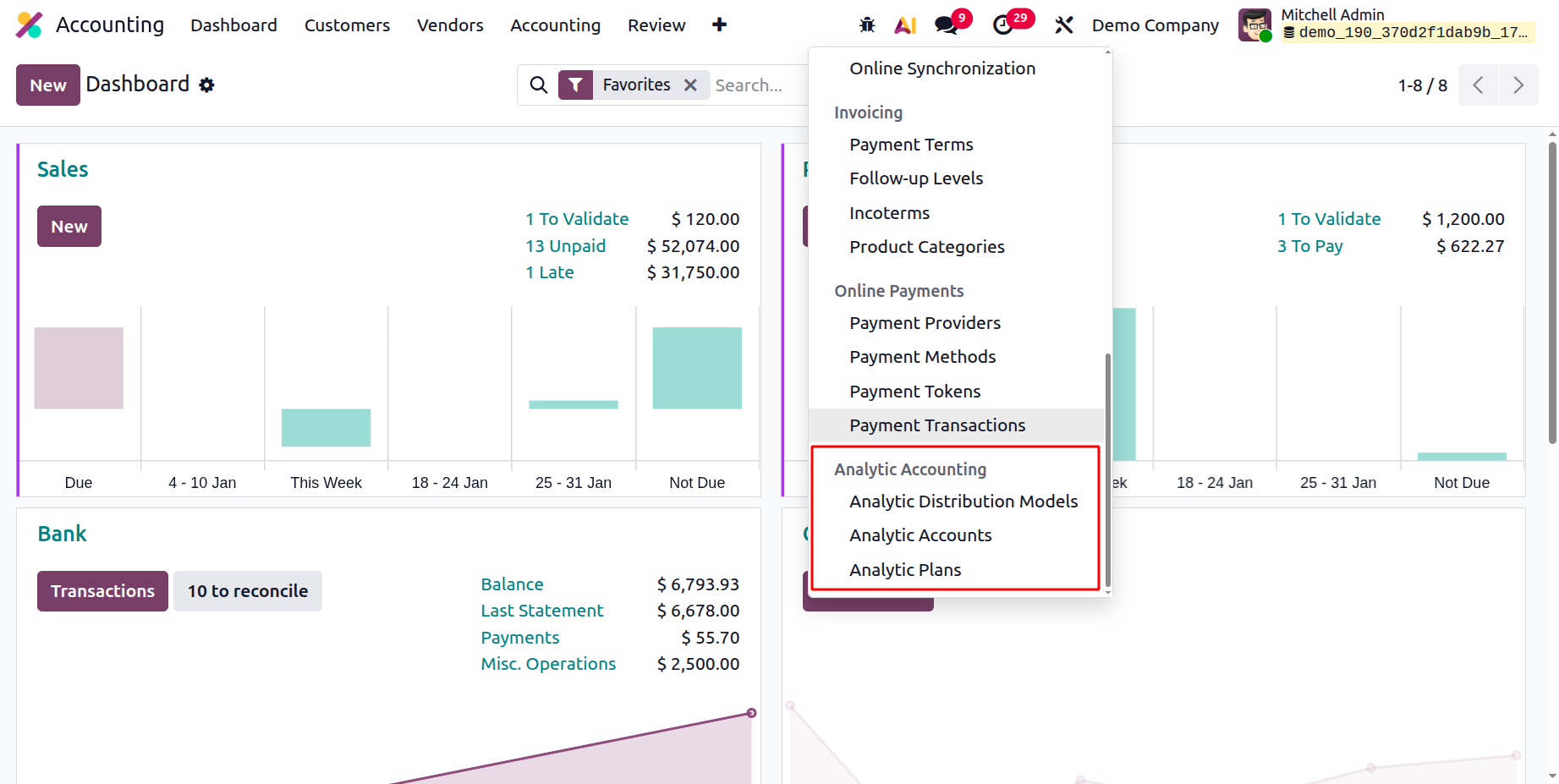
Analytic Plans
The Accounting module in Odoo 19 is arguably the greatest and most popular. Since its launch, this module has consistently been among the most well-liked. It enables the user to better manage their finances and accounts. Analytical Plans are one component that helps you manage financial data as practically as possible. You may design and oversee your financial strategies using this function. By doing this, you will be able to monitor your financial status and make smarter financial decisions.
The Analytic Plans menu is located in the Analytic Accounting part of the Configuration tab of the Odoo19 Accounting module, as depicted in the picture below. You might get a list of all necessary analytic account plans under the Analytic Accounts menu.
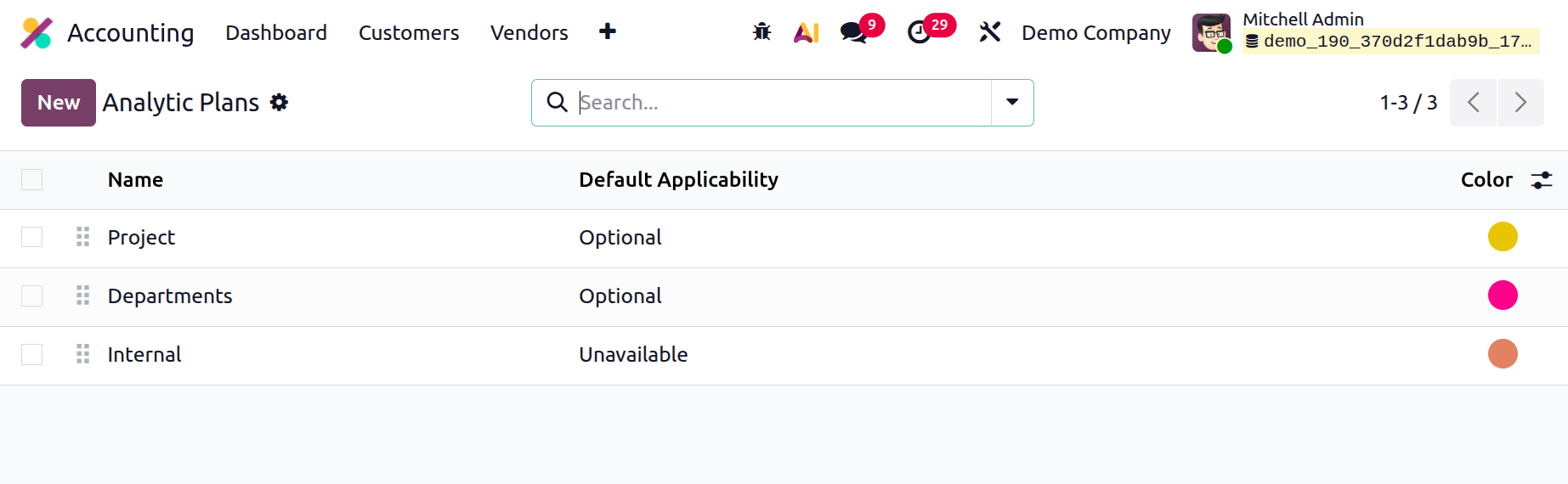
The Analytic Plans screen, which also shows the key details for each plan, including Name, Default Applicability, Colour, and Company, will methodically save and keep all configured Analytic Plans. You can choose to examine any of these documents in further detail. You can manage a variety of analytical techniques using this ability.
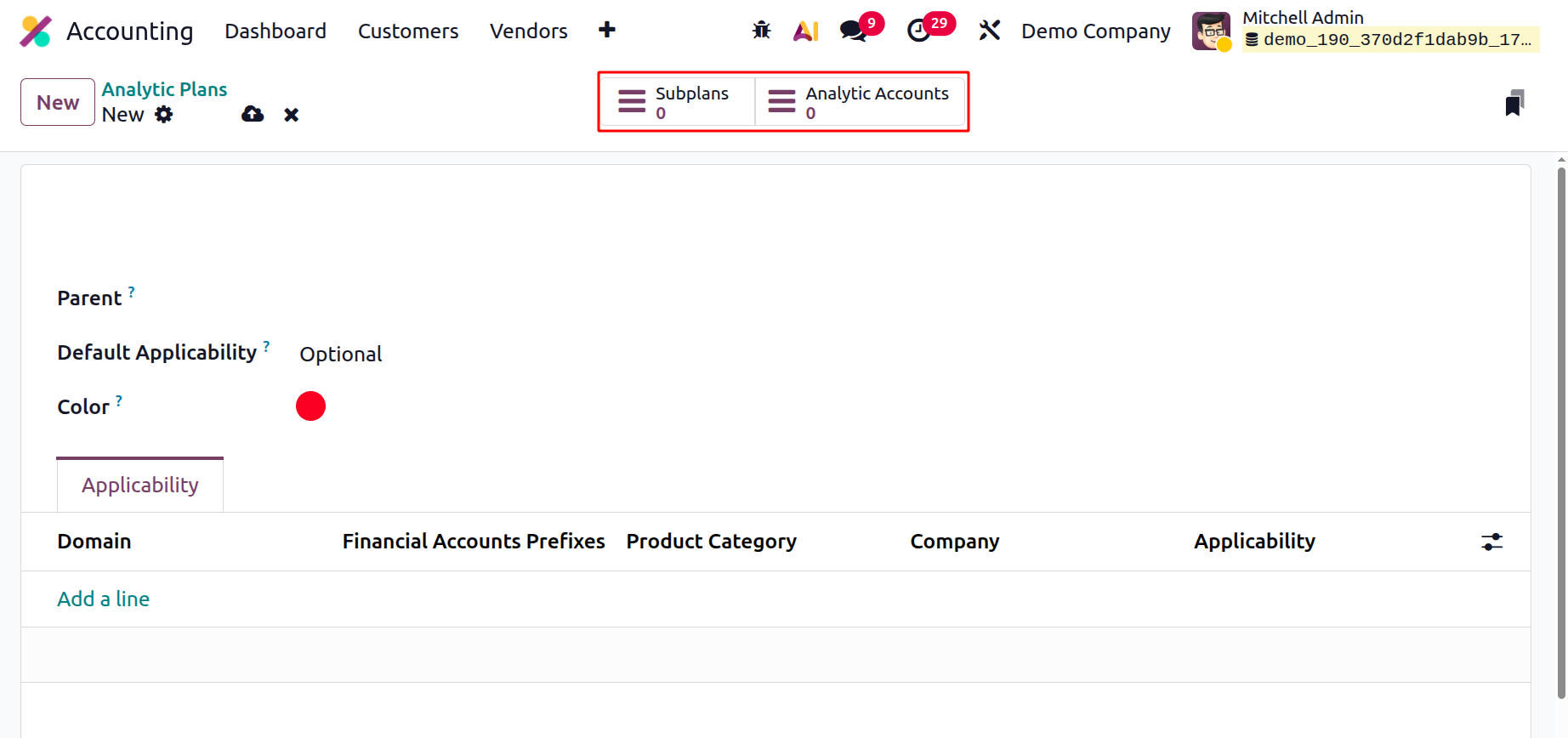
You may swiftly select the pertinent Analytic Plans data from the entire list with the aid of the many pre-made and custom Filters and Group By options. You must select the "New" option in order to establish a new financial plan. The Analytic Plans creation box will appear when you click the New button, as shown in the screenshot below.
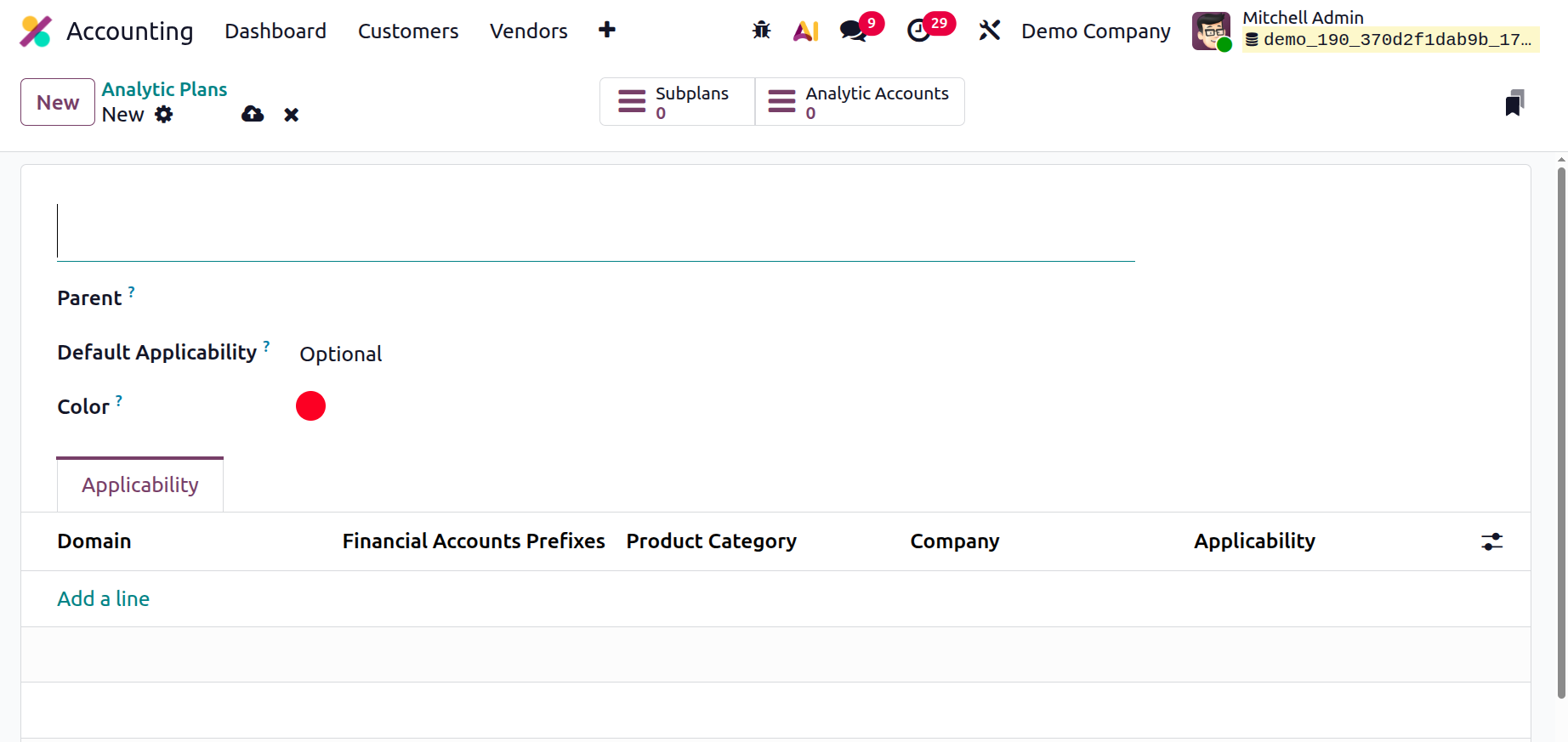
You can enter the plan's name, parent, and default applicability in the Creation box and designate it as Optional, Required, or Unavailable. When compared to earlier versions, Odoo19's analytical plans are better. The applicability tab allows you to specify how these plans are applied across various Domains. Plans may include expenses, purchase orders, sale orders, vendor invoices, and other components. Additionally, we will be able to specify whether these plans are necessary, optional, or unavailable for the chosen analytical plan, as well as whether they apply to a specific product category or bank accounts with a specific prefix. Additionally, as the analytical plans smart tab illustrates, an analysis plan may have sub-plans set up. Analytical subplans will immediately update where you view the parent once they are opened.
After learning about the Analytic Plan tool in the Odoo 19 Accounting module, let's go on to the next chapter of the book to understand the next management option, the Analytics Accounts.
Analytic Accounts
The main objective of the Analytic Accounts feature is to track and maintain your company's financial data. You can use it to evaluate your financial data as well as view it graphically. Denotation of the analytical accounts will be the first step in managing analytical accounting in Odoo 19. You can create, edit, and delete your own analytic accounts with this application. Additionally, you can view your analytical accounts in pivot, graphical, and tabular formats with this tool.
The Analytic Accounts option is conveniently located under the Configuration tab of the Analytic Accounting section. All of the accounts created for the business's analytical accounting processes will be managed via this Analytic Accounts pane. This box also includes options for Filters, Group By, Favourites, and Search.
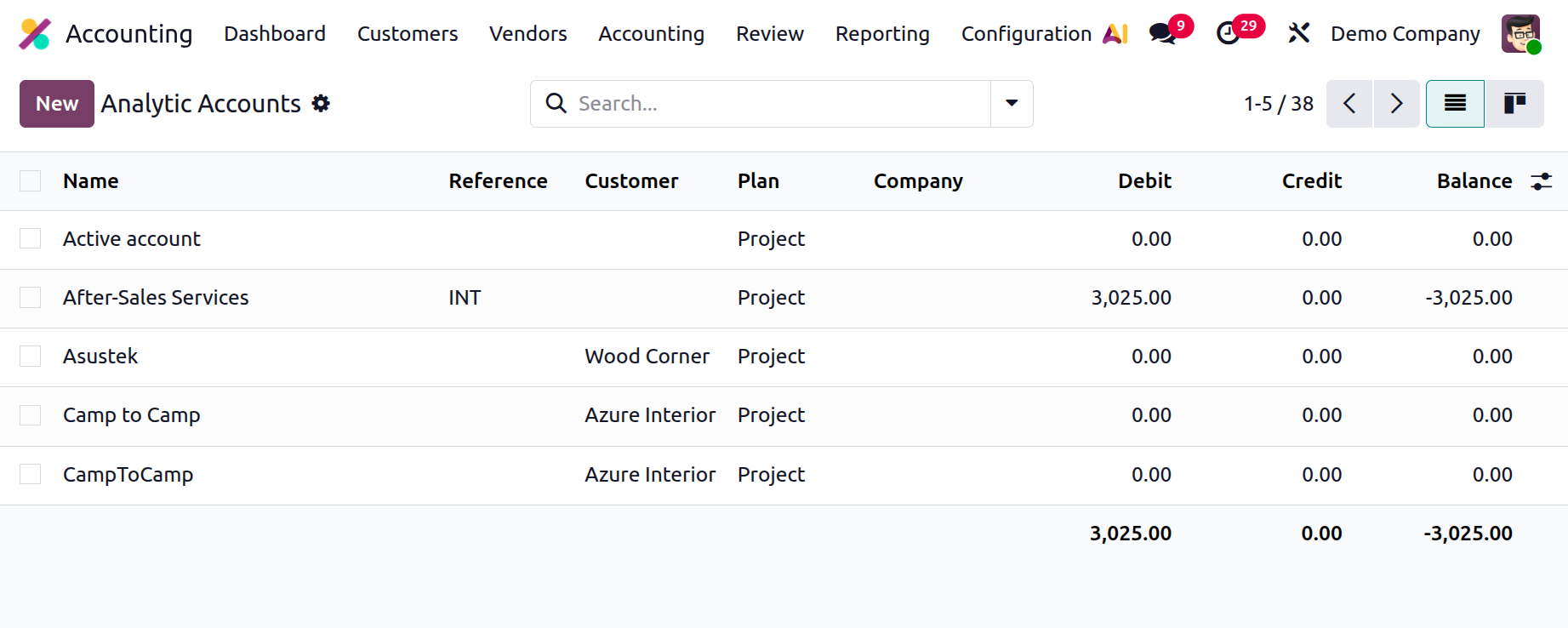
You can view the window in Kanban format by selecting the Kanban view menu item. This list includes the identities, references, clients, plans, businesses, debits, credits, and balance amounts for each analytic account. By clicking on any of these account details, you can make changes.
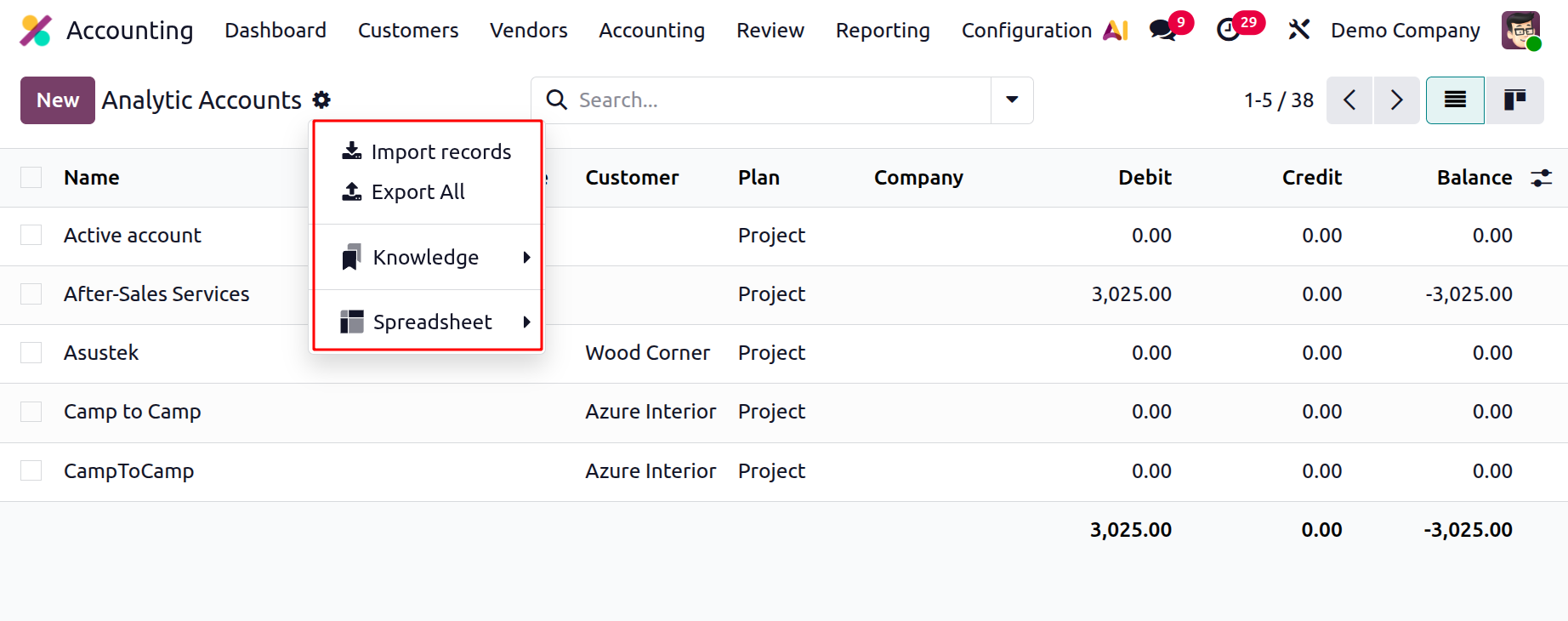
The Dashboard, Archive, and Duplicate choices will also be displayed by the Action button at the top of the window in order to carry out the required operations. As seen in the example below, users may also use the smart buttons at the top of the form to view the Gross Margin and the total Budget of the various Analytic Accounts.
By clicking the New button, you can add a new one and be taken to the creation form seen in the picture below.
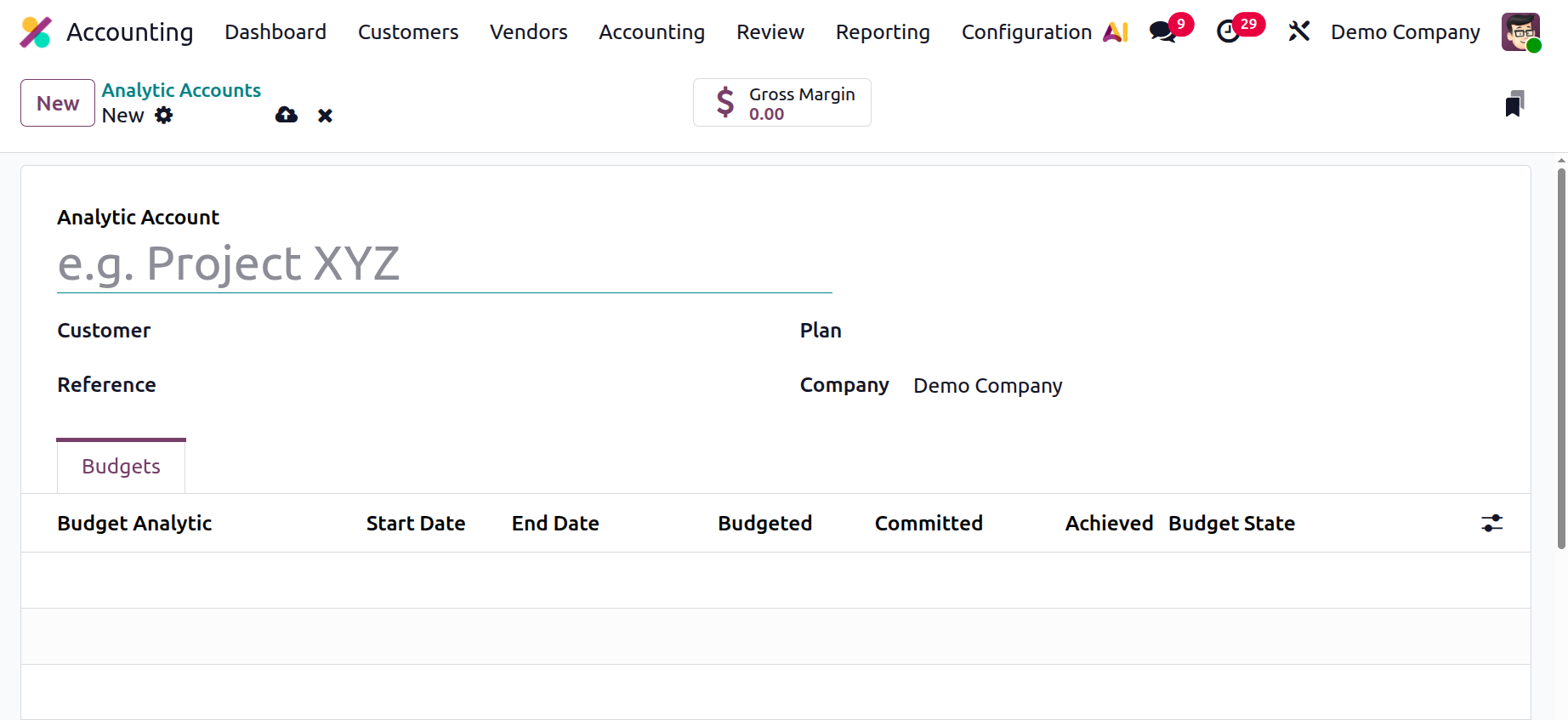
You must enter the name of the analytic account in the Analytic Account field in the form view of the Analytic Accounts creation window. The Customer, Reference, and Plan can then be entered in the relevant fields. Based on their operational bases, the Company and Currency fields will be automatically assigned. You can add the necessary budget items using the Add a Line option under the Budget Items menu. The budget analytic, the start and end dates, the intended and practical quantities, and the accomplishment can all be added here. You can add different budget components to the analytical account using this option.
Analytic Distribution Models
Analytic Distribution Models are used in Odoo 19 Accounting to automatically divide monies among several analytic accounts according to predetermined percentage parameters. Without the need for manual entry, they assist in precisely allocating revenues or expenses to various departments, initiatives, or cost centres. These models enhance analytic accounting efficiency, consistency, and reporting correctness.
While clicking on the Analytic Distribution Models, the list shows the Accounts Prefixes, Partner, Product, Company and Analytic Distribution. While clicking on the New button, a new line will appear there.
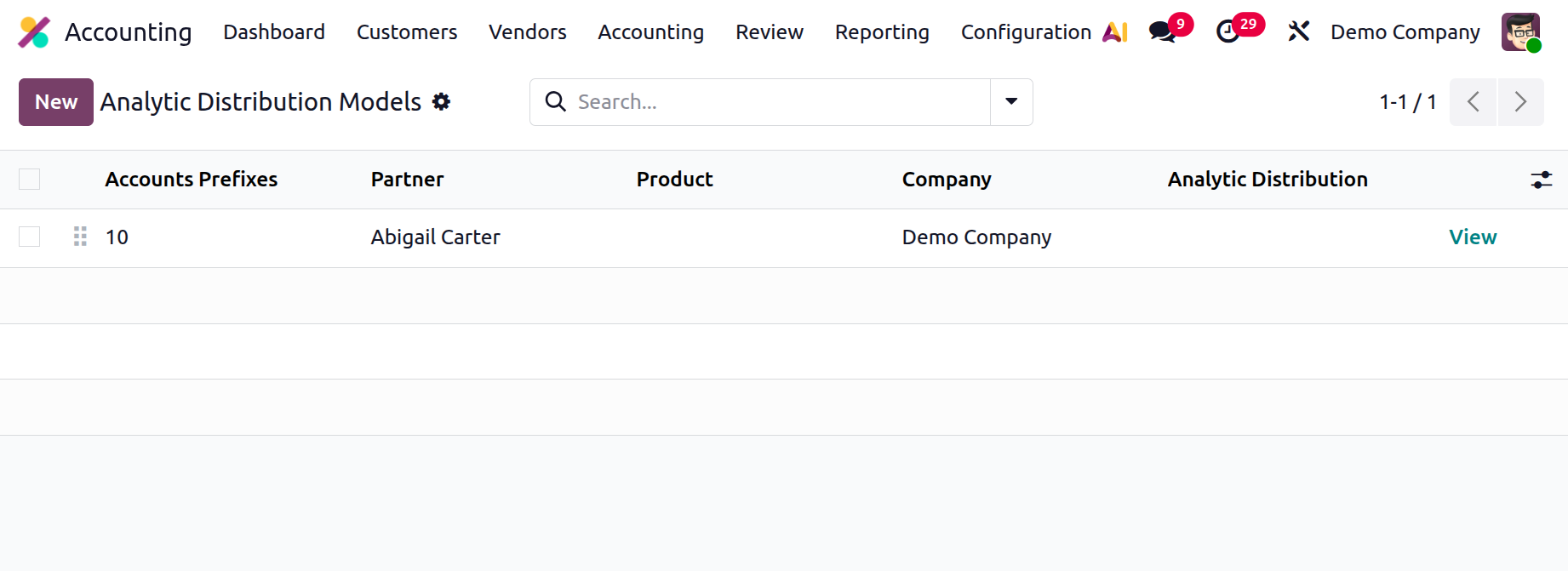
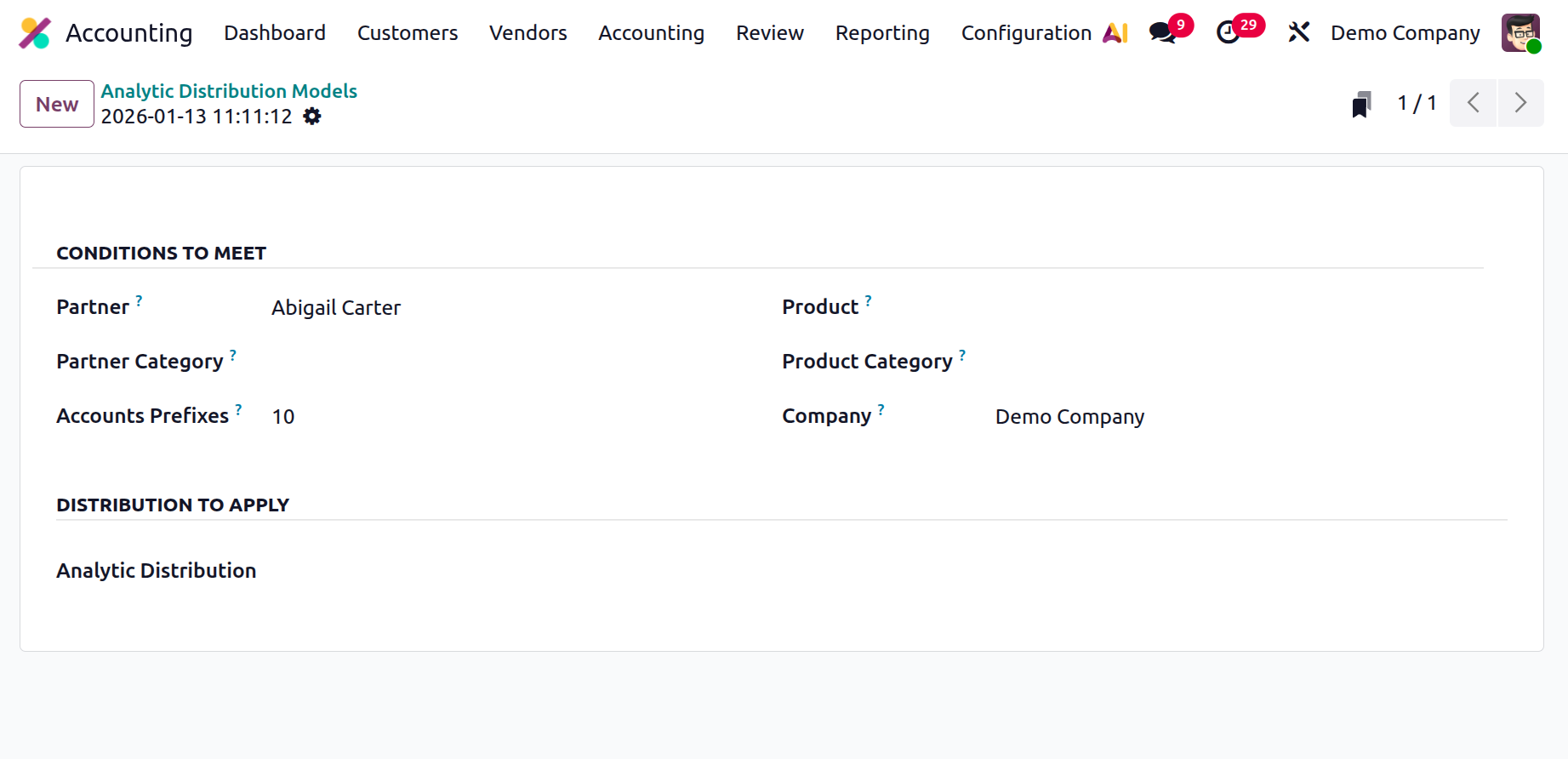
While clicking on the View, the creation form will open as shown below. Under the CONDITIONS TO MEET, add the Partner, Partner Category and Account Prefixes, Product, Product Category and Company. Then under the DISTRIBUTION TO APPLY section there is a field to mention the Analytic Distribution.
As a result, we covered every aspect of the Odoo 19 Accounting module's unique configuration tools and menus in this chapter. The numerous tabs and features in the Odoo19 Accounting module that support efficient financial administration will be the subject of the following chapter.