Modification Operations for Sequence Numbers
In a business setting, sequence numbers are used to track and organise data. Purchases, invoicing, shipping, inventory, and customer orders are just a few of the many uses for them. They also aid in guaranteeing data entry consistency and accuracy. Because sequence numbers can be used to uniquely identify data or transactions, they are also utilized to aid in the enforcement of security measures. In order to maintain data integrity, it also assists businesses in identifying data that has been added or altered.
The Odoo ERP promotes sequence number activities, which will enhance the administration of all crucial papers utilised in company operations. These sequence numbers are essential for daily business operations and provide information about the type of document activities in which they are described. This will function as an identifying tool, which is quite advantageous for collaborative business processes.
As previously stated, the Odoo Accounting module's Sequence Number Modification feature is an automated procedure that aids in changing the system's pre-existing sequence numbers. Odoo automatically creates sequence numbers for a range of documents, such as purchase orders, invoices, sales orders, journal entries, and other documents. These sequence numbers are essential for maintaining the organisation of the accounting data.
Sequence number procedures are simple to adapt to your company's operational needs. You won't be able to change the Sequence Number unless you activate the Odoo system's development mode. To do this, go to the General Settings tab and scroll down to choose the Activate developer mode option.
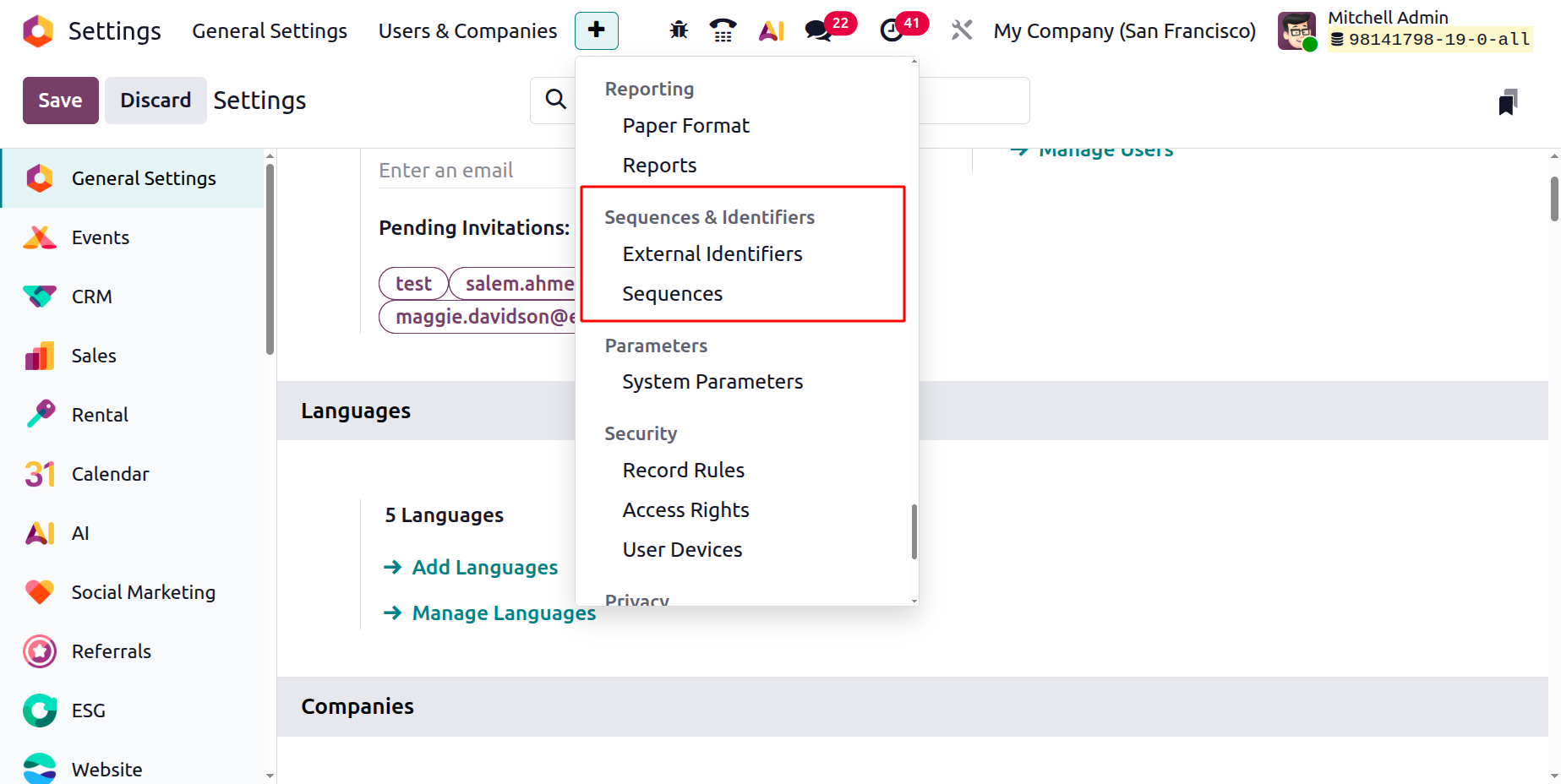
Once you enable the Developer mode on the Odoo platform, you will have access to more options and tools for more complicated activities. The Sequences menu may be found under the Technical tab in the Settings module's Sequences & Identifiers section, as seen in the screenshot below.
A clever menu click will open the Sequences panel, where you can manipulate the sequences, as shown below.
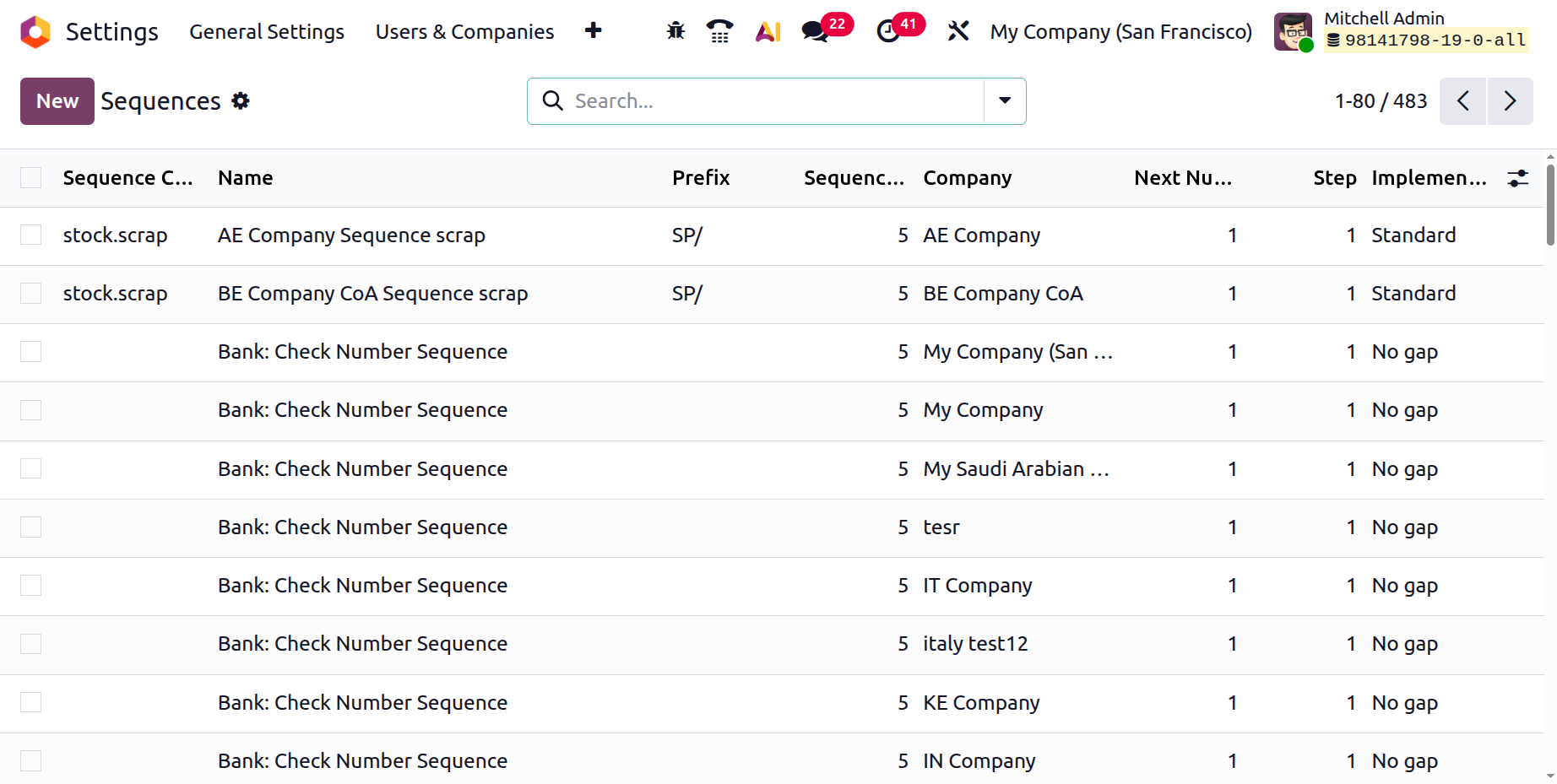
Sequence Code, Name, Prefix, Sequence Size, Company, Next Number, Step, and Implementation will all be shown in preview form in the Sequences window. This window has a number of sorting options, much like any other Odoo platform window. The default and customised filtering options under the Filters tab make it simple to eliminate the required sequences from the complete list. Additionally, you can categorise and arrange the sequences based on various objectives by using the sort By option.
Clicking the Favourites button will display a dropdown menu with the following options: Save current search, Import records, Link menu in spreadsheet, and Link list in spreadsheet.
In a similar vein, you may export every detail in the window to an Excel file by choosing the "Export All" button. Using the Search box on the platform, you can easily look up the required sequences that you provided. You can choose and view each record that has already been set up on the platform. Additionally, you can change the sequence's present details and carry out additional activities by using the Action button.
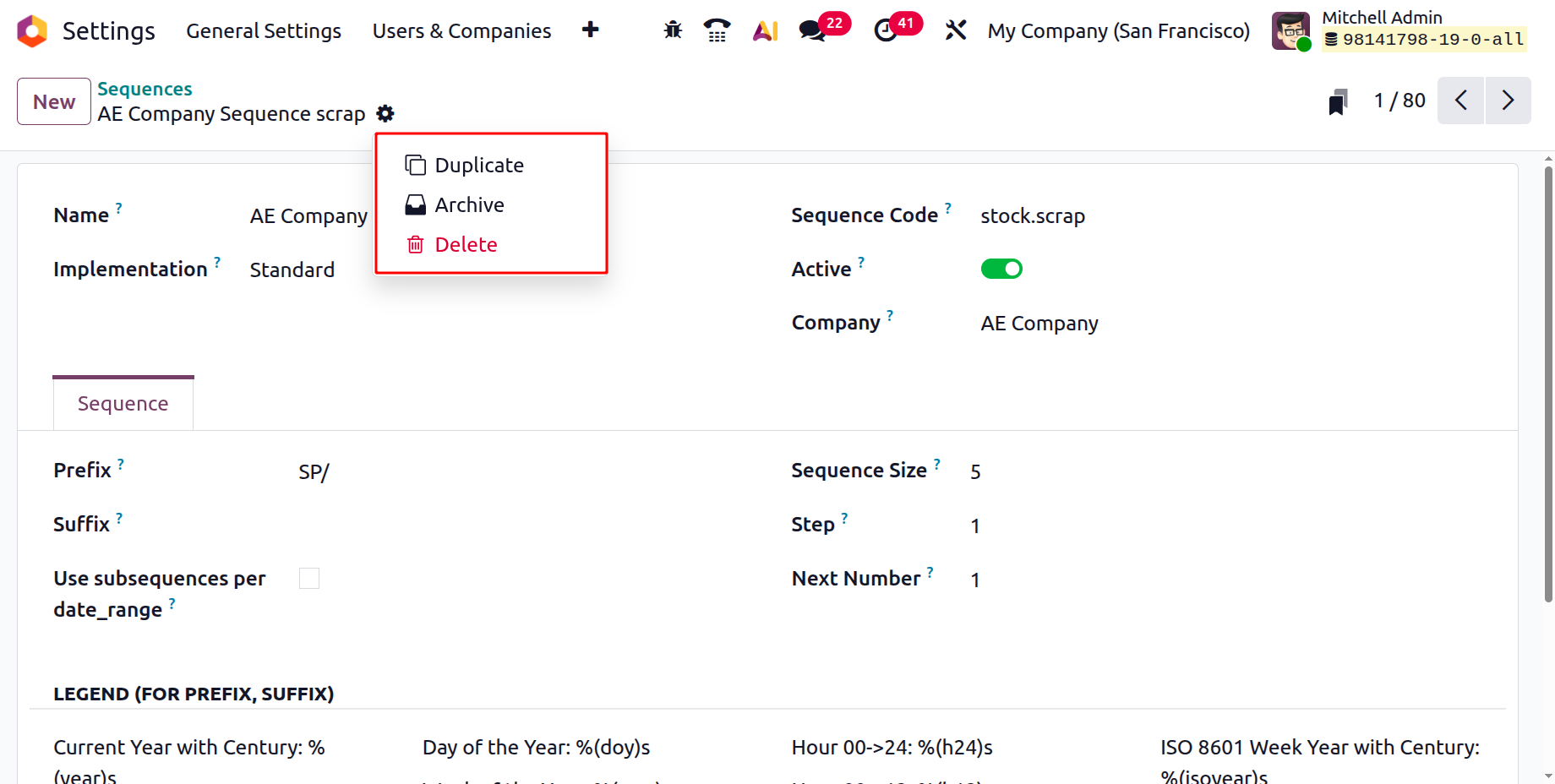
The Archive, Duplicate, and Delete buttons are located in the upper right corner of the Action button. These buttons can be used to complete the relevant tasks.
Click the New button in the Sequences pane's upper left corner to start a new sequence. The new creation window will look like the picture below.
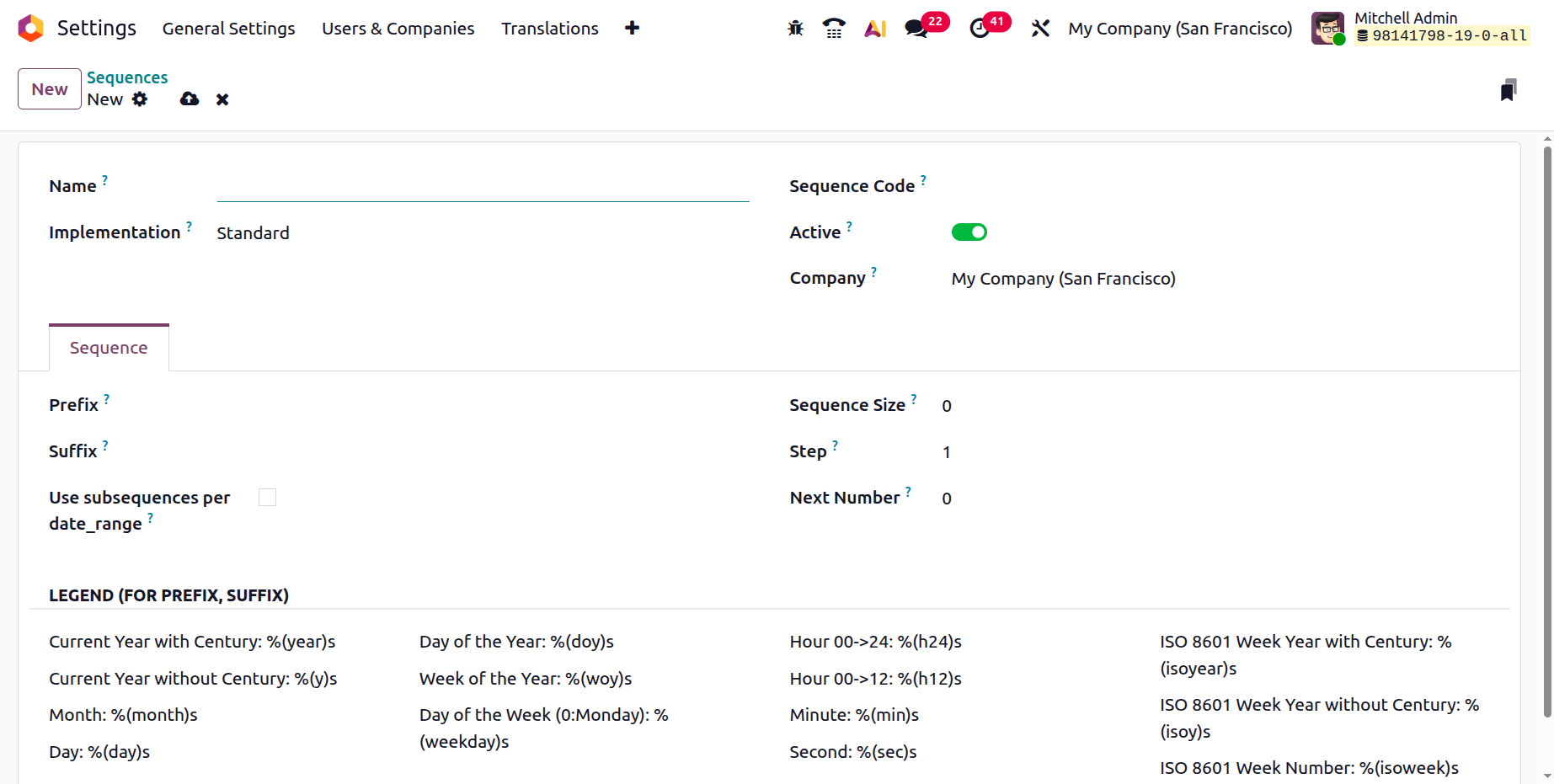
First, the Name column can be used to give the Sequence a name. Next, you can choose "Standard" or "No gap" for the implementation detail using the dropdown menu. When choosing whether or not to leave a space between the numbers of two successive sequence numbers, these alternatives are helpful. The "No Gap" sequence implementation makes sure that all prior sequence numbers have been assigned before allocating a sequence number to a record. Although this sequence implementation will not skip any sequence numbers upon assignment, there might still be gaps in the series if records are eliminated. Compared to the normal version, the "No gap" implementation is slower. The Sequence Code can be set after this field has been specified. Depending on your preferences, you can enable or disable the Active field. This boolean variable can be activated to make the related sequence active. The Company field will instantly identify the company linked to this operation, which is particularly helpful when managing several businesses.
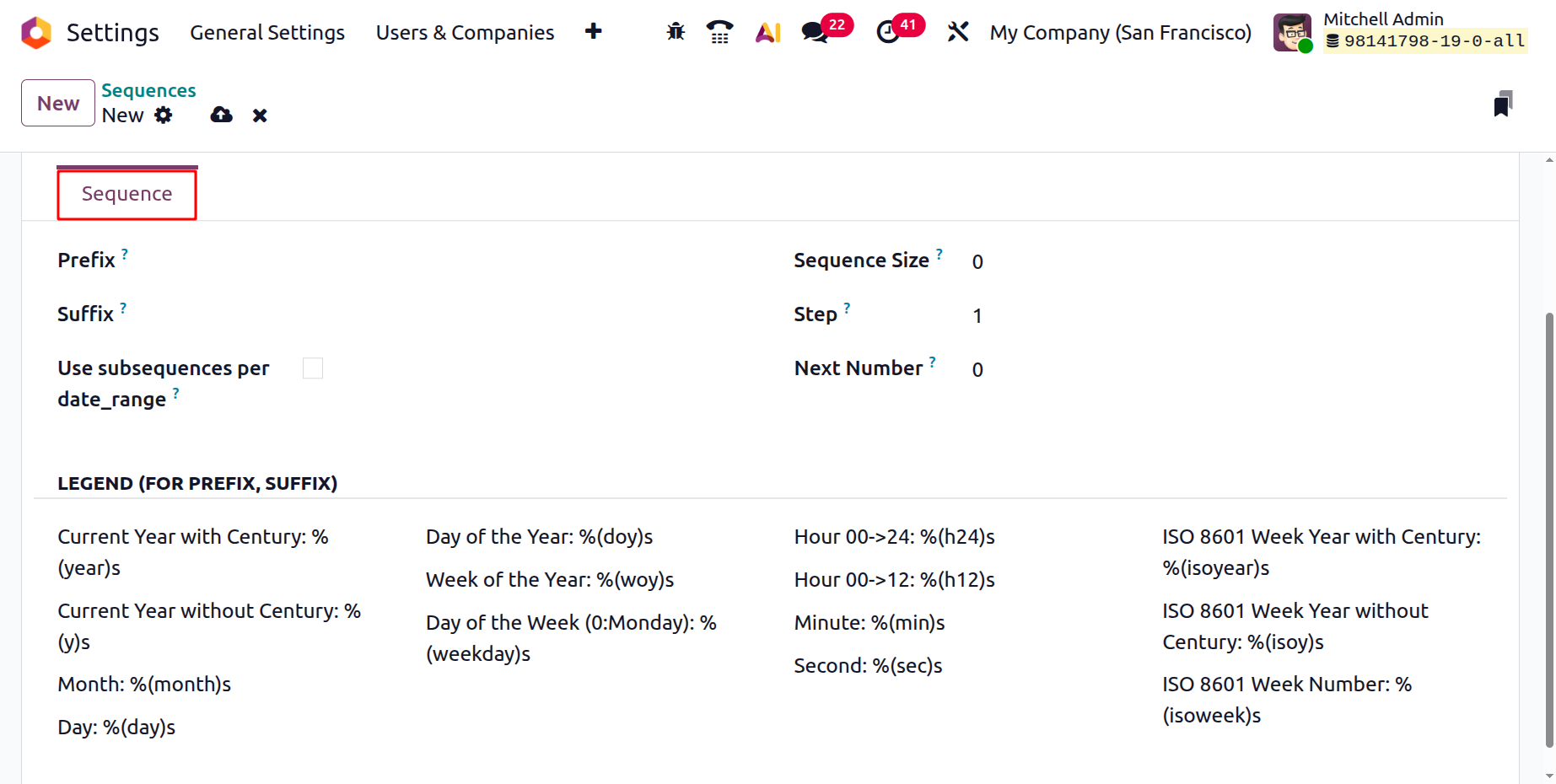
Under the Sequence tab, you can supply the sequence configuration items. Using the Prefix field, you can set the record's prefix value for the sequence. Similarly, the suffix value of the record for the matching sequence can be entered in the Suffix field. Additionally, since the Sequence Size will be set to zero, Odoo will automatically append "zero" to the left of the "Next Number" in order to obtain the necessary padding size. Additionally, you can change the procedure's step in the relevant field. This number will therefore be appended to the subsequent number in the series.
The details of the subsequence operation can then be adjusted using the "Use subsequences per date_range" parameter. You will draw more lines to add the details when you enable this option, as you can see in the screenshot below.
This calendar pop-up makes it simple to set the dates of the sequence operation by entering the From and To dates as well as the Next Number. Each line has a delete option that you can use to remove the appropriate sequence operation if needed. As shown in the screenshot below, the LEGEND(FOR PREFIX, SUFFIX) part contains the operational features of the prefix and suffix.
The sequence techniques related to the functioning of the many documents and businesses in your organization can be systematised by using this Odoo function. With this specific menu, Odoo permits the necessary changes to the business's operations. This chapter will provide you a thorough overview of the Odoo platform's Admin Settings setups and their advantages. Odoo 19, a significantly enhanced version of Odoo, assists you in customising the platform to meet your company's needs. We carefully examined the Odoo instance's User Settings, Company Settings, Translation Settings, and other components.