Deferred Revenues
The Deferred Revenue report in Odoo 19 Accounting provides an overview of revenues that have been recorded but not yet fully recognized. This report helps businesses monitor revenue that must be recognized gradually over a defined period, ensuring that income is recorded in the correct accounting periods.
The report can be accessed from the Review menu within the Accounting module. It summarizes the required deferral entries for each account, allowing users to analyze how revenue is distributed over time according to the configured deferral rules.
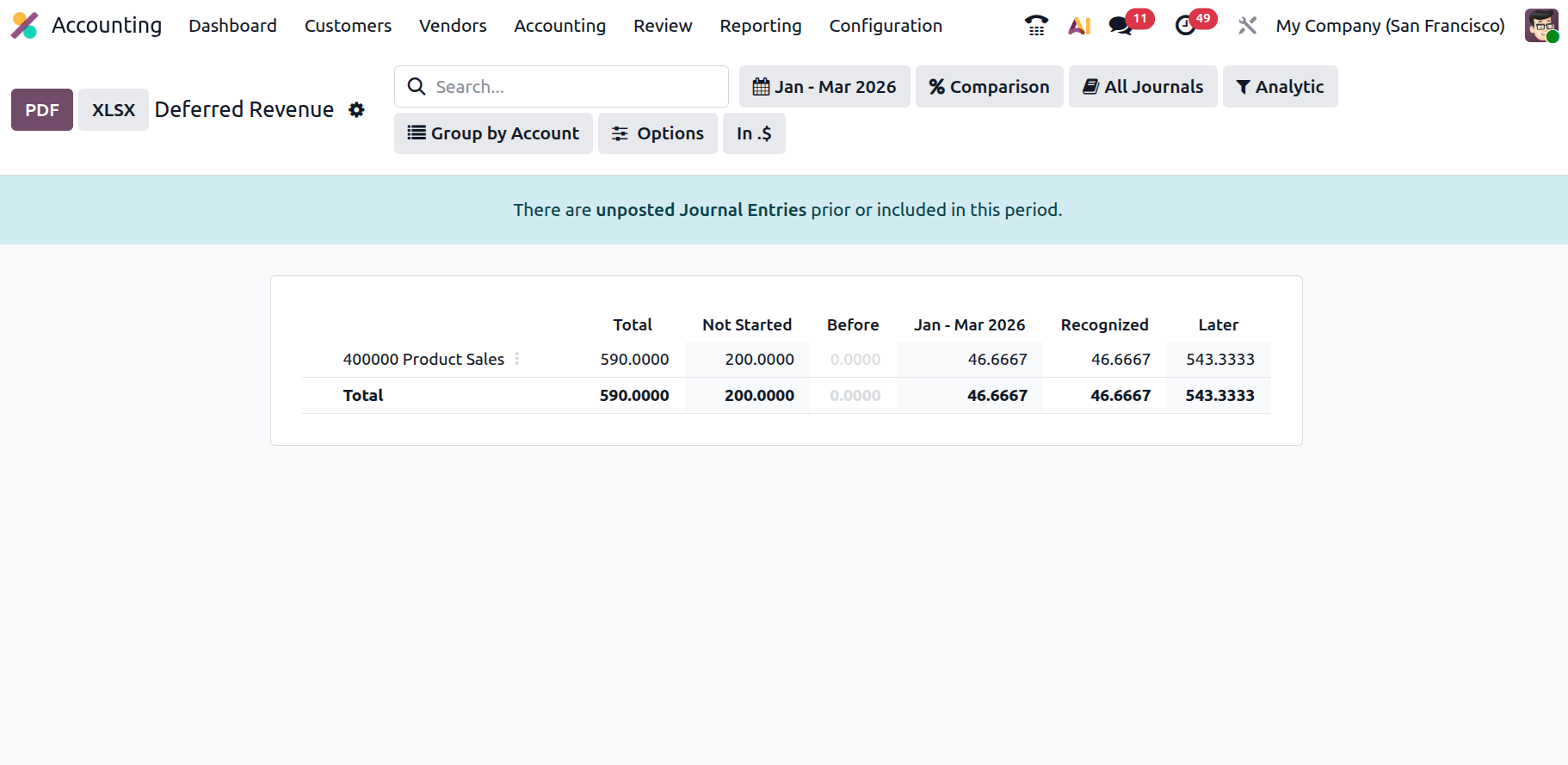
As shown in the report, the data is organized by account, such as Product Sales, and displays several key columns. The Total column indicates the overall deferred revenue amount associated with the account. The Not Started column represents revenue whose recognition period has not yet begun. The Before column shows amounts that were scheduled to be recognized before the selected reporting period.
For the selected period, the Jan–Mar 2026 column displays the portion of revenue that should be recognized during that timeframe. The Recognized column reflects the revenue already recognized in the accounting records, while the Later column indicates the remaining amount that will be recognized in future periods.
Users can apply different filters and grouping options, such as date ranges, journals, analytics, or account grouping, to analyze the deferred revenue information more effectively. By selecting the account name in the report, users can open the related journal items to review the detailed accounting entries associated with the deferred revenue transactions.
Overall, the Deferred Revenue report helps organizations maintain accurate financial reporting by ensuring that revenue recognition is properly distributed across the appropriate accounting periods.