Statement Reports
The US Securities and Exchange Commission created the widely utilised Generally Accepted Accounting Principles (GAAP). Currency rates, interest rates, and taxes, among other accounting components involved in the corporation's business activities, were standardised by GAAP in the case of an overseas transfer. Every nation has its own national taxes in addition to import and export duties. Furthermore, GAAP is a widely accepted procedure or standard for storing and disseminating accounting-related data inside an organization. The policy board created them. This standard approach will ensure that documentation is created and reviewed, and that every facet of the company's accounting is documented. Any firm must have these three elements in order to function.
The Odoo Accounting module comes with GAAP-based report-generating tools by default because they are crucial for any company that operates internationally. You will also be able to produce and save all US GAAP reports using a new menu on the Reporting page of the Odoo Accounting module. You may automatically create US GAAP reports, such as balance sheets, executive summaries, cash flow statements, profit and loss statements, and cheque registers, using the Odoo Accounting module.
We will go into more detail about each of the US GAAP reporting options available in the Odoo 19 Accounting module in the sections that follow.
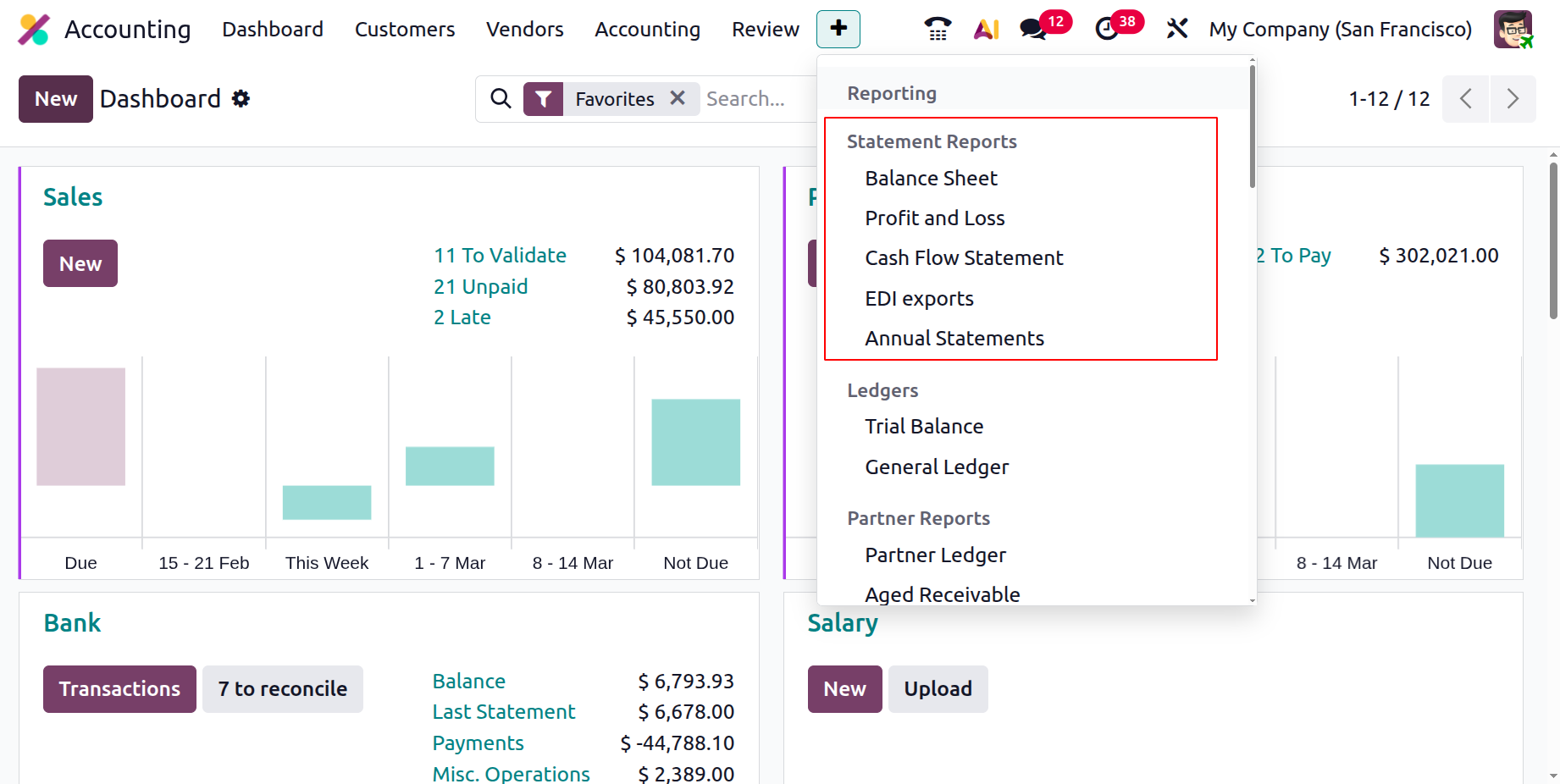
Balance Sheet
The second most crucial document for the company's accounting activities is the balance sheet, which offers a comprehensive summary of its assets, liabilities, and shareholders' equity. A balanced summary of a person's, company's, or organization's financial activity that offers detailed information on the total amount attained as well as transactions and depreciations throughout a fiscal year of business activities is another way to define it. An organization's balance sheet is discussed during each fiscal period and when appropriate. In addition to offering current data on the business's financial operations, these reports are essential for guiding financial management choices.
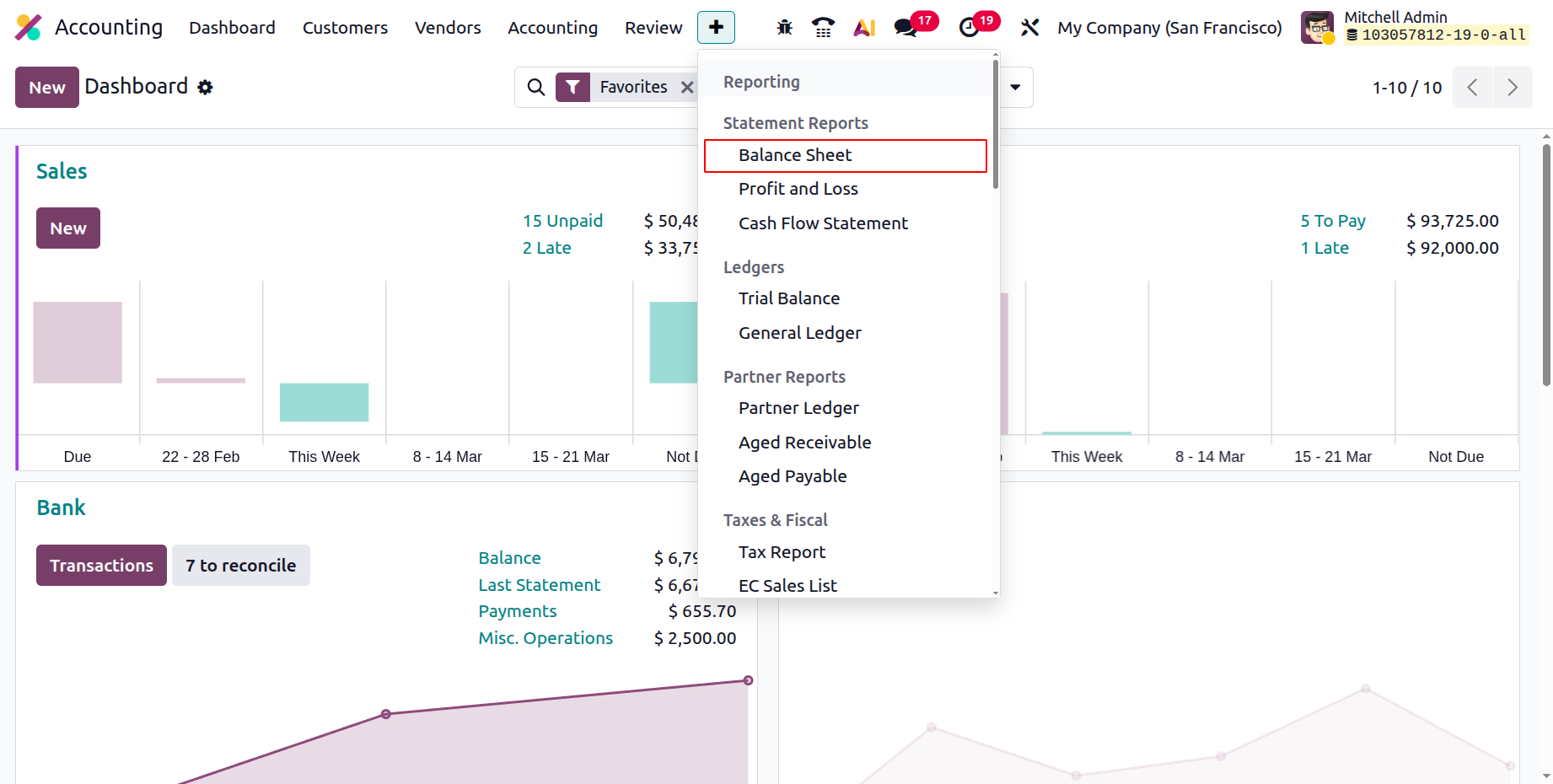
The Odoo platform's sensitive menu allows you to generate financial reports for the business, including a balance sheet. The Balance Sheet option is accessible through the Reporting menu of the Odoo Accounting module, as seen in the image below. The assets, equity, liabilities, and other components of the balance sheet are shown separately here, along with the associated amounts and components, such as cash and bank accounts, receivables, and current assets or liabilities. Filtering, grouping, and comparison functions will be available to you, just like with all other report-generating choices in the Odoo Accounting module. You can select by operating term or fiscal year here.
The choice and arrangement of journals, analytical accounting elements, published and unpublished works, and other resources may also be determined by the demands. Additionally, you may compare the balance sheets of several fiscal years using the Comparison tool, which gives you comprehensive details on the company's depreciation procedure. You won't have any problems comprehending it because they have the identical options and procedures. Instructions for configuring these Filtering, Grouping, and Comparison features may be found in the previous report discussed in this chapter.
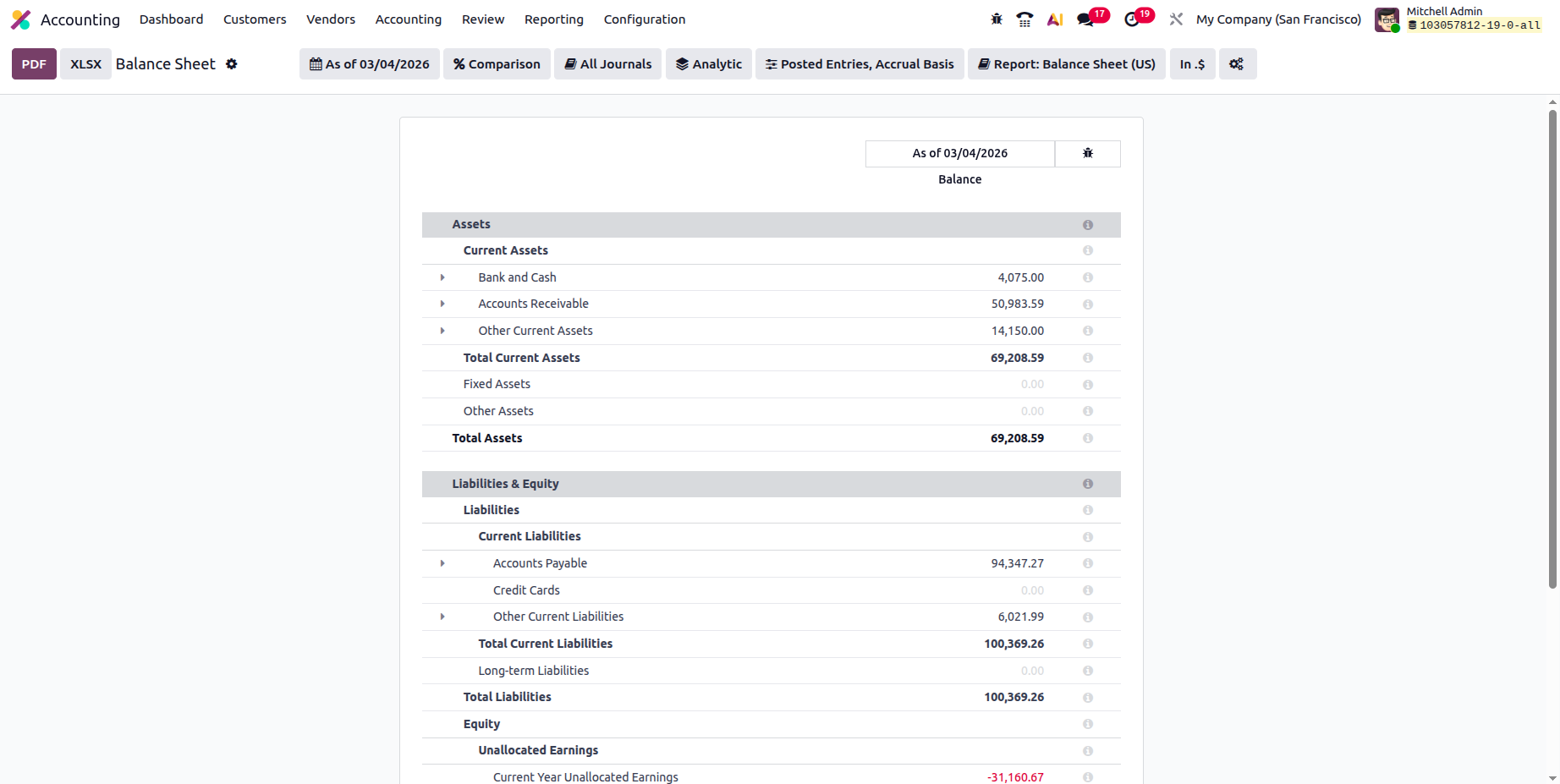
You will see the General Ledger menu option after choosing the drop-down option found in the detailed entries. Let's begin with the General Ledger option, which, as seen in the figure below, will instantly display the ledger details of the required entry from the balance sheet.
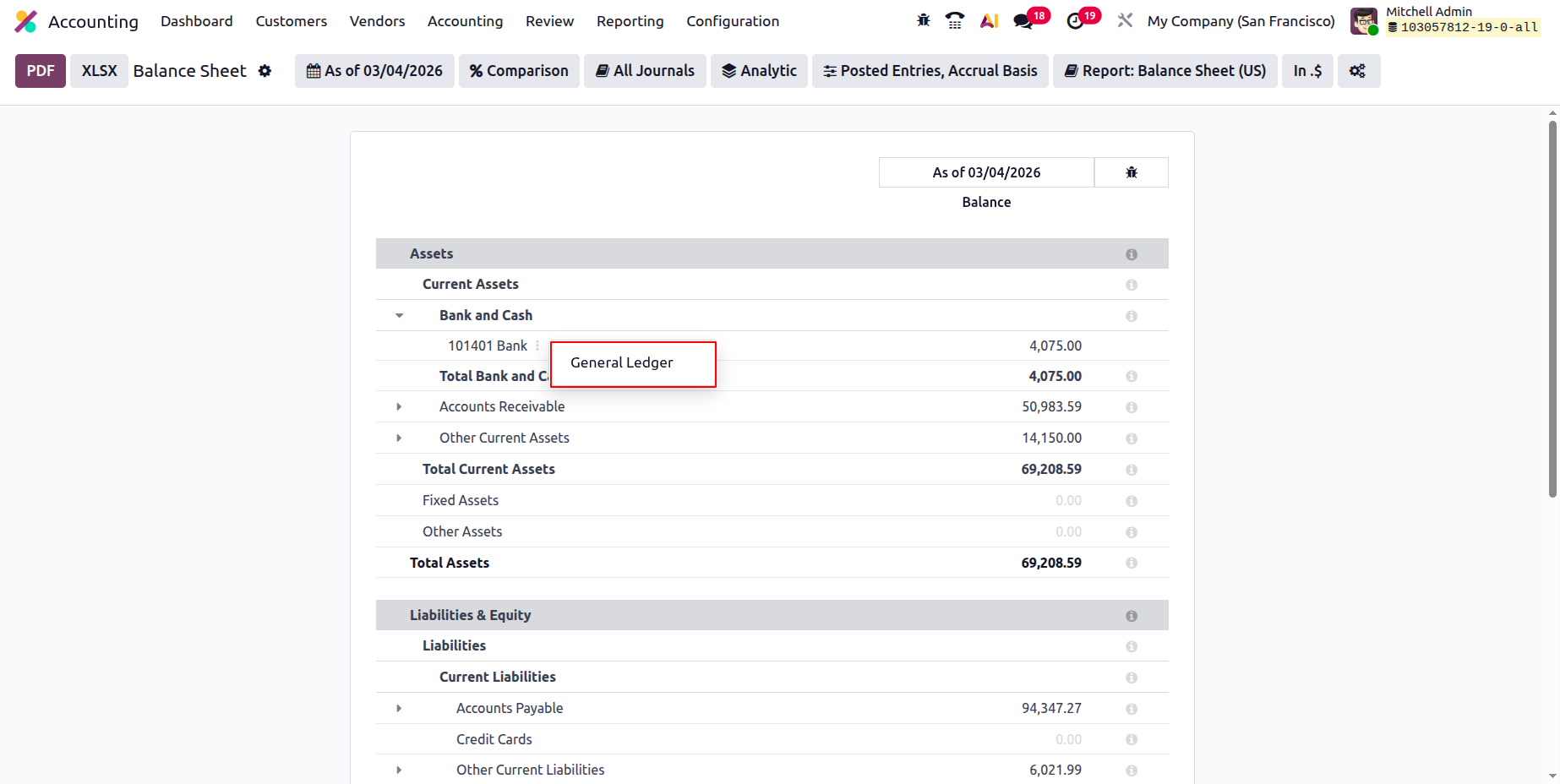
Like all other reporting choices on the Odoo platform, filtering and the Group by option are available here. Along with a search option, the ability to view Print Preview, export the entries, and other capabilities, you will have access to a save option that allows you to save the General Ledger based on the configuration components that are being finished.
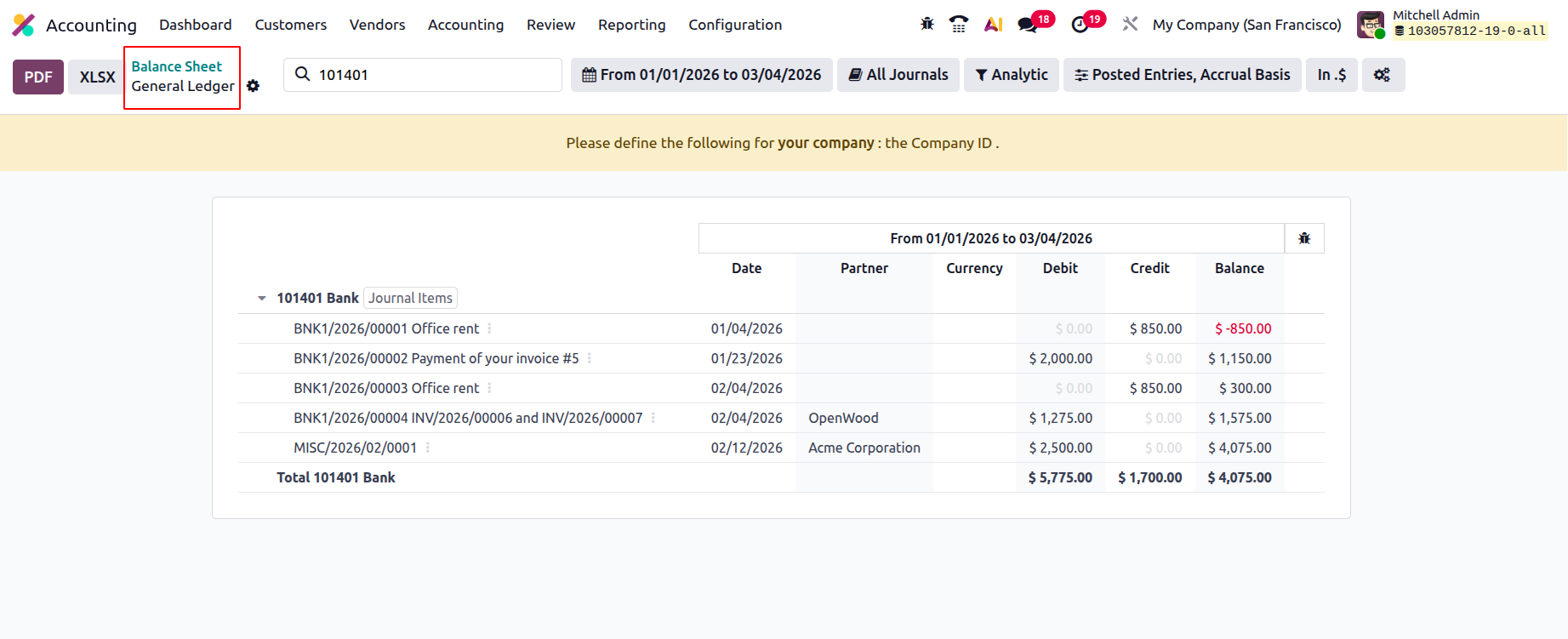
The drop-down menu allows you to access the Journal Items for each ledger after it has been unfolded. To locate the pertinent entry, you will read the journal entries. The defined components can also be sorted using the default Filters and Group by settings. Additionally, grouping options and custom entry-based filters can be used; these can be saved as favourites for later use.
A company's accounting balance sheet is essential to its financial management plans. Using a particular technology, such as Odoo Balance Sheet reporting, you can easily create and view the balance sheets of any fiscal users of the business operations. After reviewing the components of the Odoo Balance Sheet reporting menu, we will now discuss the Odoo Profit and Loss reporting menu under the US GAAP Reporting tools.
Profit and Loss
Profit and loss statements, the cornerstone of US GAAP-based reporting, will be produced by each business. A thorough summary of the business's financial activities, including whether or not it is profitable, can be found in the profit and loss statements. Profit and loss statements are essential components of every business's accounting procedures, and the Odoo platform recognises this. As a result, the Odoo Accounting module has a unique option for creating Profit and Loss Reports. The Odoo 19 Accounting module's reporting menu provides access to profit and loss reports; selecting one will bring up the report shown in the image below.
As seen in the example below, the report will include all revenue, expenses, and the net profit or loss. The Profit component will look at the Gross Profit data, which includes Operating Income and Cost Revenue. A second section will address the chosen Other Income. Additionally, the company's expenses and the depreciation-based value will be disclosed. You will see each Chart of Accounts associated with the selected feature, giving you further details.
Filtering, grouping, and comparing features will be available on all other Odoo platform reporting menus. You can select by operating term or fiscal year here. The criteria can also be used to choose and classify the Journals, Analytical Accounting Aspects, and Posted and Unposted items. Additionally, you may compare the Profit and Loss Reports from different fiscal quarters using the Comparison tool, which offers comprehensive details on the company's depreciation progress. Research is required to comprehend the organization's future strategy.
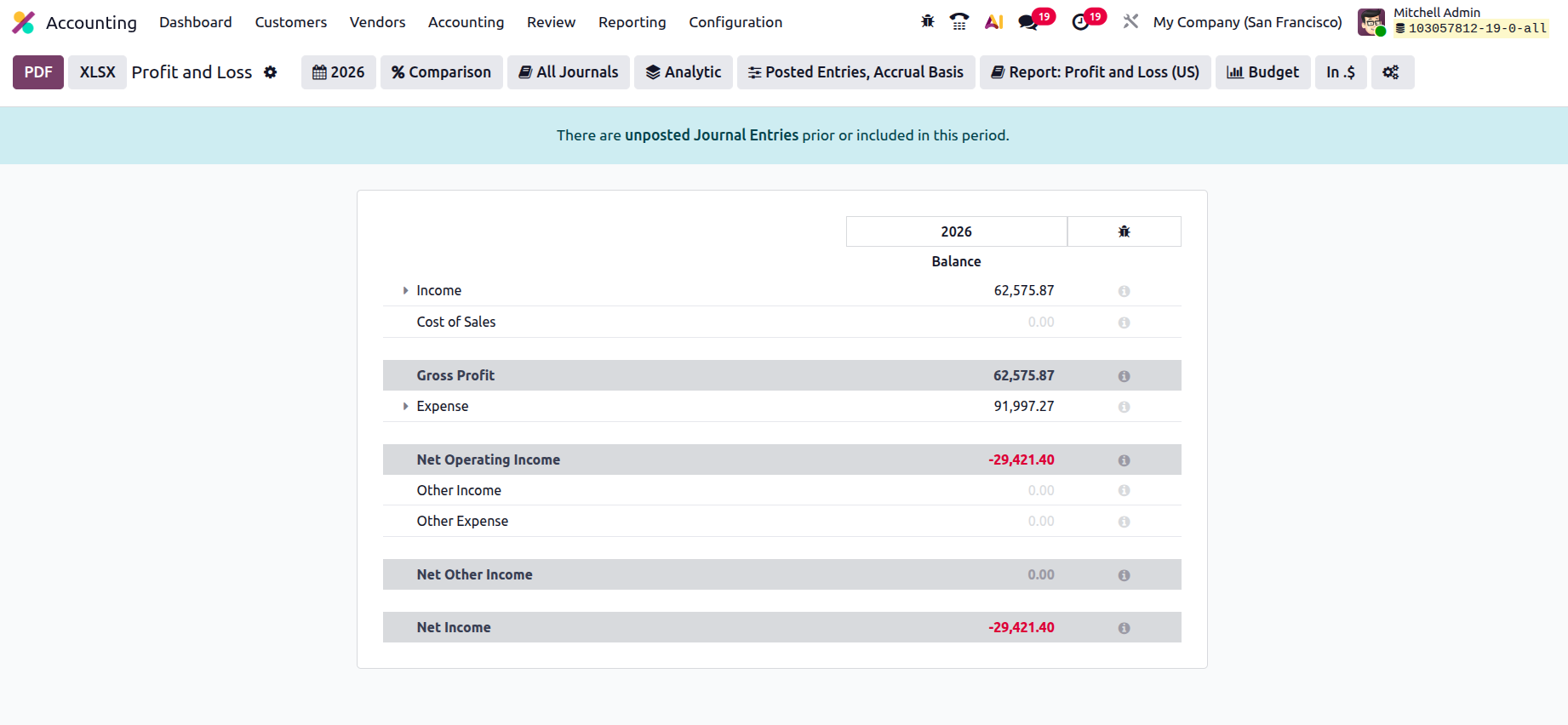
Because they provide a clear picture of the company's past performance and a view into the future, a company's profit and loss reports are essential to its financial management processes. You can use this information to plan your budget and other financial activities in a way that guarantees the smooth operation of your firm. After discussing the Profit and Loss Reports option in the Odoo Accounting module, let's move on to the next section, which discusses Odoo Accounting's Cash Flow Statement reporting features.
Cash Flow Statement
You must be aware of how and where your business expenditures are made. You are also affected by this. The Odoo 19 platform's Accounting module offers a specific management tool for managing the business's cash flow. This section will assist you in comprehending the different facets of cash flow and how it has been used in the operations of your business. Your company's cash flow activities are described in a particular Cash Flow Statement that may be accessed in the financial operations reporting sections of Odoo 19. As seen in the screenshot that follows, the Cash Flow Statement, which can be accessible through the Reporting tab of the Odoo Accounting module, will reveal the cash flow characteristics (both cash coming into and going out of the organization) as a report. To give a clearer picture of how the profits and money involved are used for the business, the various components of the cash flow will be shown here, including cash and cash equivalents at the beginning of the period, net increase in cash and cash equivalents, and cash and cash equivalents at the closing balance.
These reports will benefit investors because they will enable them to comprehend every facet of the cash flow organization as needed. Like all other Odoo Accounting Reporting panels, the Cash Flow Statement window offers the same grouping and filtering options. Here, you can select the Fiscal Periods and Journals that must be included in the Cash Flow Statement. Additionally, because of the special filtering options available, the entries can be specified based on both posted and unposted ones.
On the right side of the menu, there will also be a description of the cash balance related to each transaction. By scrolling down the description of the Cash Flow Statement, you can see the three menu options—General Ledger, Journal Items, and the Annotate option—that are found in many of the reporting menus that were previously covered in this chapter. A customer payment added using the Accounting Module > Customers > Payments will also appear under the line Advance Payments received from Customers. It will be shown under Cash received from operating activities once a specific amount has been matched with invoices. Similarly, bills and vendor payments are categorised as advance payments to suppliers and cash received for operating activities, respectively.
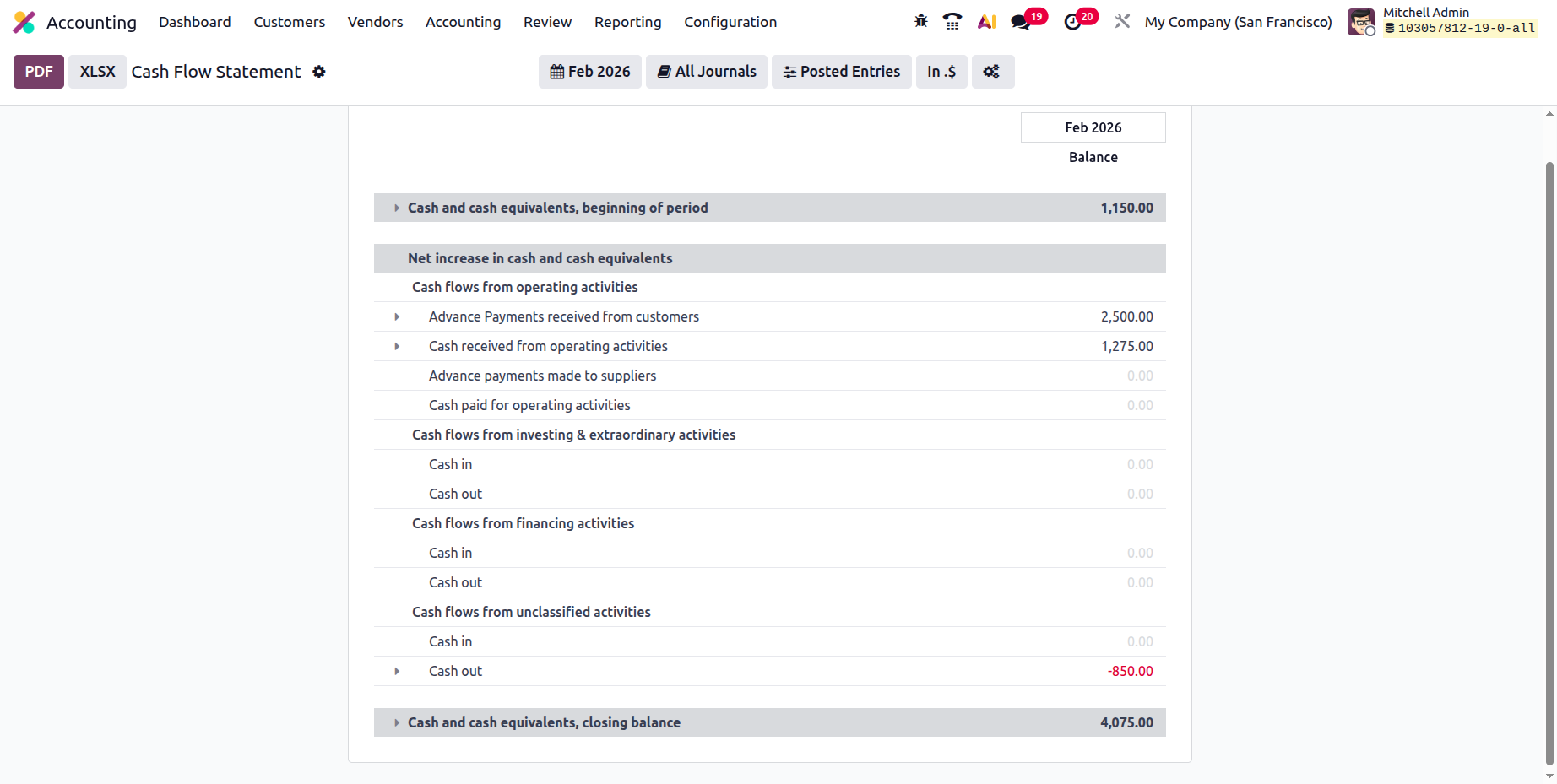
The Cash Flow Statement Reporting menu in the Odoo 19 Accounting module is an excellent resource for comprehending the cash flow components and residual amount of your business. We can go on to the next section, which will cover the Executive Summary reporting option, now that we have a better understanding of how the Cash Flow Statement report operates.