Audit Trail
The Audit Trail in Odoo 19 Accounting provides a detailed record of changes made to financial entries in the system. It helps organizations track modifications to accounting data and maintain transparency in financial operations.
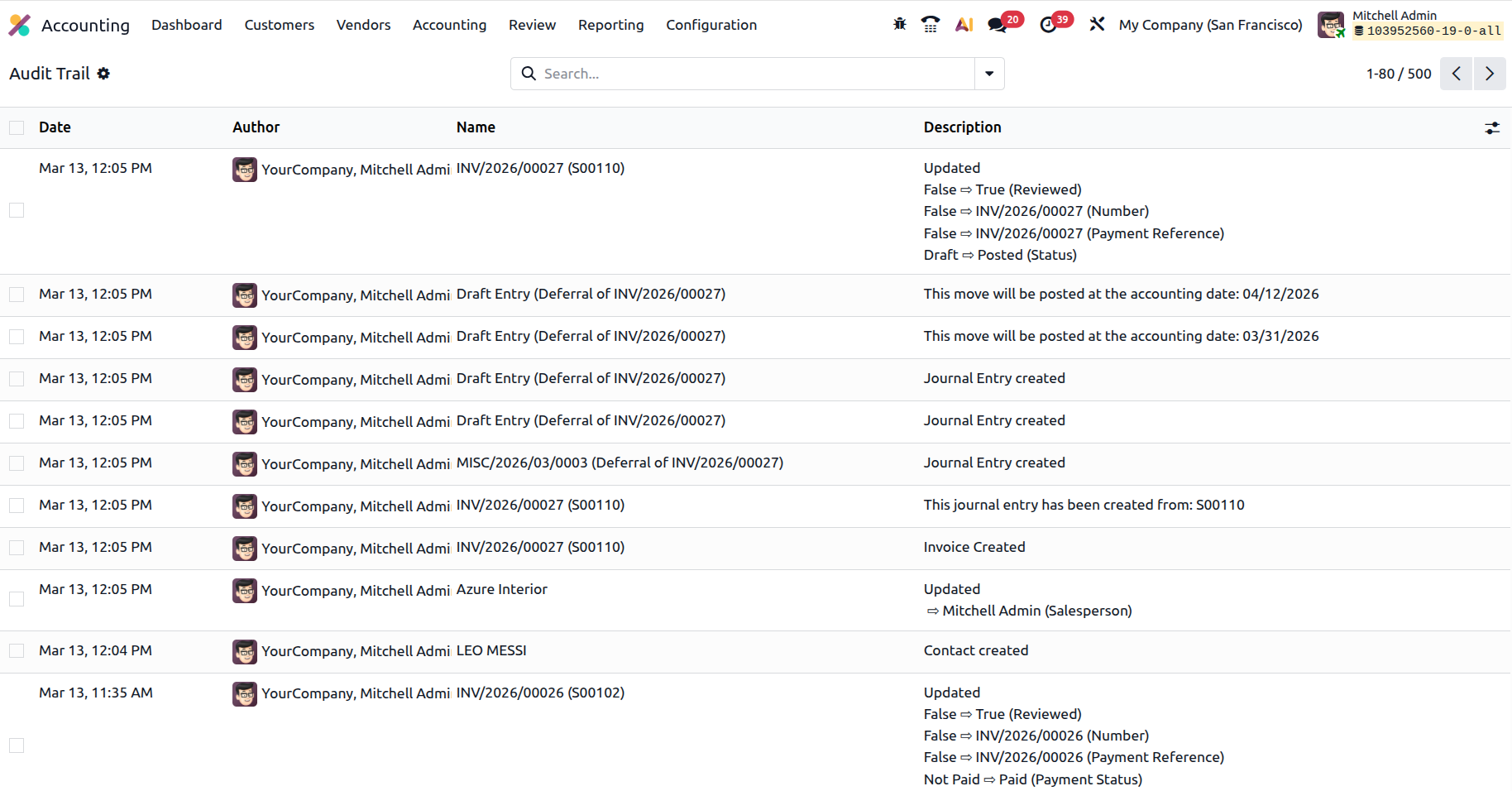
Through the Audit Trail menu available in the Review menu, users can review the history of updates made to accounting records. The report typically displays information such as the date of the change, the user who performed the action, the related journal entry, and the details of the modification.
This feature allows accountants and auditors to trace the sequence of actions performed on financial documents and verify the accuracy of accounting information. By maintaining a clear log of updates, the Audit Trail supports better financial monitoring, internal control, and auditing processes within the organization.
The Review menu in Odoo 19 Accounting provides a set of analytical tools that help accountants verify and monitor important financial records before finalizing reports. It offers clear insights into key areas such as deferred revenues, deferred expenses, depreciation schedules, audit trails, and other review-related data.
By presenting summarized financial information along with access to detailed journal entries, the Review menu allows users to easily validate transactions, identify discrepancies, and ensure that accounting records are accurate. This centralized review environment improves transparency and helps organizations maintain reliable financial reporting.
Overall, the Review menu plays an important role in supporting efficient financial control and ensuring that all accounting activities are properly reviewed and aligned with the company’s financial structure.