Assets
Asset management is a crucial part of financial management operations. As an organization's financial and non-financial assets grow, its administrative components may become unmanageable. As a result, an asset management system or specific tools are required. All of the company's assets can be recognised using the Odoo platform's Accounting module, which offers a dedicated Assets management menu. To view the option, select Assets from the Accounting menu in the module. This will cause the window in the image below to open. This page shows the names, book prices, depreciation value currencies, and asset statuses of each asset that was found. To locate the pertinent Assets from the menu, you may also make use of the filtering and grouping features.
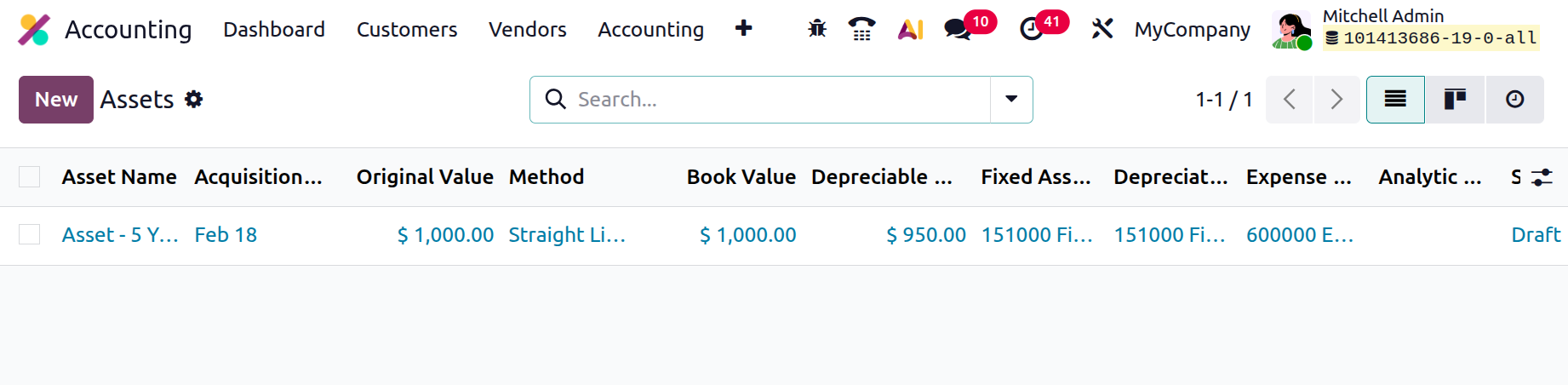
By choosing them from the menu, you may modify the allocated Assets, and by choosing the New option, you can create new Assets. The form will show up in the box that appears once you click on Create New Assets.
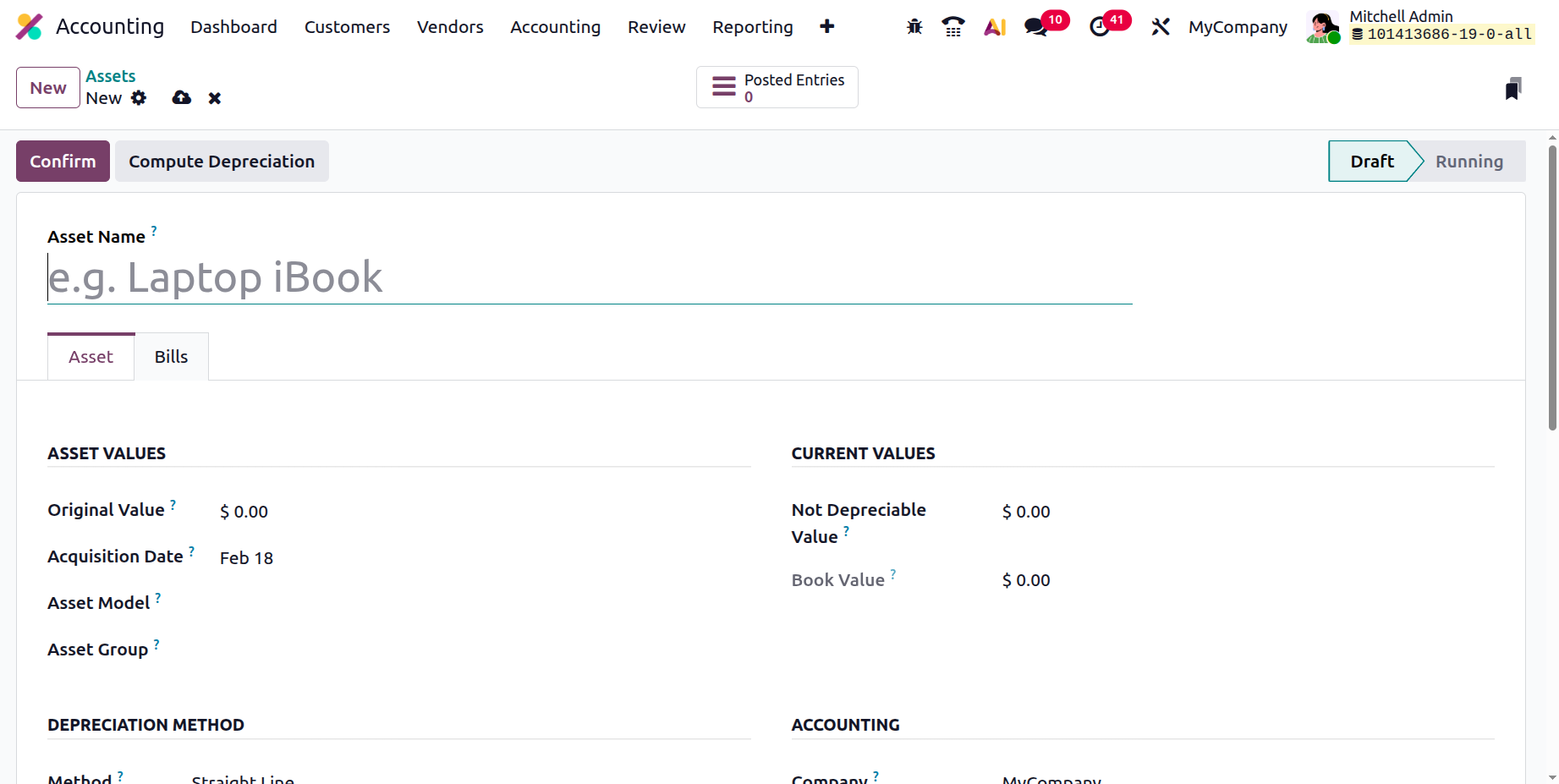
The Assets Name must be entered before you can enter the Assets Values, which include the Original Value and the Acquisition Date. You can also generate the asset by just entering the asset value or by choosing it from any related transaction. Consequently, the asset value will increase due to the sale price. The next step is to ascertain the current values, which could include non-depreciable value and book value. The only values that are updated to reflect current values are cash and non-depreciable. The non-depreciable value is the amount you will get when you sell anything without it losing any more worth.
For example, if an item's worth is 1000 and its non-depreciable value is 200, then its depreciable value is 800. The amount of depreciation that will be applied is decided by this residual value.
Another way to characterise aspects of the depreciation technique is "straight line," "declining," or "declining then straight line."
When depreciating an asset using the straight-line technique, its value stays the same for whatever long the business or the asset is in use. When an asset's value drops by a predetermined depreciation factor, it is subject to the falling method of depreciation. After a predetermined amount of time, the asset value moves from a falling to a straight-line model of depreciation, which is initially determined by the stated depreciation factor.
In addition to the dropping element, the duration of the decline, in years or months, might be provided. Asset depreciation is computed using "No Prorata," "Constant Periods," or "Based on days per Period," if specified in the Computation field. Currency, not depreciable value, depreciable value, and book value, can be used to express an asset's current value. By supplying the Depreciation Amount, an asset can also be designated as operational with a Value at Import. The import configuration's value ensures that when assets are imported from new software, their value is preserved.
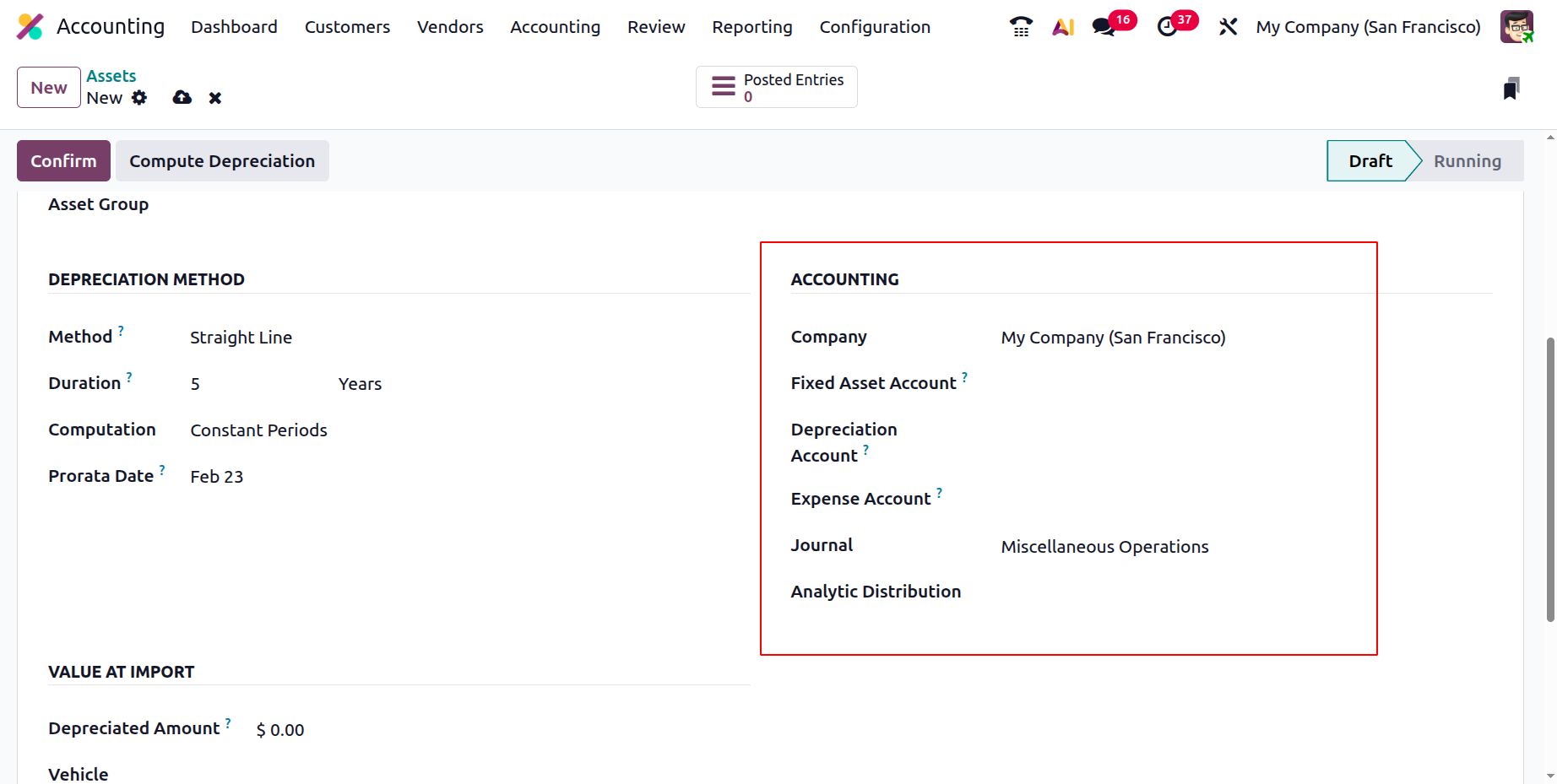
You can save the item in the window and review the depreciation calculation alternatives after specifying the asset's data and specifications. The asset's depreciation will be computed and shown on the depreciation board after selecting the Compute Depreciation option, as shown in the picture below. The computation and depreciation issues will be defined in this section. We will review the requirements for Journal Entry, Cumulative Depreciation, Depreciation Value, Depreciation Reference, Depreciation Date, and Depreciation Amount.
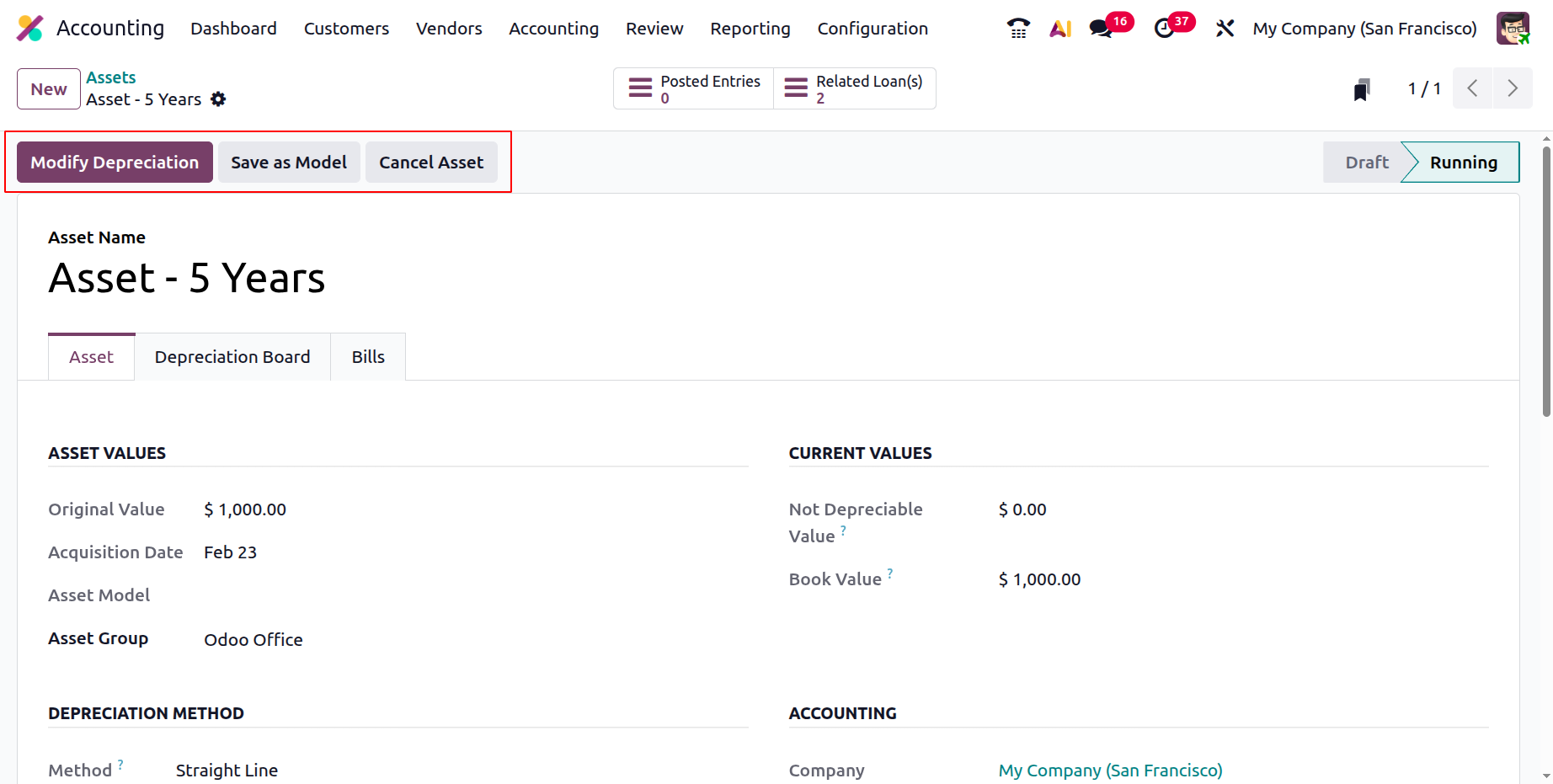
After you save the menu and verify the steps, the 'Modify Depreciation' window will show up after the asset has been defined.This will enable you to perform additional actions like Pause, Re-evaluate, Sell, and Dispose.
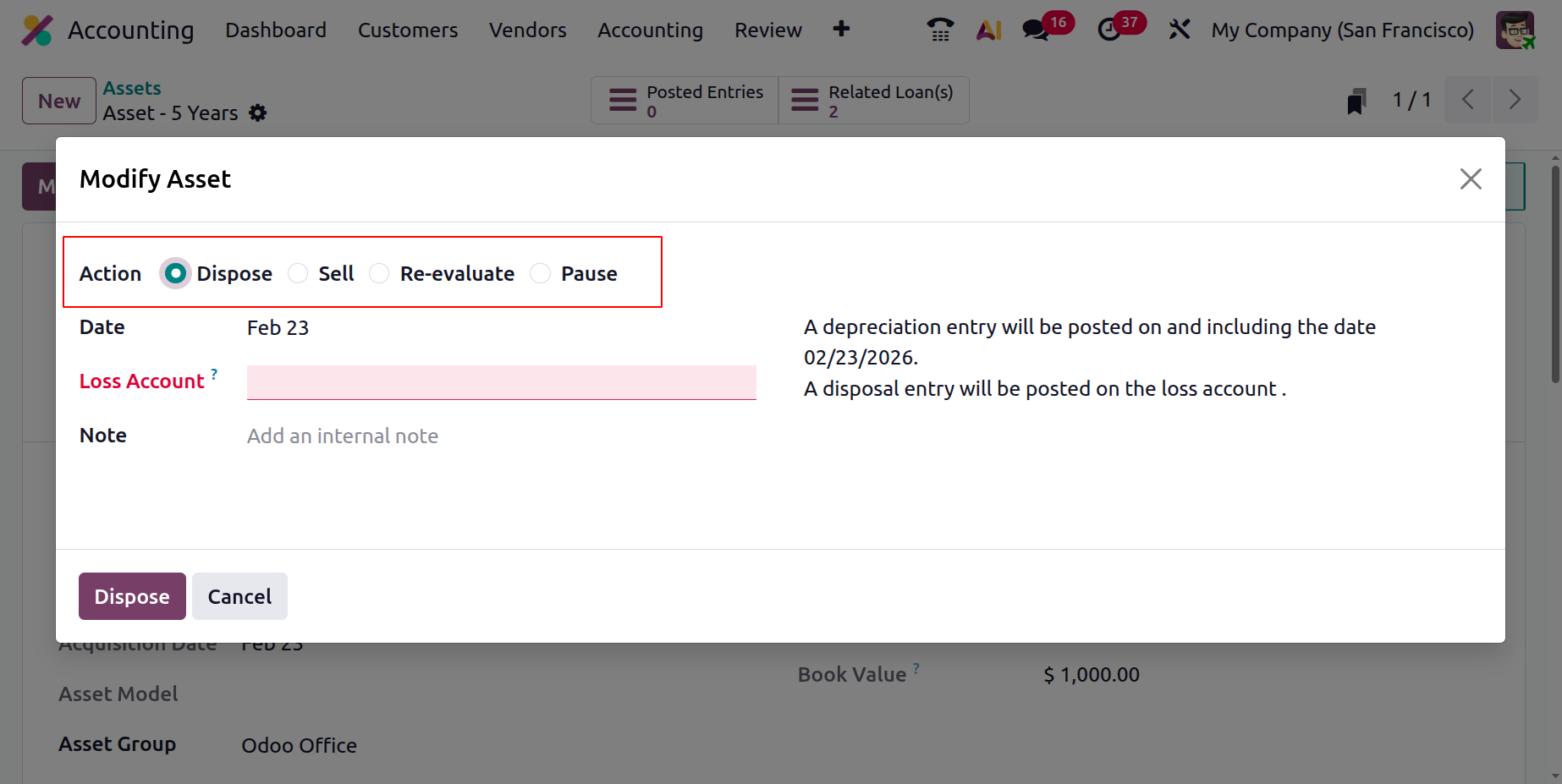
When assets are sold, a depreciation entry will be posted on and after the defined date, and a loss account should be provided in the designated area. The loss account will be updated with a disposal entry.
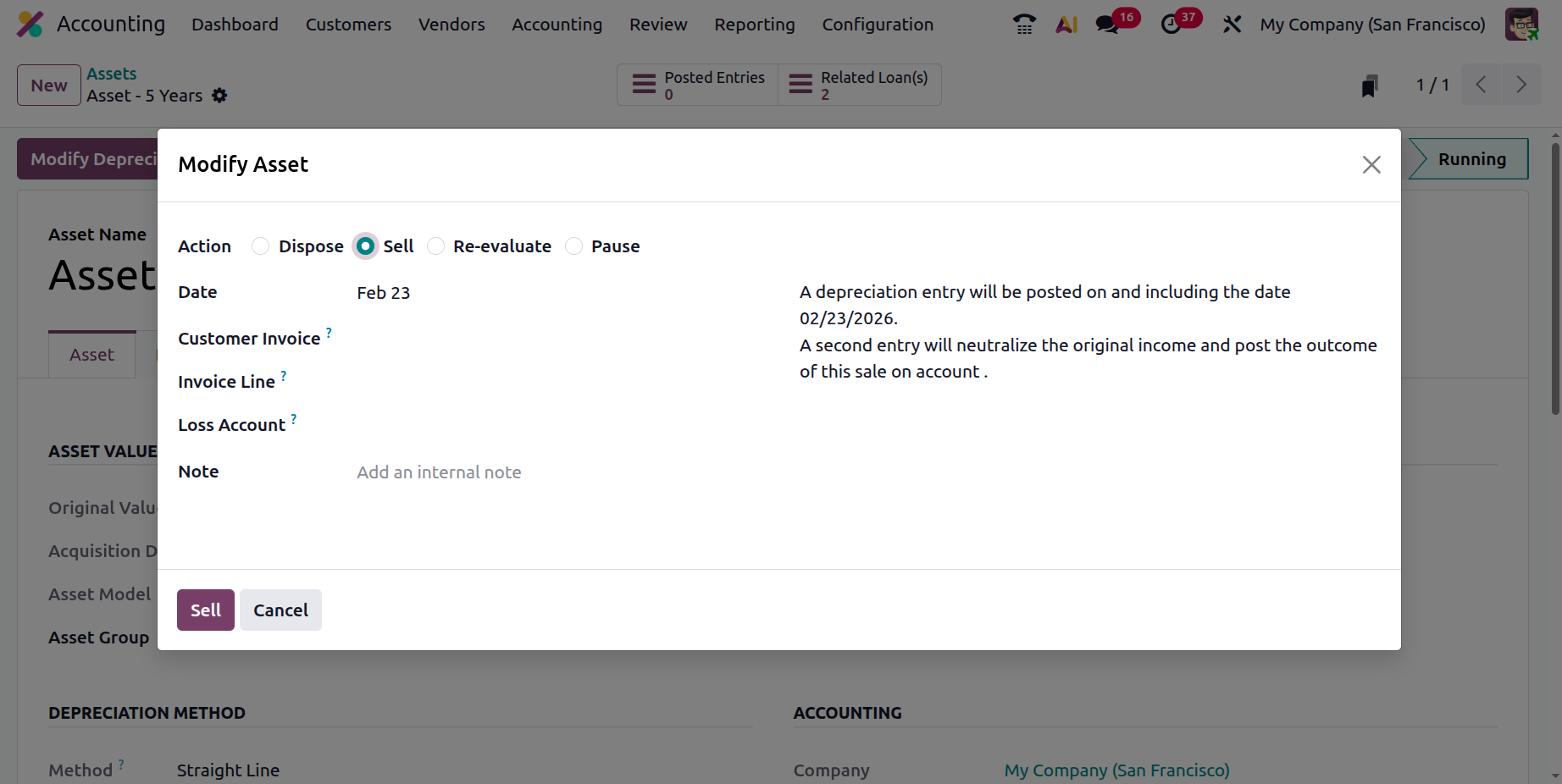
By choosing the Sell option, you can sell the assets. Certain details, such the customer invoice to which the asset was sold, must be provided when choosing Sell. As a result, the invoice line will be immediately filled up. The item's selling proceeds will be noted in the Loss account, and a remark may be appended.
You can modify or reevaluate the depreciation values of your assets by using Re-Evaluate.
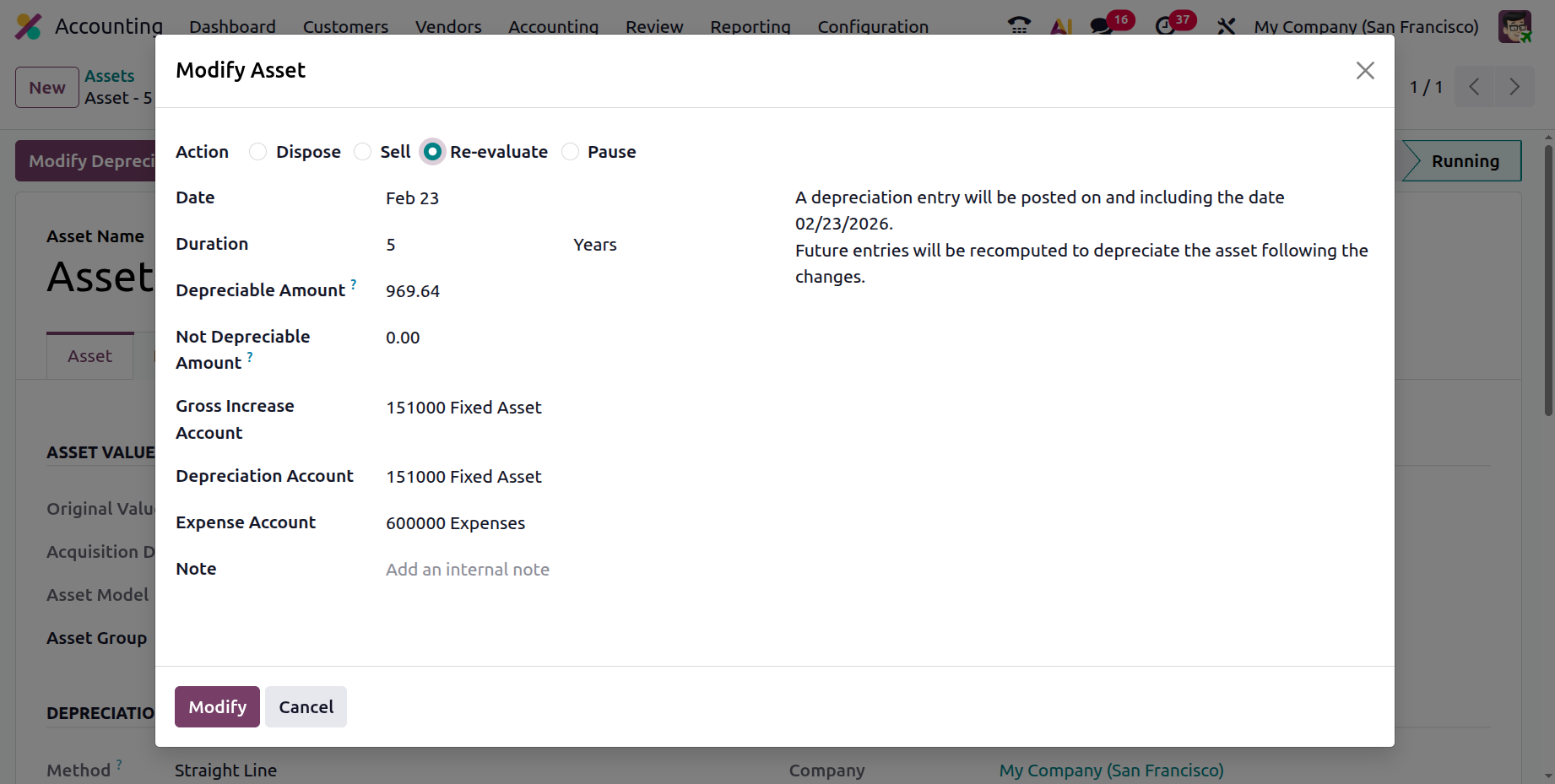
The updated amount entered in the Depreciable Amount column is used to compute the new depreciation when assets are reassessed. Additional components include the Gross Increase Account, Notes, Depreciation Account, Asset counterpart Account, and Expense Account. After the data has been submitted, alter the asset, and it will be generated to make it more valuable. As a result, later entries will be modified to reflect the modifications and depreciate the asset.
Let's move on to the following section, which will cover the components of Accounting Management Actions, now that we have a solid grasp of Asset Management and the other Accounting Management tools in the Odoo Accounting Module.