Partner Reports
Managing a large number of customers and suppliers—to whom you will sell products and services and acquire raw materials—is an essential aspect of operating a business. Through the use of remote technologies, each of these activities is completed separately. This unique coalition of business organisations has joined forces with your company to work towards the shared goal of being the best at what you do. These businesses will operate under a contract, regardless of who owns them. The exchange of products and services will depend on the necessities.
Sometimes an organization will work with another business that operates in a different sector to do business under the partner's name. Both companies will gain since it will lower their import and export taxes and expand their clientele. Odoo ERP provides unique Partner and Partnership management functionalities to support a company's Partner position. Odoo operations' unique ledger, internal transfer between partners, and common holding make it simple to identify the partnership operations component.
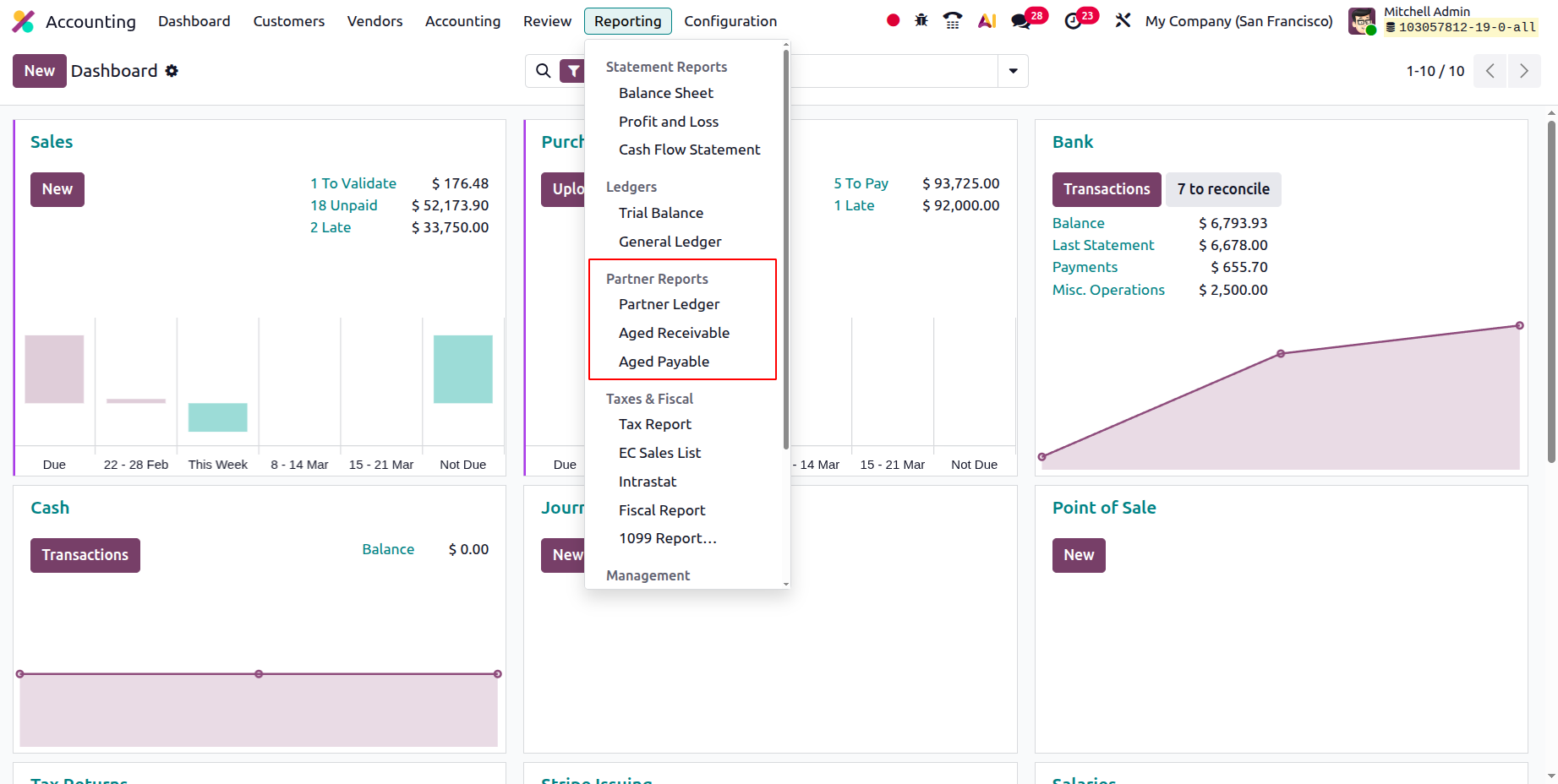
The financial aspects of Partner operations are crucial to the business and the creation of targeted management plans. The Odoo Accounting module would help with the Partner activities' financial management. Additionally, the Partner-specific reports in the Reporting menu of the Accounting module enable the Odoo platform to handle the reporting parts of partner functionality. You may be sure that you have a thorough grasp and analysis of the financial aspects of your company's partner activities with report output options including Partner Ledger reporting, Aged Receivable reports, and Aged Payable reporting features. In the sections that follow, we will discuss each of these kinds of partner reports in more detail.
Partner Ledger
You can view the partners' completed entries and ledger data using the Partner Ledger reporting option in the Odoo Accounting module. Each Partner Ledger's financial characteristics will also be emphasised. The Reporting tab of the Accounting module of the Odoo platform may be the source of the menu. The menu will include a list of everyone else who works for your organization. The overview and details beneath each Partner can be expanded using the drop-down arrow option. All partners, the transaction date, the journal involved, the transaction account, the transaction reference information, and the transaction date will all be included in this section. There will also be notice of the Opening Balance, Matching Number, Due Date, and Credit and Debit Amounts.
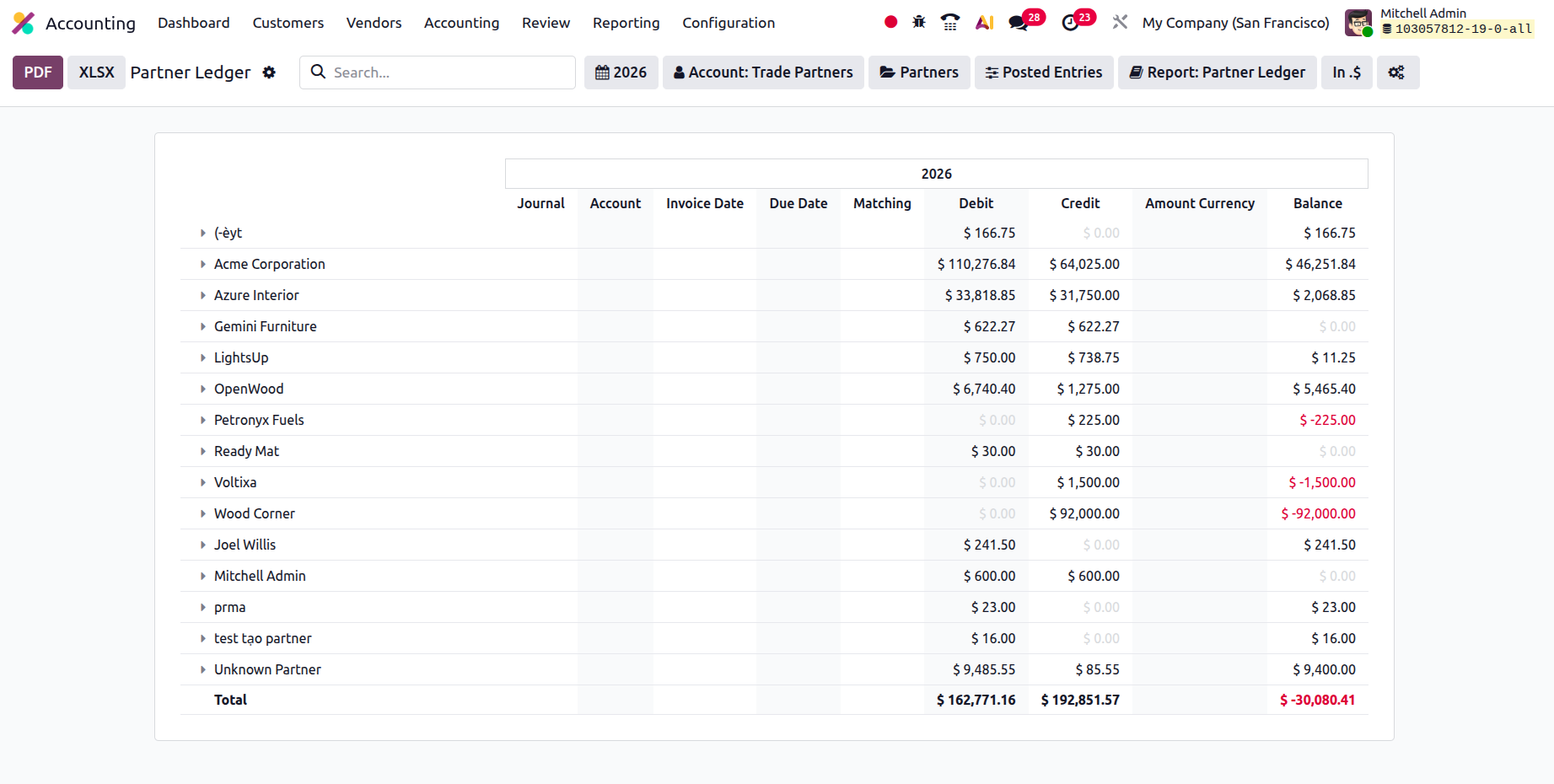
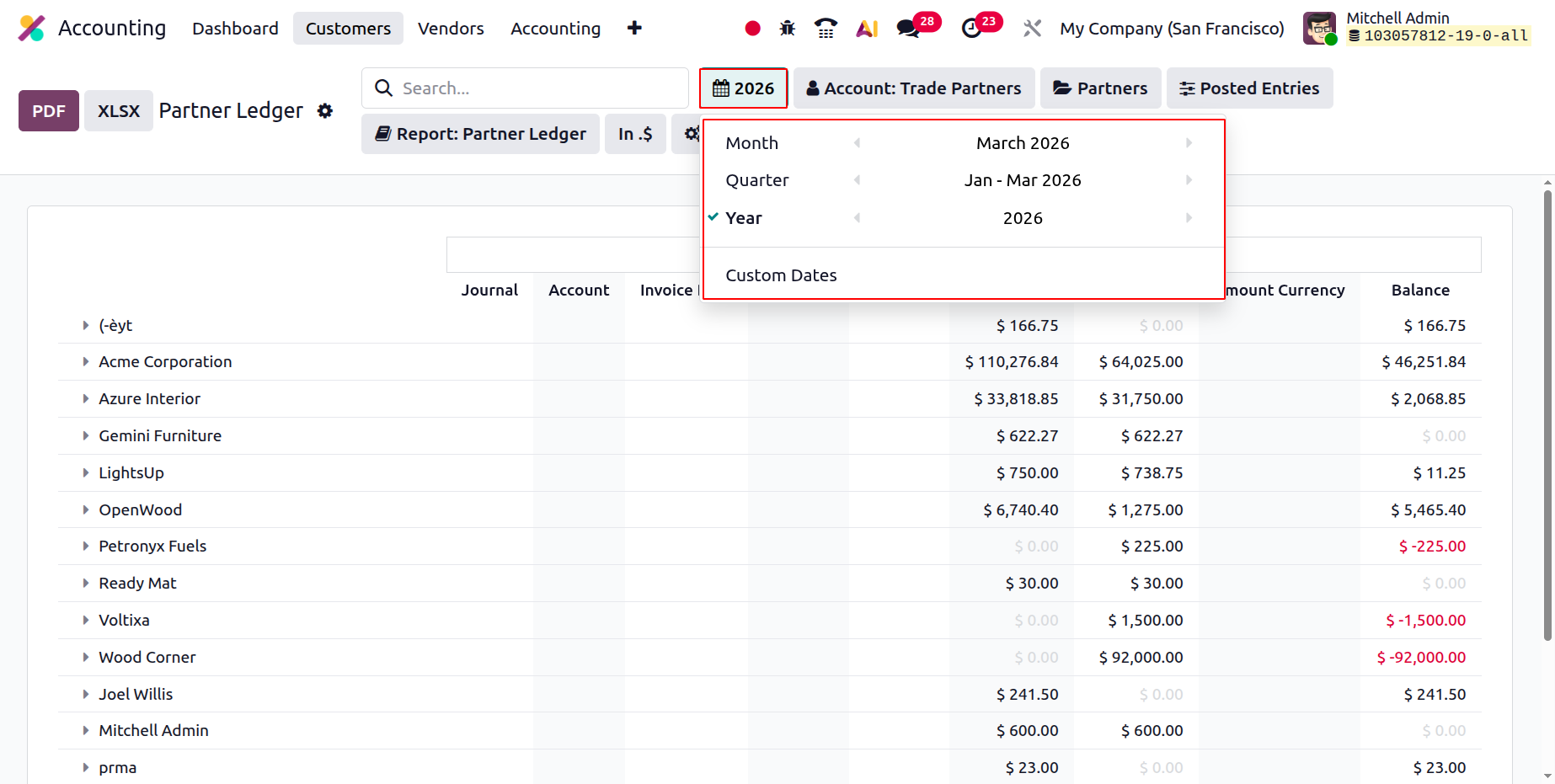
If the entries have been described, a search option is available. This search box can be used to locate particular Partner products. The Group by and Distinctive filtering features, which let you sort data using both basic predefined filters and custom filters, can also benefit you. The Fiscal Period filtering tool allows the Partner Ledger entries to be filtered by fiscal period, as seen in the accompanying images.
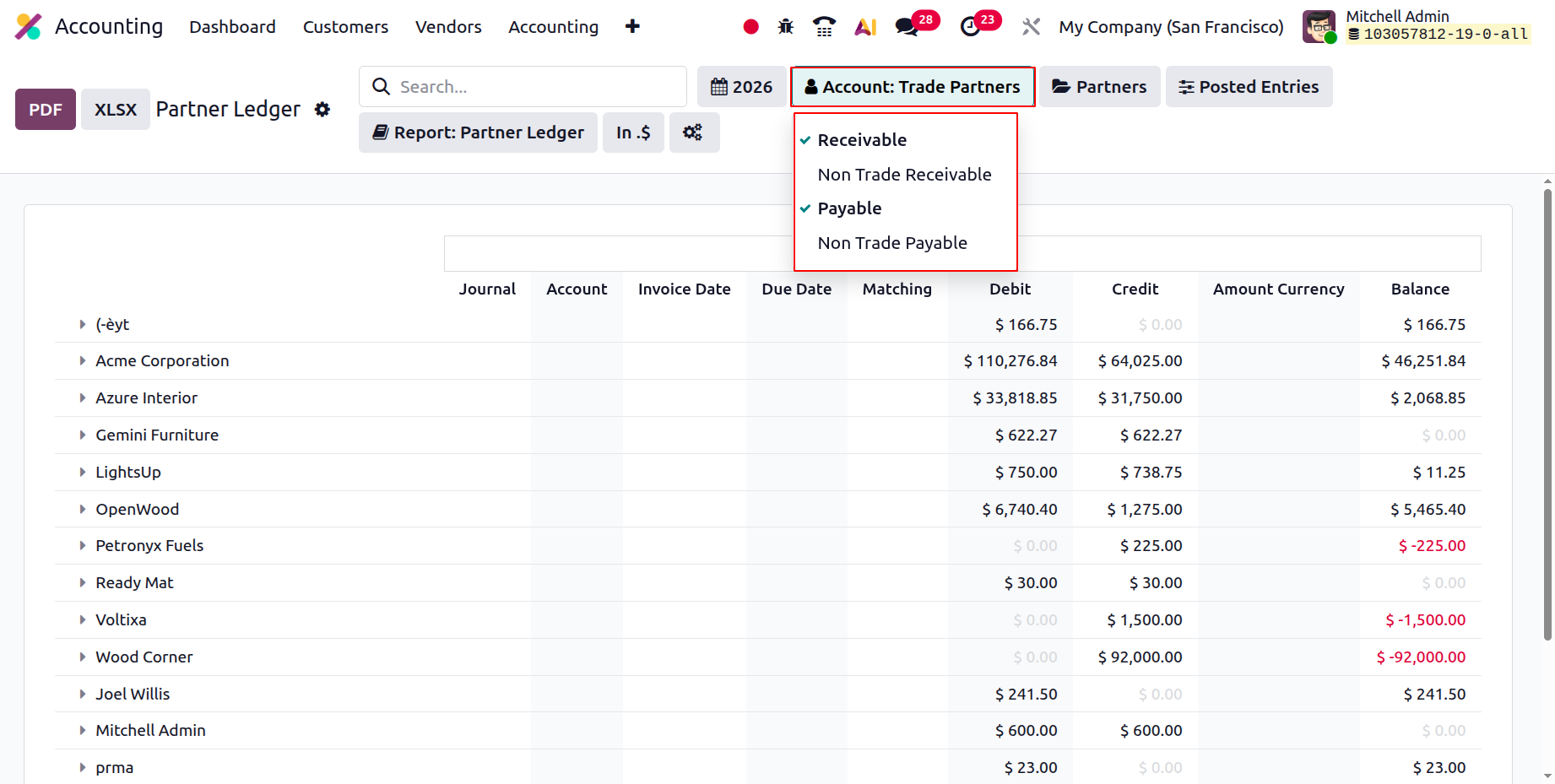
The account in which the Partner Ledger entries are listed, such as the Payables or Receivables account, can also be used to classify them. The sorting tool according to the Accounts that define the Partner Ledger entries is shown in the screenshot that follows.
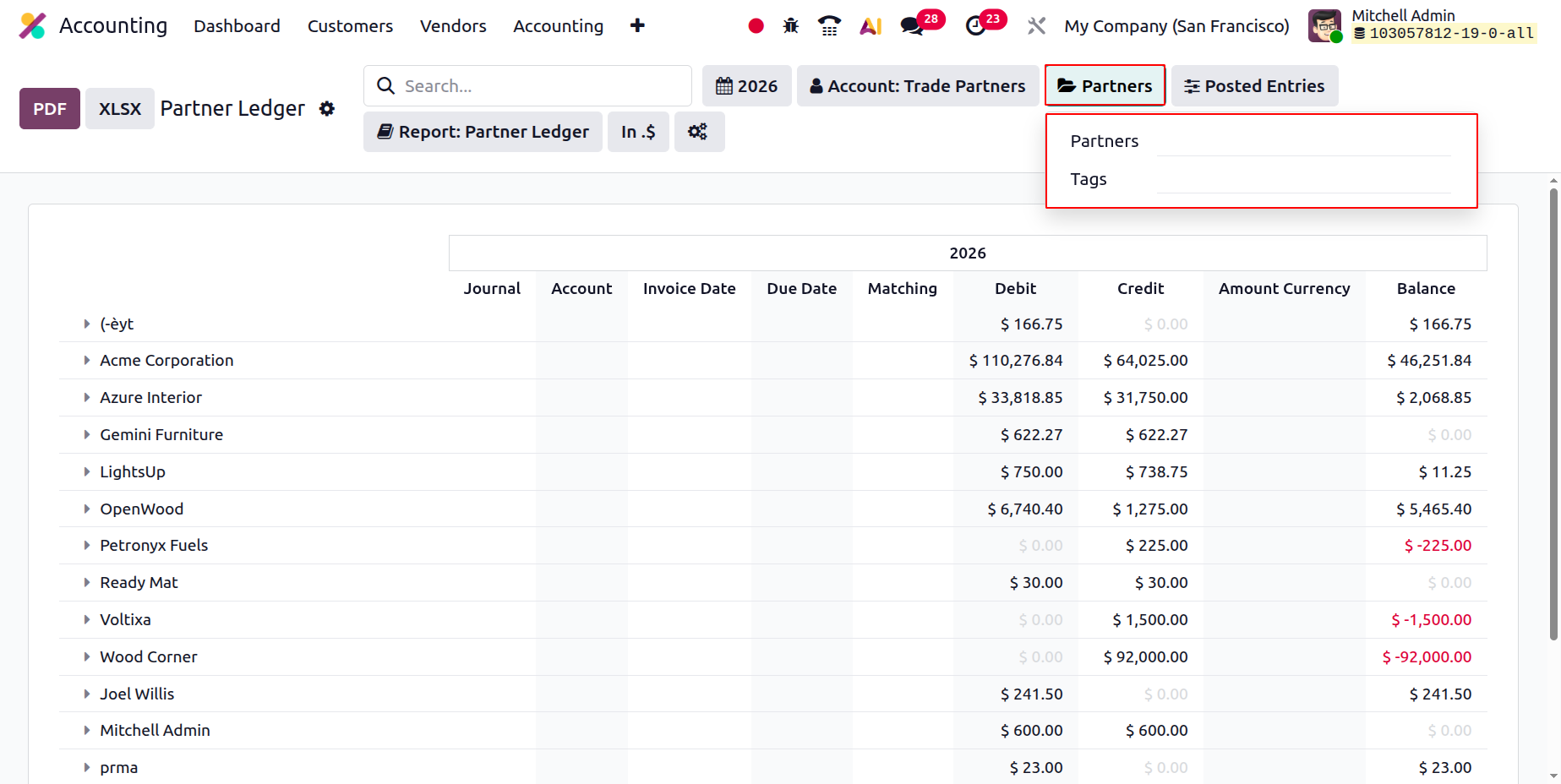
In order to list the various Partner Ledger entries, you can also utilise the Partners filter choices to specify the Partners and Tags by choosing them from the drop-down box. The Partner screening tool is displayed in the screenshot below.
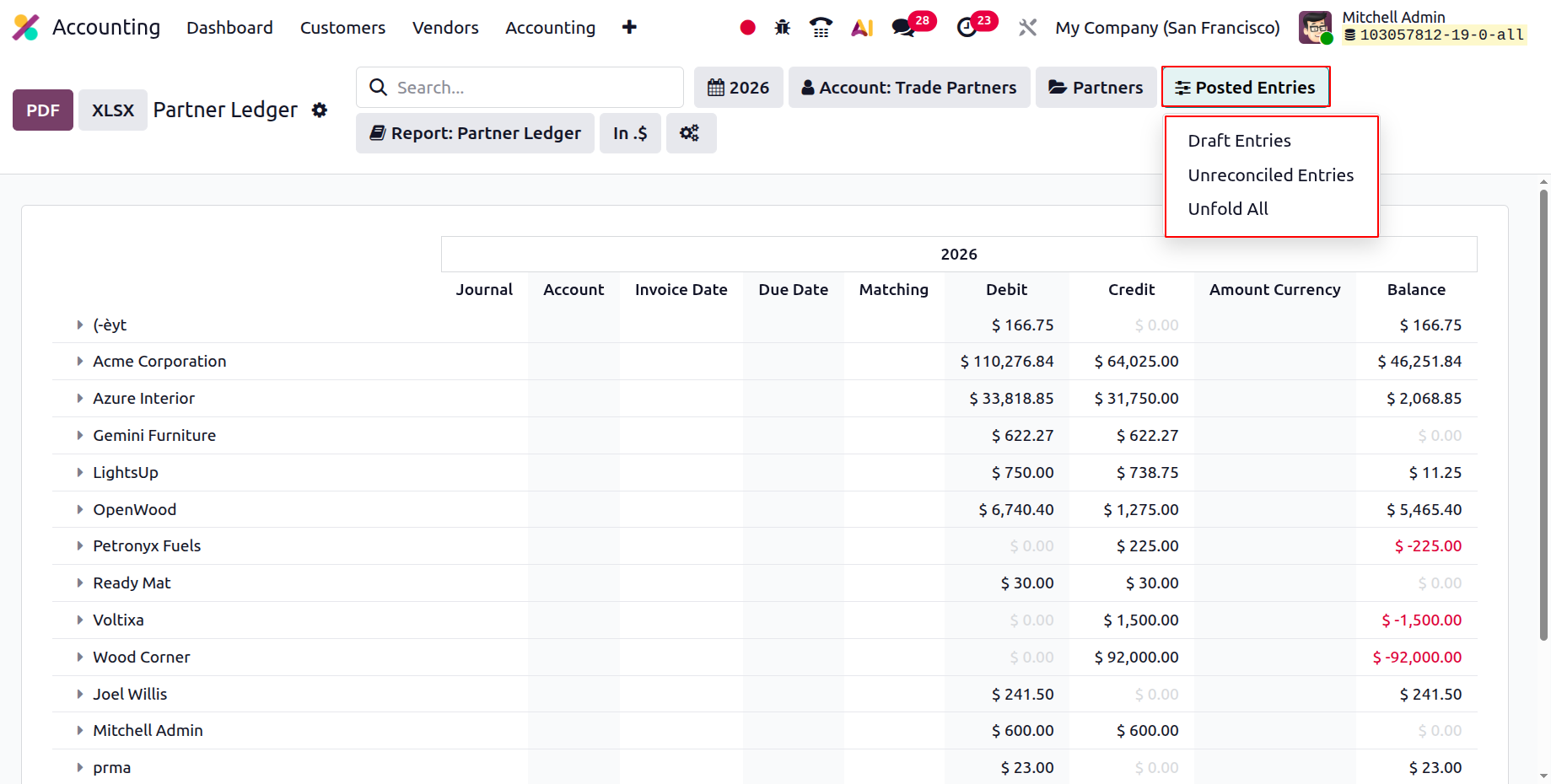
Additionally, you can group the Partner Ledger based on Posted Data, Include Unposted Data, Only See Unreconciled Entries, or Unfold All to examine all of the chosen Partner Ledger data by using the filtering technique. Additionally, there are buttons for printing reports in XLSX and PDF formats. After making modifications to the entries, the Partner Ledger report can also be saved using the SAVE option.
Choose one of the Reconcile options for each Partner shown in the Partner Ledger to reconcile the financial entries defined in connection with the partner operations. Clicking Reconcile will take you to the Partner's special Reconcile window, where you may choose whether or not to reconcile.
Using the Partner Ledger reporting feature in the Odoo 19 Accounting module, you may determine how the Partners' financial operations compare to the firm's. It is also a helpful tool for the organization since it lets you organise the crucial data using specific grouping and filtering techniques.
After understanding how Partner Ledger reports operate, let's examine the Aged Receivable reporting menu, the next partner-based report type in the Odoo Accounting module.
Aged Receivable
The business classifies goods and services that have not been paid for by a customer or partner as old receivable payments. Even after the scheduled payment period has passed, the delayed amount will still be considered an old receivable. Assume that the payment period is ten days and the invoice date is March 1st, 2026. It is therefore considered Aged Receivable if the customer has not paid by the applicable payment term, which is March 10, 2026. The sum is owed even though it is receivable.
As a result, on March 22nd, this sum will become an aged receivable in one to thirty days. The company will be able to locate the payment and ensure that you are paid before it's too late thanks to this classification. Aged receivable reporting will be critical in Odoo, since managing the company's operations is vital. Examining the Aged Receivable reports, which are a component of the business's Partner-based reports using the Odoo Accounting module, can provide you a better understanding of the company's payment processing procedures.
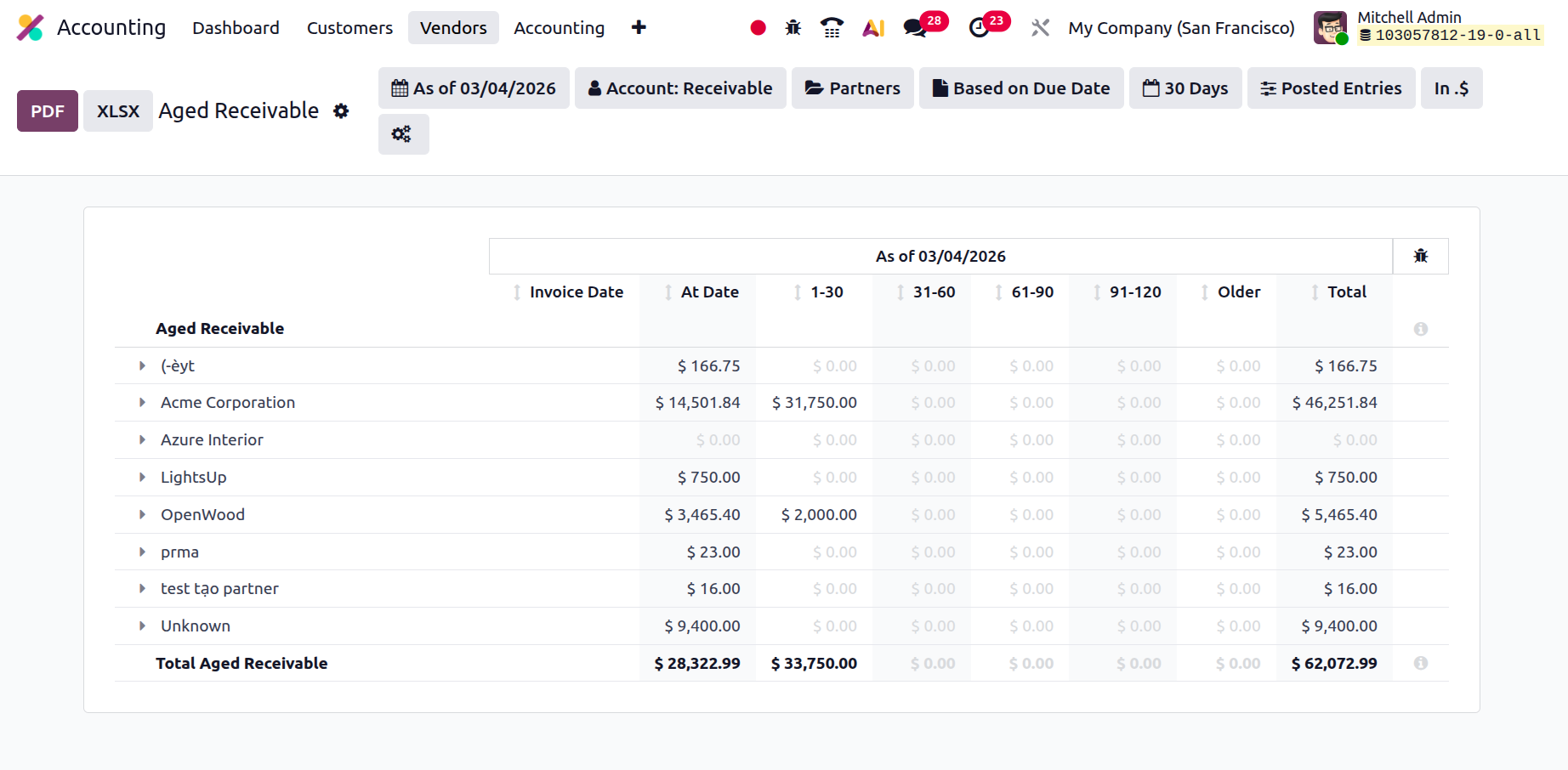
The Odoo Accounting module's Reporting tab provides access to the Aged Receivable reports. Based on the current partners and clients, the Aged Receivable entries will be shown here. All of the partner-related entries will be visible and accessible through the different drop-down arrow options. When the arrow is lowered, the invoice details for each of their older receivables will be shown independently of the partner or customer data. To better highlight the amount to be paid if the payment is extended based on the duration, the Report Date, Journal Details, Amount Involved, and Expiration Date are all shown as 1-30, 31-60, 61-90, 91-120, and older, respectively. The entire amount owed will also be shown at the conclusion. The screenshot below shows the Aged Receivable reporting option, which defines all Aged Receivable elements.
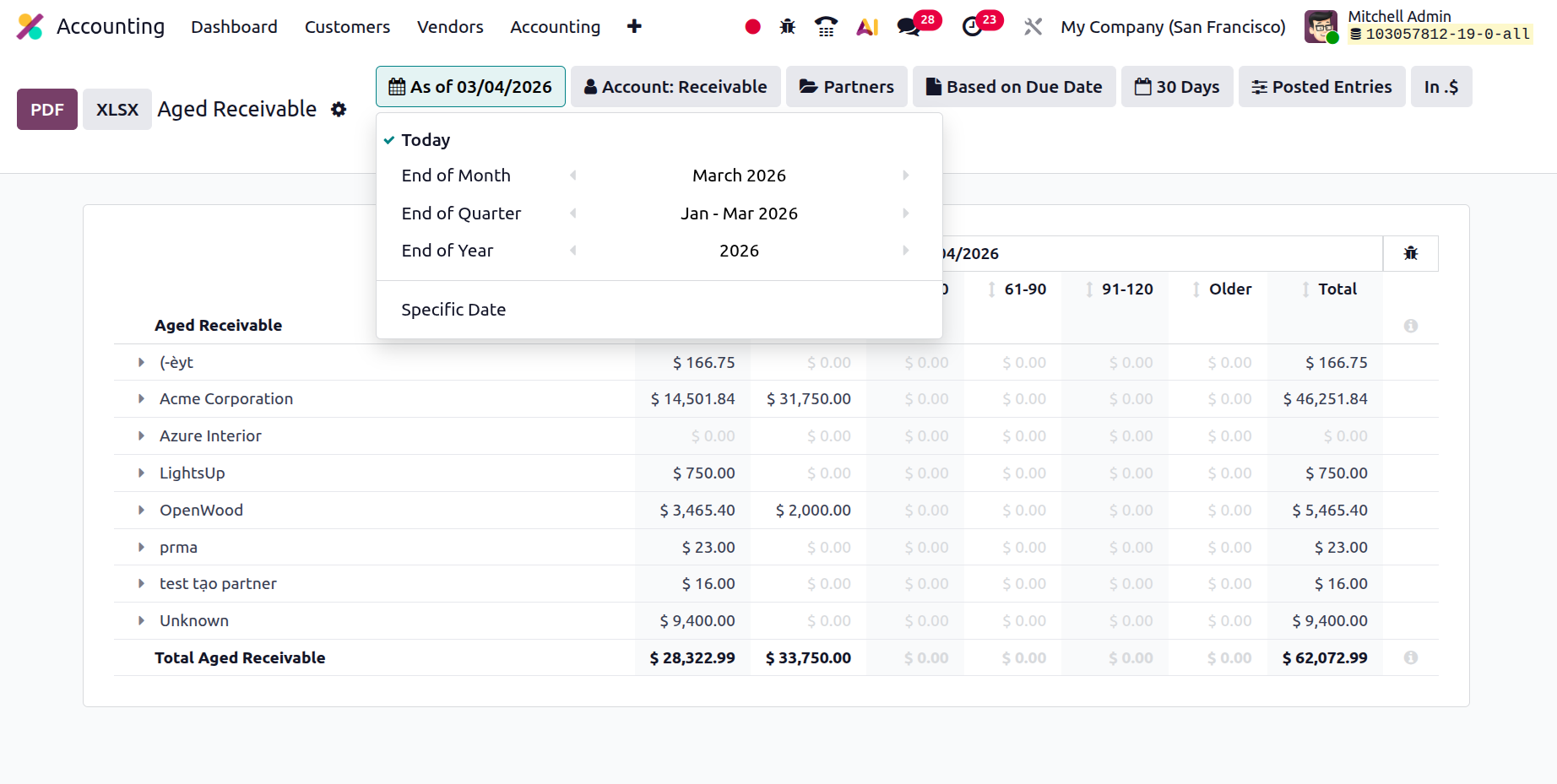
You can also organise the data according to your requirements using the various filtering and Group by options. To help with sorting procedures, you can utilize both standard and readily available custom tools. The initial filtration may be based on the fiscal period, as shown in the graphic below.
The Partners and any associated tags, which can be selected from a drop-down menu, will then be defined by the Partner-based filtering tool. You will receive a list of all operating partners along with the tags that correspond to them; you can choose from this list.
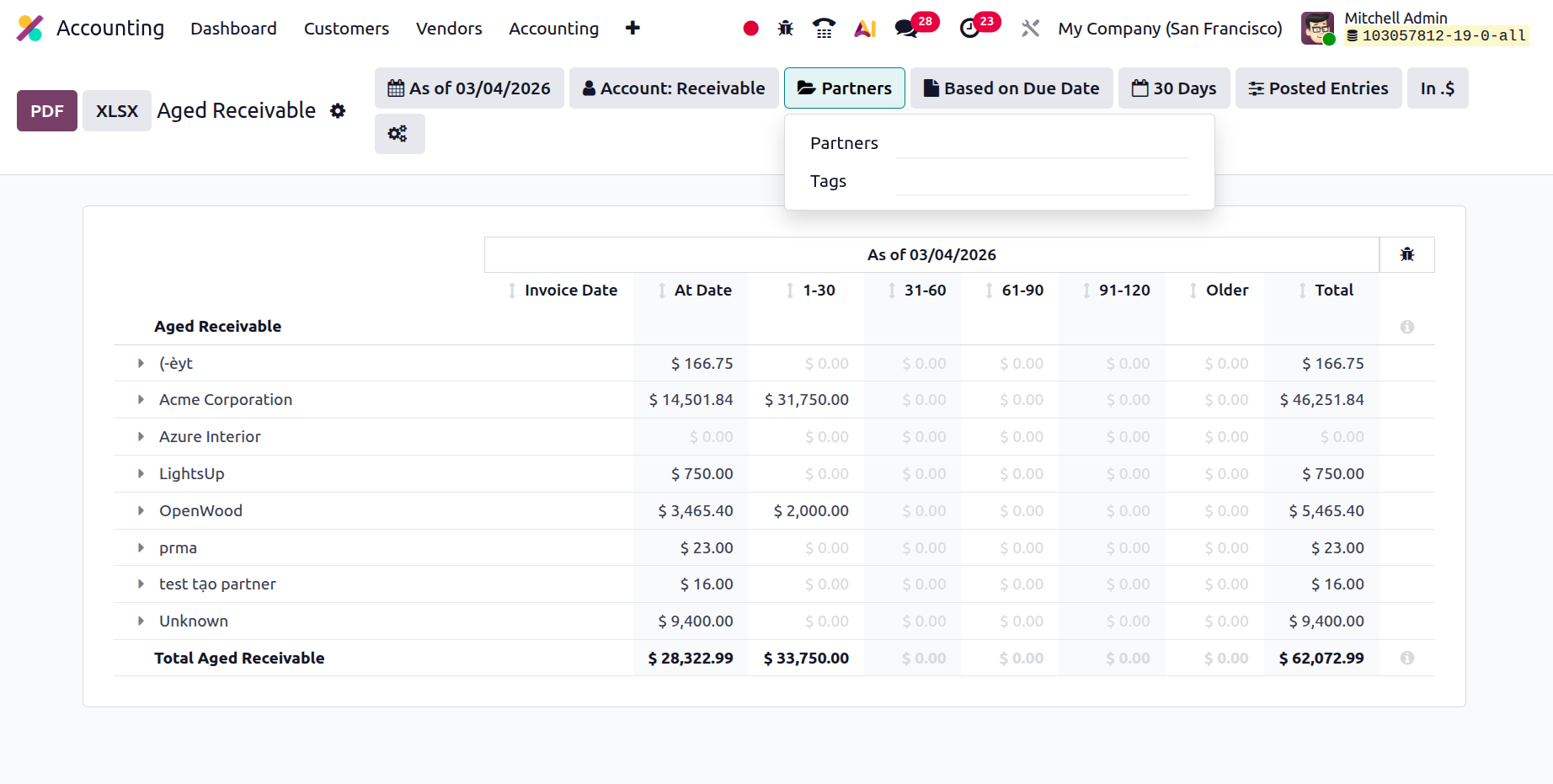
To view every item for Aged Receivable, choose Unfold All Filtering from the Options tab. Additionally, there are buttons that let you print reports in XLSX and PDF formats. You can store financial data by using the Store button to save reports to the appropriate location in the Documents module.
The Aged Receivable report can be filtered using either the Due Date or the Invoice Date. The date the values were added to the report can then be specified by the user. If the 30-day filter is used, submissions submitted after the deadline will be visible.
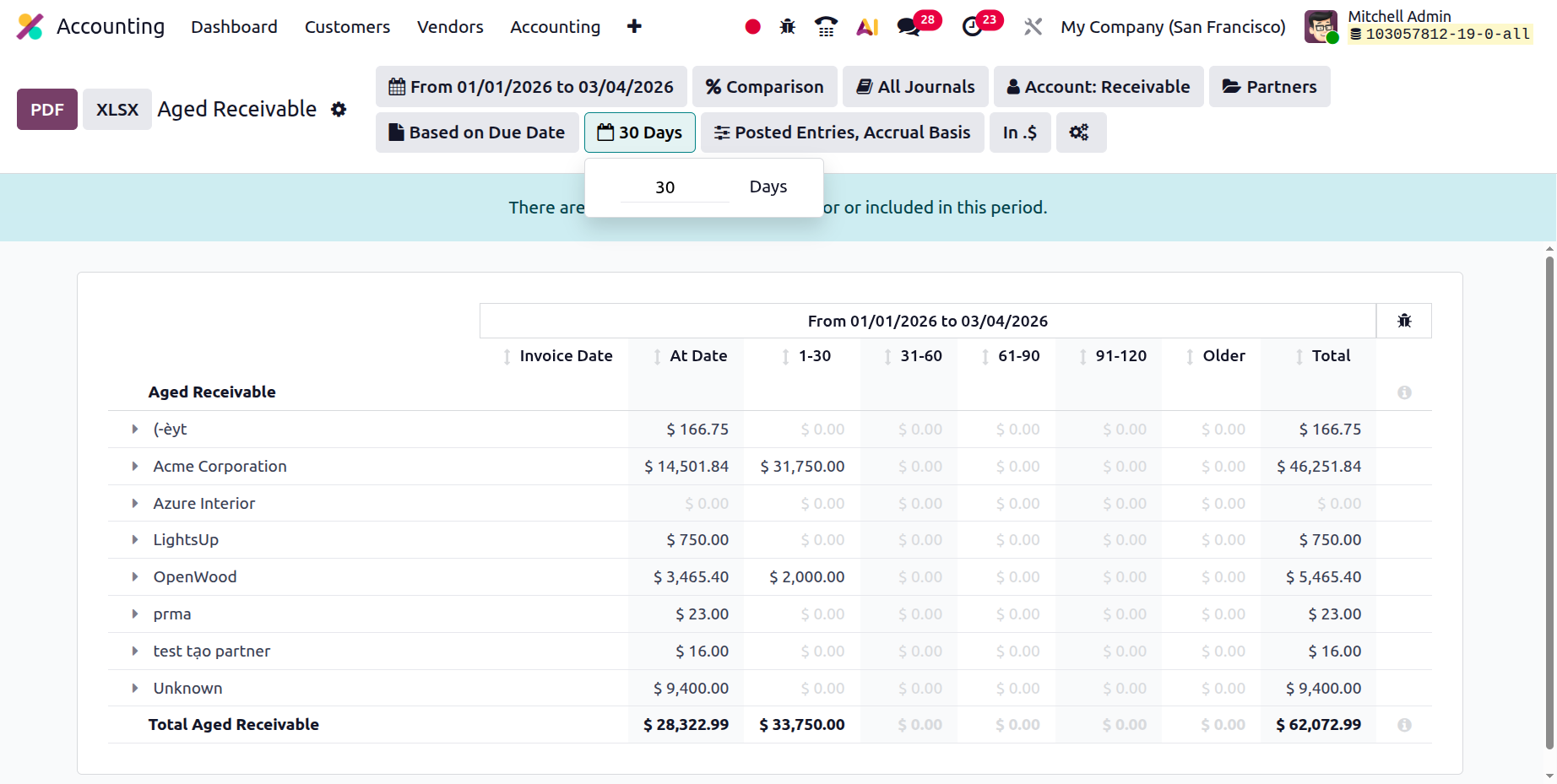
Now that we have a better grasp of the Aged Receivable report function, which is provided in the Accounting module of the Odoo platform, let's move on to the next phase, where the next partner foundation for reporting the Aged Payable reports is constructed.
Aged Payable
The Odoo Accounting module's Aged Receivable reports and Odoo's Aged Payable reporting feature are the same. The report, however, will be predicated on the late payment that your business is required to make to the partner. With the help of this reporting tool, you will be able to understand the portion of the past-due payments that you should have made. Similar to the Aged Receivable reports, the Aged Payable reports will specify the Aged Payable items for every Business Operations Partner or Vendor.
The Aged Payable report entries will display the Report Date, Journal Details, Amount Involved, and Expiration Date. The sum will be shown as 1–30, 31–60, 61–90, 91–120, and older ones that represent the amount to be paid if the payment is extended in accordance with the length if depreciation takes place. The entire amount owed will also be shown at the conclusion. The screenshot below shows the Aged Payable reporting option, which lists every Aged Receivable item. The graphic below illustrates how the filtering options in the Aged Payable report are the same as those in the Aged Receivable reports.
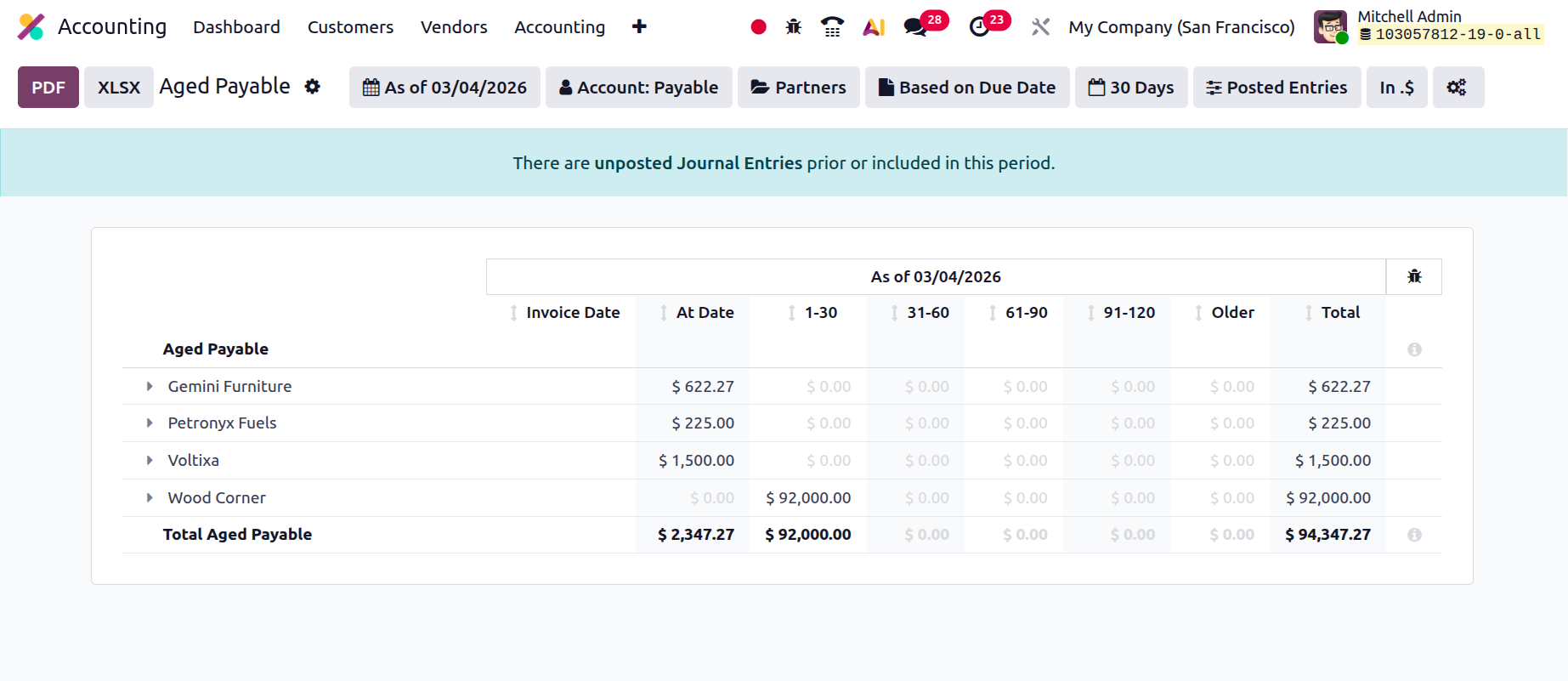
Now that we have discussed each partner-based reporting tool, let's move on to the next section of the chapter. All of these partner-based reporting options are available through the Odoo platform's accounting module. A definition of management reports will be given in the section of the chapter that follows.