Depreciation Schedule
The Depreciation Schedule report in Odoo 19 Accounting provides a clear overview of how the value of company assets decreases over time. It helps organizations monitor asset value, depreciation expenses, and the remaining book value within a selected reporting period. This report is available in the Review menu of the Accounting module and can be exported in formats such as PDF or XLSX for further analysis.
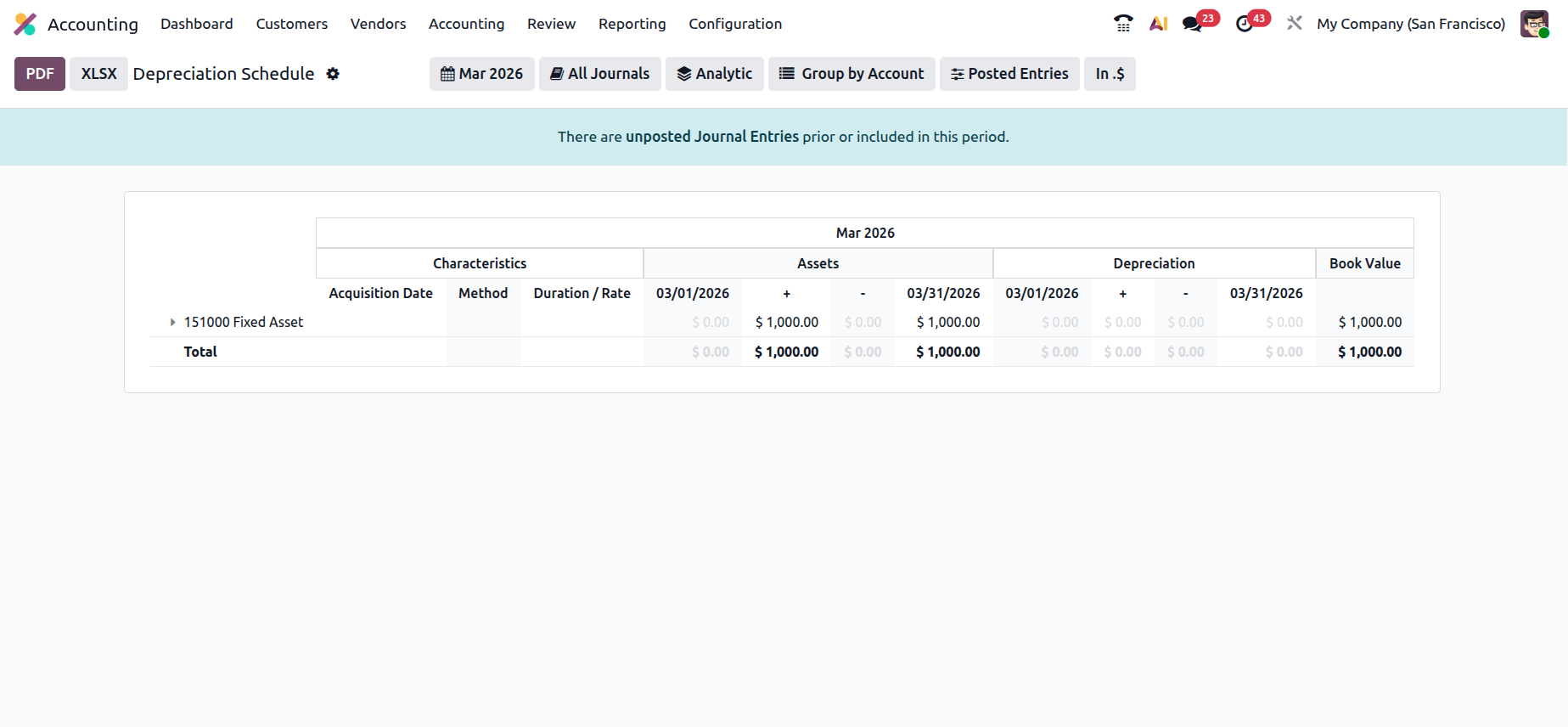
At the top of the report, users can apply several filters such as date range, journals, analytic accounts, grouping options, and posted entries. These tools allow users to refine the report based on specific accounting periods or asset-related transactions.
The report organizes assets under the relevant Chart of Accounts. In the example shown, the asset is recorded under “151000 Fixed Assetâ€. The table displays asset characteristics such as Acquisition Date, Depreciation Method, and Duration or Rate. It also presents the asset values for the selected period, including the opening balance, additions, and closing balance.
For March 2026, the report shows an asset value of $1,000 recorded under the Fixed Asset account. Since depreciation has not yet been applied during the selected period, the depreciation section shows zero values, and the book value remains $1,000.
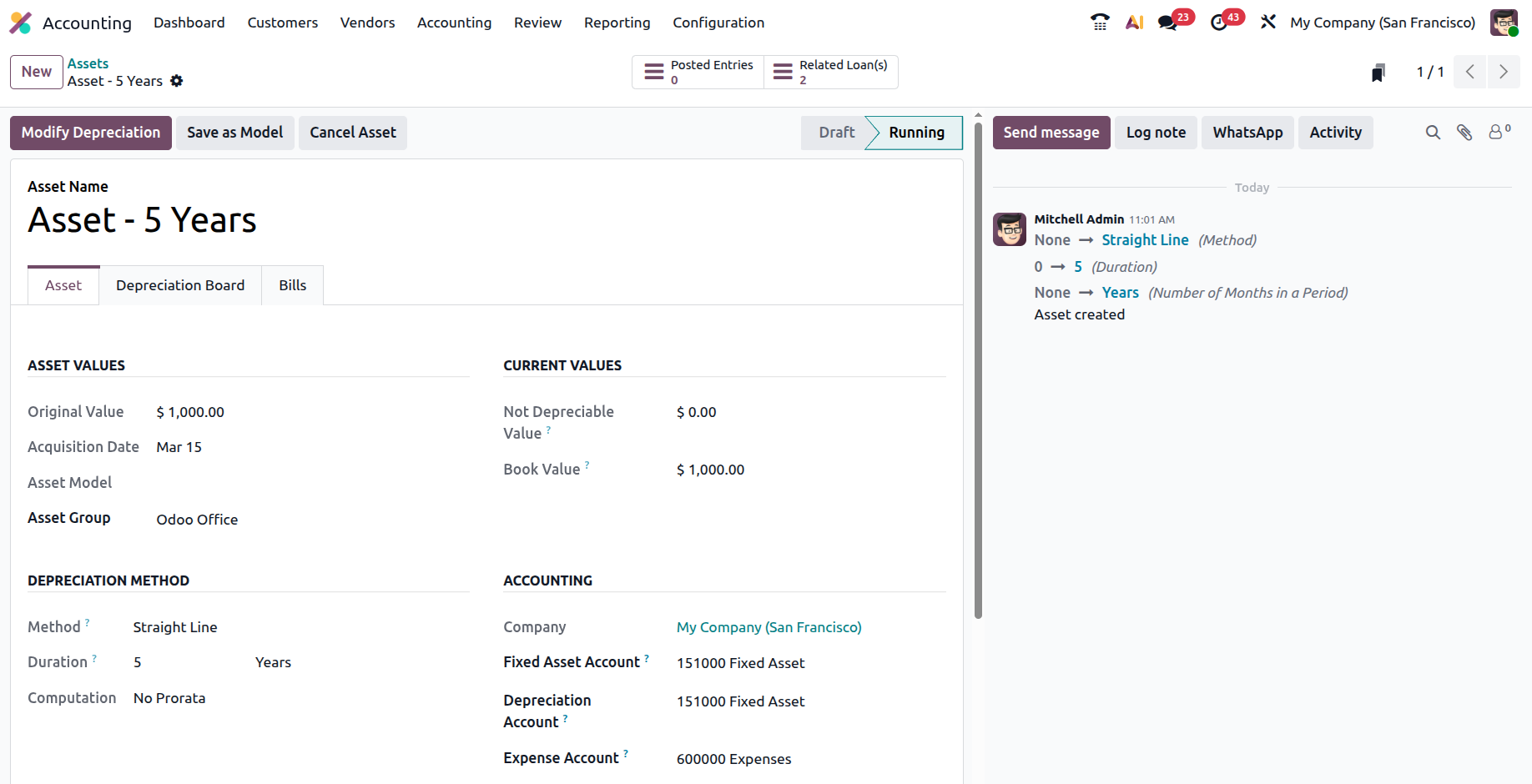
When the asset entry is opened, the detailed asset form displays additional information such as the original value, acquisition date, asset group, and depreciation configuration. In this case, the asset named “Asset – 5 Years†has an original value of $1,000 and follows the Straight Line depreciation method with a duration of five years. The asset is associated with the “151000 Fixed Asset accountâ€, and the depreciation expense is recorded in the “600000 Expenses accountâ€.
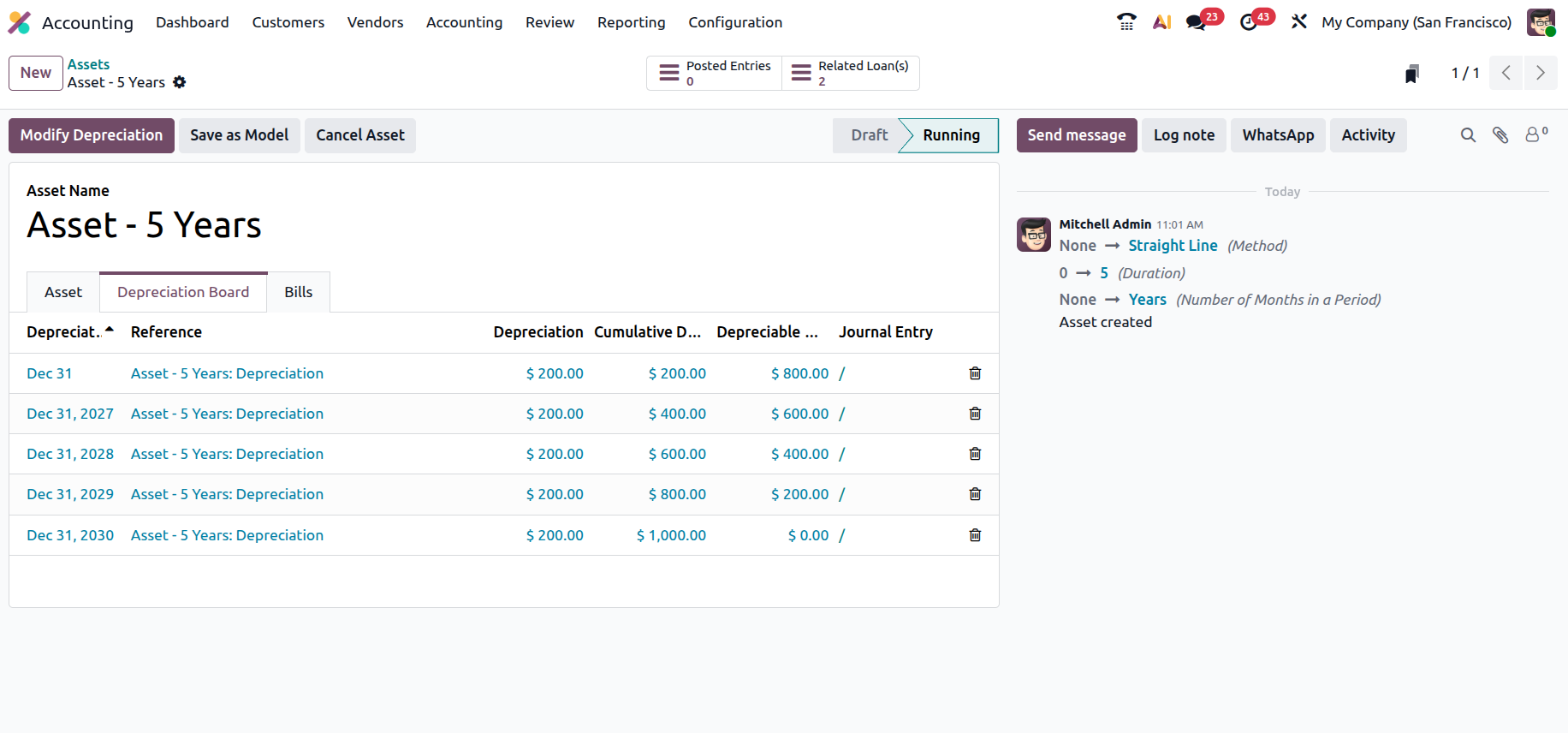
The Depreciation Board tab provides a schedule of depreciation entries that will be applied over the asset’s lifetime. According to the configuration, the system distributes the depreciation equally across five years. As a result, $200 is depreciated each year, gradually reducing the asset’s value until it reaches $0 at the end of the fifth year. The table also displays the cumulative depreciation and remaining depreciable value for each year.
Odoo also allows users to manage the asset directly from this view. Through the Modify Depreciation option, users can perform actions such as selling or disposing of the asset, re-evaluating its value, or stopping depreciation if necessary. Additional options such as Save as Model allow the asset configuration to be reused for similar assets in the future.
Overall, the Depreciation Schedule report and the related asset view provide a comprehensive understanding of asset valuation, depreciation allocation, and remaining asset value, helping businesses maintain accurate financial records and effectively manage long-term assets.