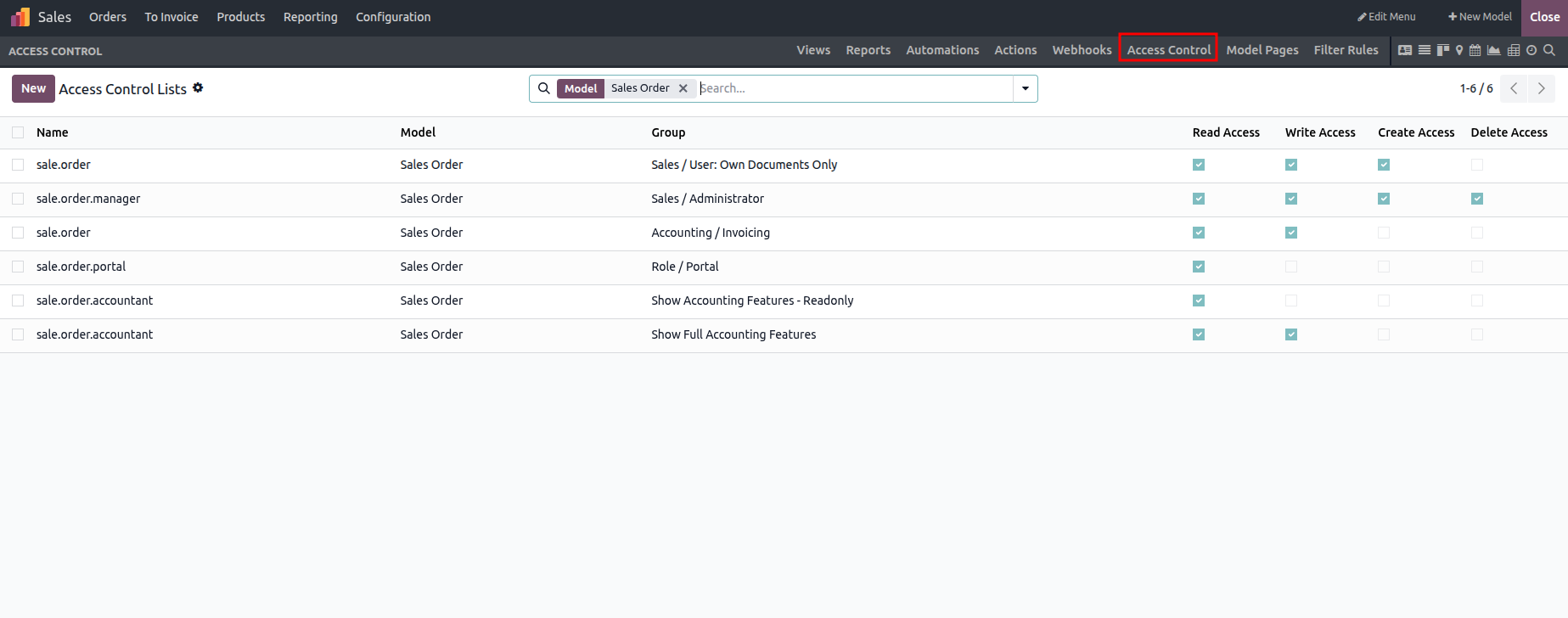
The Studio module allows you to configure field-level access permissions, such as read, write, create, and delete rights, for different users. To modify these access settings, open the relevant form and activate Studio. Then, navigate to Access Controls and create a new access record.
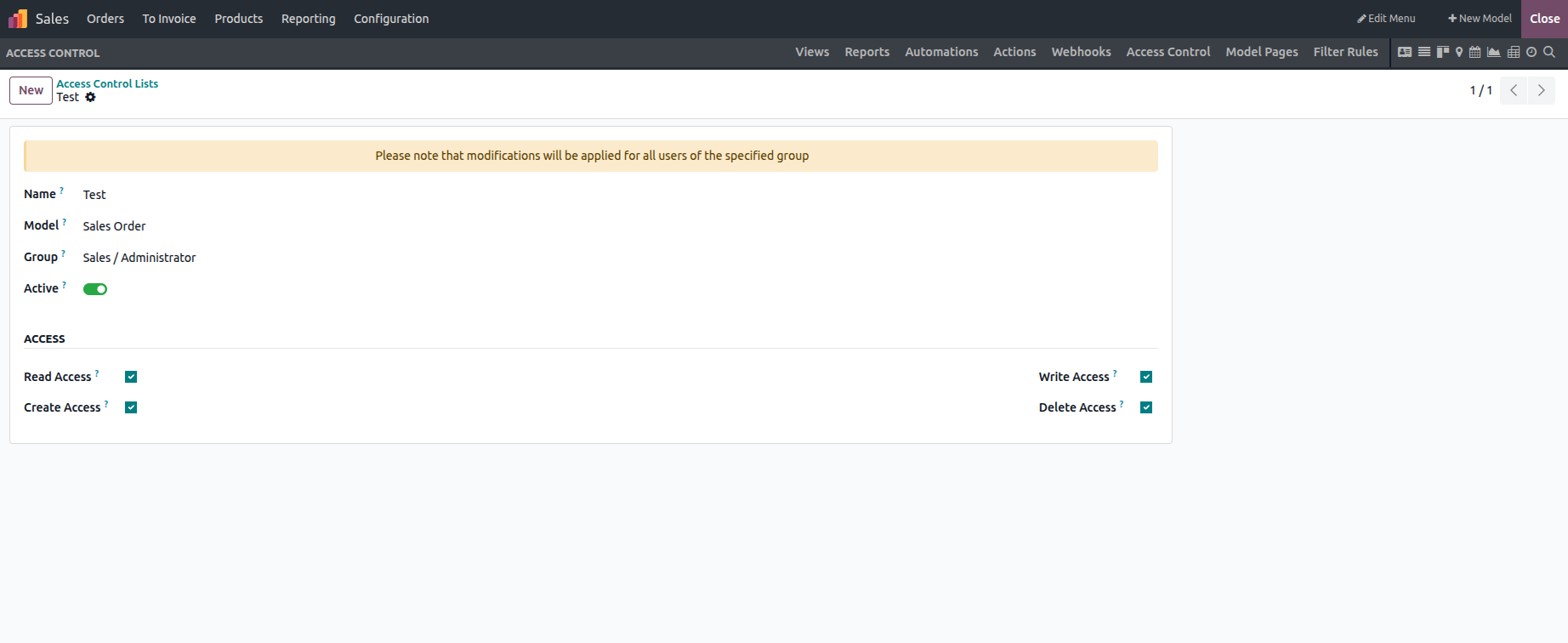
This section allows you to enter all the required details. You can either select an existing group or create a new one as needed.
The Studio module makes it simple to manage user access rights by applying the steps discussed above.