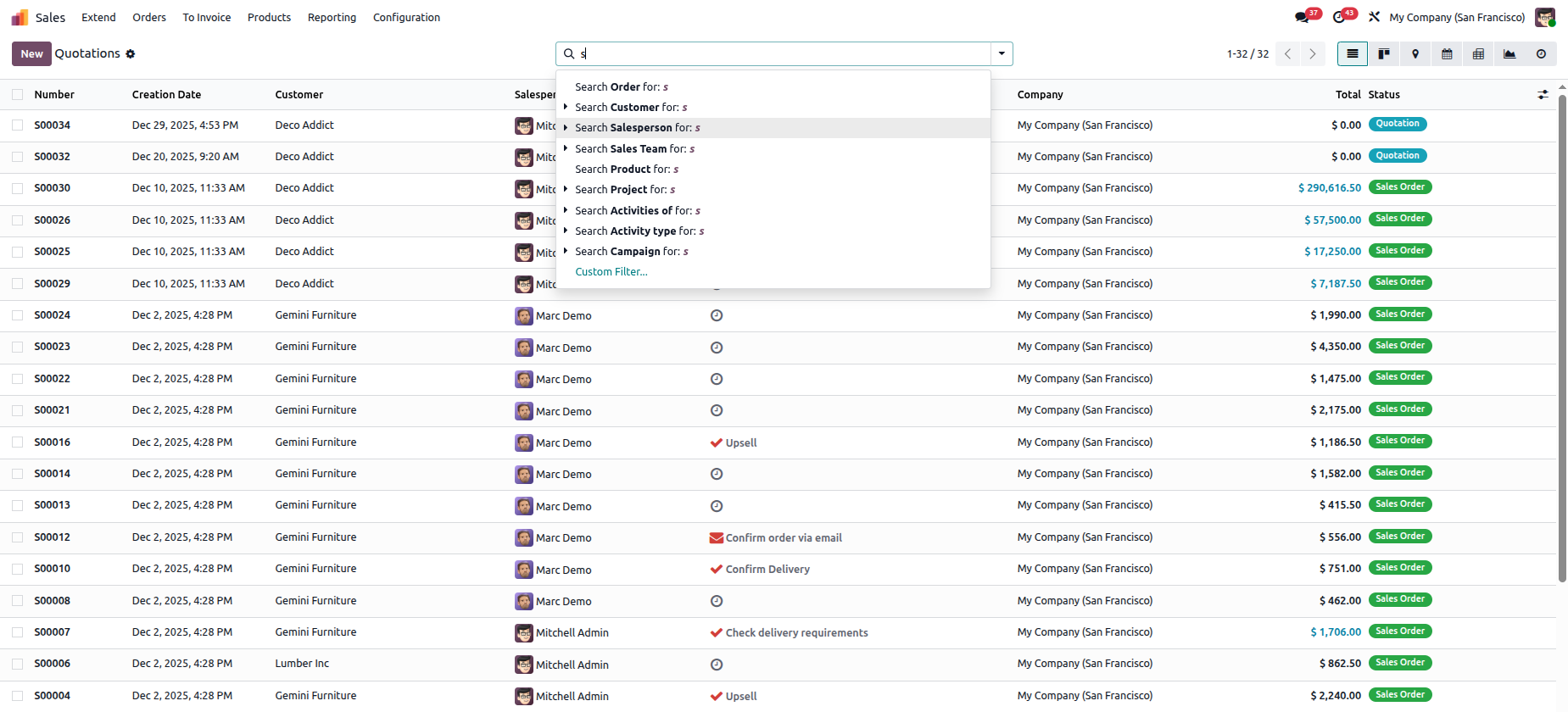
Records can be filtered using different field criteria, as illustrated below, and the search option can also be used to locate entries by entering specific keywords. This section explains how to extend the search filter by adding new fields, making it easier to refine and retrieve the required records.
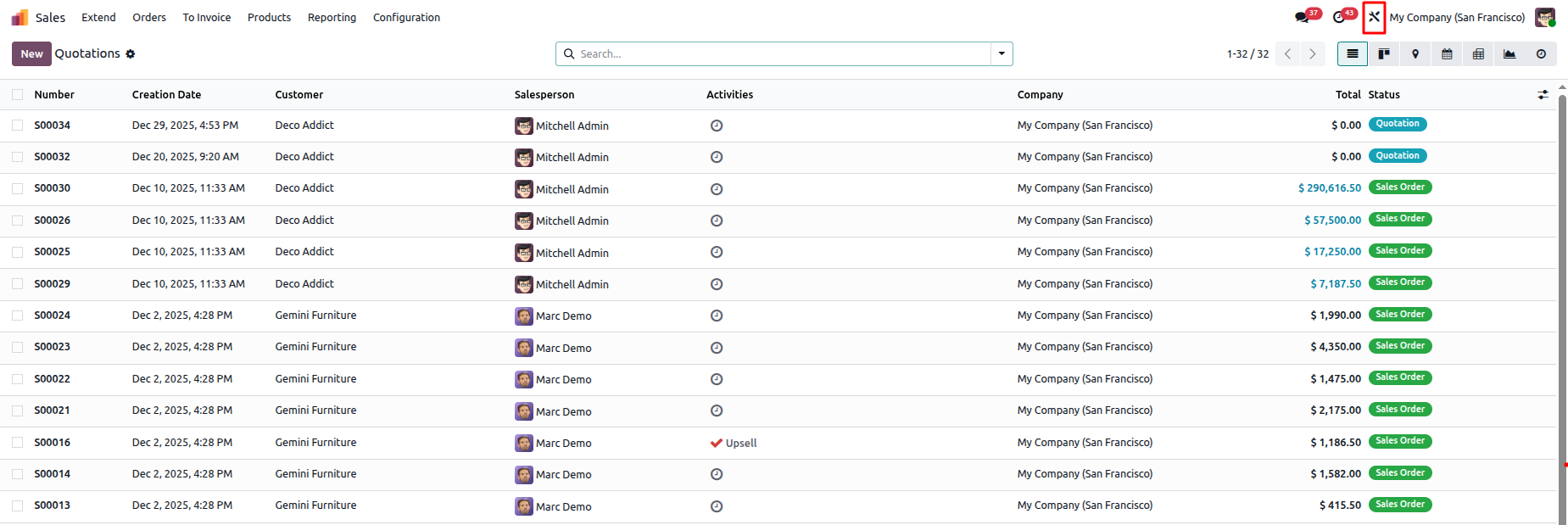
To open the Studio module, simply click on the Studio icon available in the interface.
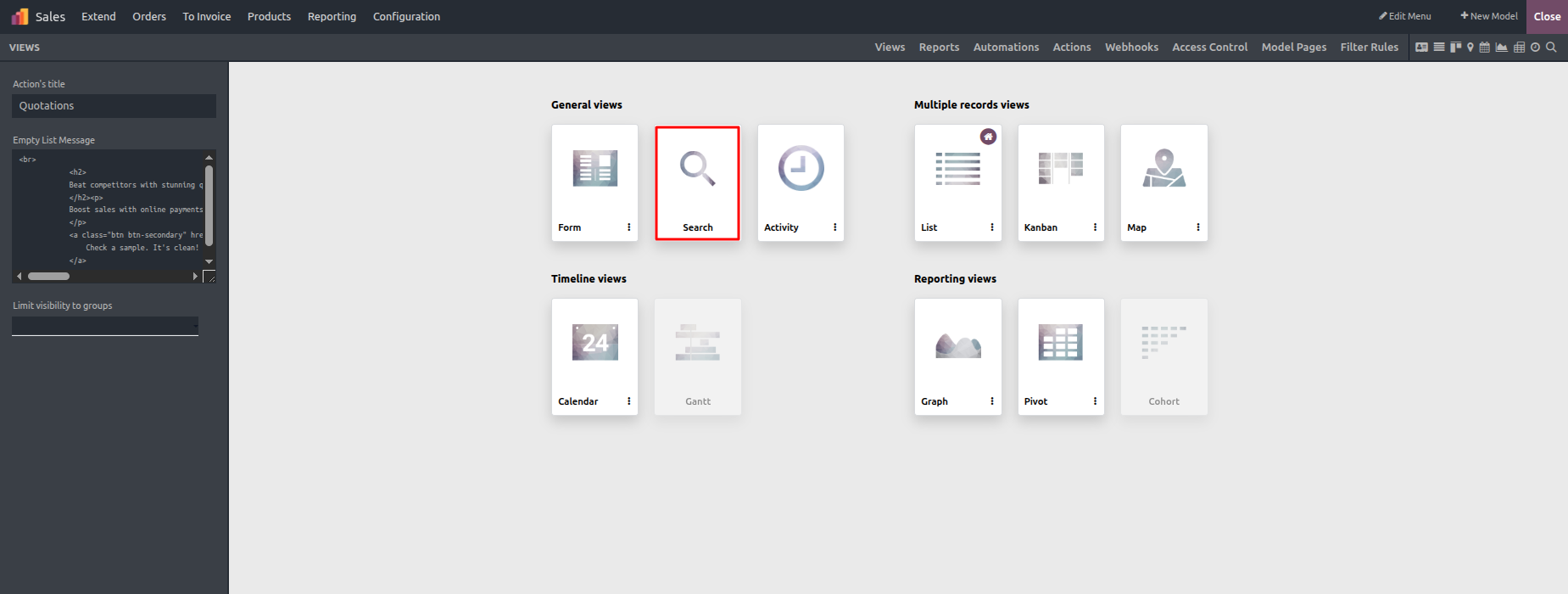
Within the available view options, select the Search View as shown below to begin configuring search and filter settings.
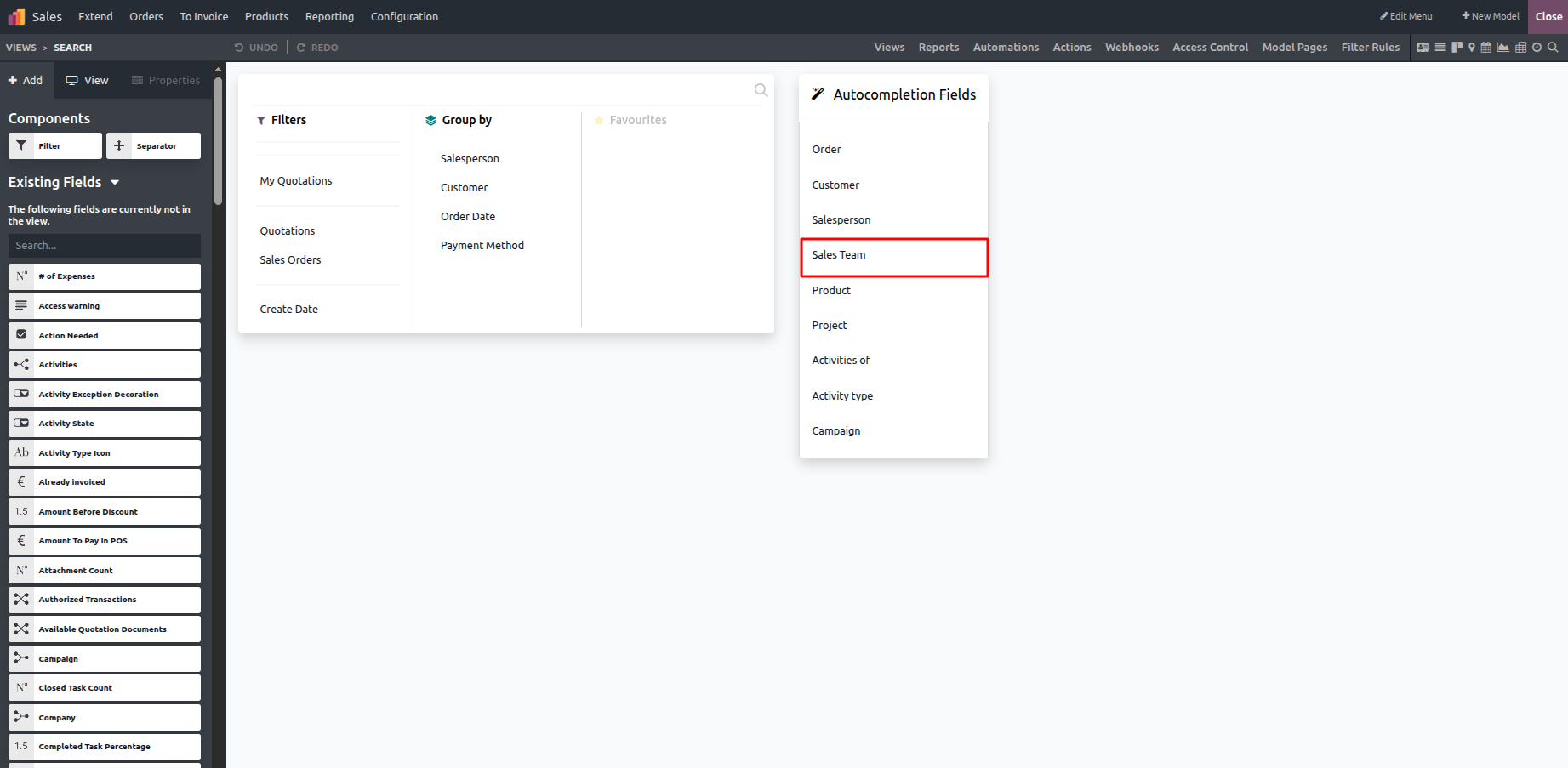
All the fields defined in the model are listed under Existing Fields. You can enhance search suggestions by dragging and dropping the required fields from Existing Fields into Autocomplete Fields, allowing more precise and efficient result filtering.
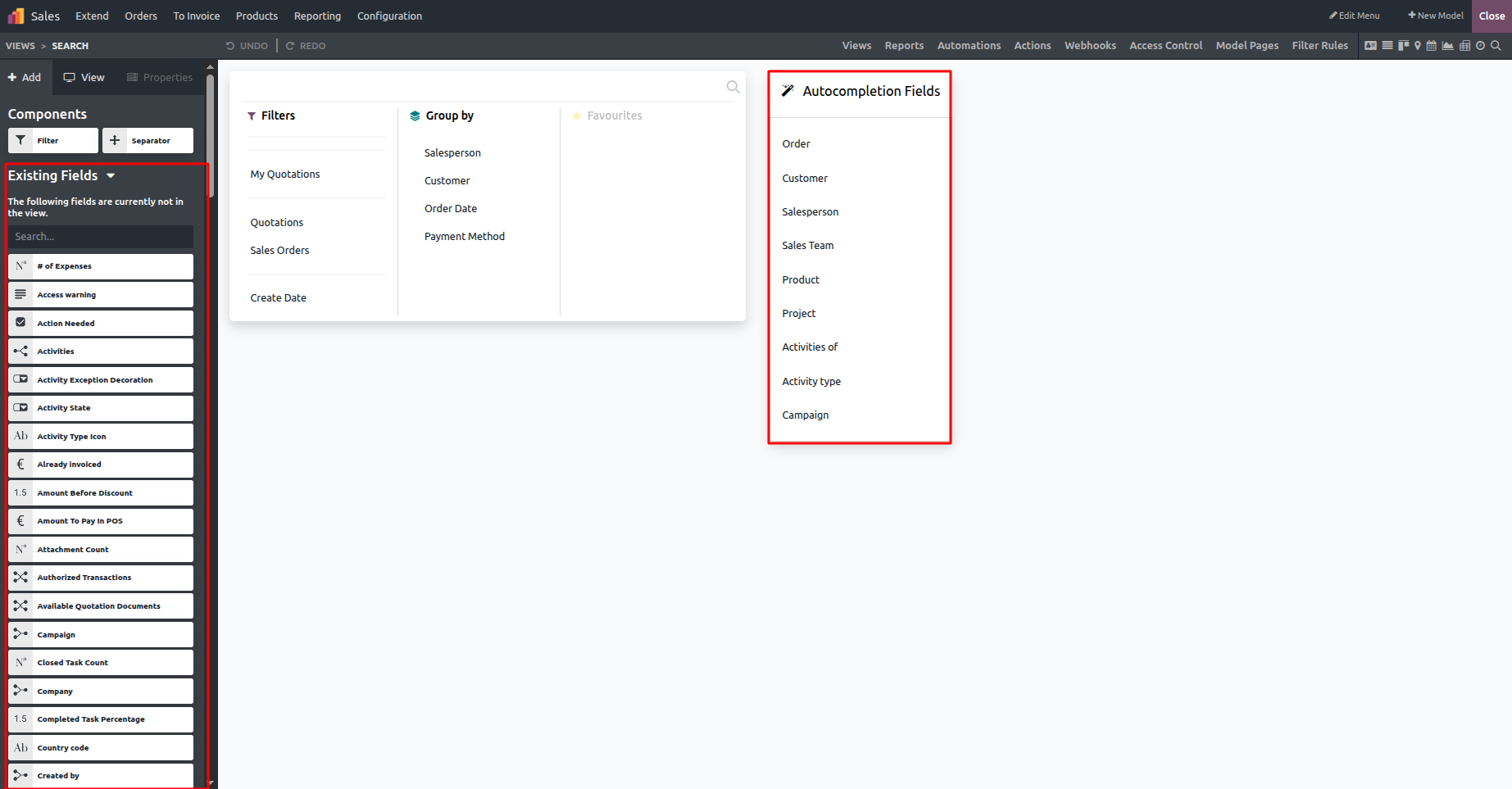
As shown in the image below, the Sales Team field has been selected and dragged into this section, enabling it to be used for filtering and refining search results.
The search view filter now includes and displays the newly added Status field, making it available for filtering records.
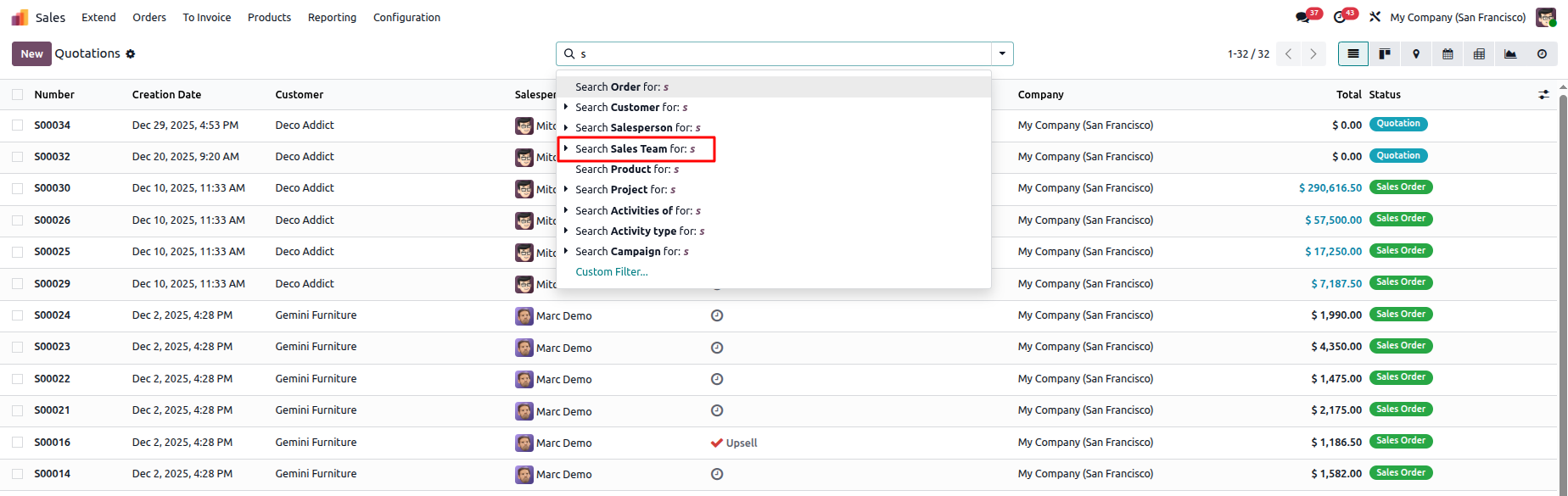
The added Status fields in the search view can now be used to apply filters, helping users narrow down and display only the relevant records.