Filters
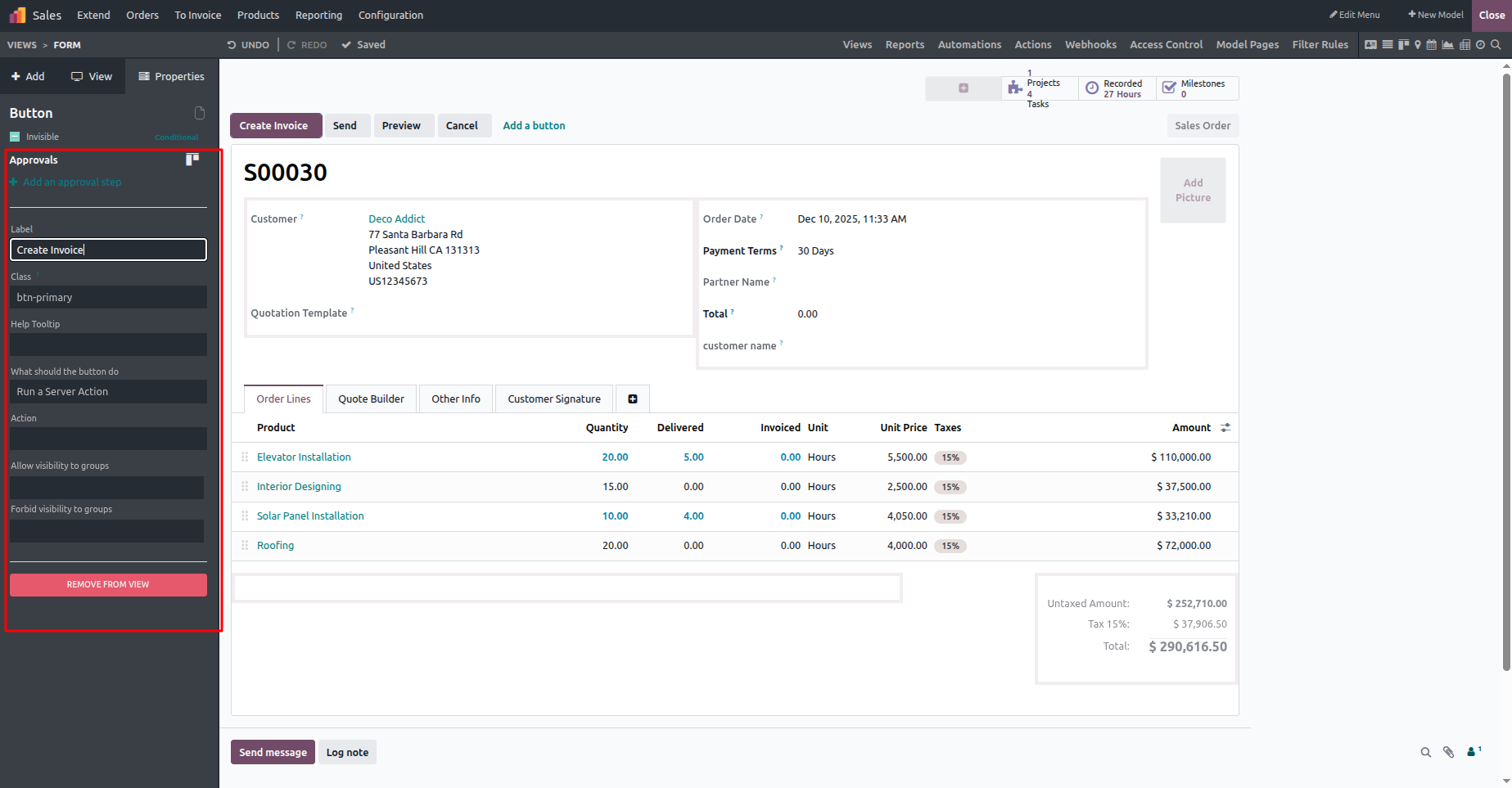
With the help of the Odoo Studio module, users can add approval workflows to action buttons with ease. By switching to Studio mode, selecting the required button, such as Create Invoice and configuring the approval settings, approval rules can be applied directly. As demonstrated in the image below, this process also allows user images to be added, offering greater flexibility and personalization in the approval setup.
Another engaging feature available in Odoo is the Rainbow Man effect, which can be applied to action buttons such as the Confirm button. This feature allows users to define a custom success message and adjust the animation speed, adding a lively and interactive visual feedback that enhances the overall user experience.
Another notable feature is the Rainbow Man, a visually appealing effect that can be added to buttons in Odoo. To apply it to the Confirm button, developer mode must first be activated. After enabling it, users can personalize the feature by defining the message shown on completion and fine-tuning the animation speed, making button actions more engaging and visually attractive.
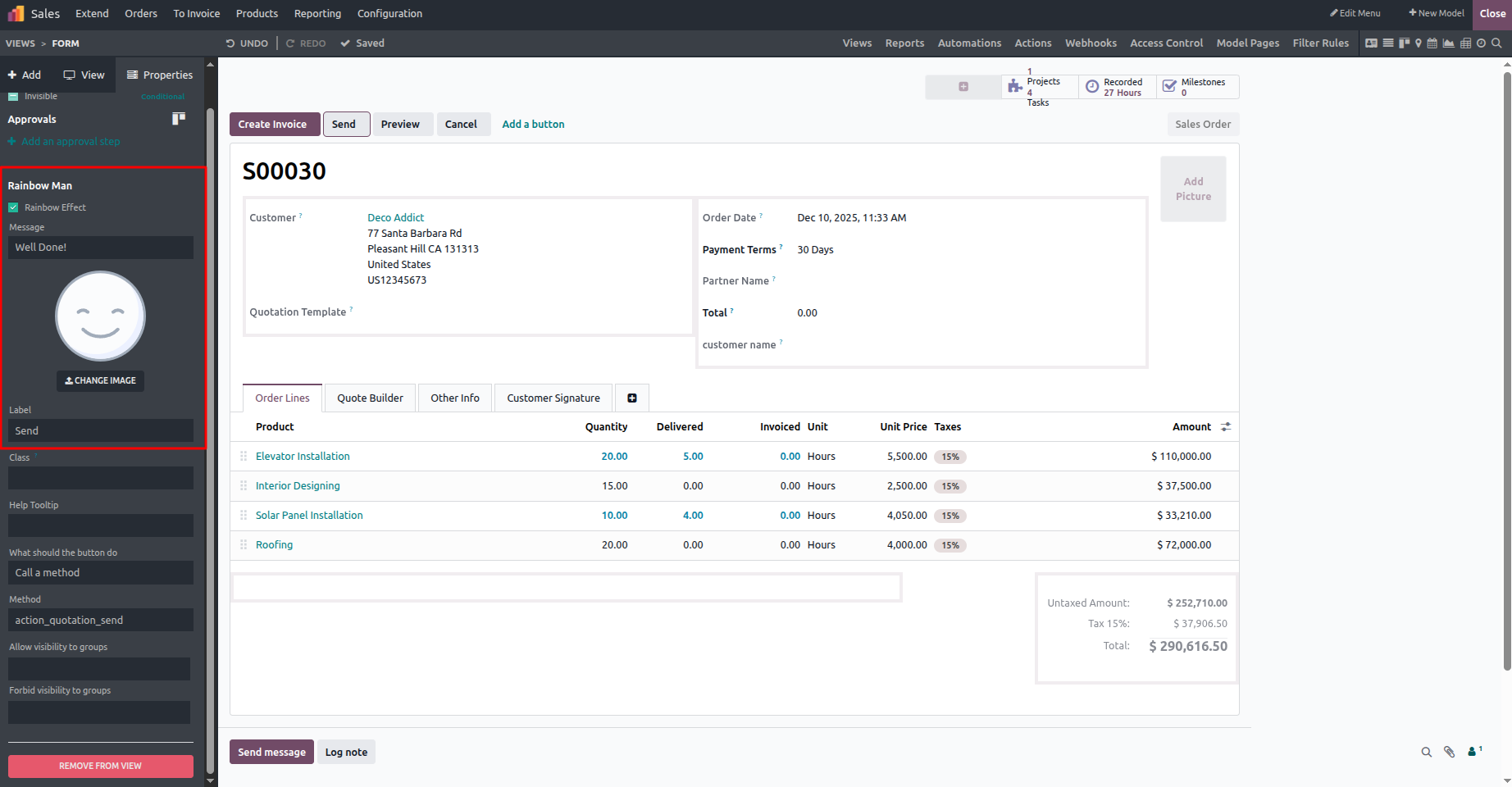
After applying the Rainbow Man effect, exit the Studio module and then click the Send by Email button to see the effect in action.
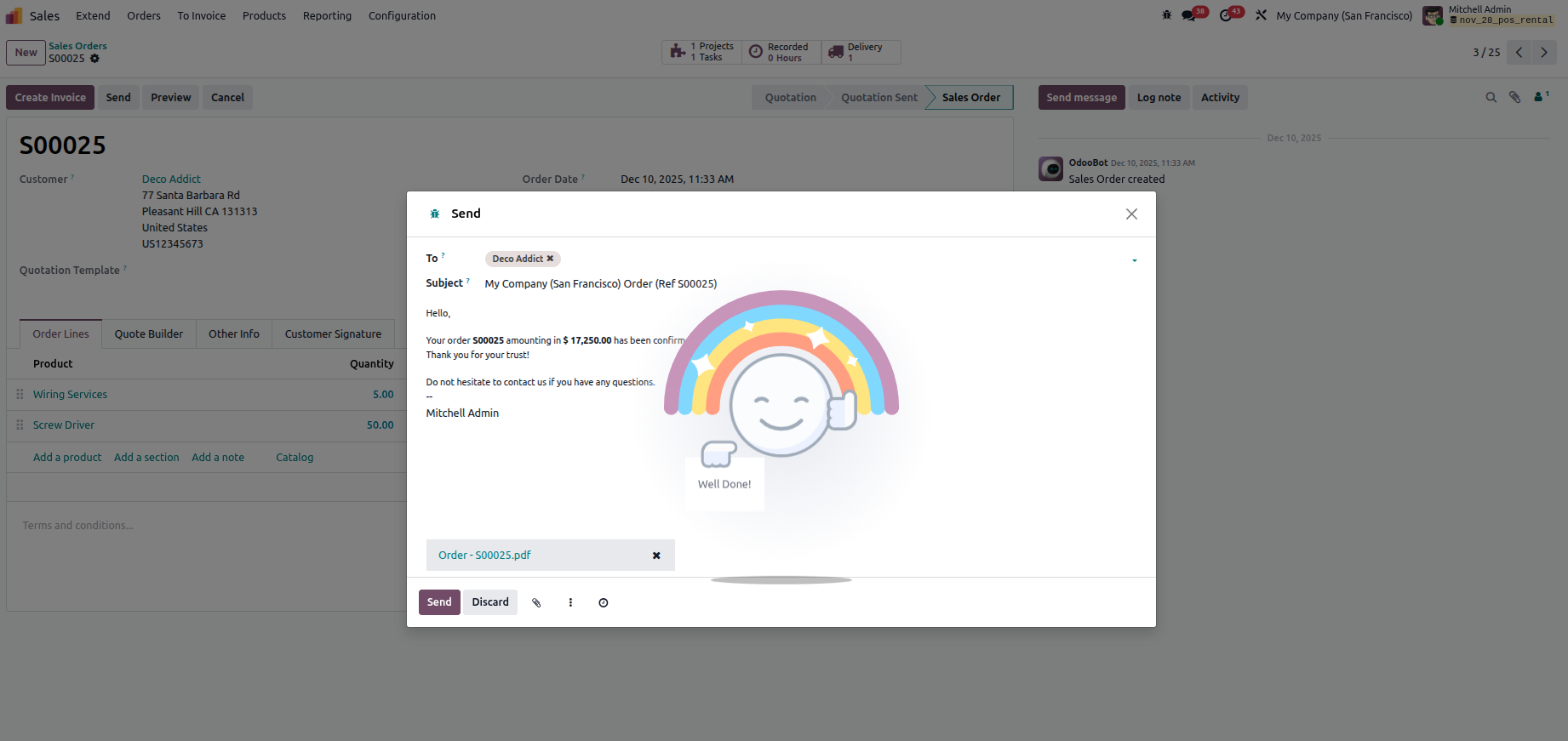
As shown in the image above, the Rainbow Man effect is clearly visible, presenting the message configured through Studio. This example highlights how approval rules and the interactive Rainbow Man animation can be applied to buttons, giving users flexible tools to improve both the visual appeal and functional behavior of the Odoo platform.