In a form view, tabs and columns act as layout containers that help structure a model's fields effectively. They improve usability by organizing information in a clear and orderly manner. Tabs allow related fields to be grouped together, while columns within each tab can be used to adjust the field layout. By using tabs and columns efficiently, users can access and understand the required information in the form view more easily.
To add a new tab to the form view, simply click and drag the Plus or Tabs button and drop it into the preferred location within the form.
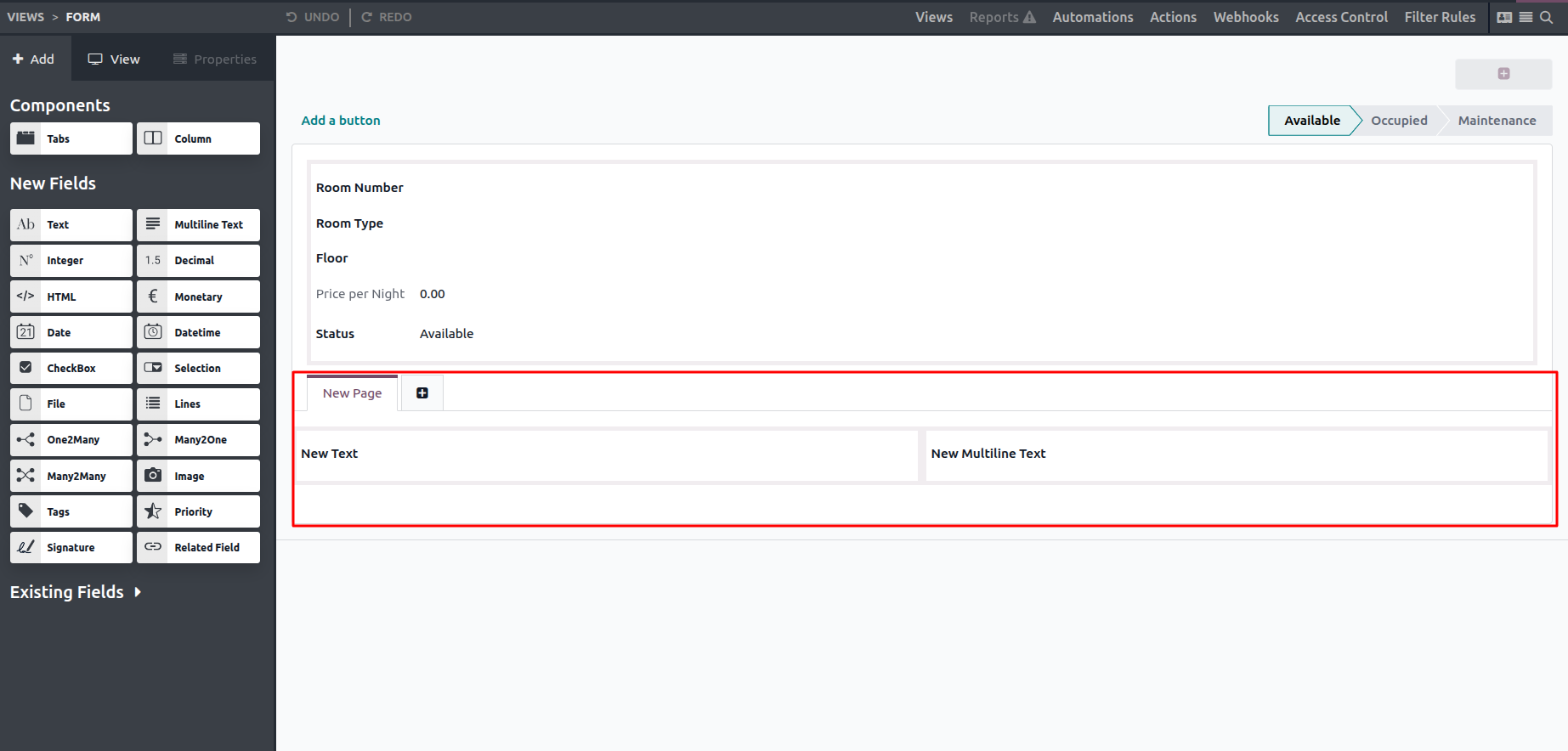
Select the Columns button to insert a new column, then drag it to the desired position within the form. Columns can be placed inside tabs or nested within other columns as needed.
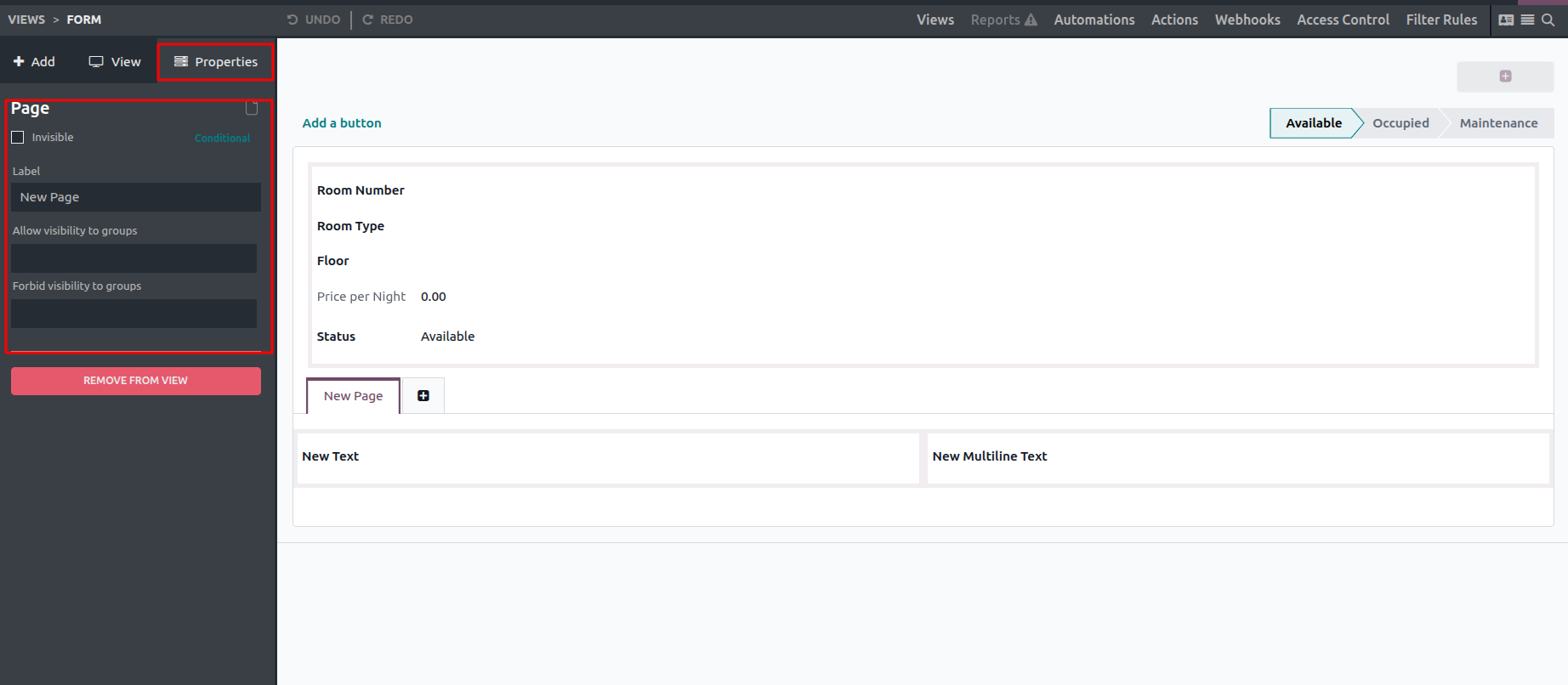
You can manage the visibility of components through the Properties tab. Enabling the Invisible option allows you to define conditions that control when a component is shown or hidden. In addition, the Limit Visibility to Group setting lets you restrict access to specific user groups, ensuring a more precise and customized interface display.