Odoo is a globally available open-source ERP platform designed to support businesses across different regions. To better address the requirements of its worldwide user base, Odoo provides built-in localization features across multiple modules, especially in accounting. These tools help organizations manage regional accounting standards, taxes, financial reporting, and journal entries in a clear and efficient manner.
Odoo's cloud-based ERP framework simplifies financial operations by adapting to country-specific regulations and practices. In addition to the default localization features, it is possible to enhance general localization reports with additional information.
In this section, we will explore how the Odoo Studio module can be used to extend general localization reports by adding extra fields, allowing reports to be more informative and aligned with specific business or regional requirements.
Picking Operation Report in Delivery
With Odoo Studio, picking operation reports in the delivery process can be enhanced by adding details such as Ordered, Reserved, and Delivered quantities. This provides clearer insight into product movement and improves the accuracy of warehouse and delivery tracking.
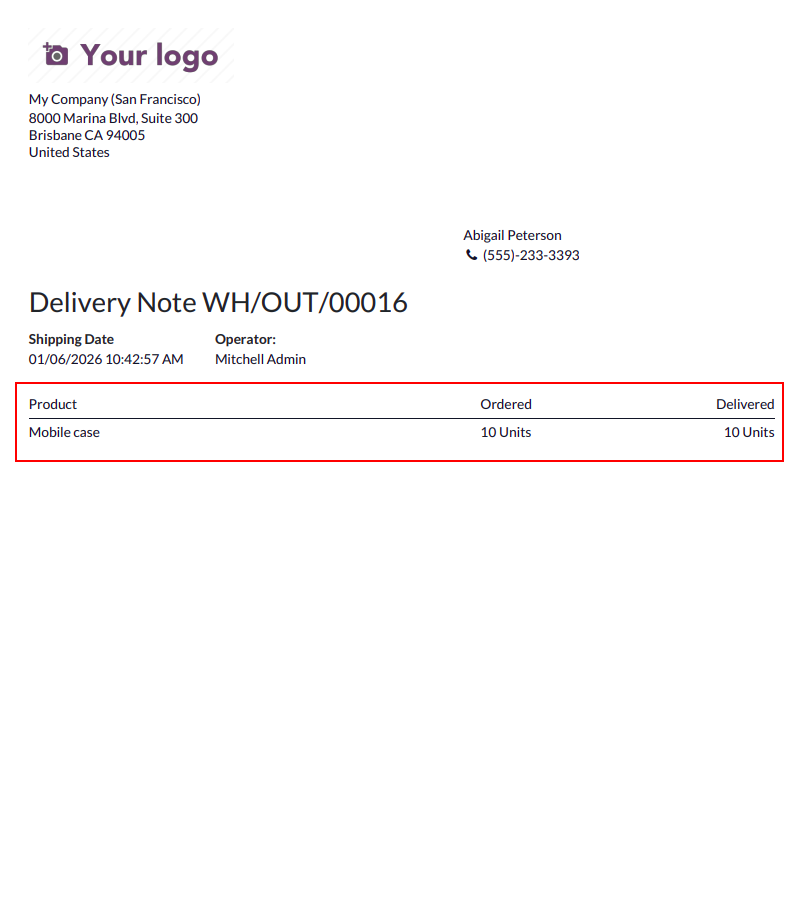
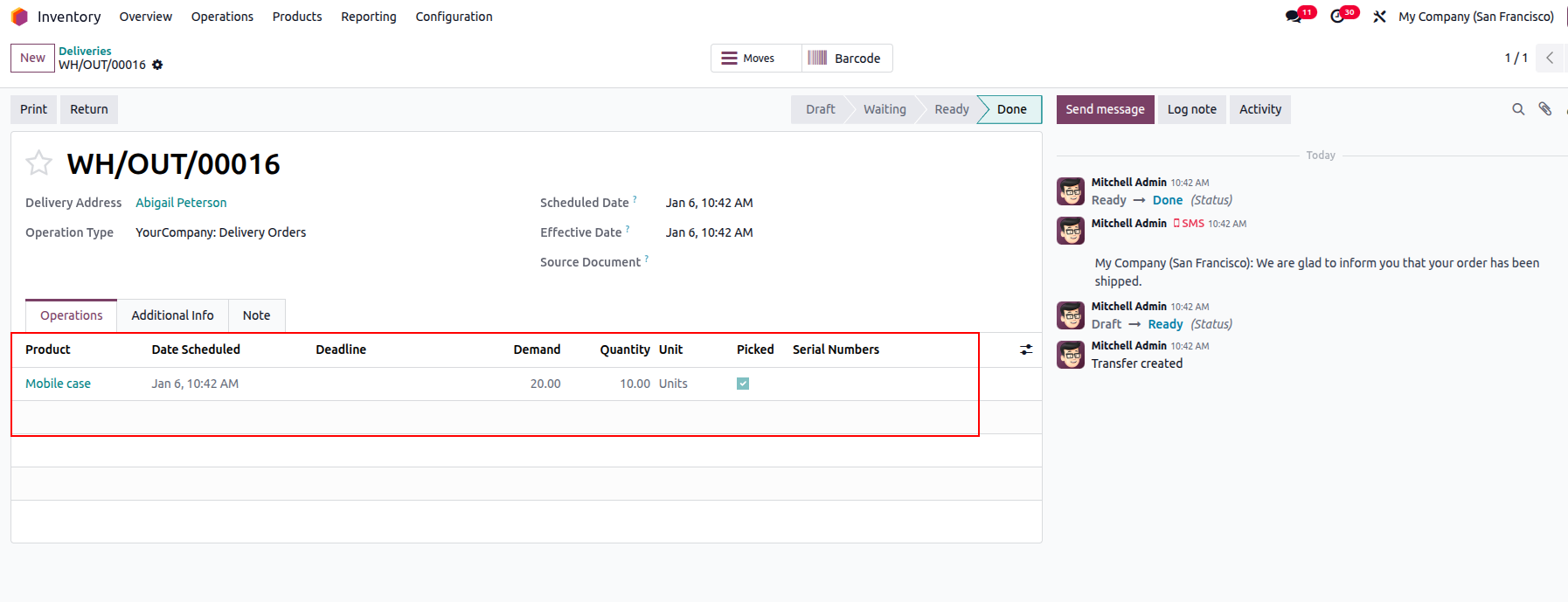
For example, consider a case where 10 units of a product are ordered but only 5 units are delivered. By default, the picking operation report does not clearly display this difference, which can make it difficult to track fulfilment status. To address this limitation, the Odoo Studio module can be used to add key details such as the requested quantity, reserved quantity, and completed (delivered) quantity directly to the picking operation report.
The Studio module in Odoo is a powerful customization tool that enables users to adapt and extend the behavior of various modules, including reports, without writing code. In this scenario, Studio allows users to enhance picking operation reports by including additional quantity-related fields, providing better visibility into order fulfilment and improving accuracy in delivery and inventory tracking.
Salary Payslips
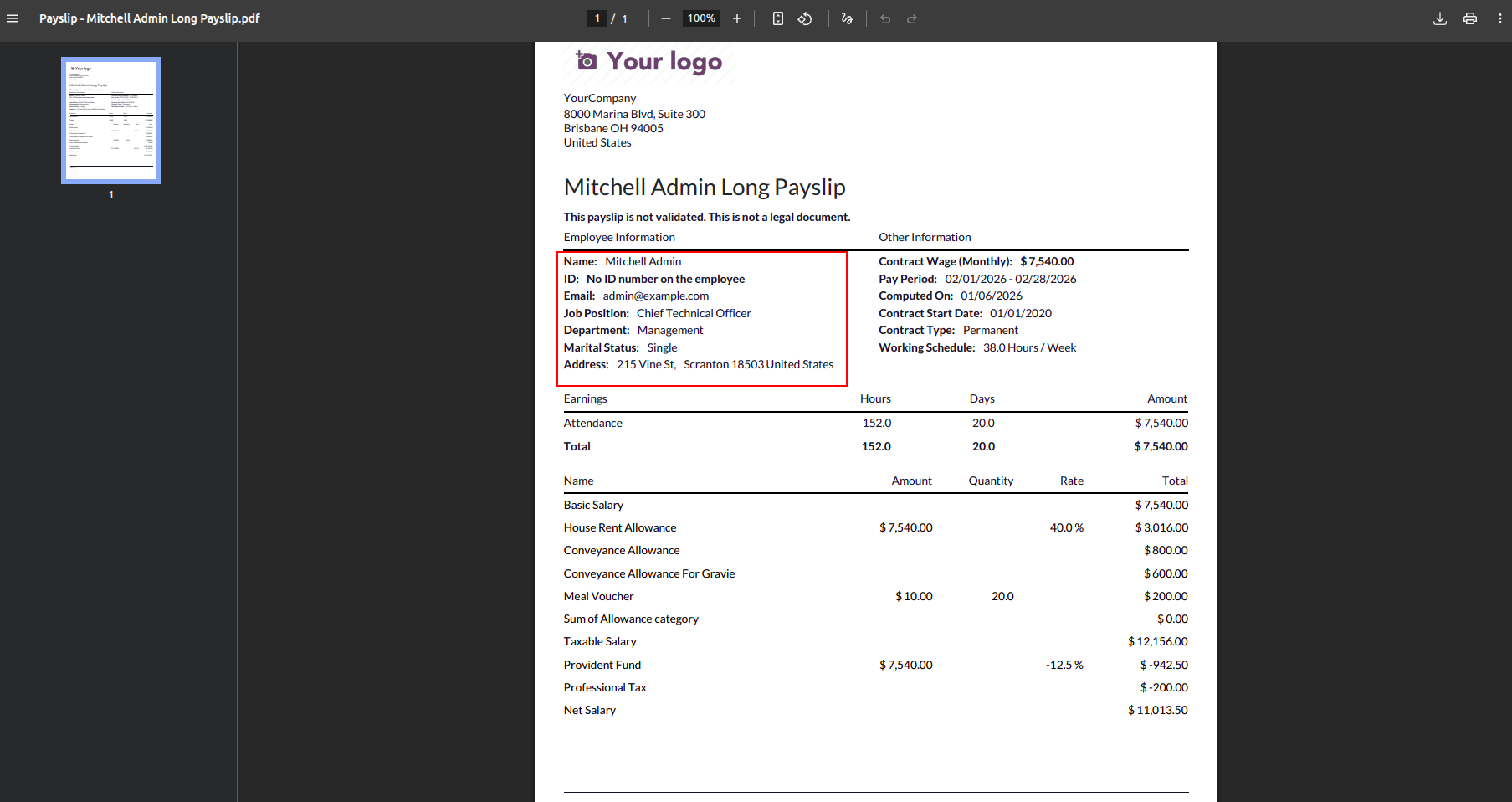
With Odoo Studio, salary payslip reports can be easily customized to include additional details such as Department, Manager, Work Permit Number, and Visa Number, making the payslips more informative and compliant with business needs.
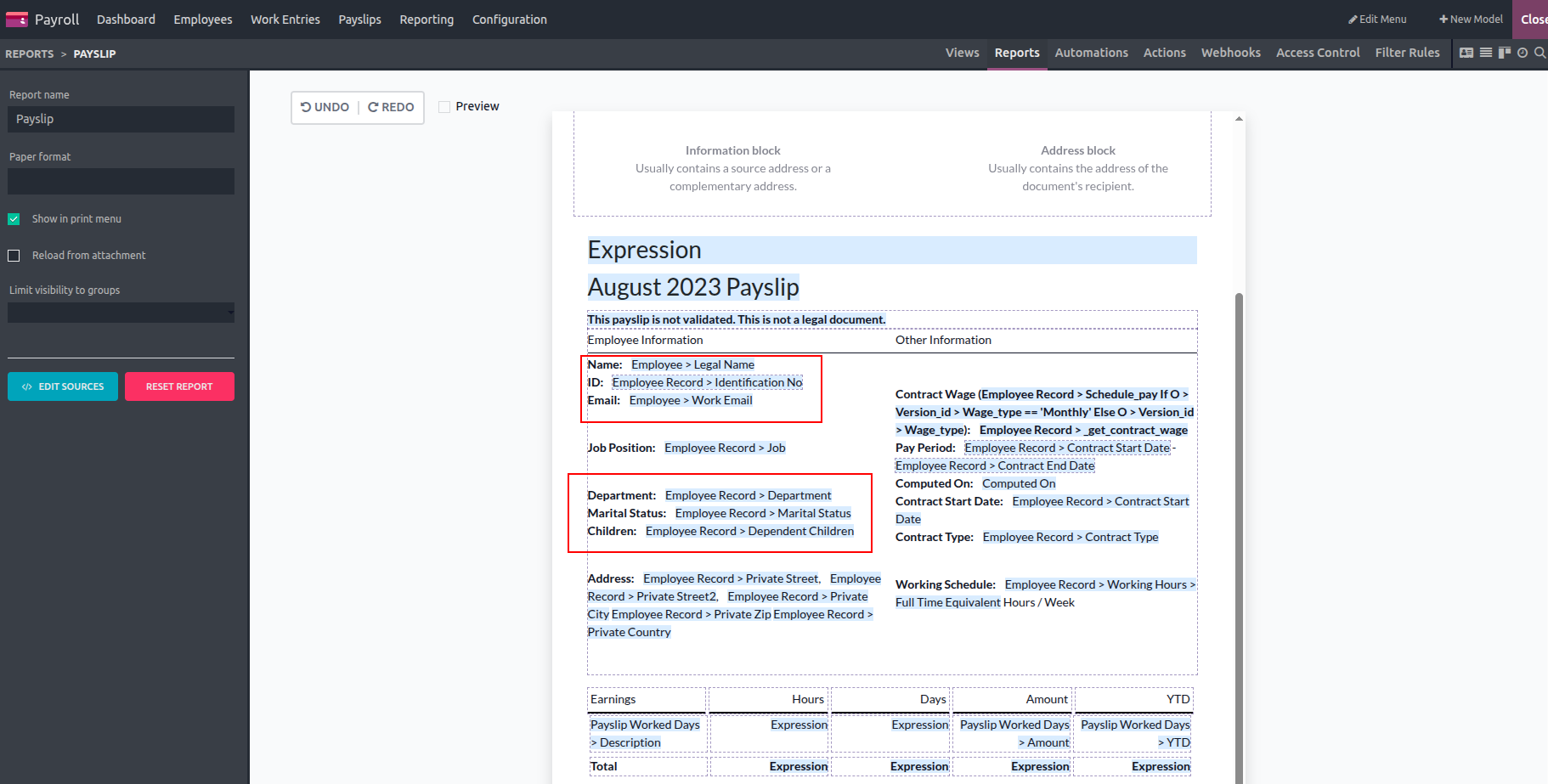
We can see them in the report.
Standard pay arrangements are already defined, meaning all employees follow the same salary rules. However, different contracts and employees may require additional pay guidelines. To support this, multiple salary rules can be configured as needed.
Using the Odoo Studio module, extra fields can be added to the contract form to enhance the salary structure. These fields can cover allowances such as house rent allowance, cash and non-cash benefits, internet subscription, and travel allowance, as well as deductions like pension relief and insurance relief. This allows for greater flexibility while managing employee compensation.
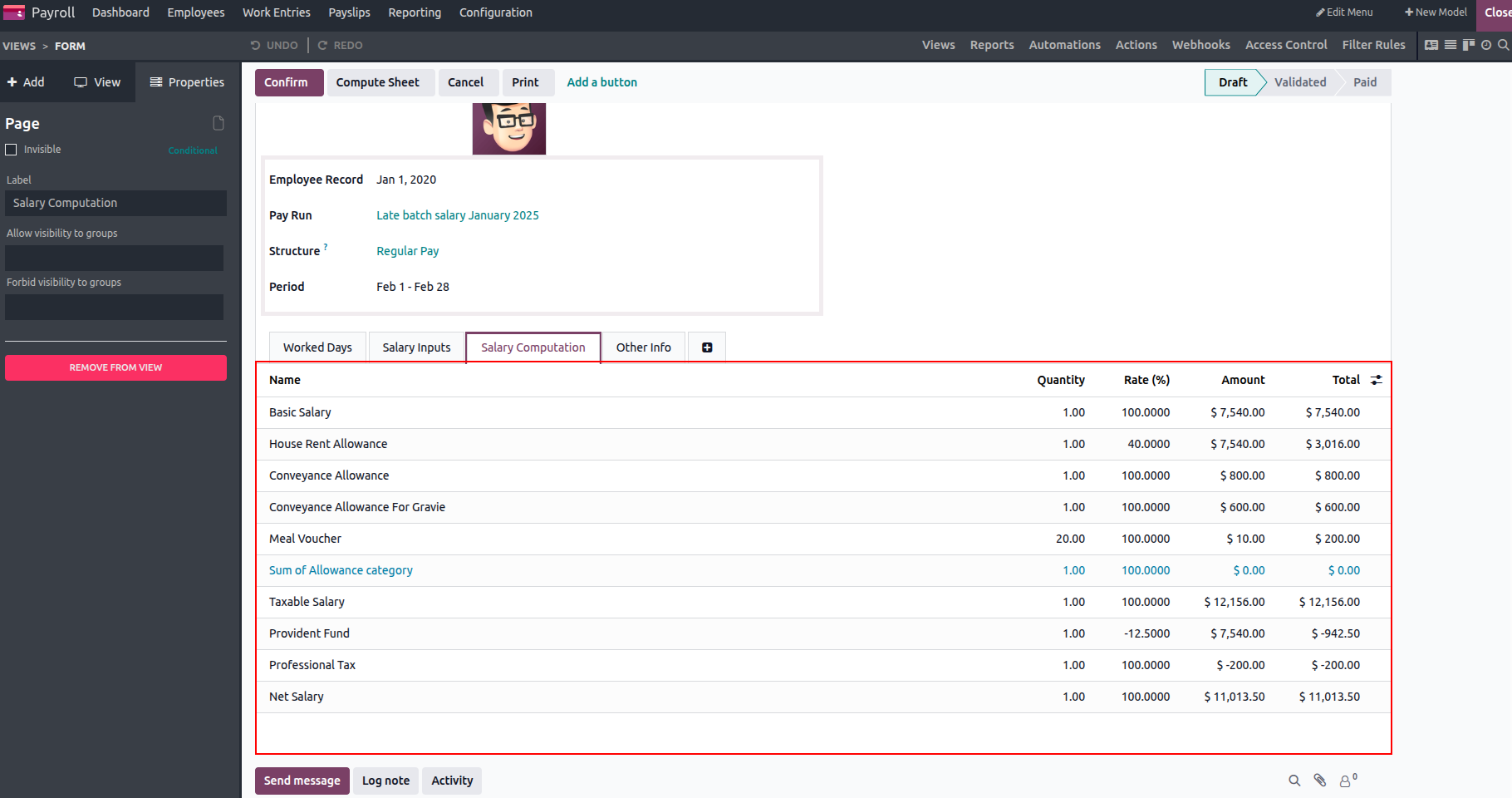
Salary details are used to compute the payslip, and this information is now fully reflected in the salary slip report. The report displays all relevant data clearly, and a sample payslip report is shown below for reference.
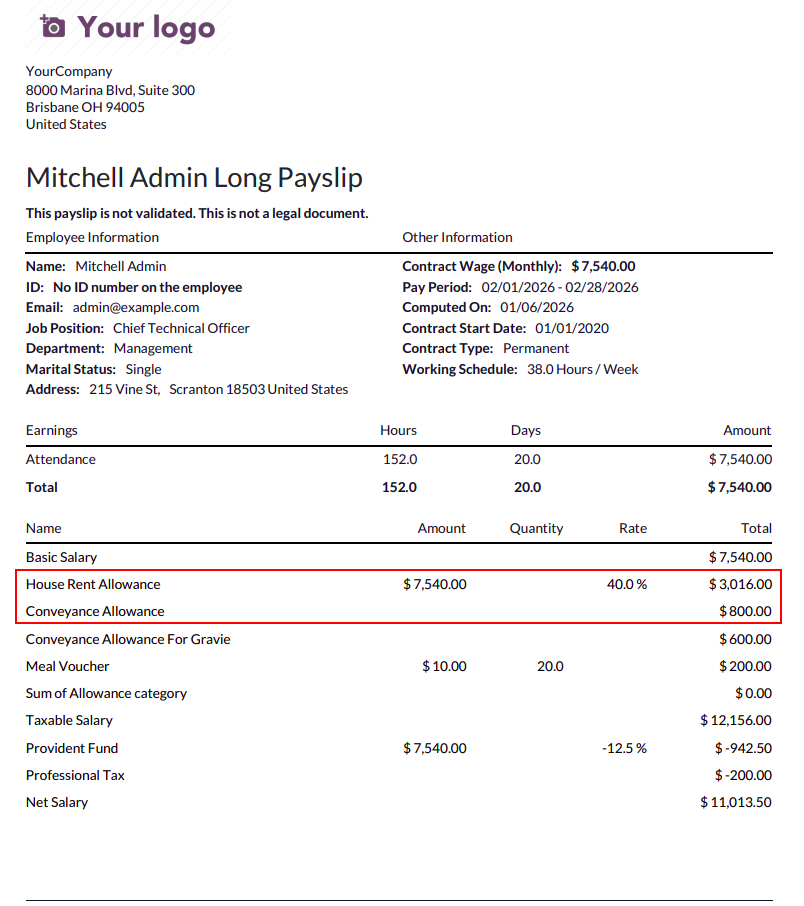
In conclusion, there are several ways to enhance the information available in standard localization reports. A key approach is using the Odoo Studio module to add extra fields to these reports. By including additional variables, localization reports become more detailed and informative, supporting better analysis and more effective decision-making.