Although many of Odoo's features and data can be accessed outside for sophisticated analysis or tool integration, Odoo is often expanded through internal modules. For this reason, it provides a section of its simply navigable and multilingual Models API. You may easily access your customizations using Odoo Studio by using the web service API. You can communicate with your Odoo server using the component API if it is already operational.
This section explains how to use Studio's API to obtain the current signed-in user's geolocation.
You must first define the function as indicated below in order to obtain the user's geolocation.
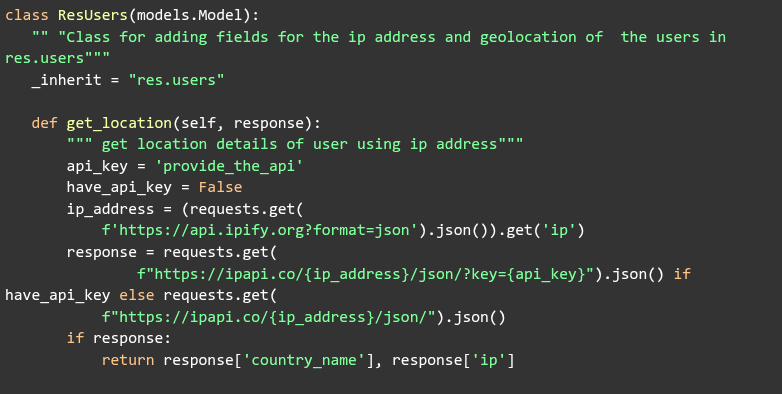
The next step is to write a server action for the appropriate model and add the needed Python code to carry out the geolocation retrieval.
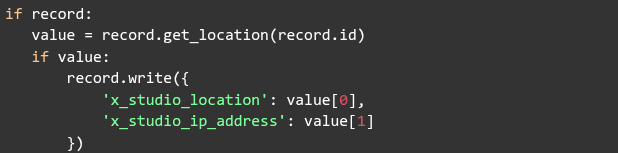
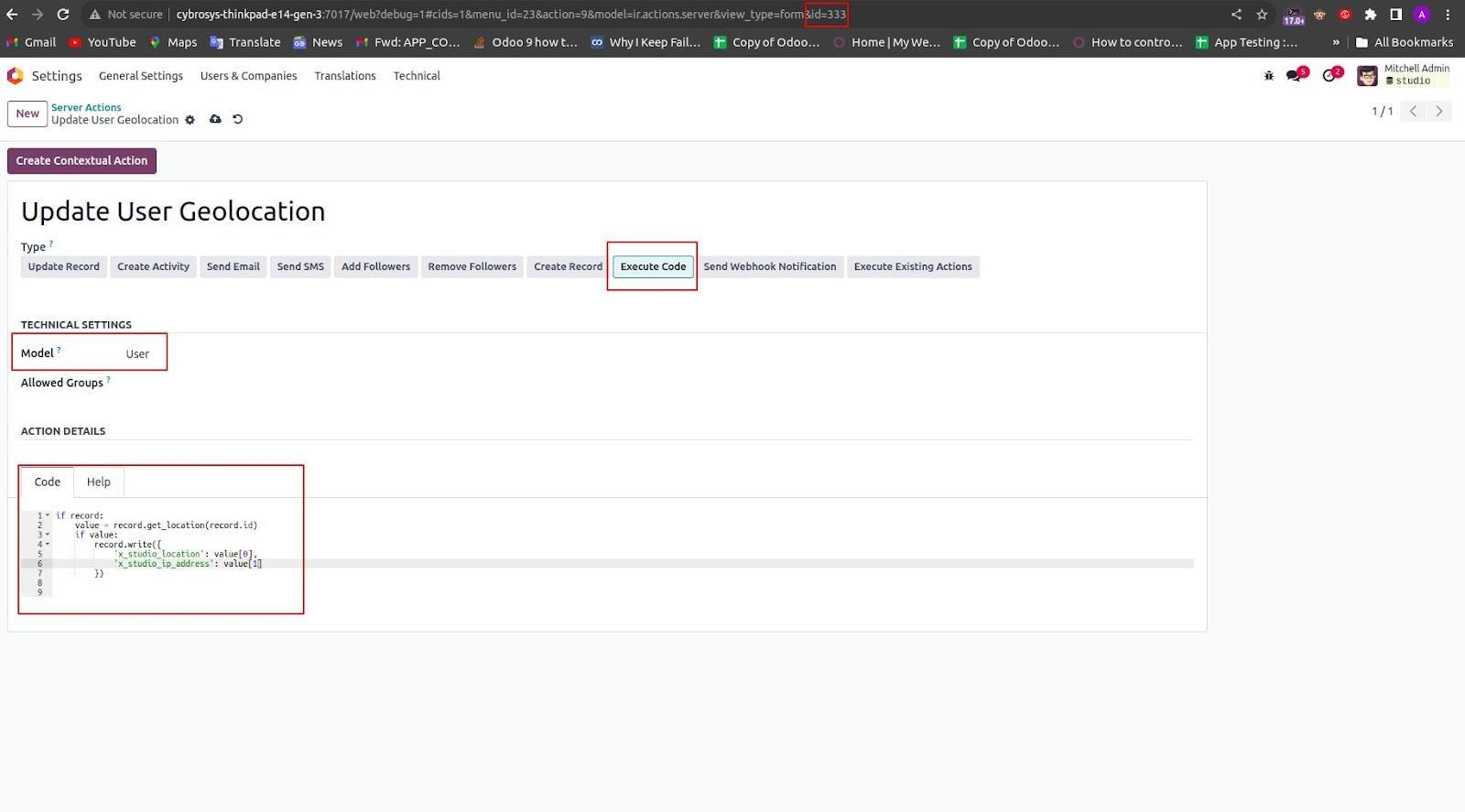
The user's location will be stored in Odoo Studio.
Another custom field for storing the user's IP address is x_studio_ip_address, which was likewise made using Studio on the res.users model.
After creating these fields, check the URL at the top of the page to find the record ID of the server activity.
Next, you must use Studio to design a custom button that will enable users to access their geolocation straight from the res.users model's form view.
The following XML code can be used to insert a button:
<button name="333" string="Access Loction" type="action"/button>
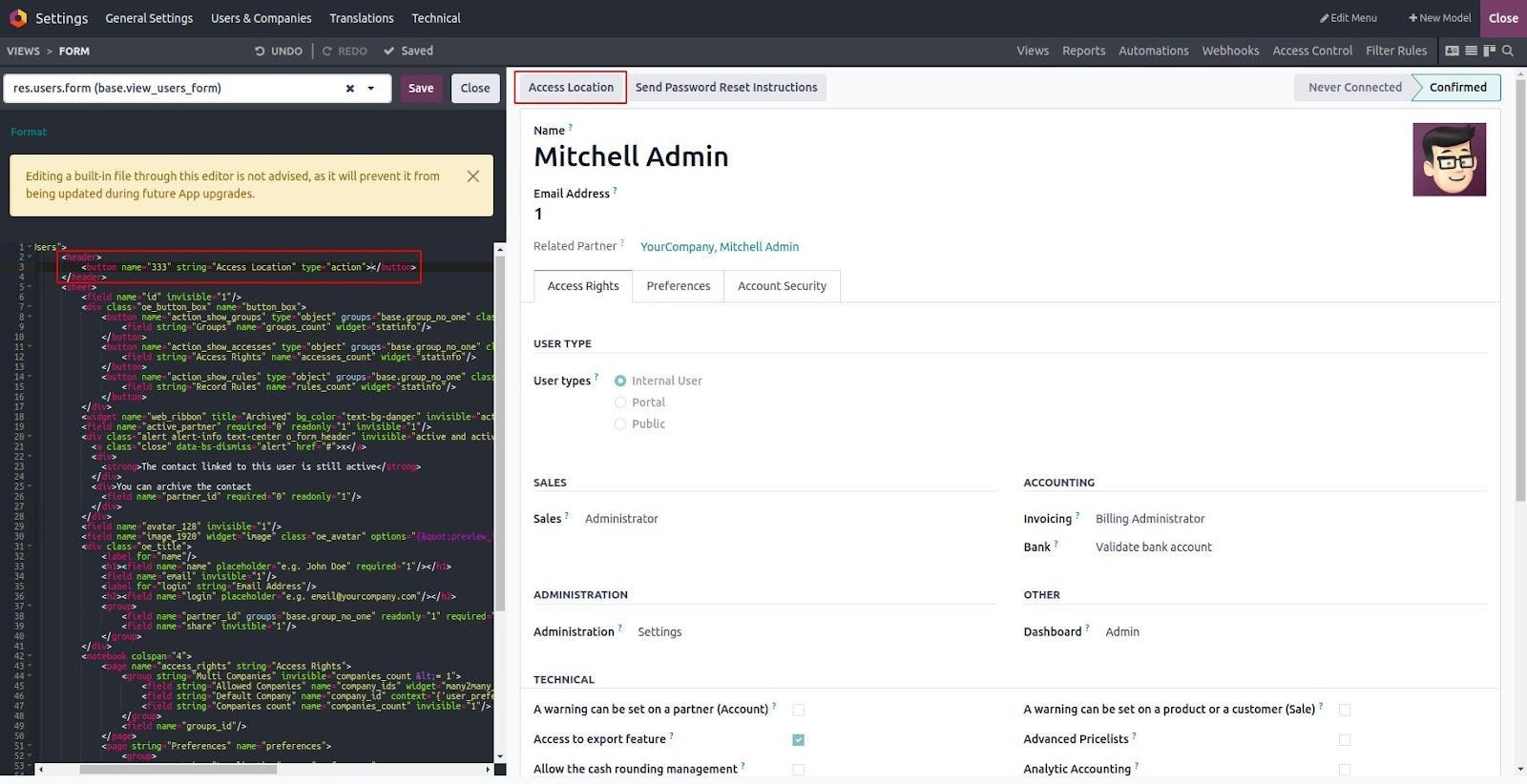
The Location and IP Address fields that are mentioned in your Python code must then be created. Odoo Studio can be used to add these fields to the res.users model.
To accomplish this:
- Launch the Studio module.
- Go to the Users form view (res.users model).
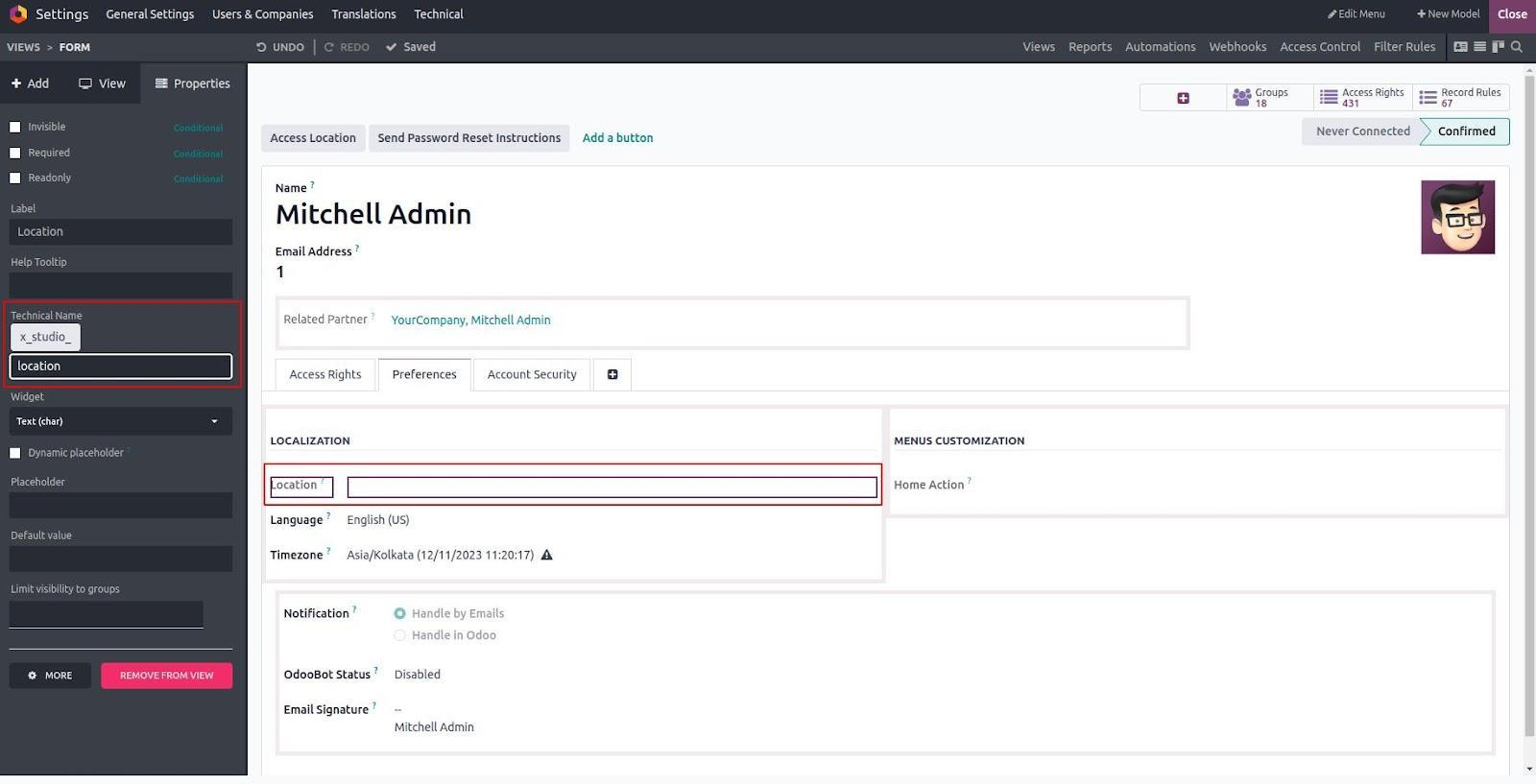
- Select "Add Field" and: To store the location, create a Text field called x_studio_location.
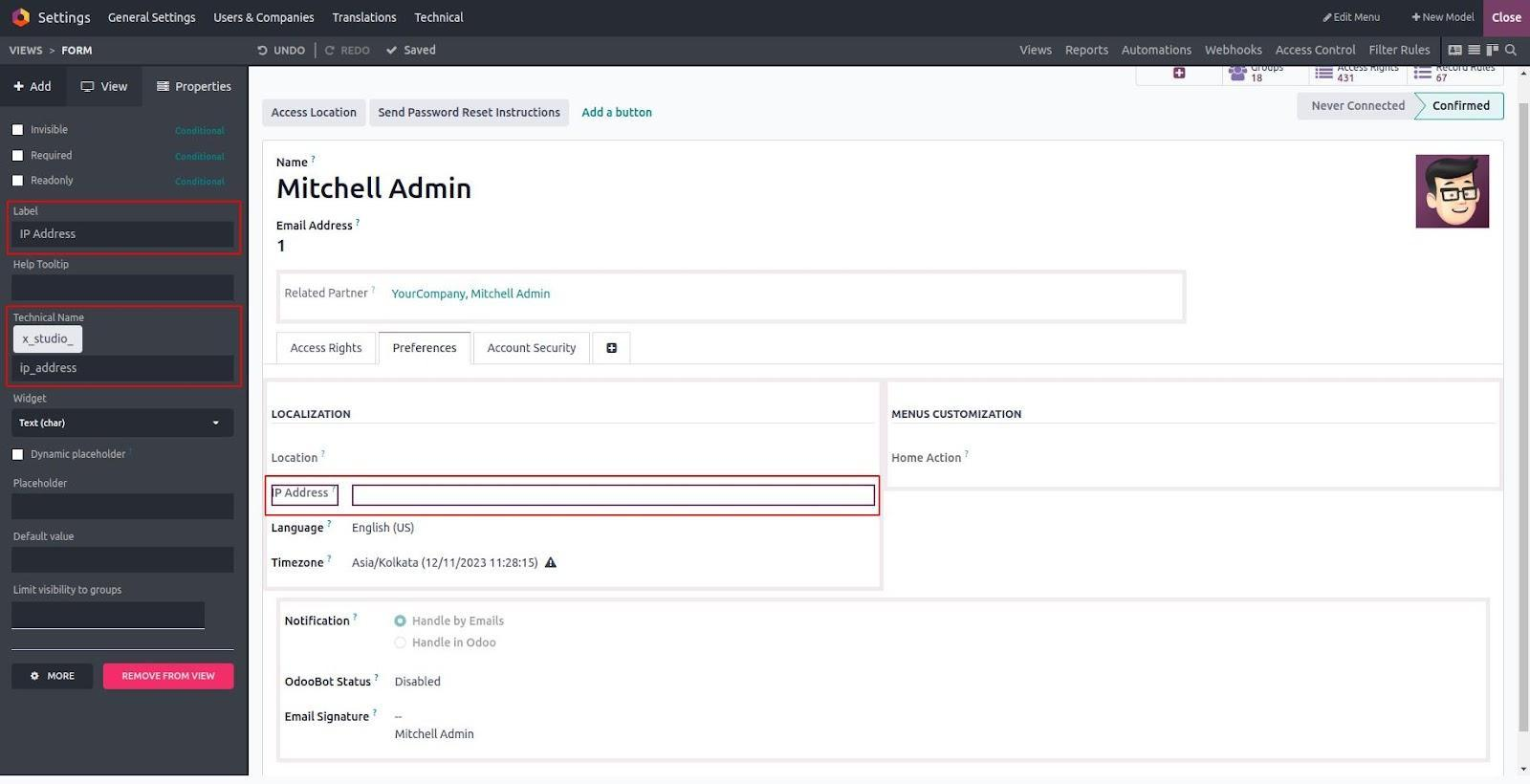
- To store the IP address, create a new text field called x_studio_ip_address.
- Save the fields and arrange them in the form layout as needed.
These fields will display the geolocation data in conjunction with your server action after they are added.
Filed for the Location.
Field for the IP Address.
Once everything is set up, hitting the Access Location button will start the server action, which will then run the get_location function that you defined in your Python code. This function retrieves the user's geolocation information by making an API call.
Lastly, the custom fields (x_studio_location and x_studio_ip_address) that were added to the res.users model will be immediately filled with the obtained data.