The Odoo Studio module offers a user-friendly, no-code solution that enables users to customize their Odoo applications without requiring any programming expertise. With its intuitive drag-and-drop interface, users can easily add new fields, update existing ones, and design customized dashboards and reports. This simplified approach reduces both time and effort, particularly for users without technical backgrounds, while allowing rapid and efficient application enhancements. By removing the dependency on developers or IT specialists, Odoo Studio makes application customization accessible to a wider range of users.
As discussed in the previous sections, clicking the Studio icon enables users to customize existing applications or easily create a new custom application.
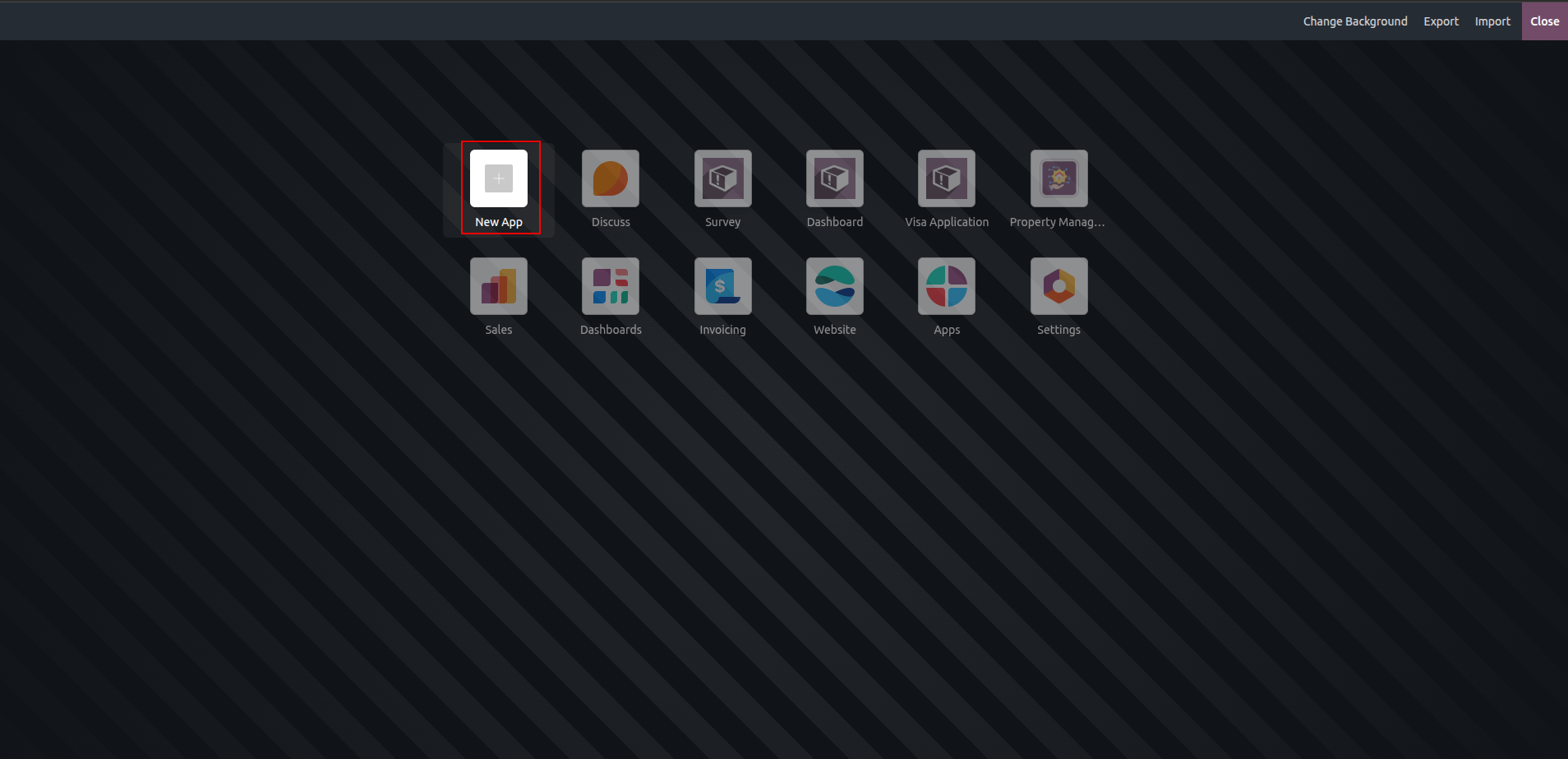
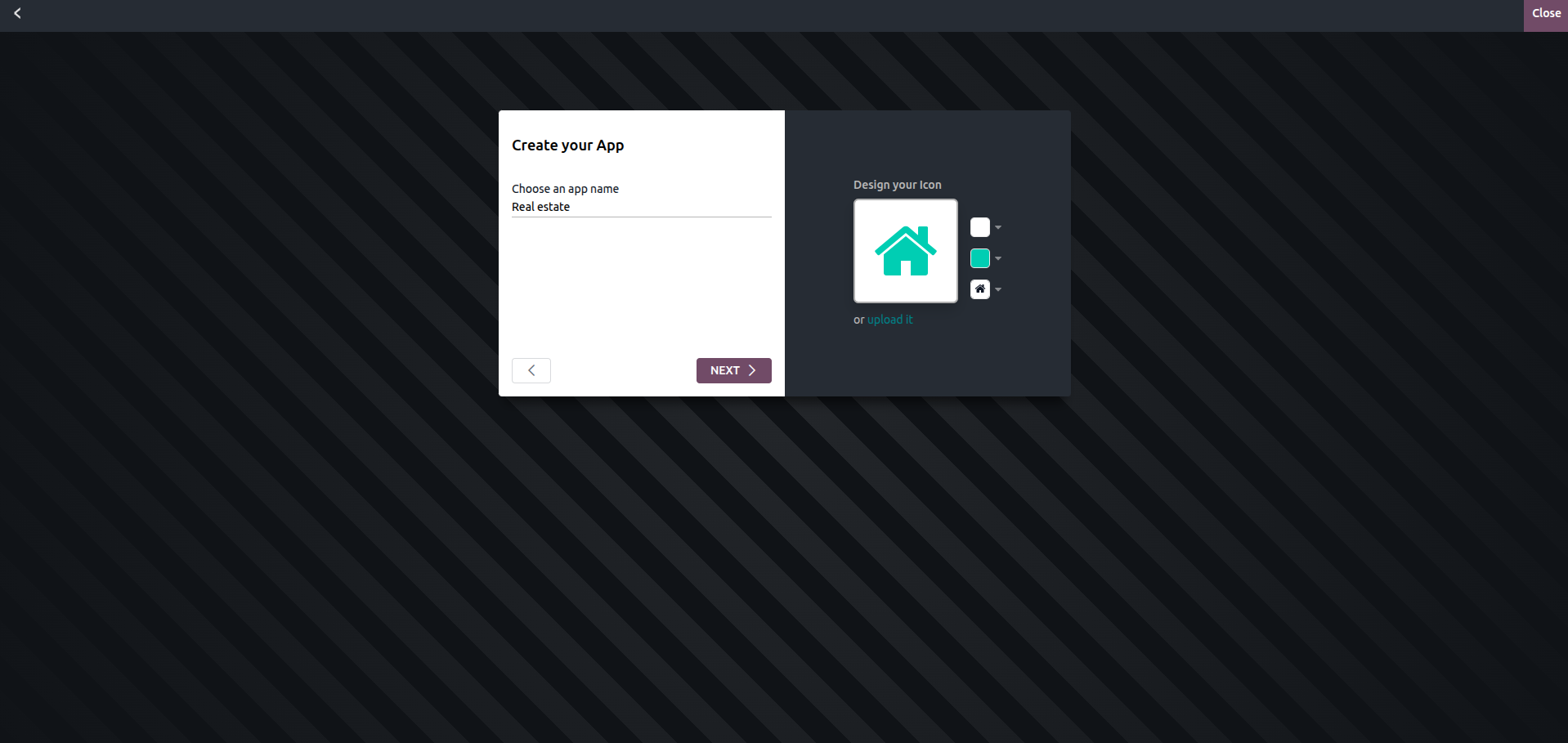
Clicking the New App icon allows users to provide a name for the custom application, with the additional option to create a custom icon or upload one directly from their device.
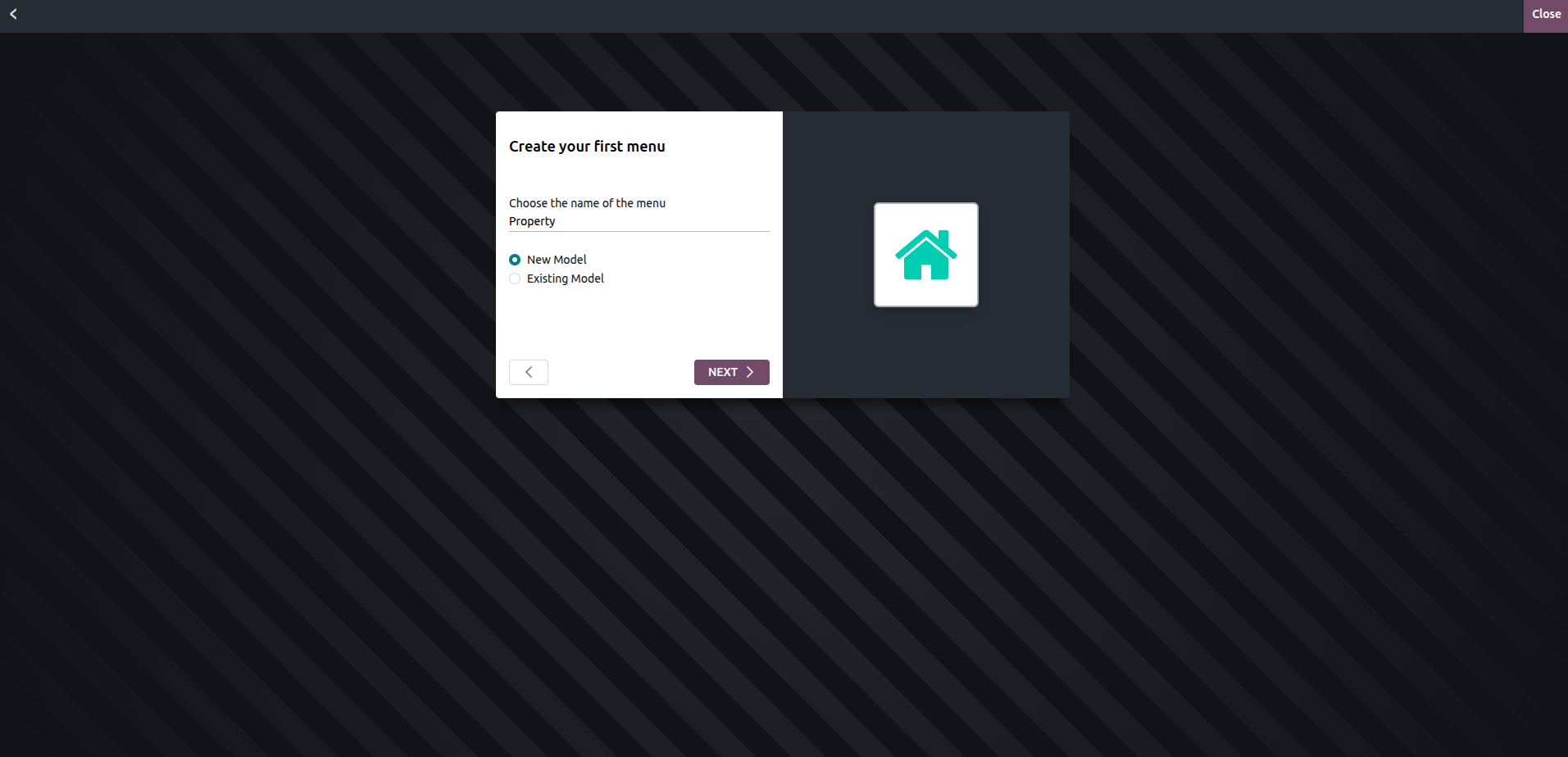
Once the custom module has been named, the next step is to create its menus. On the following screen, users can enter the names of the menus they wish to include. They can either add the menus to the new module or attach them to an existing module, in which case the specific module must be selected.
On the next page, users can choose from a range of pre-built features to include in the new module. Activating these features makes them available within the module. Key functionalities such as Chatter, Company, Notes, Custom Sorting, Contact Details, and others are easily accessible, as illustrated in the figure below.
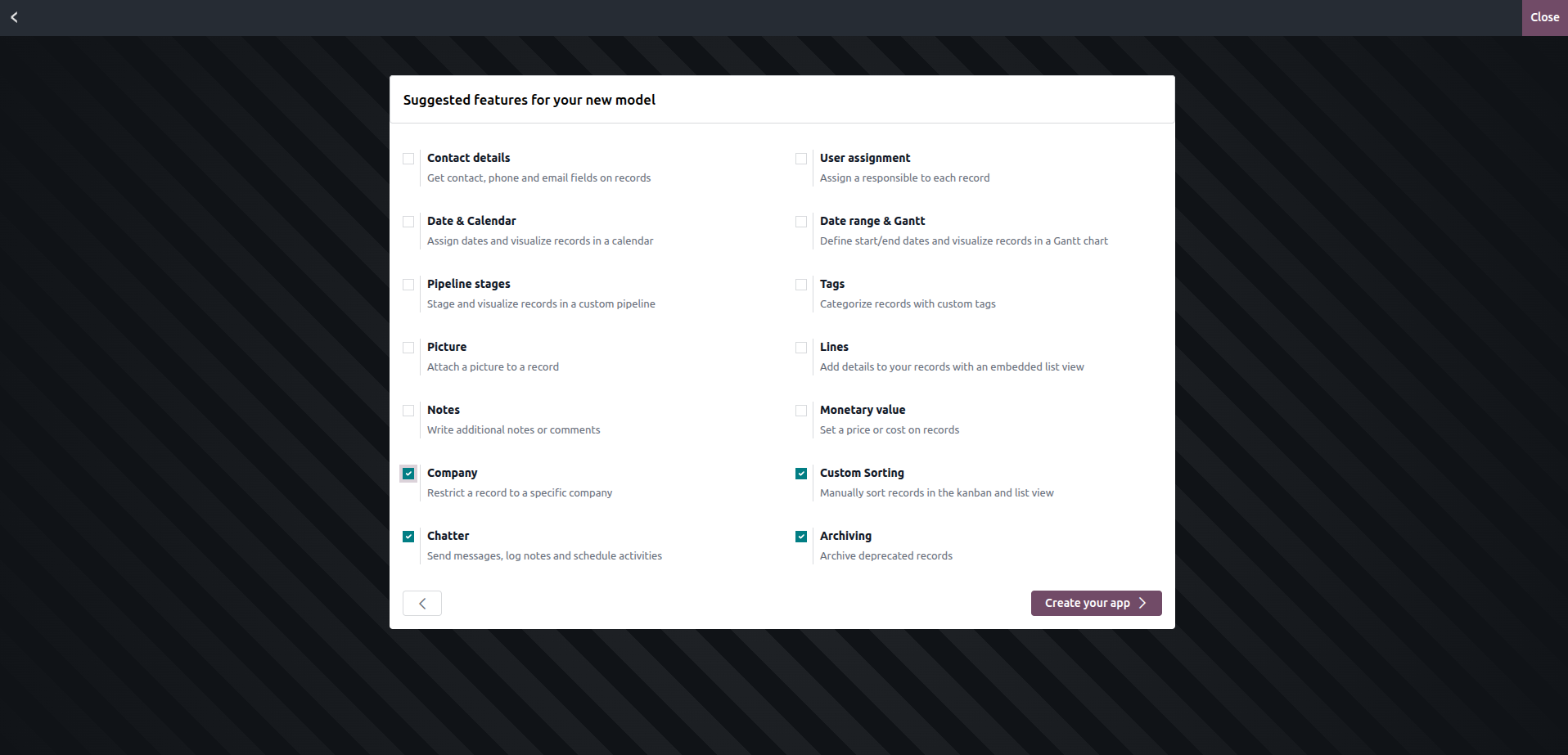
When the Create your app button is clicked, the custom application is created using the specified name, menus, and features. The following screen then allows users to add components and fields for more comprehensive customization of the app.
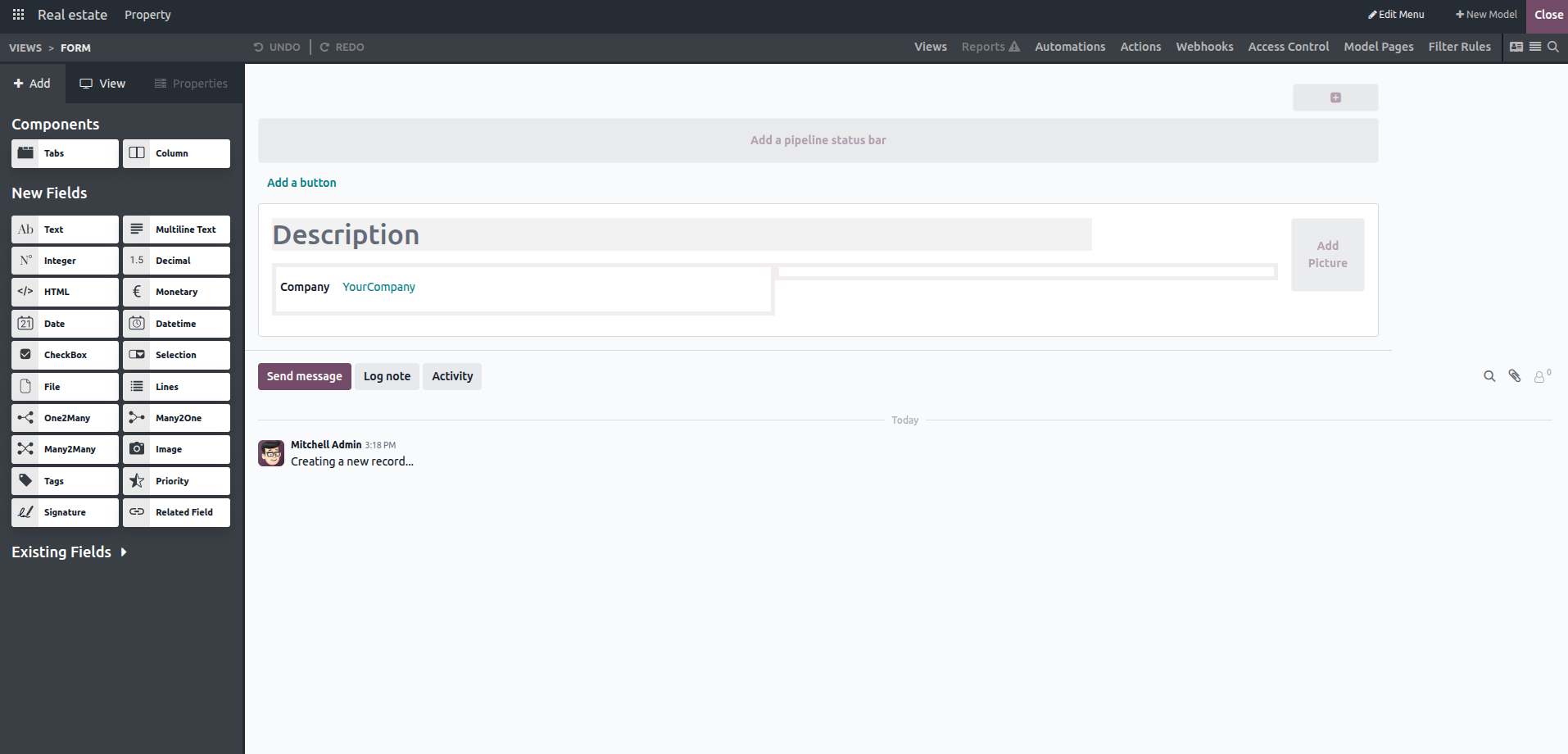
Upon completing the process, users can create a custom application without writing any code. Odoo Studio, combined with a clear understanding of the app's requirements and functionality, simplifies app development and makes it accessible to users without programming knowledge.