Odoo Studio provides a powerful drag-and-drop interface that makes it easy to create and customize forms without writing code. Users can simply drag field components into the desired position on a view and configure them using the available properties. This flexibility allows forms to be designed according to specific business requirements, improving usability and efficiency.
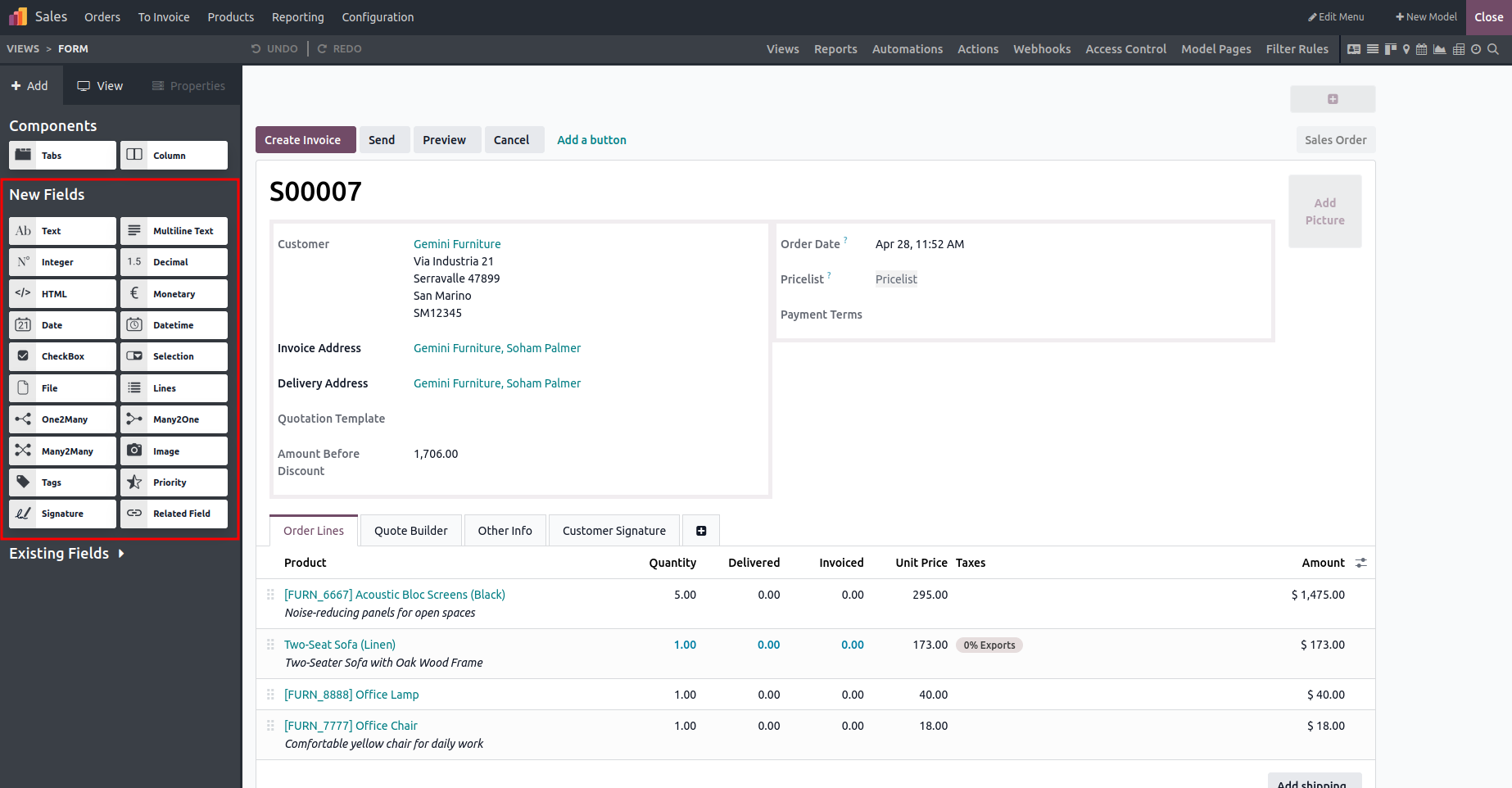
Common Field Types in Odoo Studio
- Text: Used to store single-line text values.
- Multiline Text: Designed for storing multiple lines of text content.
- Integer: Stores whole numbers without decimal values.
- Decimal: Used for numbers that include decimal precision.
- HTML: Allows rich text content with HTML formatting.
- Monetary: Represents currency-related values and supports currency formatting.
- Date: Stores date information only.
- Date & Time: Stores both date and time values together.
- Checkbox: Holds Boolean values such as true or false.
- Selection: Provides a predefined list of selectable options.
- File: Used to upload and manage files stored as binary data.
- Lines: Enables entering multiple rows of related data.
- One2many: Allows a single parent record to be linked to multiple child records stored in another model.
- Many2one: Links a record to a single related record in another model.
- Many2many: Creates a two-way relationship where multiple records from different models can be linked together through a separate relation table.
- Image: Allows users to upload and display images.
- Tags: Used to categorize records by adding descriptive tags.
- Priority: Helps indicate the importance or preference level of a record.
- Signature: Enables users to add a digital signature.
- Related Fields: Displays values from another field, either within the same model or a related model.
Fields can be added by dragging them from the left panel and customized using the properties section, where details such as labels, help text, and default values can be defined. This intuitive drag-and-drop approach makes form customization simple and user-friendly, allowing Odoo to adapt easily to various business needs.