Sometimes, performing complex operations requires the use of Python code. Unlike other Action To Do options, which have certain limitations, Python provides complete flexibility.
We will create a Python-based automation that automatically adds an email based on the contact. To begin, open Studio, navigate to Automations, and click New to set up a new automation.
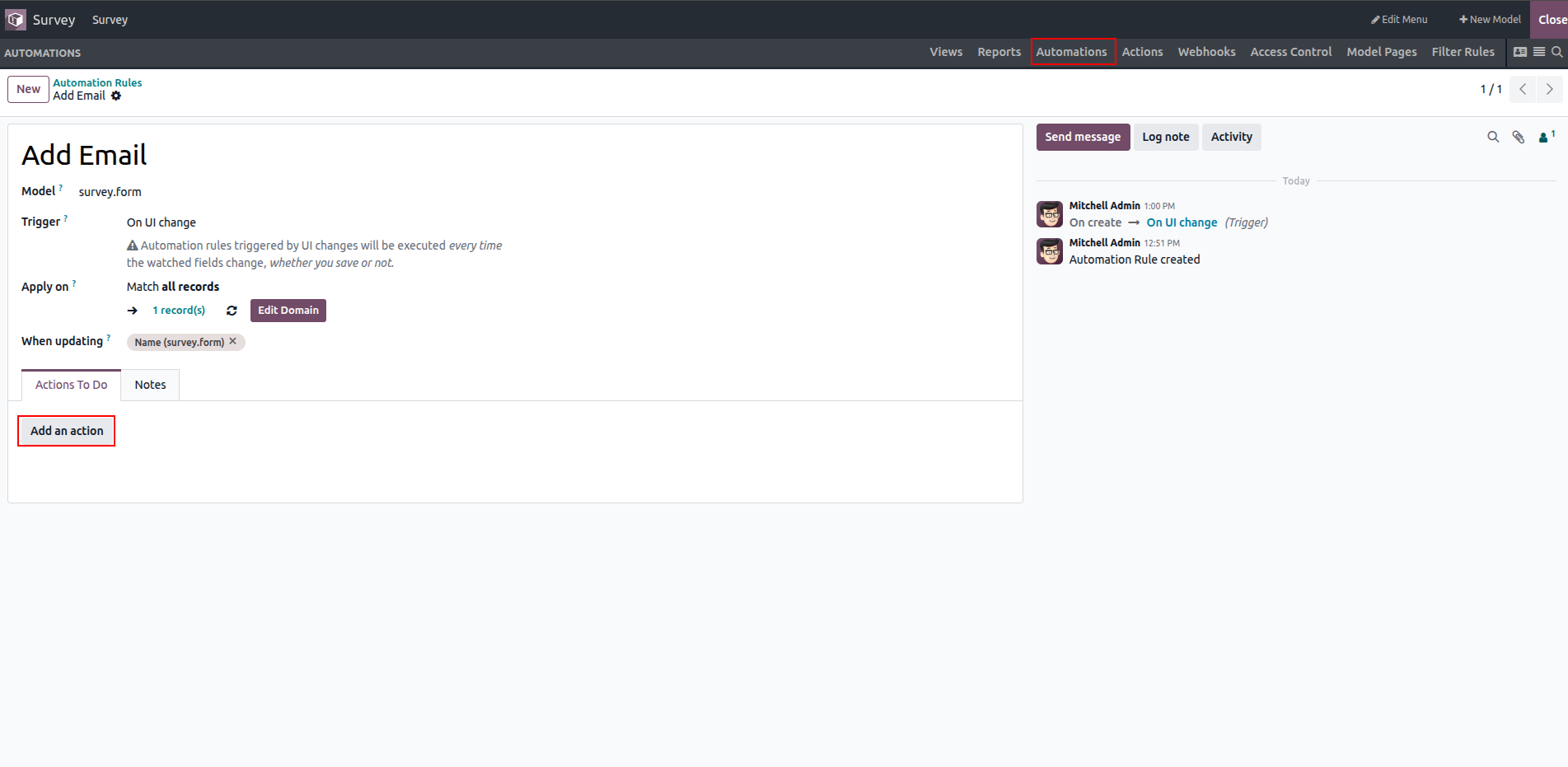
Fill all the required fields, then click Add an action and select Execute Code. This opens the Python code editor, where you can write the code for your automation.
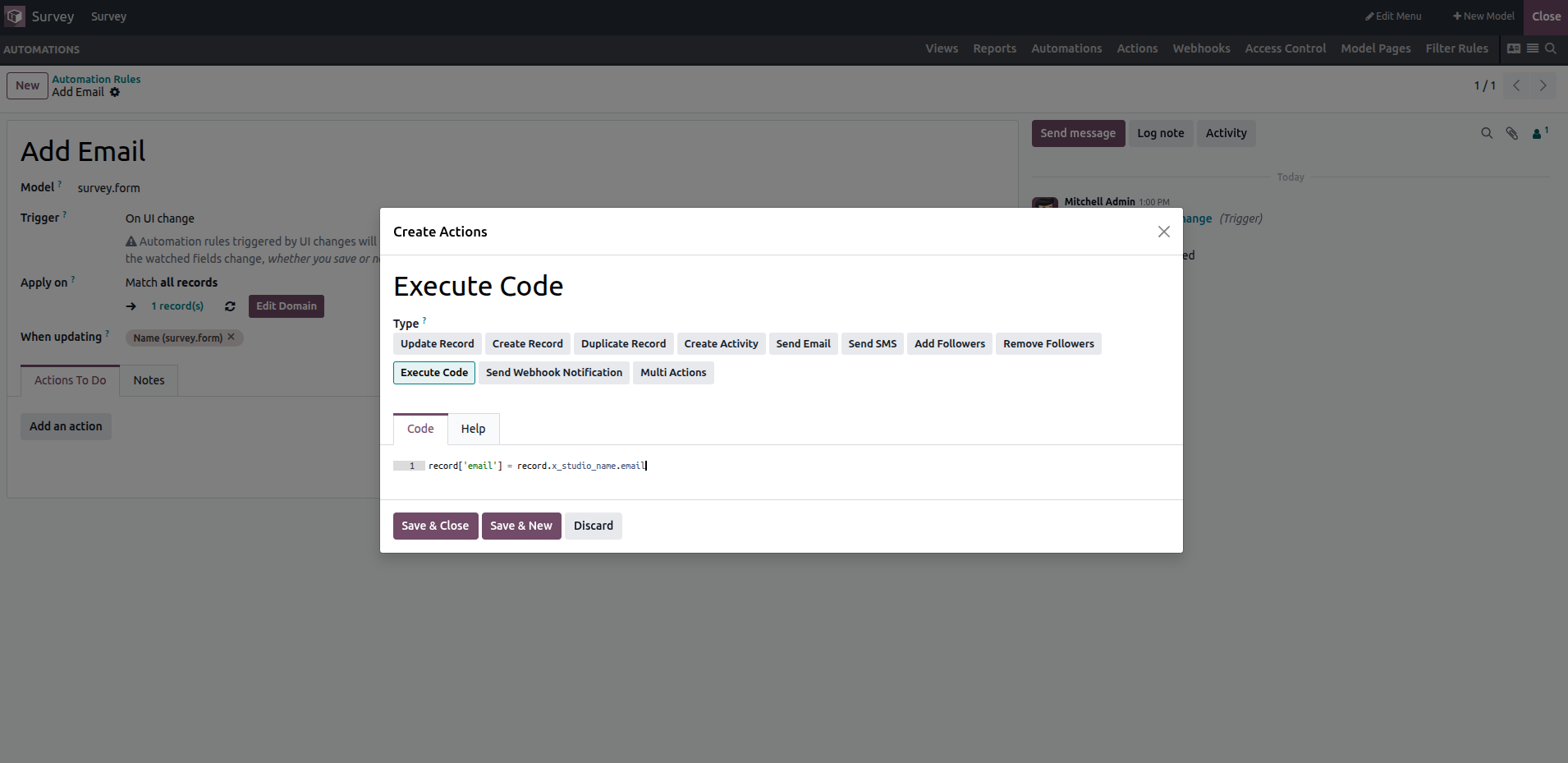
Within this Python code section, the following variables and utilities are available for use:
- env: The Odoo environment in which the action is executed.
- model: Represents the model on which the action is triggered; it may be an empty recordset.
- record: The specific record that triggered the action; this may be empty in certain cases.
- records: A recordset containing all records on which the action is triggered in multi-record mode; it may also be empty.
- Python libraries: Access to standard libraries such as time, datetime, dateutil, and timezone utilities.
- float_compare: An Odoo helper function used to compare floating-point values with defined precision.
- log: A logging function (log(message, level='info')) that records messages in the ir.logging table.
- _logger: A logger (_logger.info(message)) that outputs messages to the server logs.
- UserError: An exception class used to raise warnings or validation errors.
- Command: The namespace for x2Many field commands.