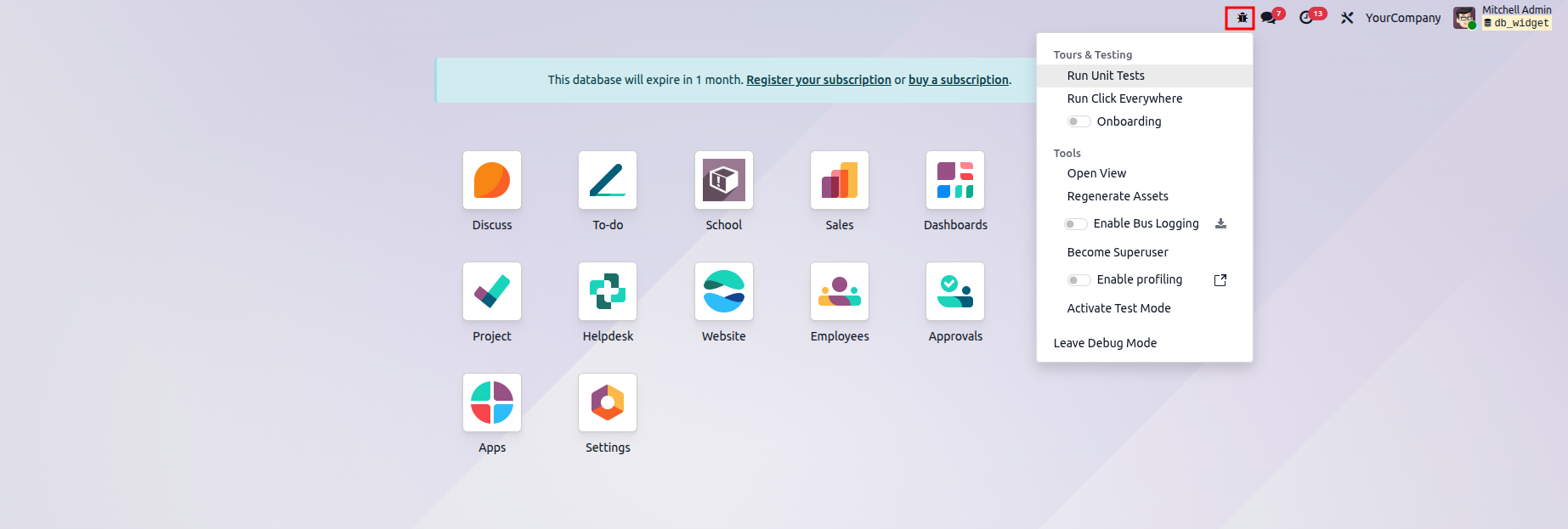
In Odoo, there is an option called developer mode or debug mode. This feature is utilized to access technical functionalities and unlock additional access rights for fields, menus, views, and more. Typically, individuals with technical expertise make use of this feature.
Several ways to activate the developer mode,
- Active through the general settings
- Active through the extension
- Active through the command
- Active through the URL
Active through the general settings
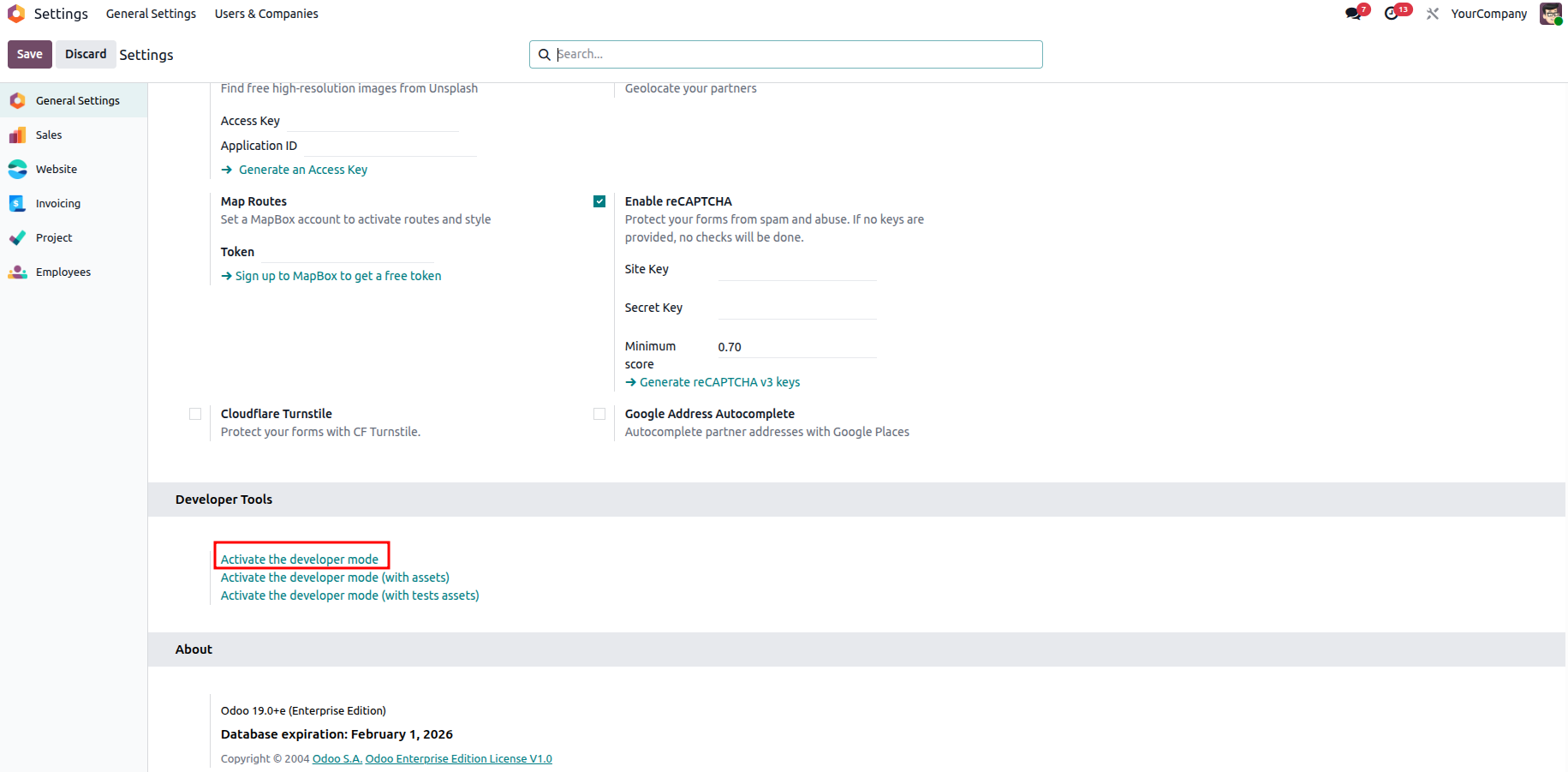
In the General Settings, scroll down to the Developer Tools section to find the option to activate Developer Mode. Clicking this option enables developer features, and it can be turned off again whenever required.
Active through the extension
Developer mode can also be enabled easily using a web browser extension. The Odoo Debug extension allows users to activate developer mode instantly with a single click.
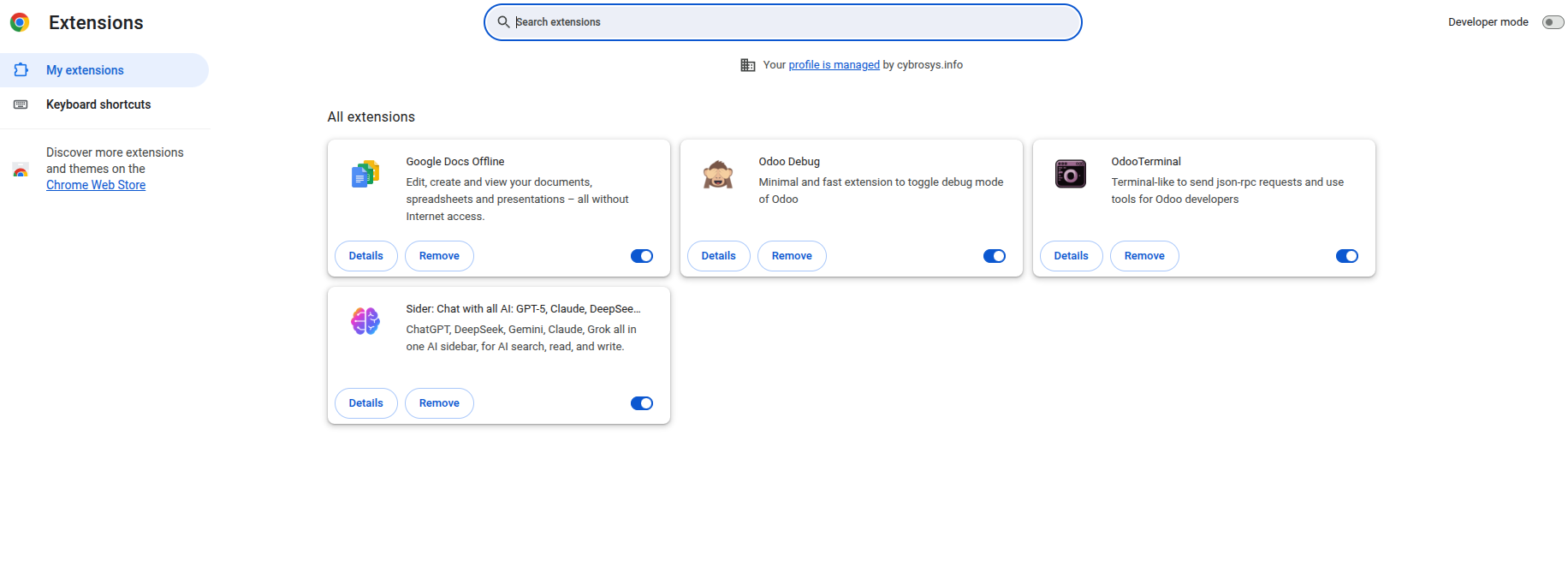
To install the extension, click "Add to Chrome." If you are using a different browser, you can add the extension in the same way through that browser's extension store.
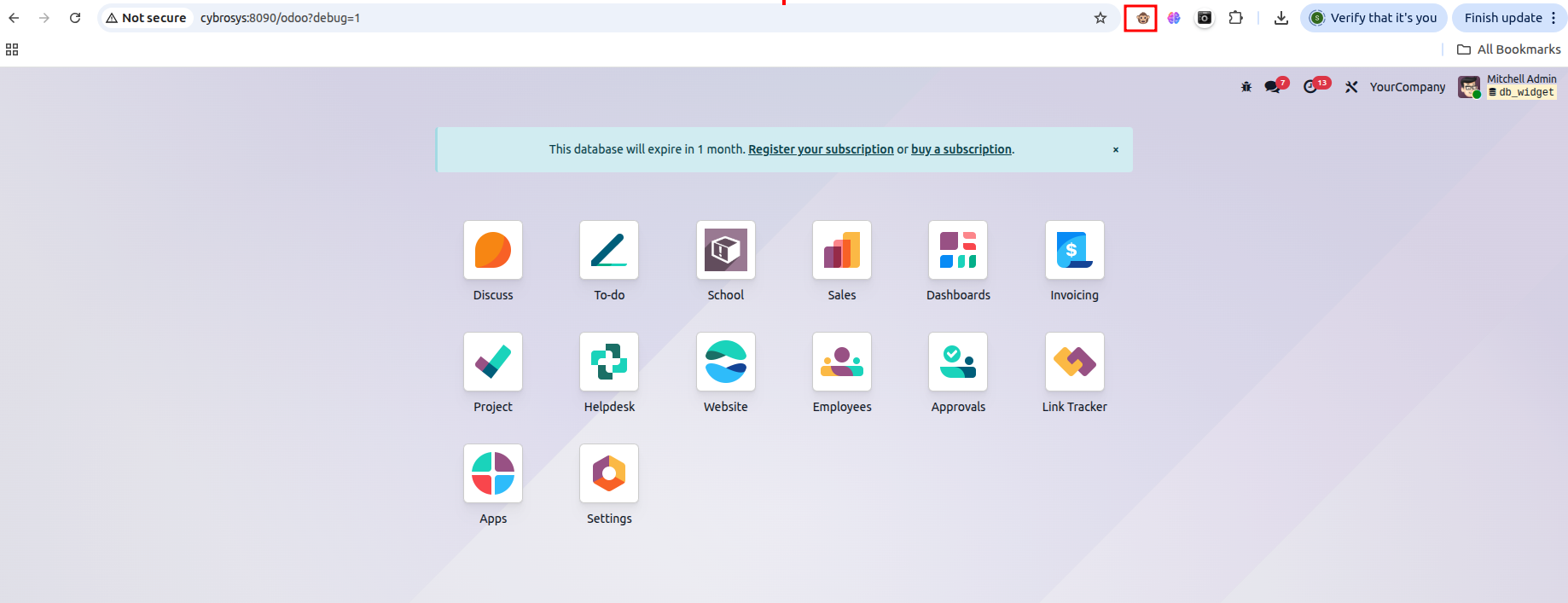
A single click enables developer mode, while a double click activates developer mode with assets such as CSS and JavaScript files. To disable developer mode, a single click is sufficient.
Active through the command
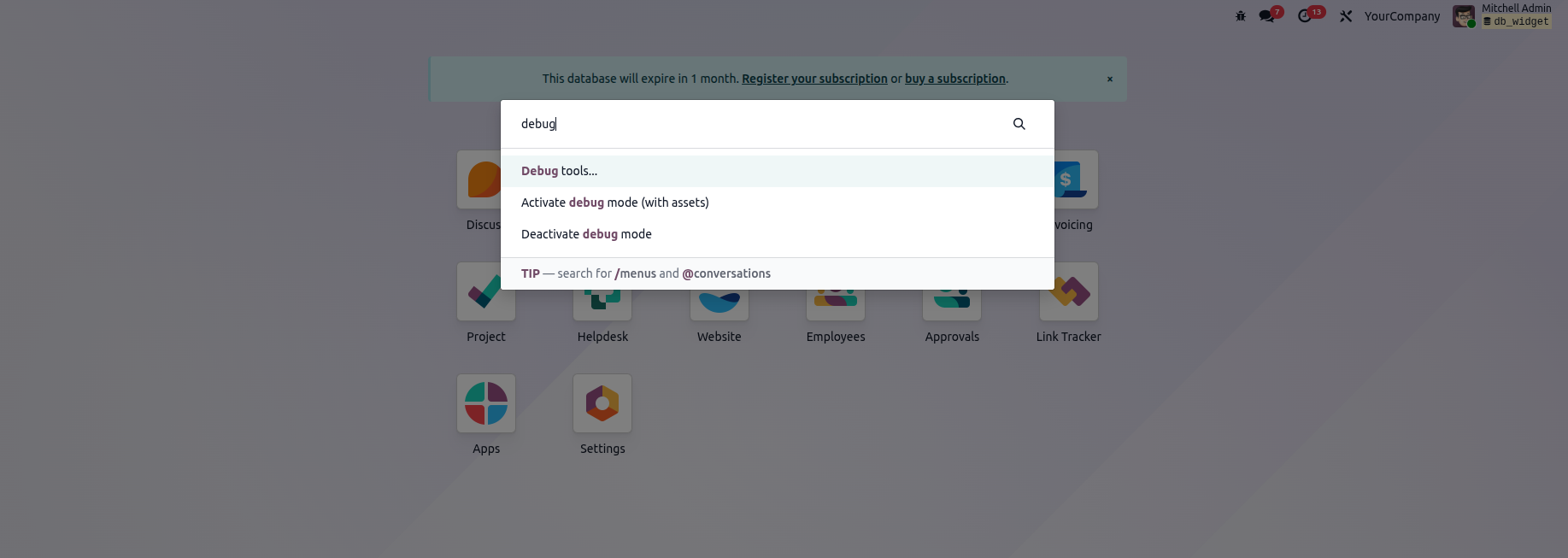
In Odoo, developer mode can also be enabled using a command. Open the command palette with Ctrl + K, type "debug", and press Enter. Once executed, developer mode will be activated.
Active through the URL
Another way to enable developer mode in Odoo is by adding parameters to the web URL. Simply append ?debug=1 or ?debug=true after /web to activate it. To deactivate developer mode, you can use ?debug=0 or ?debug=false.

When developer mode is activated with ?debug=assets, a bug icon appears, as shown in the screenshot above. This menu provides additional tools that are useful for understanding or modifying technical data.