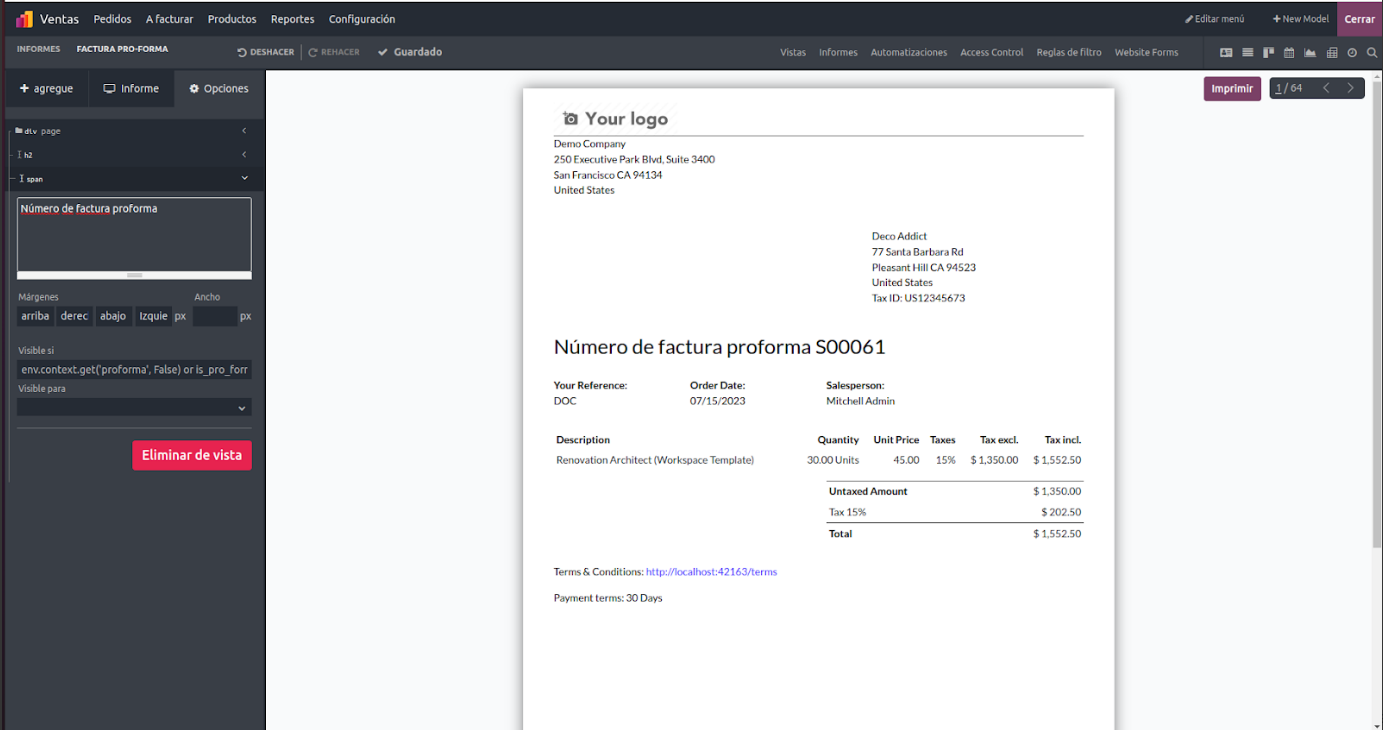
The Translate View option in the Odoo Studio module is a valuable feature for organizations aiming to serve users across different regions. By adding language translations to Odoo applications, businesses can effectively support a multilingual user base and extend their global presence. Localization covering language translation as well as adaptation to regional requirements is one of Odoo's key strengths. It enables organizations to tailor their operations according to the specific regions in which they operate. Through Odoo's localization features, businesses can deliver a more personalized and engaging user experience, strengthen customer relationships, and broaden their reach. Whether it involves translating interface elements or aligning with local accounting standards, Odoo allows companies to operate smoothly in multiple markets and succeed on a global scale.
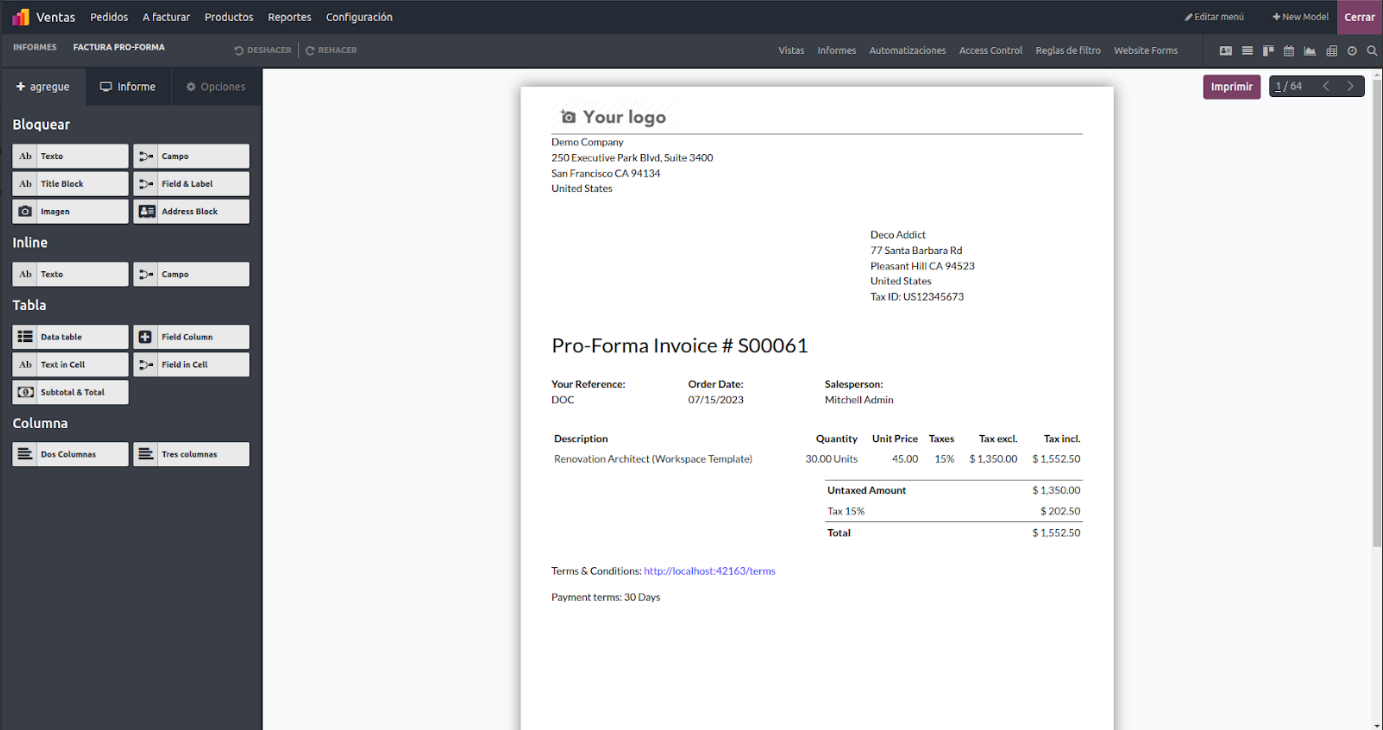
After selecting the required content, the Translation View can be accessed. In this view, the original language appears on the right side, while the translated language is shown on the left side. The text displayed on the right remains in the source language, and the corresponding translated version is displayed on the left.
To translate the content, click directly on the text in the translated language section. This action activates edit mode, allowing you to modify the text and enter the appropriate translation. Odoo provides a straightforward interface for this process, typically offering an editable text field where the translated content can be entered easily.
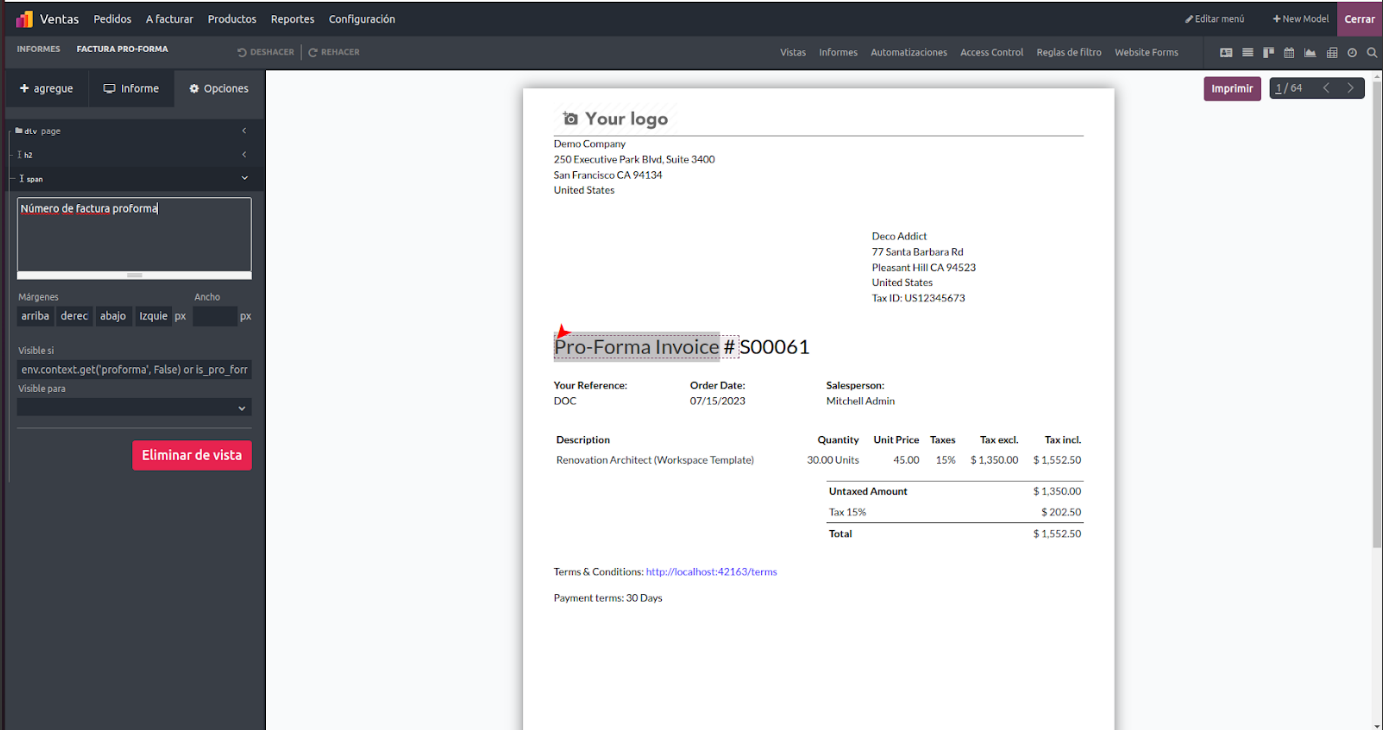
When you select text for translation, the translated content will be displayed as illustrated above.