Forum Management
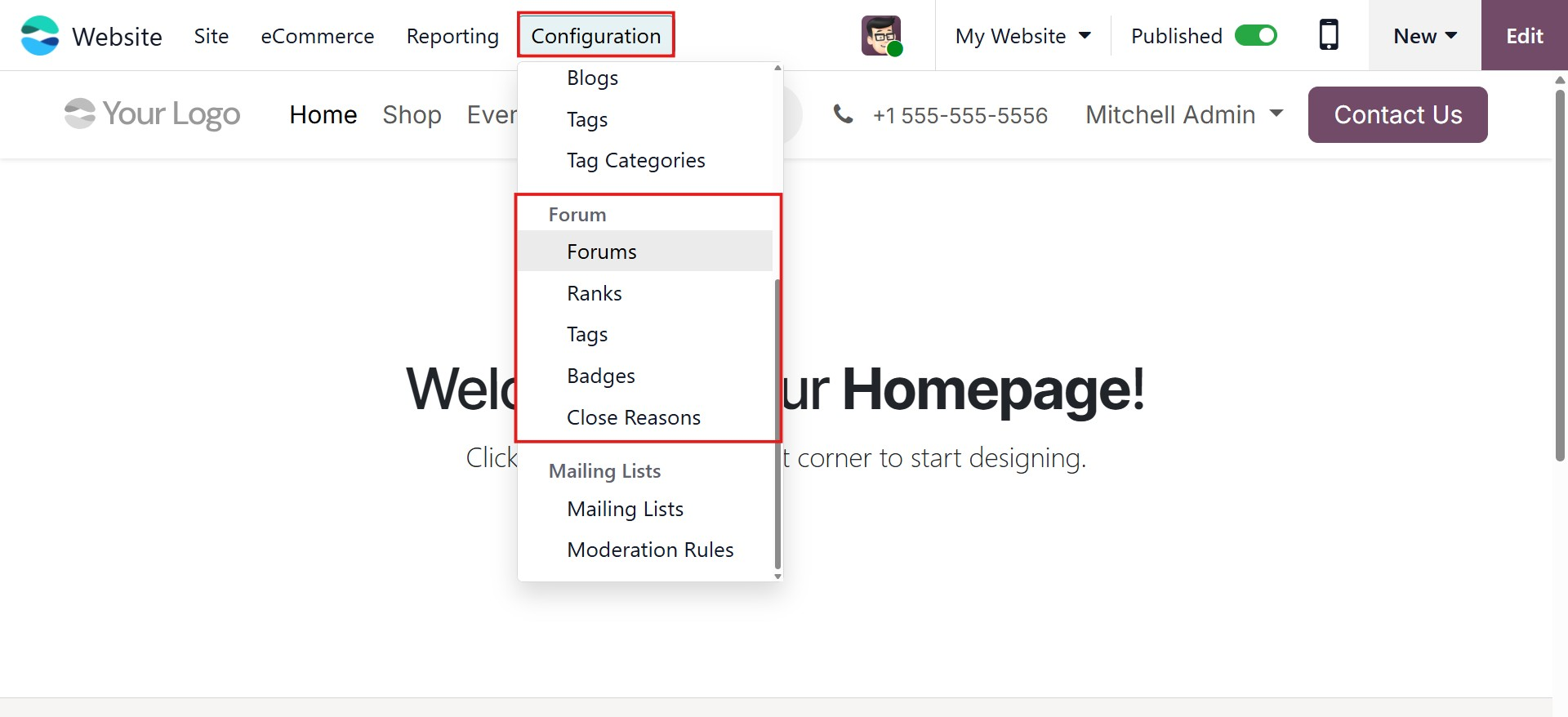
In Odoo 19, forum settings can be managed from the Forum menu found under the Configuration tab of the Website module. When you open this option, you are redirected to the Forum dashboard.
After understanding how forums appear on the front end, let’s look at the back end. Forums on your website allow users to communicate, post questions, and share answers. They also help increase website engagement and traffic. Using forums, businesses can showcase their expertise and connect with potential customers.
The Odoo 19 Website module allows you to create a fully customized forum environment. Visitors or customers can start discussions, ask questions, and receive answers directly through the website.
From the main navigation bar of the Website module, you will find the Forum tab. To manage forums, open the Forum menu under this tab.
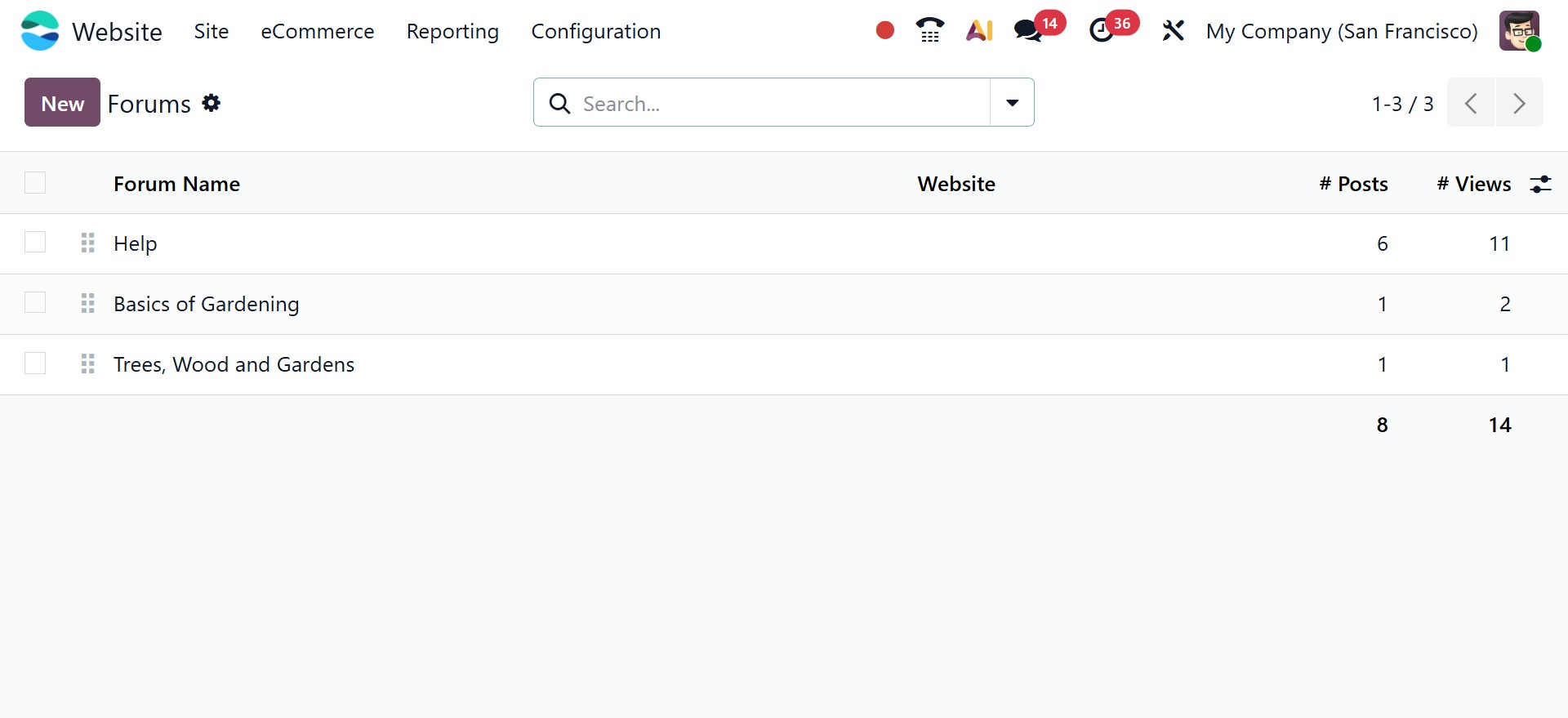
In the Forum dashboard, users can view all the forums created on the website. The list displays important information such as the associated website, forum name, total number of posts, views, replies, and favorites, making it easy to monitor forum activity at a glance.
To create a new forum, click the New button. This opens a configuration form where the forum can be set up easily. Users must enter the forum name and select the forum mode. In Discussion Mode, multiple answers are allowed for a single topic, while Question Mode allows only one accepted answer. After selecting the mode, the website where the forum will be published can be chosen. An image related to the forum can also be uploaded to enhance its appearance.
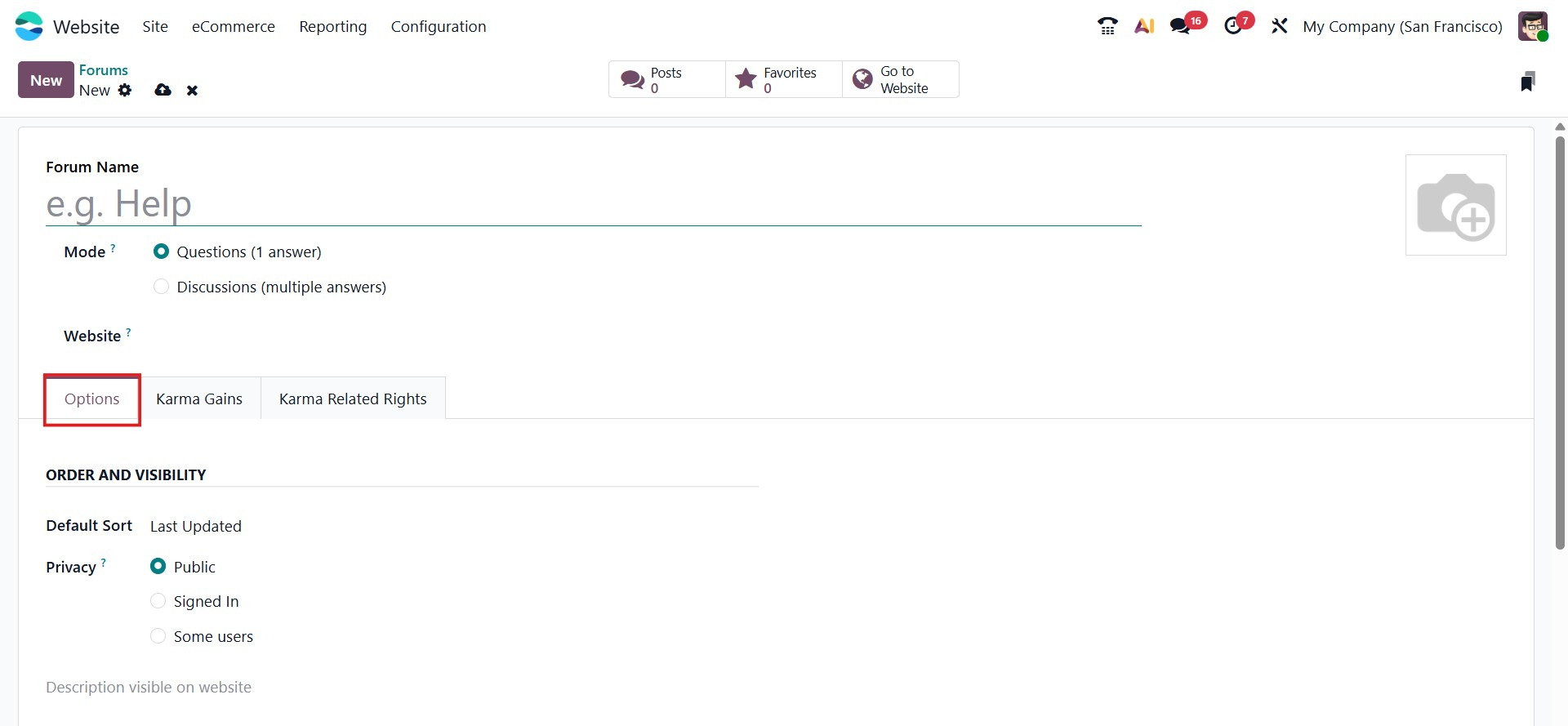
The Options tab allows users to manage the forum’s visibility and display order. The Default Sort option defines how posts are displayed on the website, with choices such as relevance, answered, most voted, newest, and last updated. Privacy settings can also be configured to control who can access the forum. Forums can be made public for all users, restricted to signed-in users only, or limited to specific user groups. Additionally, a forum description can be added, which will be visible on the website. Karma points can be assigned under the Karma Gains section to reward users for their participation and actions.
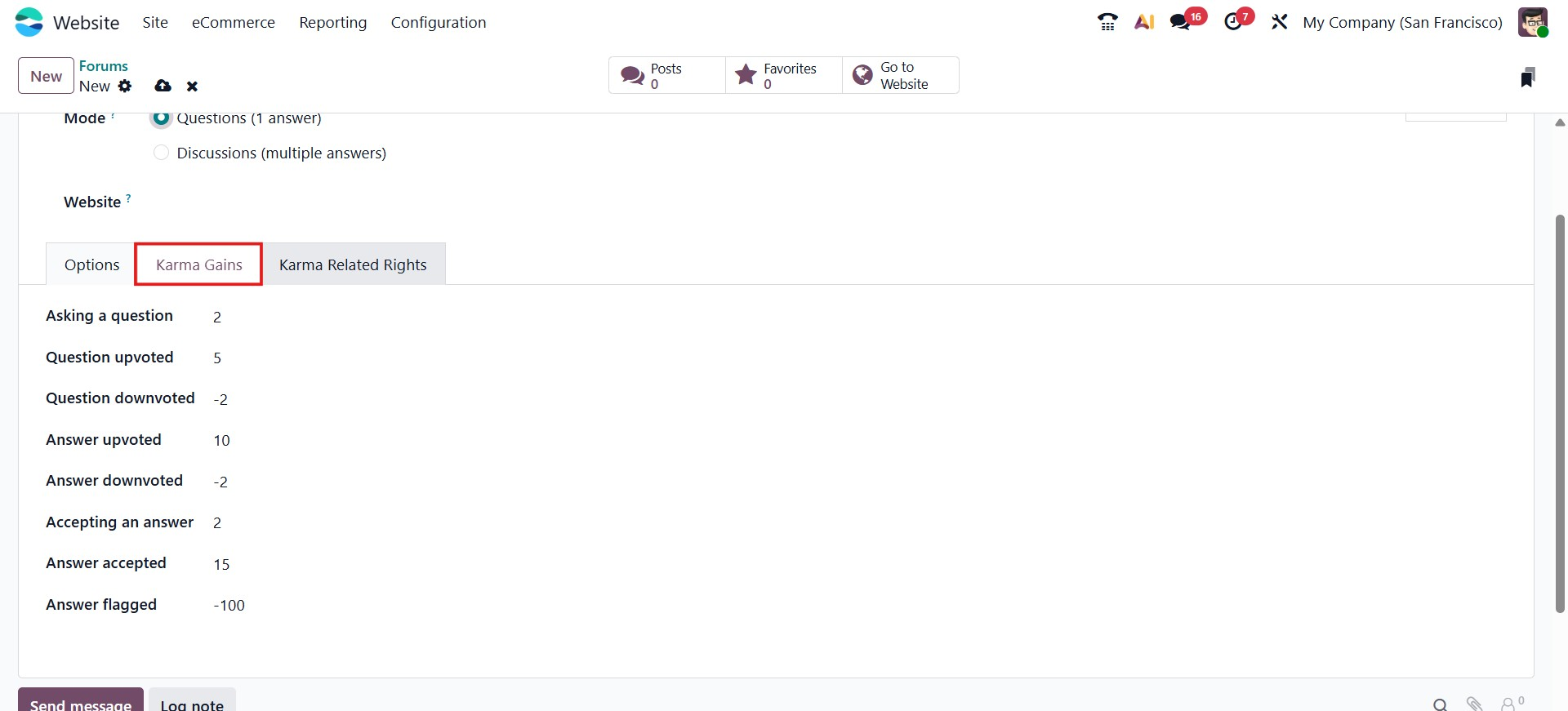
Karma points are earned when users actively participate in forum discussions. As users accumulate karma, they gain additional permissions within the forum. These permissions are managed through the Karma Related Rights section in Odoo 19. This section displays all available rights along with the minimum karma points required to access them. Users can use these rights only after reaching the specified karma level.
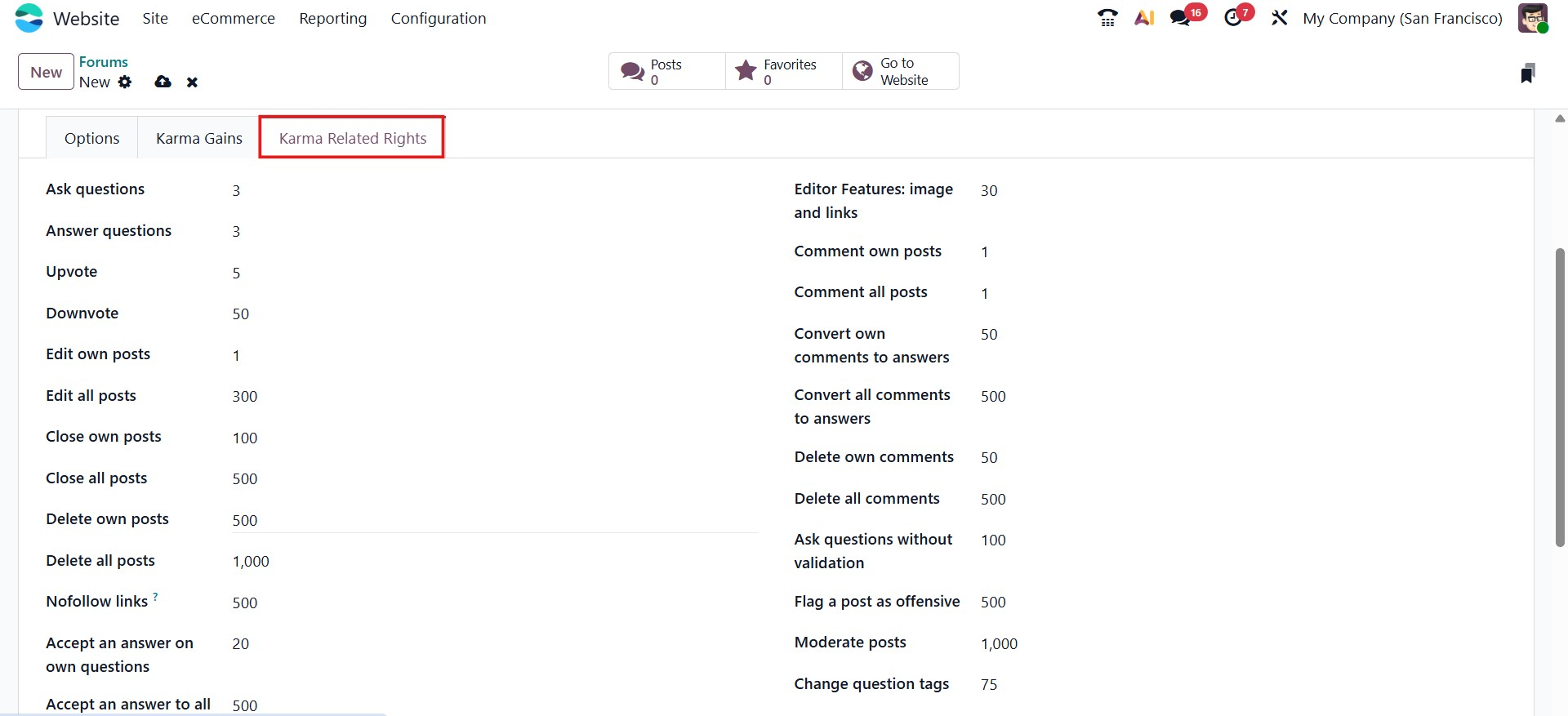
Once all forum settings are completed, clicking the Save button stores the configuration.
Each forum includes a Forum Posts smart tab that shows all posts created under that forum.
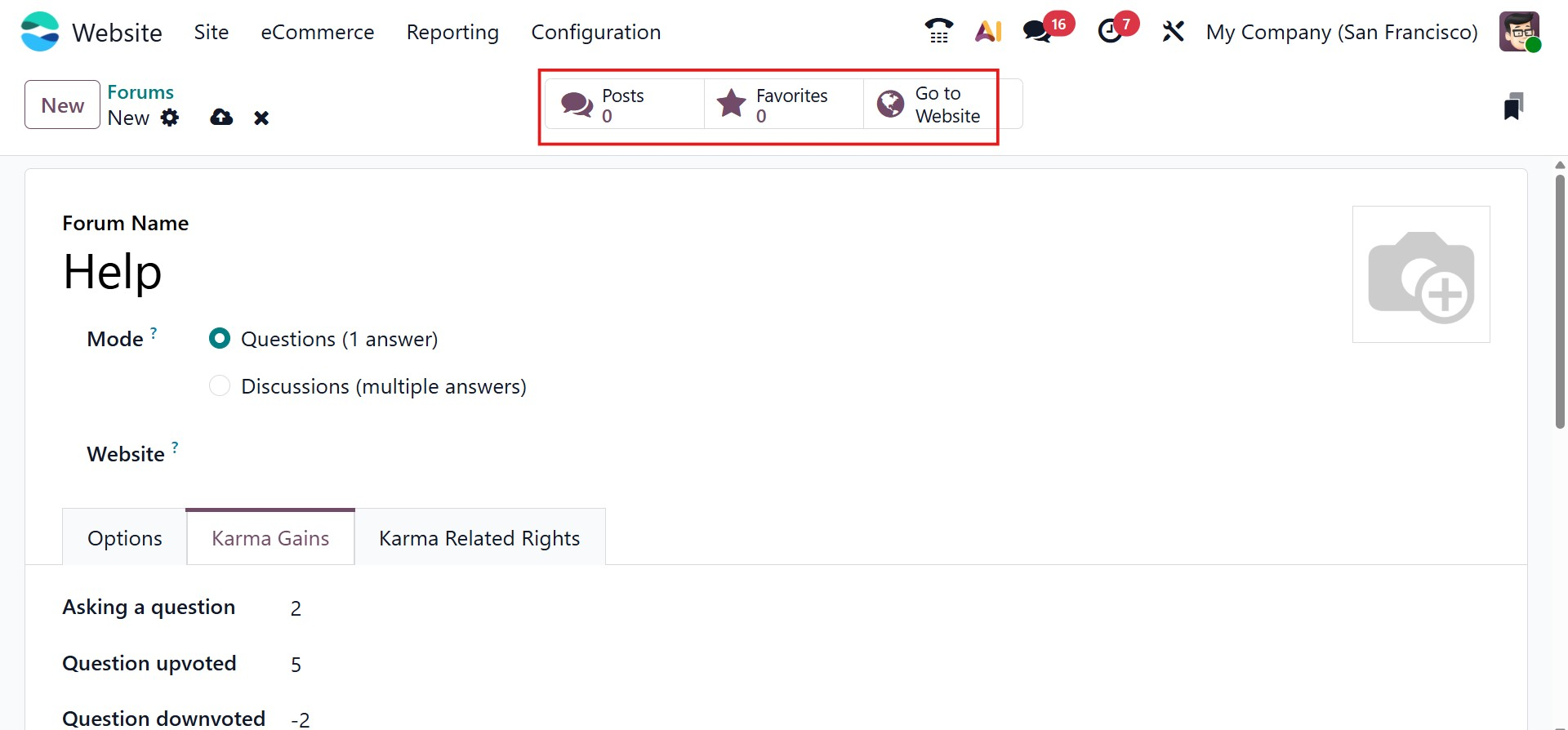
By selecting the Go to Website smart button, users are redirected to the forum’s website page. On the left side of the page, navigation options such as Posts, My Posts, Favorites, People, and Badges are available. All existing forum posts are displayed along with details such as replies, views, and available actions.
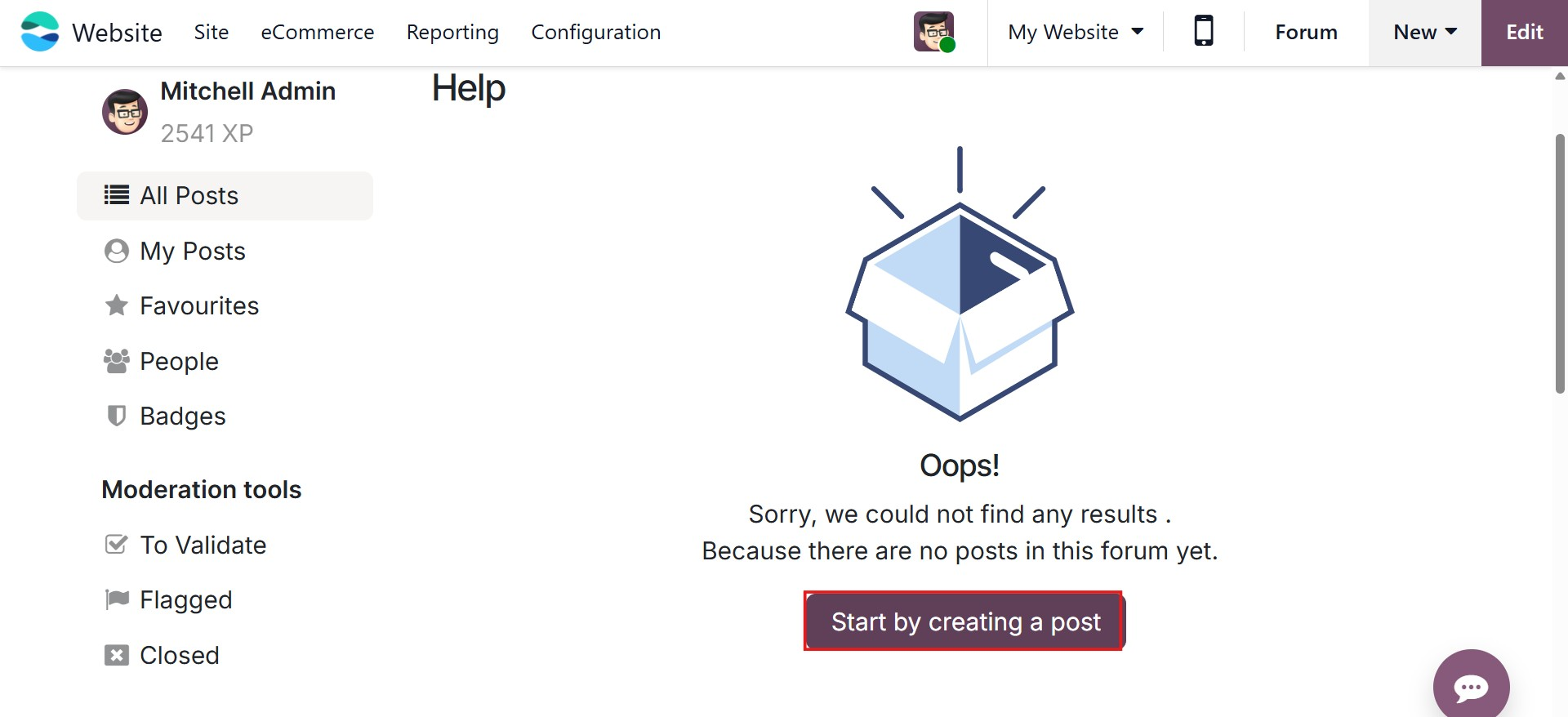
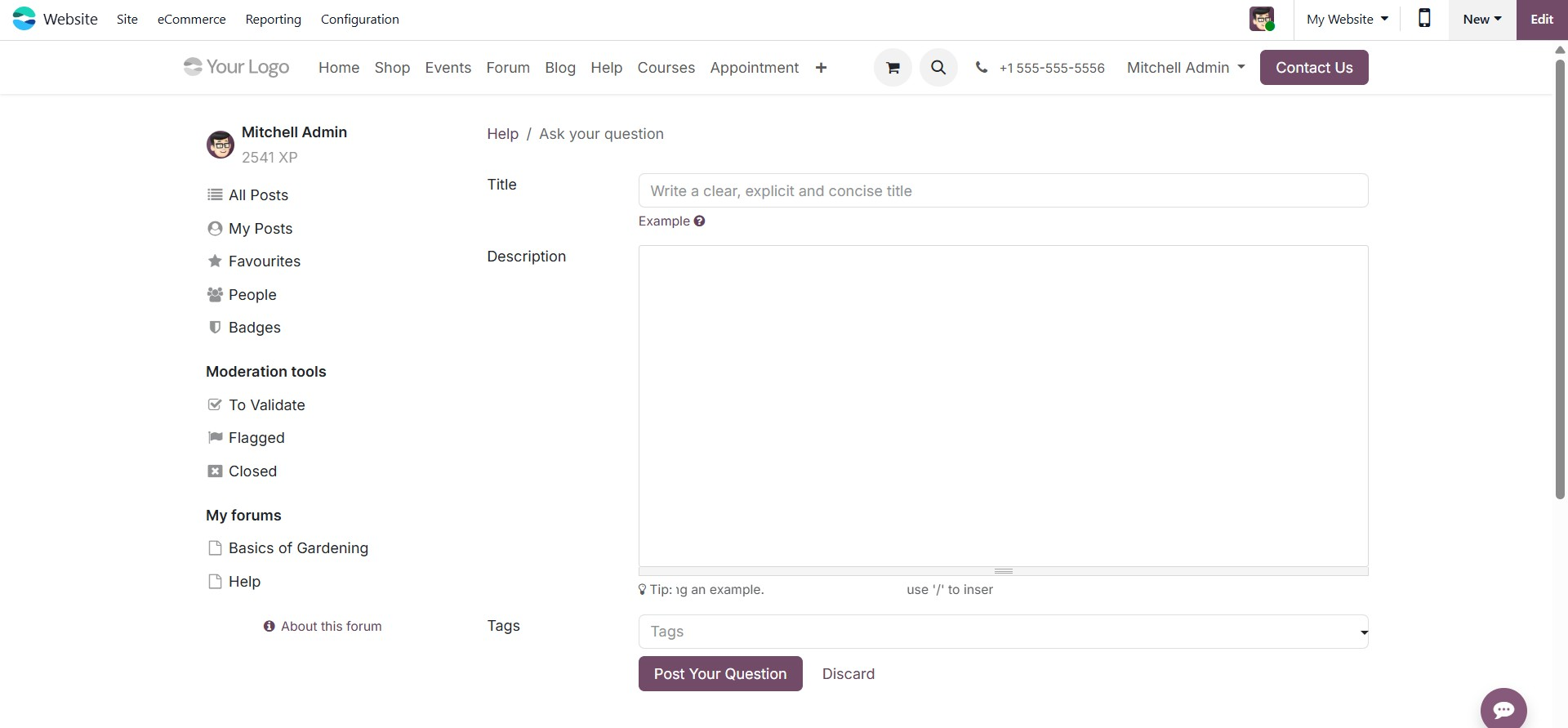
Users can create new discussions by clicking the Start by creating a post button and entering a title, description, and relevant tags before submitting the question.
Forum posts can be marked as favorites using the star icon. Each post provides options such as Edit, Close, Delete, and Flag, allowing users and moderators to manage content effectively.
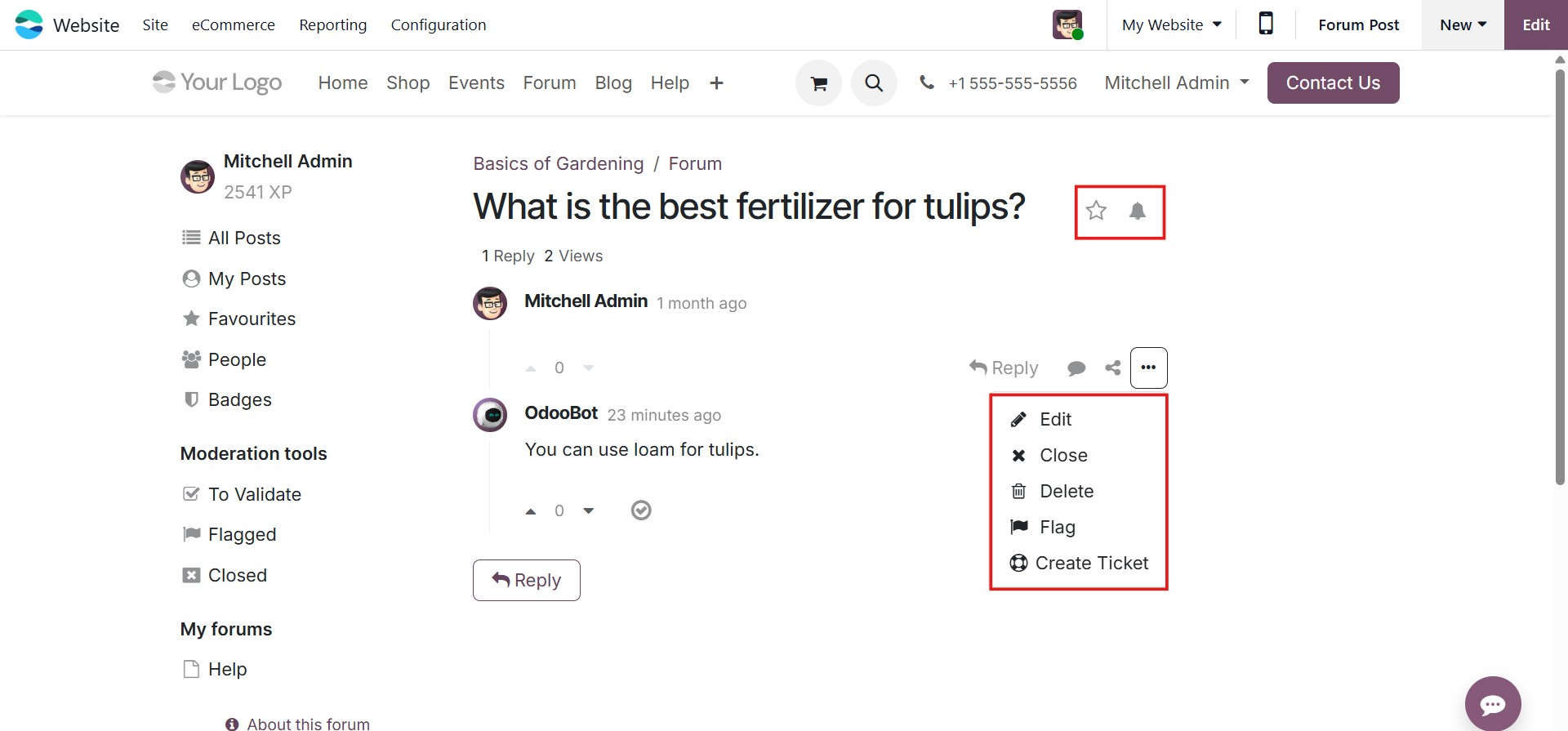
Moderators have access to Moderation Tools, which include options such as Pending Validation, Flagged, and Closed posts. The To Validate option allows moderators to access all questions and answers that are pending approval before they become visible to non-moderator users. This feature helps ensure content quality by giving moderators the opportunity to review submissions before they are published on the forum.
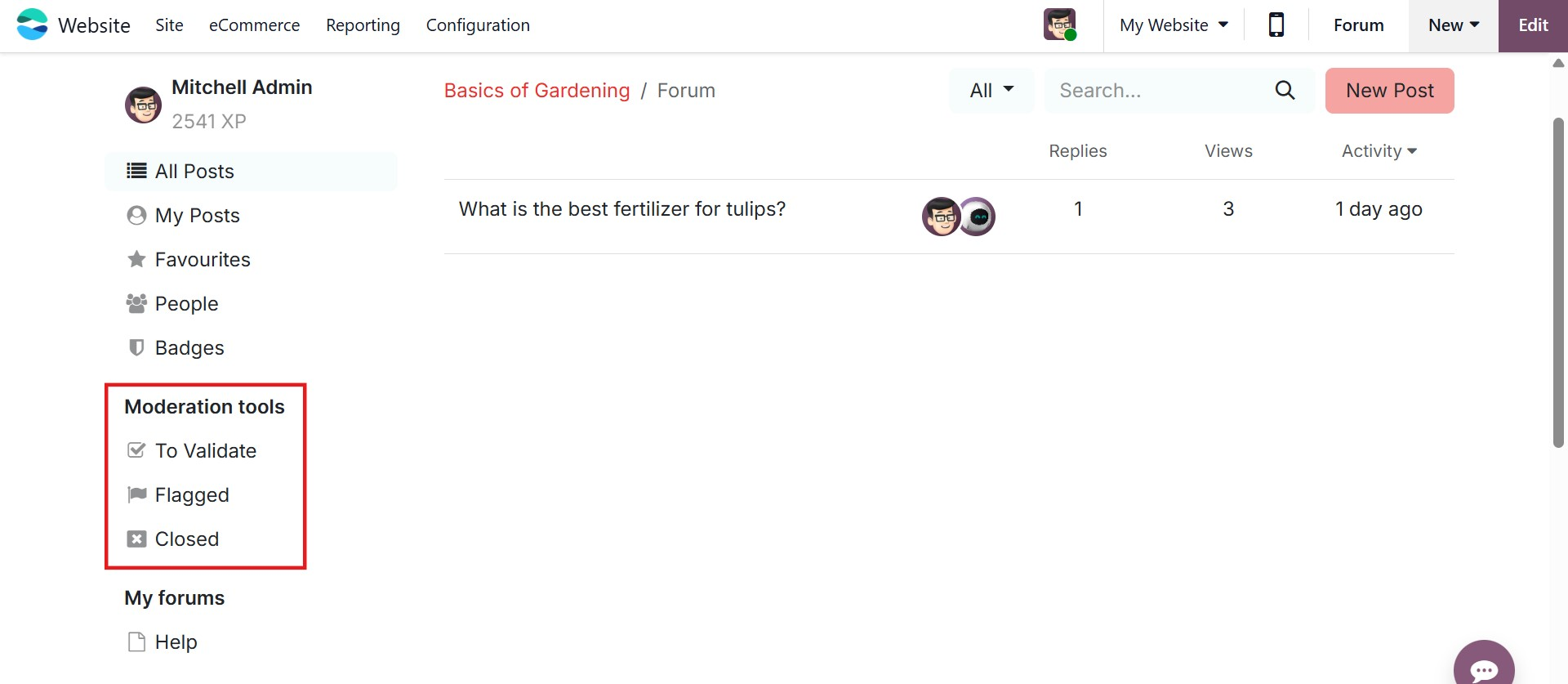
The Flagged section provides access to all questions and replies that have been reported as objectionable by users. After selecting a flagged post, moderators can review the justification and choose to either accept the content, which removes the offensive flag, or mark it as Offensive to confirm the report. When a post is confirmed as offensive, it is hidden from users who do not have moderation rights, and the user responsible for the content automatically loses 100 karma points, reinforcing community guidelines and responsible participation.
The Closed menu displays all forum questions that have been closed by moderators. From this view, closed posts can either be deleted or reopened if necessary. A question can be closed by opening it, clicking the ellipsis (⋯) menu, selecting an appropriate Close Reason, and then clicking Close Post. Once closed, the post is no longer visible to users without moderation privileges. If required, moderators can reopen the post at any time.
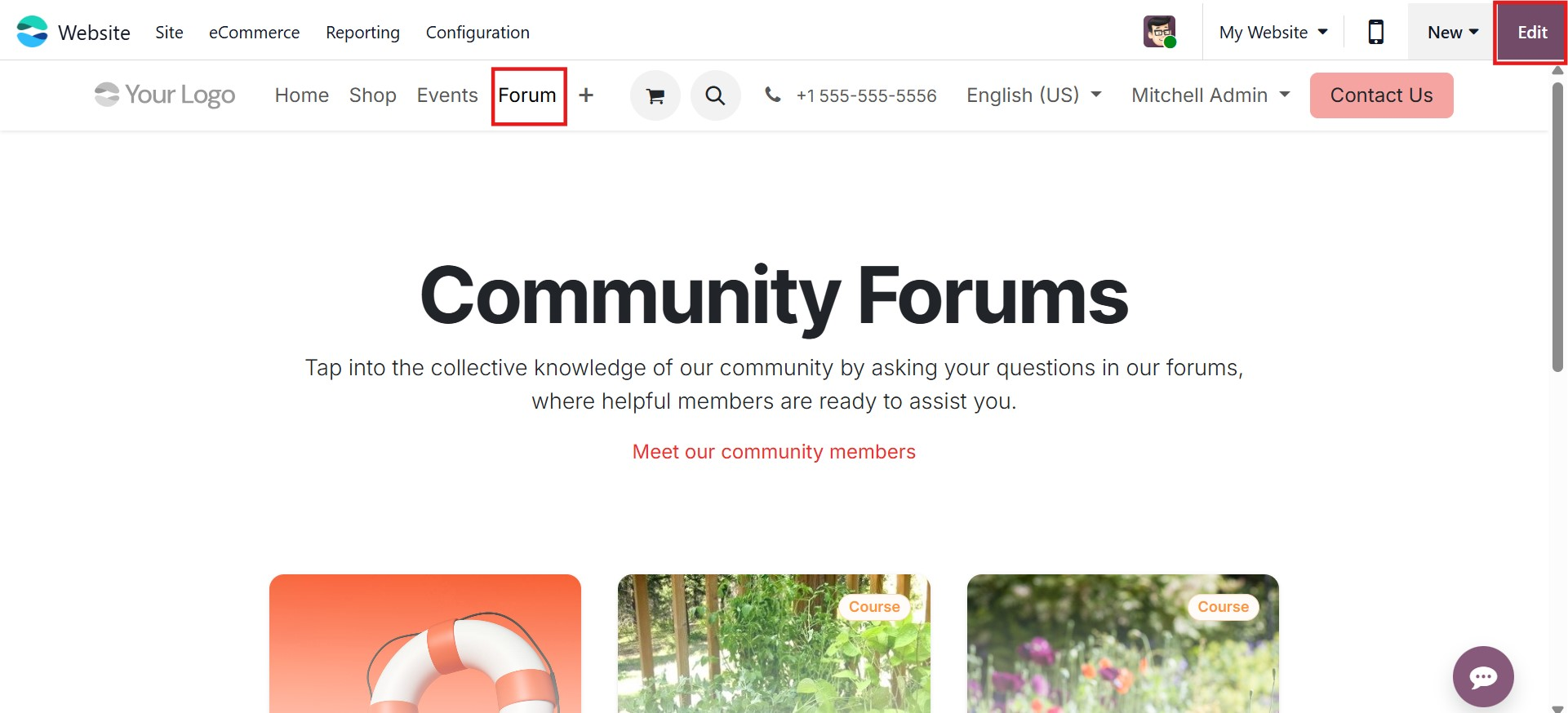
On the website front end, the Forum navigation displays all the forums that have been created. An Edit button is available in the top-right corner of the forum page, allowing administrators to modify the layout and appearance of the forum. Using the Style tab in the editing panel, users can easily personalize the forum page according to their preferences.
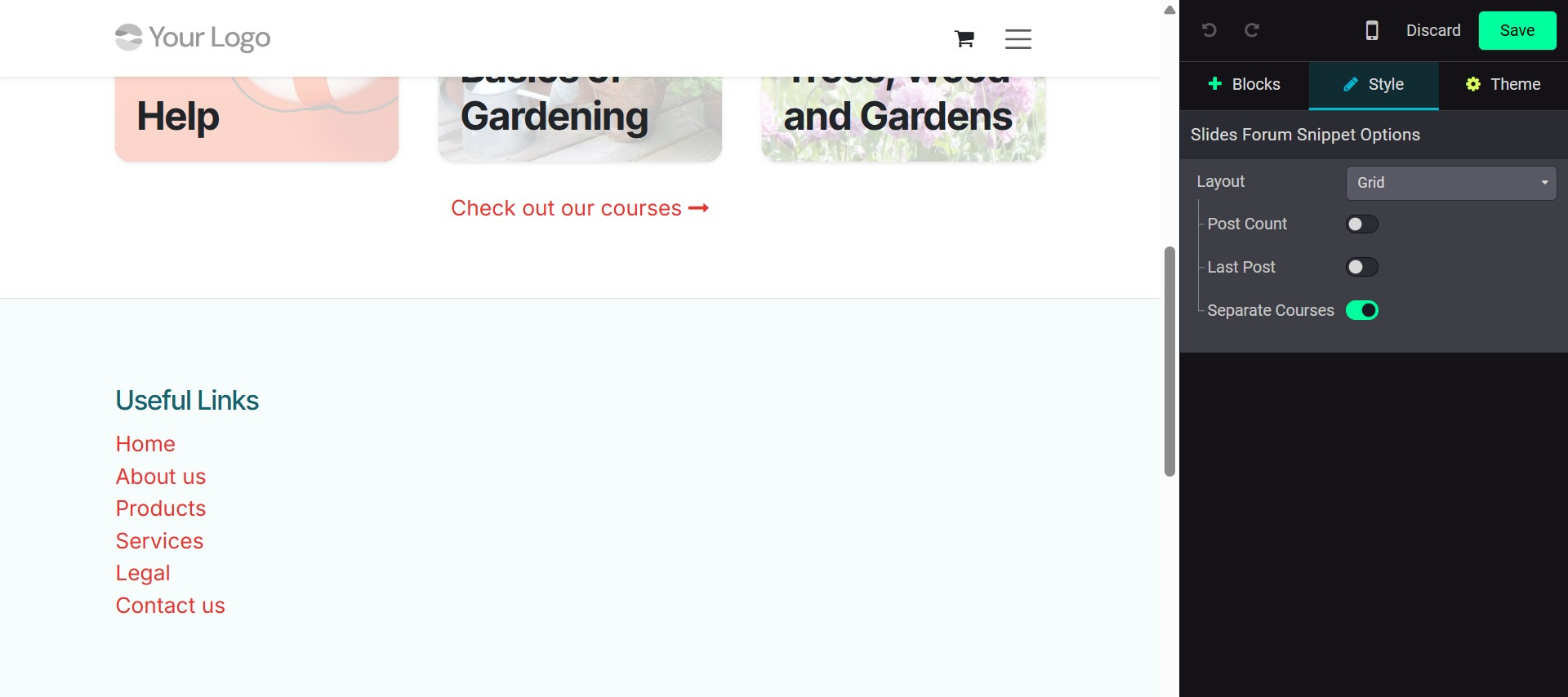
From the customization options, users can choose between List View and Grid View for displaying forum content. Enabling Post Count displays the total number of posts available, while activating Last Post shows the most recent activity within each forum. The Separate Courses option can also be enabled to further organize content when forums are linked to multiple courses.
Let's now discuss the Ranks menu.