Settings
The Settings tab in the Odoo 19 Website module centralizes all configuration options required to manage and optimize your website and eCommerce operations. The interface is structured into clearly defined sections such as General, eCommerce, and Tracking & SEO, allowing users to configure features based on operational requirements. From domain configuration to payment setup and analytics integration, this panel enables businesses to transform their website into a fully functional and performance-driven digital platform. By activating or adjusting the available options, users can tailor the website experience according to their business model.
In the Website Settings section, you can define the name of the website you are configuring. Additionally, the option to create a new website, along with its exact URL, is available through the + New Website button. Additionally, you can import an existing website by selecting the option + Import Website.
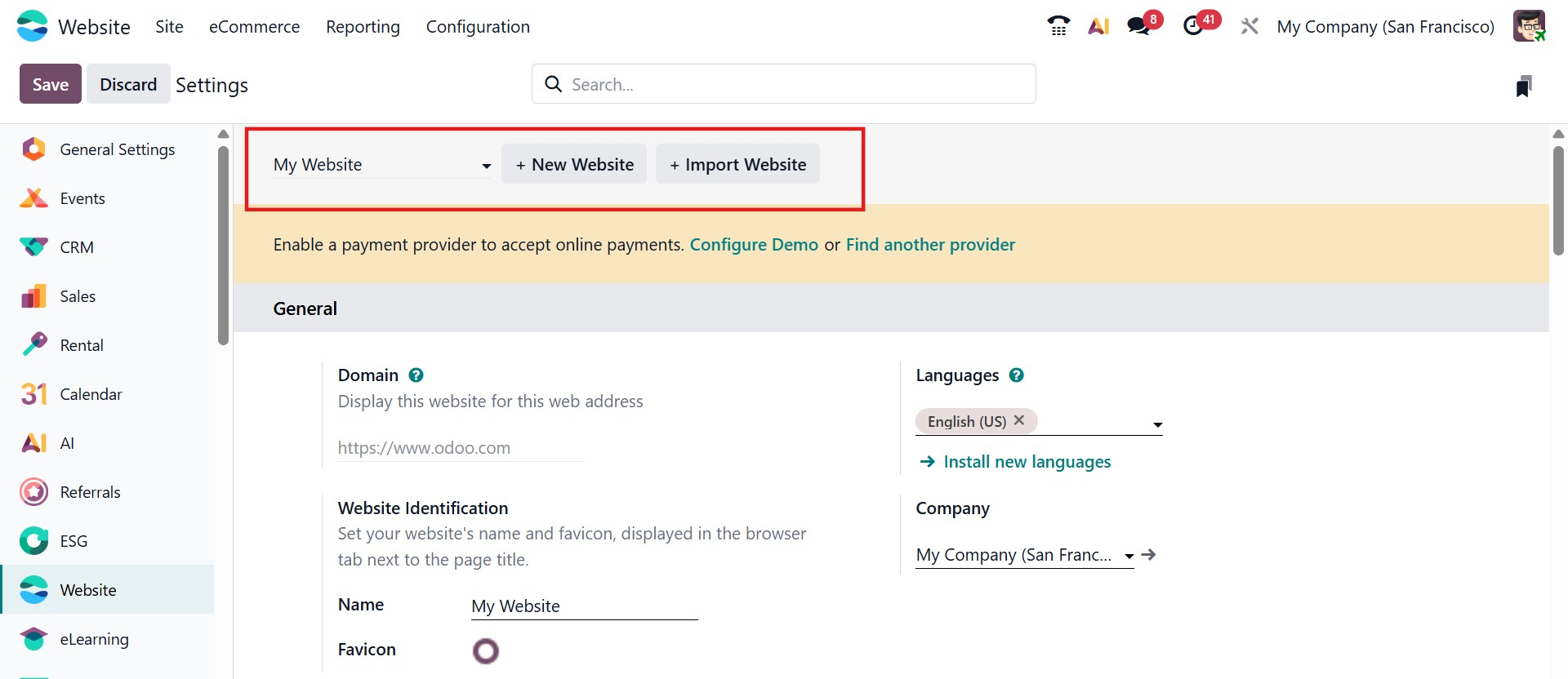
Under the General section of the Website Settings, several configuration options are available to manage the behavior and functionality of the website. The Domain field allows users to define the web address through which the website will be accessed. The Languages option enables multilingual support, allowing administrators to install additional languages and define a default language for the website. The Website Identification section is used to specify the website name and upload a favicon, which appears in the browser tab next to the page title, helping improve brand recognition.
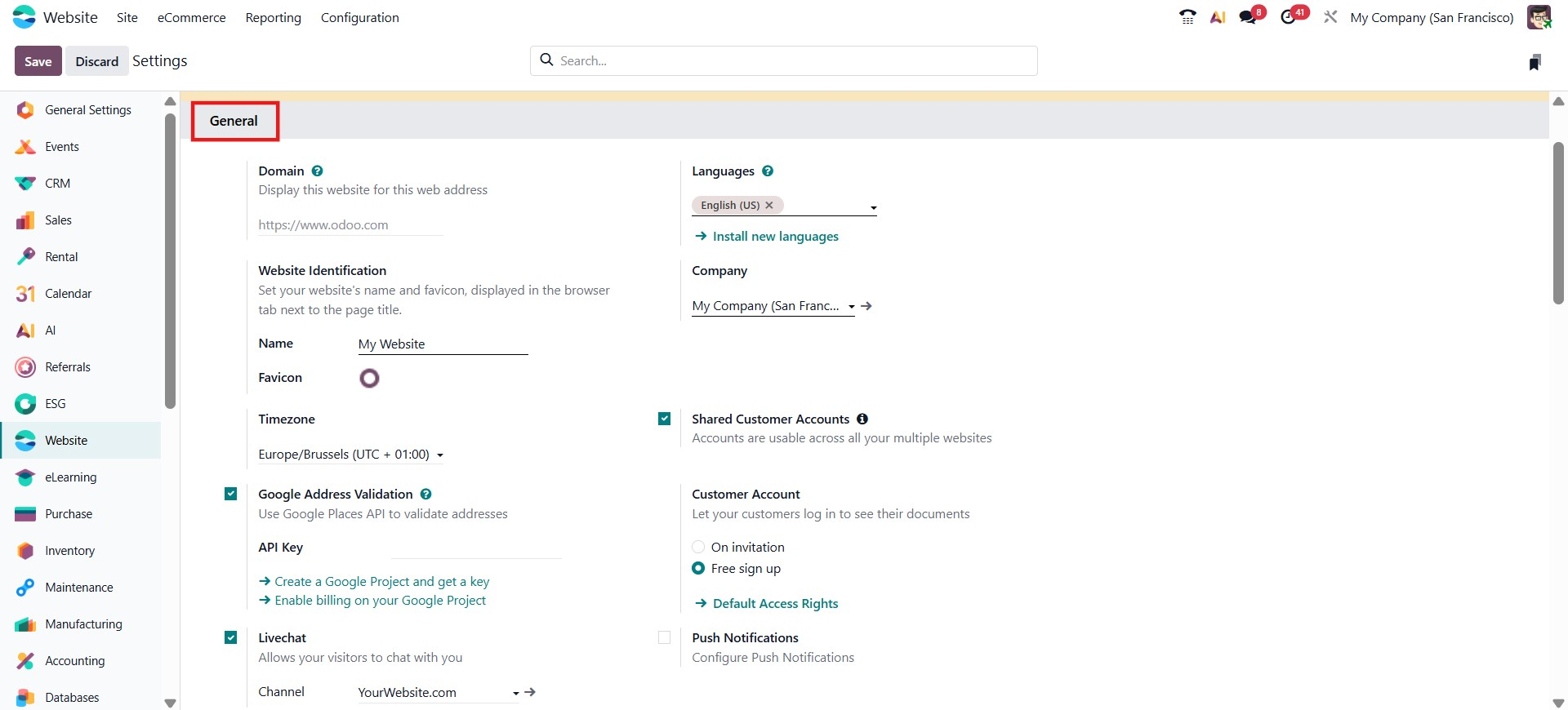
The Customer Account option controls how visitors can access user accounts on the website. Businesses can configure whether customers are allowed to create accounts, sign in, or access the portal based on the selected settings. The Live Chat feature can be activated to allow real-time communication between website visitors and support agents, improving customer engagement and assistance. Odoo 19 also supports Push Notifications, which enable websites to send real-time alerts or updates directly to users’ browsers. To support this functionality, administrators can enable the Use Your Own Firebase Account option and configure their Firebase credentials for sending browser notifications.
For online transactions, the Configure Payment Methods option allows administrators to enable and manage payment providers so customers can complete purchases securely through the website. The settings also include integrations for monitoring website performance and analytics. The Plausible Analytics option allows businesses to connect their website to Plausible for privacy-friendly website traffic analysis, while Google Analytics integration enables advanced visitor tracking using a measurement ID.
To enhance website performance and search visibility, Odoo 19 provides additional configuration options, such as Content Delivery Network (CDN), which improves website loading speed by delivering static content through distributed servers. The Robots.txt setting allows administrators to control how search engines crawl and index website pages. The Default Social Share Image option lets users define the image that will appear when website links are shared on social media platforms. Furthermore, integration with Google Search Console helps monitor search performance and indexing status, allowing businesses to improve their website’s SEO.
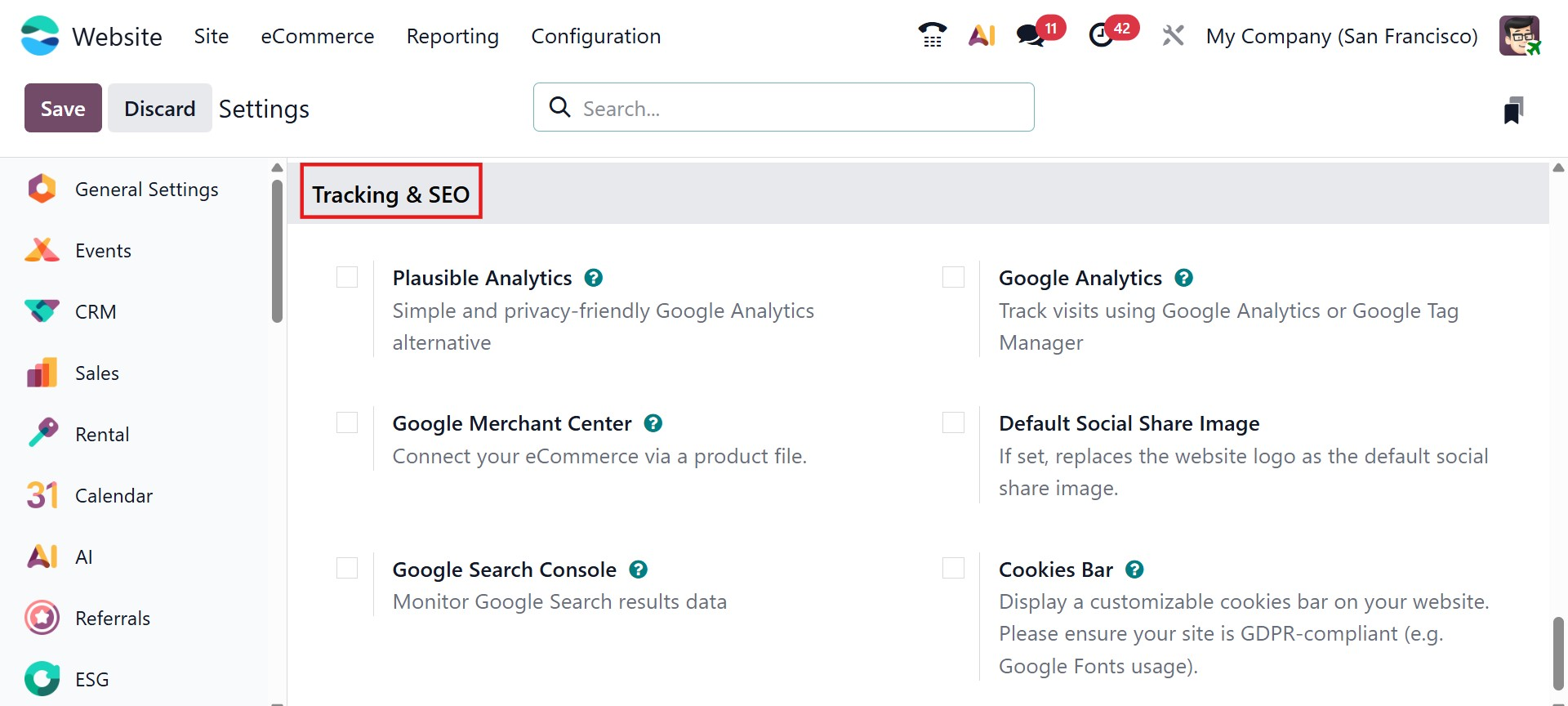
Finally, the Cookies Bar option can be enabled to inform visitors about cookie usage on the website. This feature helps ensure transparency and supports compliance with privacy regulations by allowing users to acknowledge cookie usage when visiting the website.