Menus for Configuration in Odoo 19 Studio
To assist them build the operation and control of the apps in accordance with their needs, the majority of businesses seek a changeable and adjustable operation tool. The Odoo19 Studio was created with maximum flexibility in mind to provide an excellent solution for companies of all sizes and operating styles. The studio module's own menus will be used to define the setup details for most of the actions. You will be able to describe and create outstanding operational applications with the aid of the Fields and the specific menus. Now let's take a closer look at the unique menus.
Odoo 19 expands the possibilities for developing customized pages by providing far more advanced features and customisation options. Investigate the inheritance technique to maintain a consistent visual identity across the website and explore the use of QWeb templates to produce intricate and dynamic pages.
It is still essential to adhere to recommended practices while designing custom pages with Odoo 19. Use items with clear and relevant names, maintain a clean code structure, and closely follow Odoo's coding guidelines to ensure the scalability and maintainability of your online presence.
You can use the modify menu option to build a new menu, as seen in the picture below.
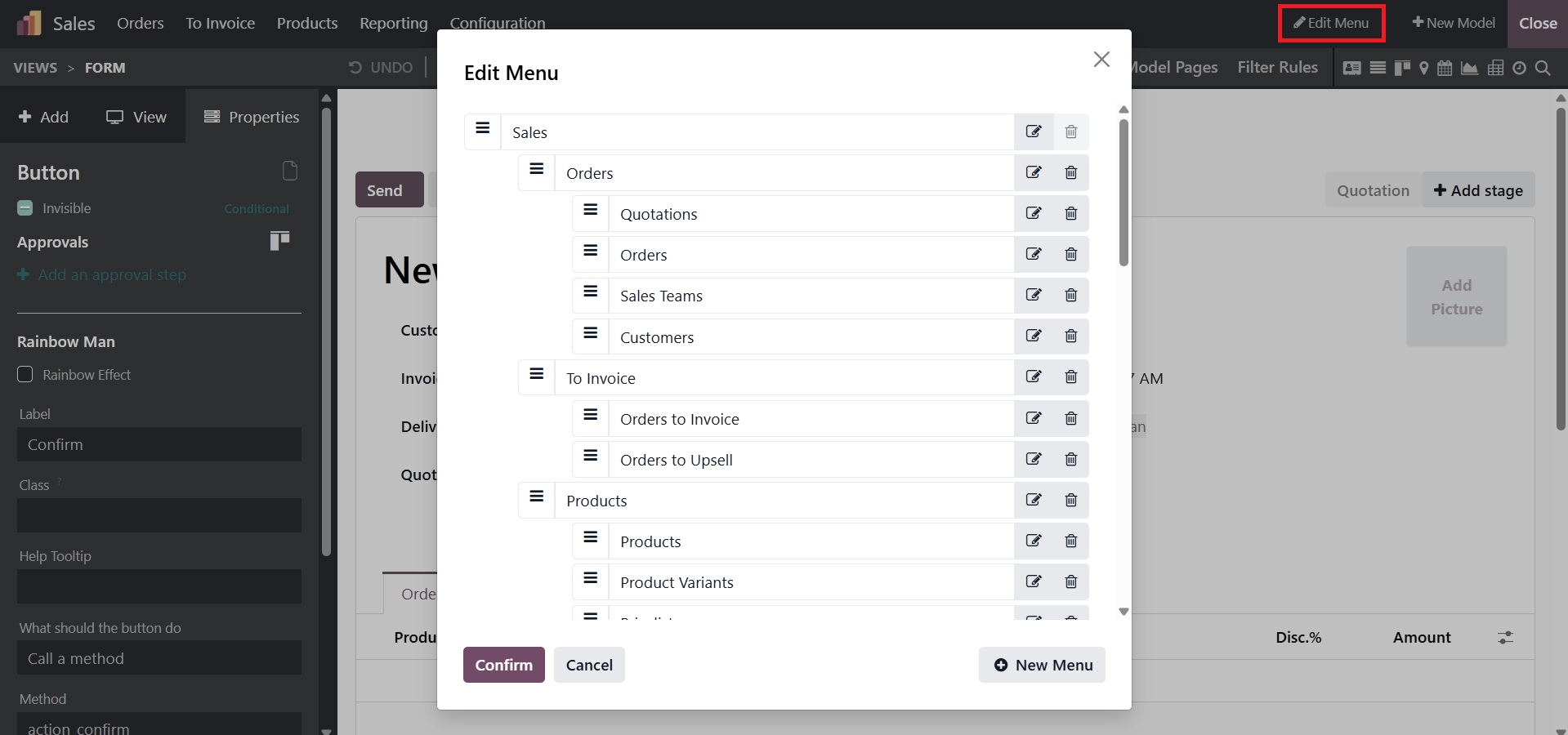
All of the menus and submenus are visible in the menu customization window, which is located in the same window. The menu can be moved as needed by dragging and dropping it in the first step. The red delete icon can also be used to remove something. To remove the menu, click on it.
As seen in the picture below, simply click the "New Menu" button in the lower right corner to add a new menu. Adding additional menus is another way to make changes.
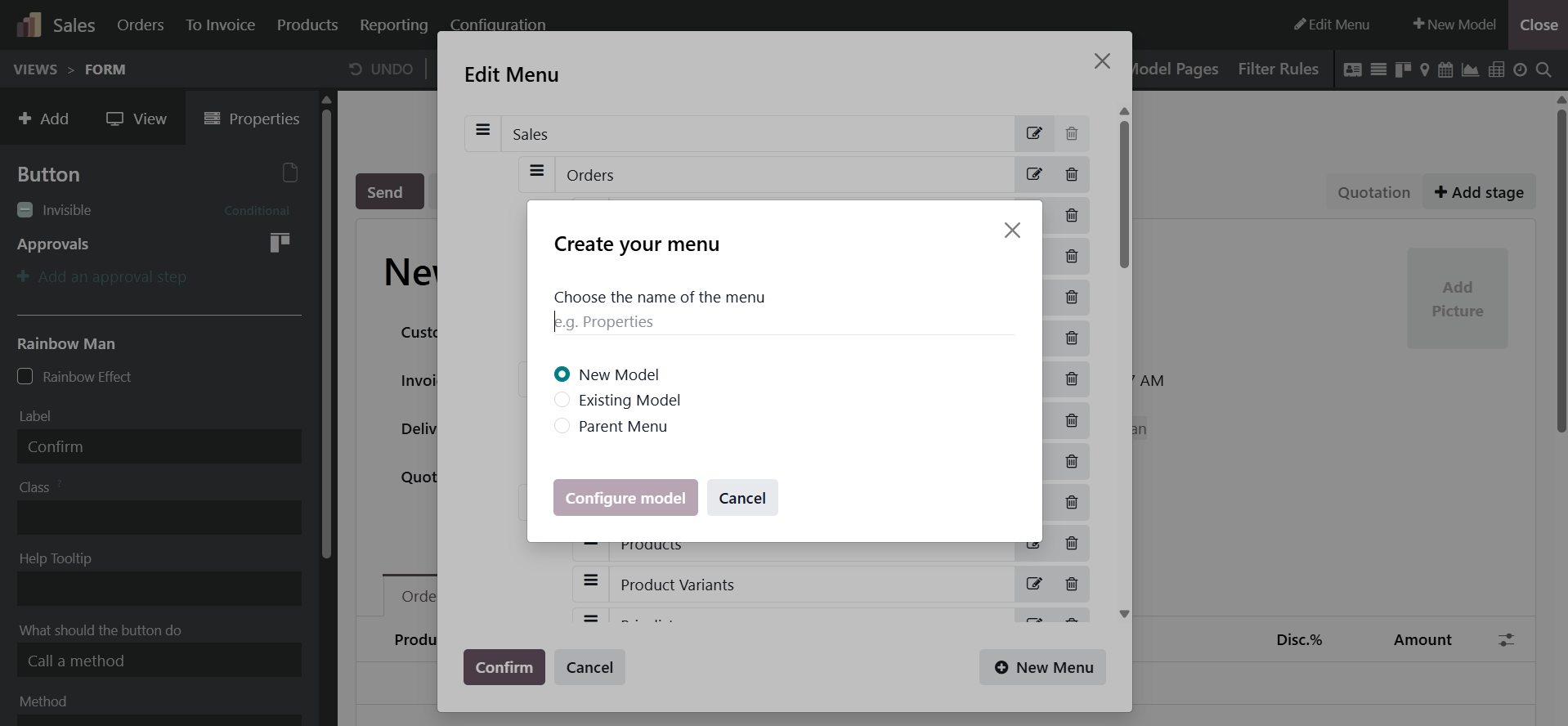
If it's a basic menu, the parent menu should be left empty and the order should be altered. Select the parent menu if it's a submenu.