Adding a Button in a Form
In Odoo 19, you may add a button to the form view. Both the list view and the form view of Odoo 19 allow for their addition. By selecting a button option that appears in the form view, you can create a button there. See an example of how to include a button in the form view.
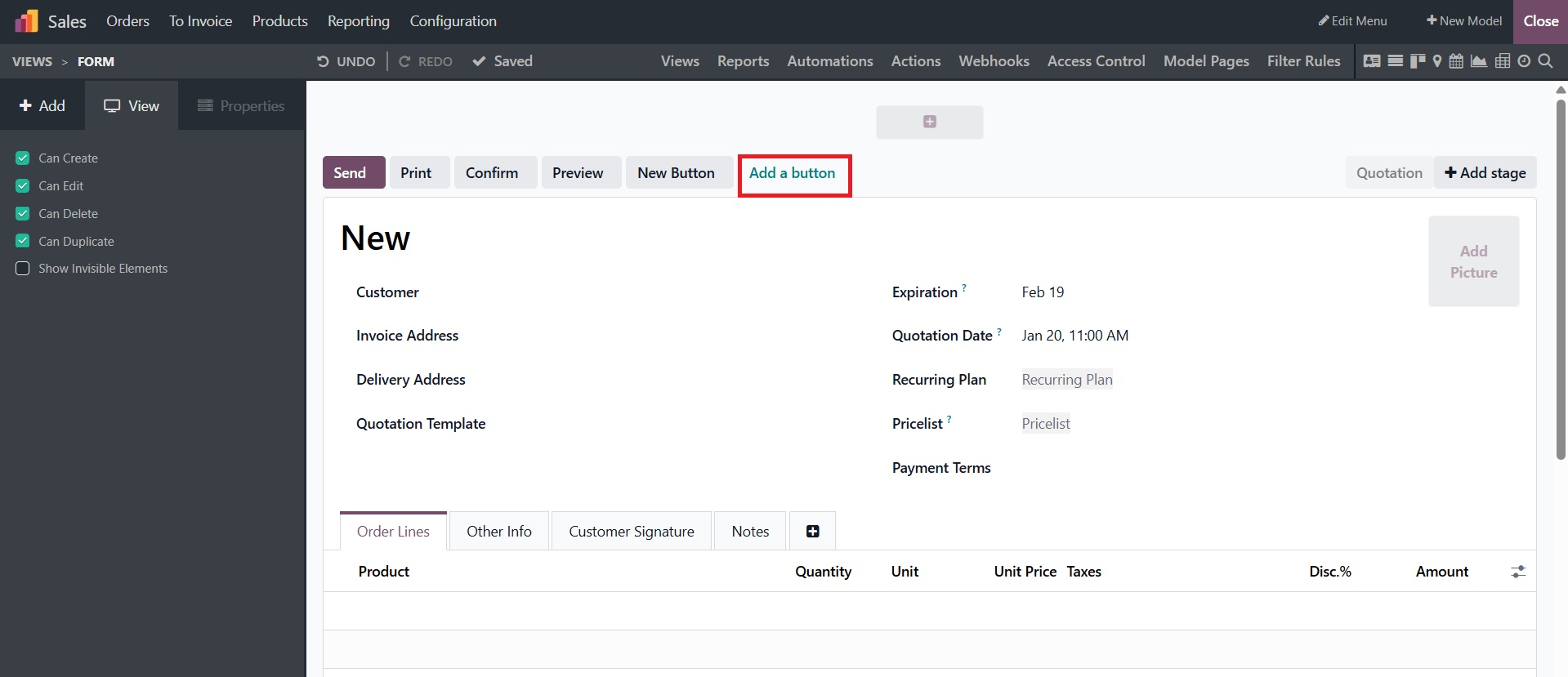
This will prompt you to configure its features, including the button's name.
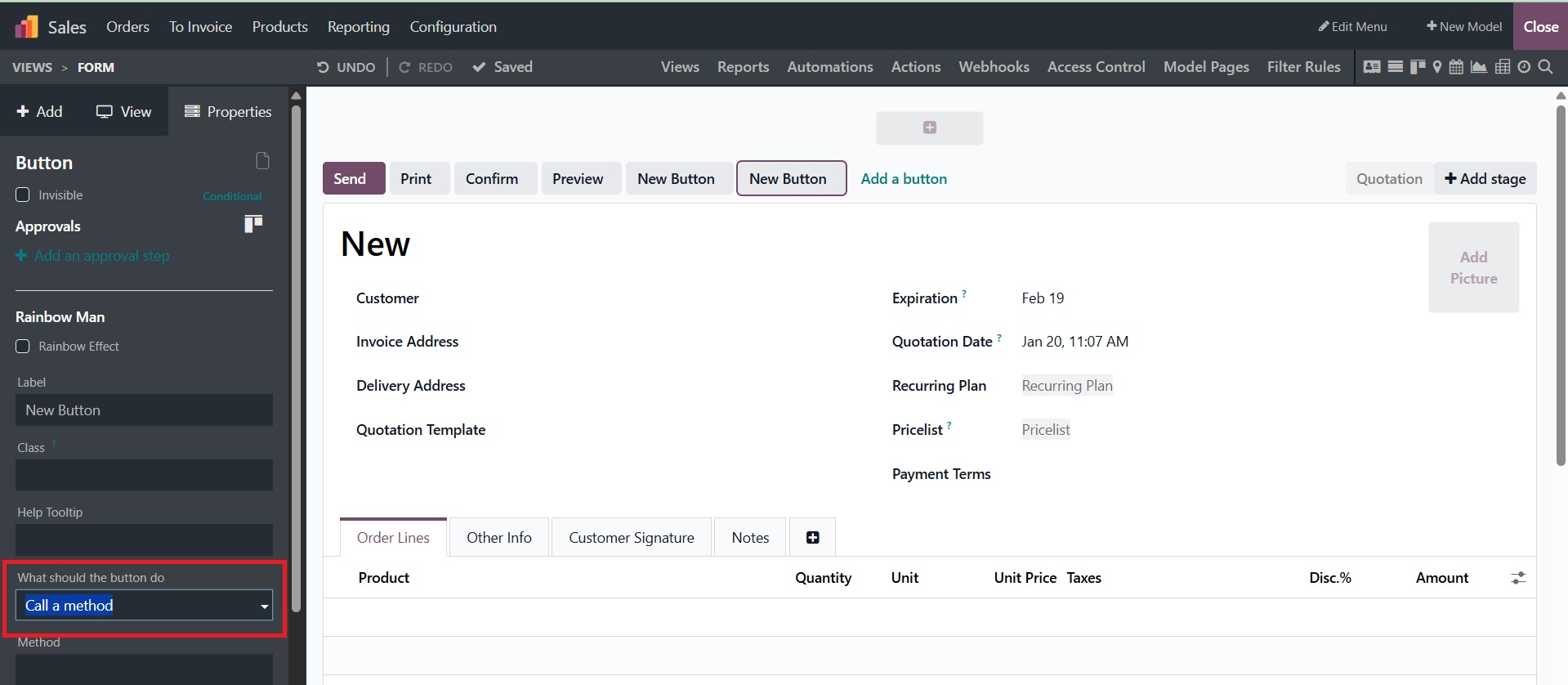
When the button is pressed, a particular function trigger that either calls a method or performs a server activity can be entered.
Server action can be created using the Setting itself. After turning on developer mode, navigate to Settings > Technical > Actions > Server Actions and create one.
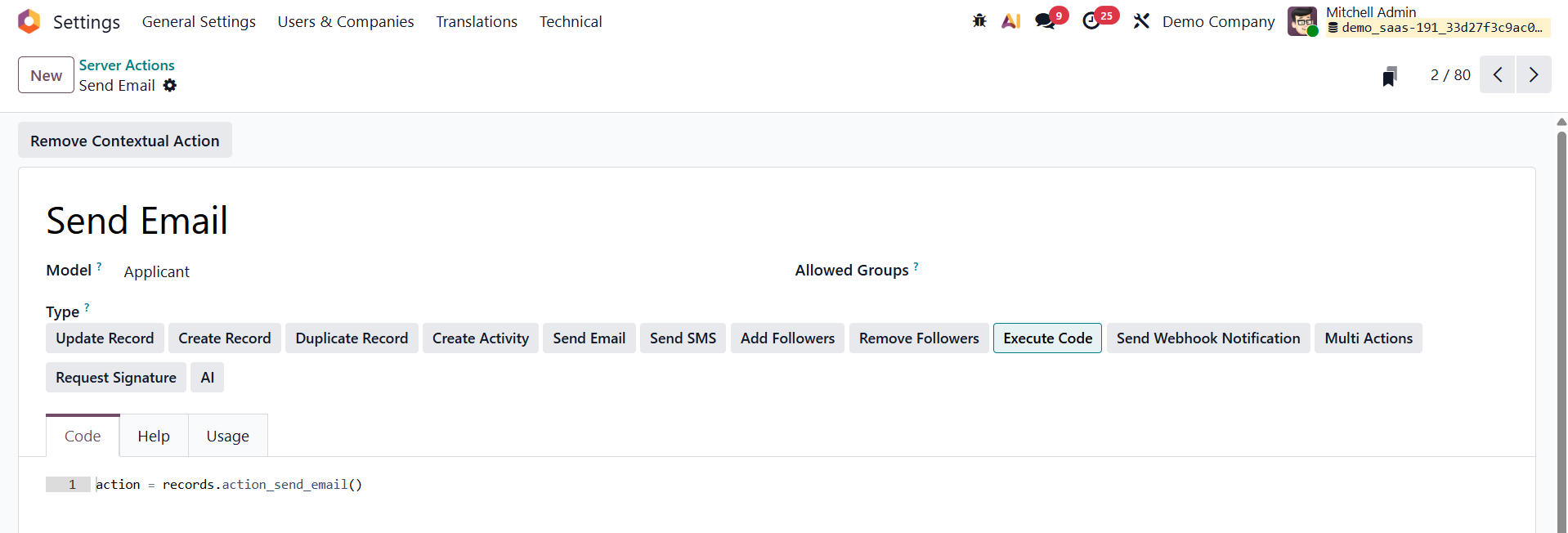
By choosing the "Create Contextual Action" option, the server action is enabled and ready to be included in the studio application.